

Segment Image Using SAM3
SUMMARY
Segment Image Using SAM3 segments objects using text prompts (objects), bounding boxes (bboxes), or both, with Meta's Segment Anything Model 3 (SAM3).
For every detected object, SAM3 predicts a precise segmentation mask — a deep-learning alternative to segment_image_using_grab_cut (a classical color-model algorithm) that generally produces cleaner masks, especially on complex textures/backgrounds, at the cost of needing a model inference call. Unlike box-only segmentation models, SAM3 can find every instance matching a text concept (e.g. "pedestrian") on its own — a common source for bboxes when boxes are used instead is an upstream object detector, e.g. retina.detect_objects_using_yolox/retina.detect_objects_using_rfdetr.
Use this Skill when you want to segment precise per-object masks from text concepts, bounding box prompts, or both, especially on complex textures or backgrounds where classical color-model segmentation struggles.
The Skill
from telekinesis import cornea

segmentation_results = cornea.segment_image_using_sam3(
    image=image,
    objects=["pedestrian"],
    threshold=0.5,
    mask_threshold=0.5,
)Example
Input Image
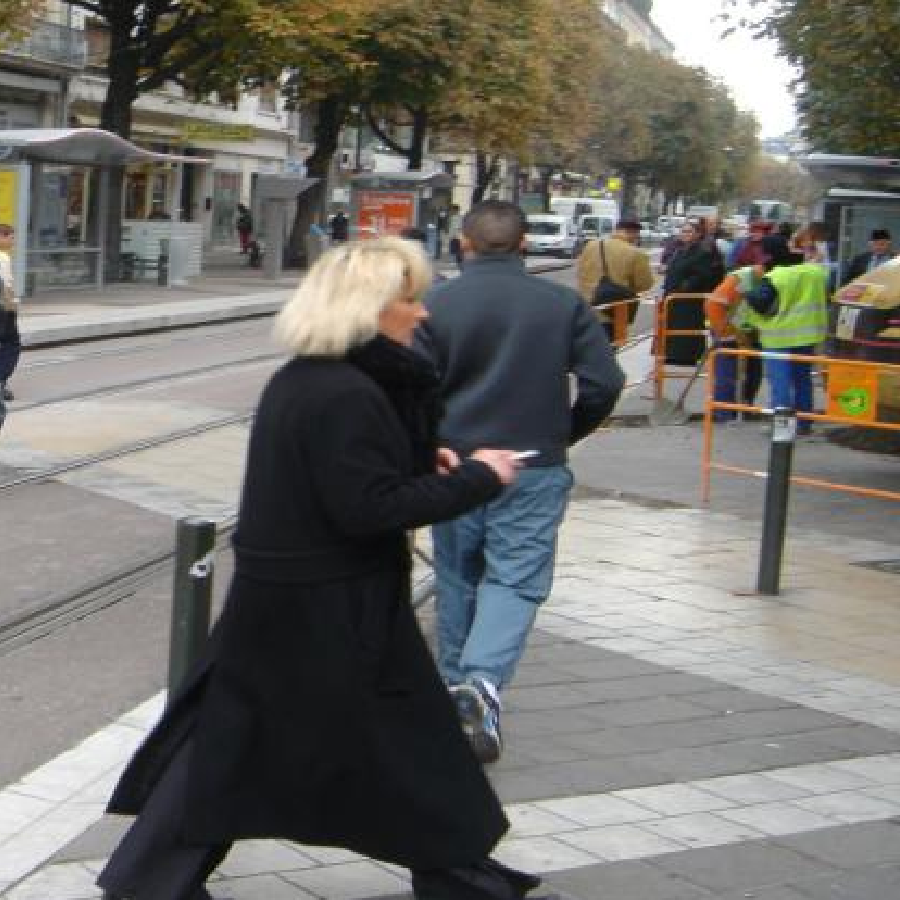
Original image for SAM3 segmentation
Output Image
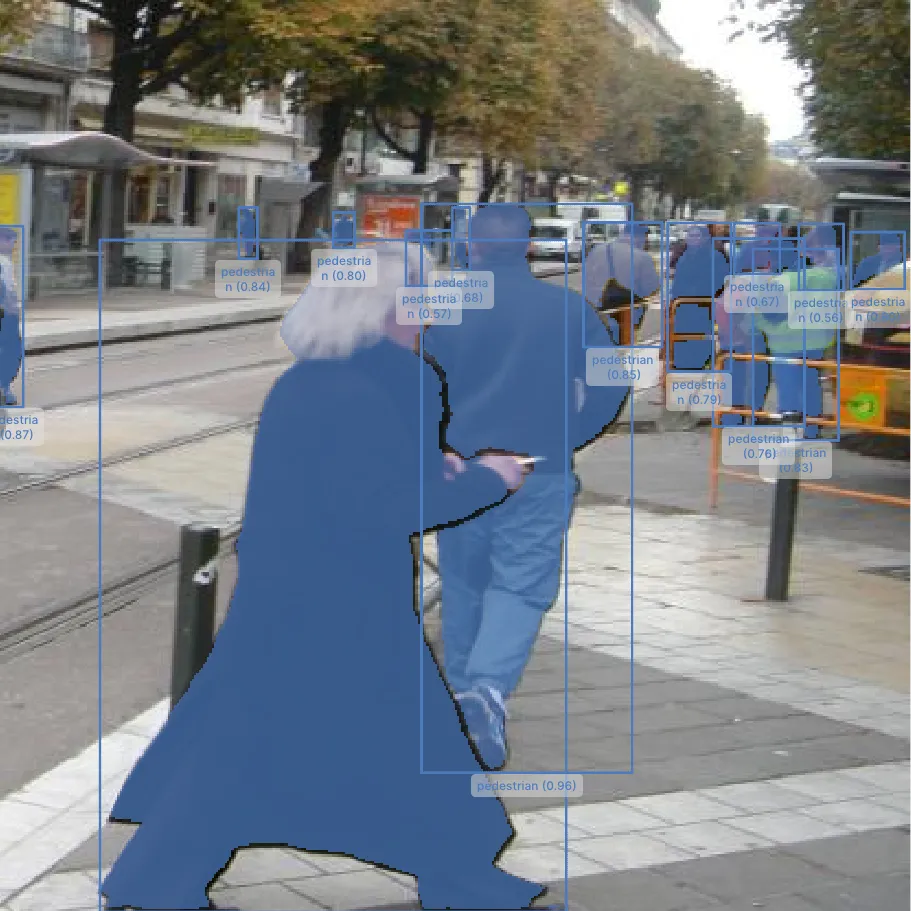
SAM3's predicted segmentation mask for the "pedestrian" prompt
The Code
"""
Demonstrates segmentation using SAM3 (Segment Anything Model 3).
"""

from loguru import logger
import rerun as rr
import rerun.blueprint as rrb

from telekinesis import cornea, datatypes

def segment_image_using_sam3_example():
    """Segments an image using the Segment Anything Model 3 (SAM3)."""
    # ===================== Load Image ==========================================
    image_url = "https://assets.telekinesis.ai/examples/v1/images/pedestrians.jpg"
    image = datatypes.Image.from_url(url=image_url)

    # ===================== Run Skill ==========================================
    objects = ["pedestrian"]
    segmentation_results = cornea.segment_image_using_sam3(
        image=image, objects=objects, threshold=0.5, mask_threshold=0.5
    )

    # ===================== Log ================================================
    logger.success(f"Segmented {image} using SAM3.")
    logger.success(f"Results: {segmentation_results}")
    logger.info(f"Number of segmented objects: {len(segmentation_results)}")

    # ===================== Visualization  (Optional) ======================
    # `category_id` is `0` for a box-only detection, or `i + 1` for a
    # detection matching `objects[i]` -- map it back to the matched
    # concept's name so boxes/masks show e.g. "pedestrian" instead of the
    # raw numeric "category=1".
    labels = [
        objects[category_id - 1] if category_id > 0 else "box prompt"
        for category_id in segmentation_results.category_ids.tolist()
    ]

    rr.init("segment_image_using_sam3_example", spawn=True)
    blueprint = rrb.Horizontal(
        rrb.Spatial2DView(origin="/input_image", name="Input"),
        rrb.Spatial2DView(origin="/segmented_image", name="Output"),
    )
    rr.send_blueprint(blueprint)
    datatypes.visualize(image, entity_path="/input_image")
    datatypes.visualize(
        image, segmentation_results, entity_path="/segmented_image", label=labels
    )


if __name__ == "__main__":
    segment_image_using_sam3_example()
Runnable examples are available in the Telekinesis examples repository.
Follow the README in that repository to set up the environment, run this specific example with:
cd telekinesis-examples
python examples/segmentation/segment_image_using_sam3.py
Parameter Configuration
| Parameter | Type | Default | Description |
|---|---|---|---|
image | datatypes.Image | np.ndarray | required | Input image to segment, shape (H, W, 3) |
objects | list[datatypes.String | str] | None | None | Text concepts to look for in image, e.g. ["person", "yellow school bus"]. Every instance matching any concept is returned. Must be non-empty, with no empty/whitespace entries, if given. At least one of objects or bboxes must be given. |
bboxes | datatypes.Boxes2D | list[list[int]] | None | None | One box per object to segment/prompt with, each [x1, y1, x2, y2] (top-left and bottom-right corners, in pixel coordinates). At least one of objects or bboxes must be given. |
bboxes_labels | datatypes.Array | np.ndarray | list[int] | None | None | One label per entry in bboxes: 1 marks a positive prompt (segment the object in this box) and 0 marks a negative prompt (exclude this region). Defaults to all-positive when None. |
threshold | datatypes.Float | float | 0.5 | Detection score threshold in [0.0, 1.0] used to filter out low-confidence detections |
mask_threshold | datatypes.Float | float | 0.5 | Probability threshold in [0.0, 1.0] used to binarize SAM3's per-pixel mask probability map into the final 0/1 mask |
Returns
| Type | Description |
|---|---|
datatypes.COCOObjectDetectionResults | A batch with one entry per detected object, each carrying SAM3's predicted segmentation mask for that object. Use len(...) for the count, or index/iterate to get a single COCOObjectDetectionResult with .bbox, .score (the mask's predicted quality), .segmentation (the predicted mask, as an encoded COCO RLE), and .category_id identifying which objects entry it matched: 0 for a detection from a box-only prompt (no associated concept), or i + 1 for a detection matching objects[i]. |
Raises
| Exception | Condition |
|---|---|
TypeError | A parameter's value does not match its expected type (see the Parameter Configuration table above), or objects is not a list of datatypes.String/str |
ValueError | image is not in the shape (H, W, 3), neither objects nor bboxes is given, objects is empty or contains an empty/whitespace string, or threshold/mask_threshold is outside [0.0, 1.0] |
ConfigurationError | The TELEKINESIS_API_KEY environment variable is not set |
SerializationError | The request input failed to serialize, the response was not returned as an Arrow stream, or the response failed to deserialize |
RequestTimeoutError | The request to the Cornea service timed out |
TransportError | A network failure occurred before a response was received |
ClientError | The Cornea service rejected the request due to invalid or malformed input (HTTP 400/422), an unrecognized endpoint (HTTP 404), or another unexpected 4xx response |
AuthenticationError | The API key was rejected as invalid or expired (HTTP 401) |
AuthenticationServiceError | The authentication service returned an invalid response, was temporarily unavailable, or timed out (HTTP 502/503/504) |
ServerError | The Cornea service returned a 5xx or otherwise unexpected error response |
How to Tune the Parameters
segment_image_using_sam3 has two tunable parameters.
threshold
- Controls: How confident a text-prompted detection (from
objects) must be before it's kept. - Units: Probability,
0.0–1.0 - Default:
0.5 - Increase → fewer, higher-confidence detections
- Decrease → more detections, including lower-confidence ones
- Typical range:
0.3–0.7 - Only relevant when using
objects; a box inbboxesis always segmented regardless ofthreshold.
mask_threshold
- Controls: How much predicted mask probability a pixel needs before it's counted as foreground, when binarizing SAM3's per-pixel probability map into the final 0/1 mask.
- Units: Probability,
0.0–1.0 - Default:
0.5 - Increase → stricter, smaller mask
- Decrease → looser, larger mask
- Typical range:
0.3–0.7
bboxes itself isn't tunable, but its quality directly caps the result when used: SAM3 only searches for a mask inside each box, so a tight, accurately-placed box around the object produces a much better mask than a loose or mis-placed one. bboxes_labels lets a box exclude a region instead (0) rather than only ever including one (1).
TIP
Best practice: Prefer objects when you can name the concept you want (e.g. "pedestrian") — SAM3 finds every matching instance without needing an upstream detector. Fall back to bboxes (e.g. from retina.detect_objects_using_yolox/retina.detect_objects_using_rfdetr) when the concept isn't easy to name, or to segment a specific instance rather than every matching one.
Where to Use the Skill
Common pipelines include:
- Open-vocabulary segmentation – Segmenting every instance of a named concept without an upstream detector
- Detector-to-mask segmentation – Turning bounding boxes from an object detector into precise per-object masks
- Interactive segmentation – Segmenting an object from a user-drawn or user-selected box
- Multi-object segmentation – Segmenting several objects in one call by passing multiple concepts and/or boxes
- Robotic manipulation – Producing precise object masks for grasp planning or pose estimation
Alternative Skills
| Skill | vs. Segment Image Using SAM3 |
|---|---|
| segment_image_using_grab_cut | GrabCut is a classical color-model algorithm; SAM3 is a deep model. Use GrabCut for a lighter-weight, box-guided cutout; use SAM3 on harder scenes (complex textures/backgrounds) where GrabCut's color-distribution model struggles, or when you want to prompt with text instead of a box. |
| segment_image_foreground_using_birefnet | BiRefNet needs no prompt at all — it automatically finds the most salient object. Use SAM3 to segment specific objects via text concepts or boxes; use BiRefNet for automatic, prompt-free foreground extraction. |
When Not to Use the Skill
Do not use Segment Image Using SAM3 when:
- Speed is critical or no GPU is available — SAM3 is a deep model and can be slow on CPU; consider
segment_image_using_grab_cutfor a lighter-weight classical alternative - You have neither a nameable concept nor a bounding box — SAM3 needs at least one of
objectsorbboxes; usesegment_image_foreground_using_birefnetfor automatic, prompt-free segmentation instead - The box is loose or mis-placed — a poorly fitted box in
bboxeslimits how well SAM3 can isolate the intended object
TIP
If SAM3's mask bleeds outside the object or misses part of it, check bboxes/objects before adjusting mask_threshold — a loose or mis-placed box, or an under-specific concept, caps mask quality regardless of the probability threshold.