

Filter Image Using Hessian
SUMMARY
Filter Image Using Hessian applies a Hessian eigenvalue-based vesselness filter to detect tubular structures.
The filter evaluates the Hessian matrix at multiple scales between scale_start and scale_end, combines the eigenvalues into a vesselness score weighted by alpha, beta, and gamma, and keeps the strongest response across scales. It is similar to filter_image_using_frangi but uses a different, generally faster vesselness formula weighted directly by the Hessian norm (gamma) rather than Frangi's half-max-norm default.
Use this Skill when you want to detect vessel-like tubular structures with a simpler, faster alternative to Frangi.
The Skill
from telekinesis import pupil

filtered_image = pupil.filter_image_using_hessian(
    image=image,
    scale_start=1,
    scale_end=6,
    scale_step=1,
    alpha=0.5,
    beta=0.5,
    gamma=15,
    detect_black_ridges=True,
    border_type="reflect",
    border_value=0.0,
)Example
Input Image
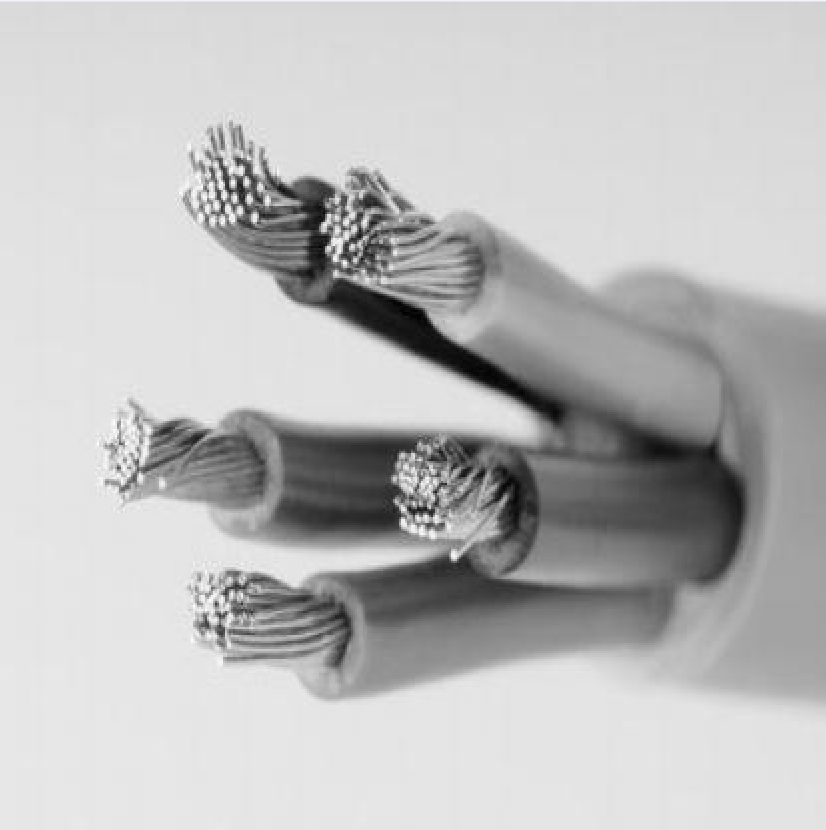
Original grayscale image, normalized to the 0-1 range
Filtered Image
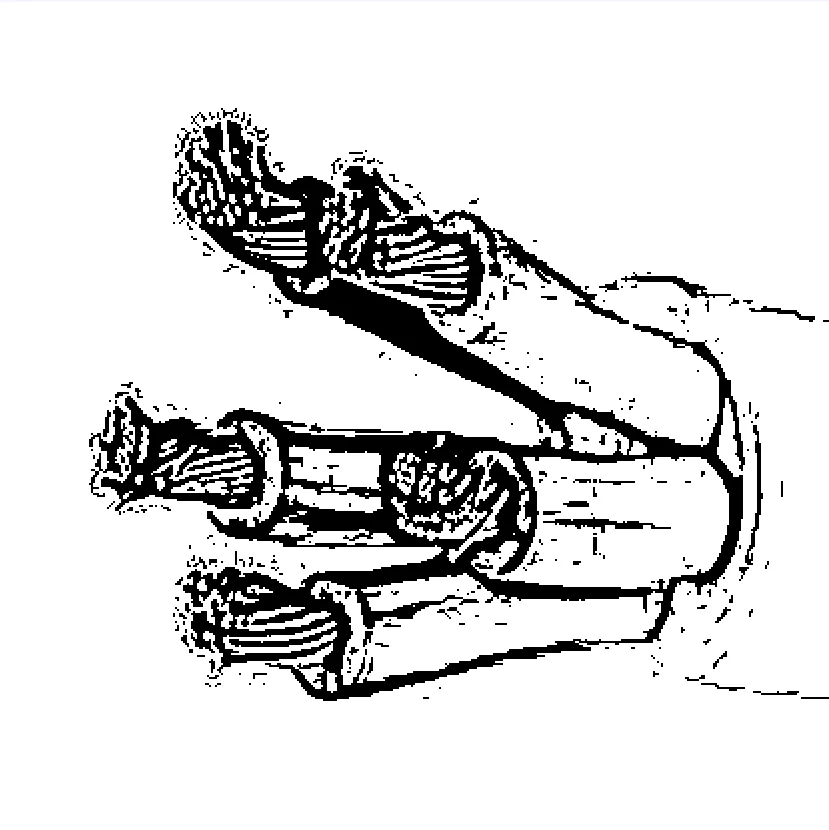
Vesselness map with scale_start=1, scale_end=6, scale_step=1
The Code
"""Demonstrates filter_image_using_hessian operation."""

from loguru import logger
import rerun as rr

from telekinesis import pupil, datatypes


def filter_image_using_hessian_example():
    """Applies filter_image_using_hessian operation."""
    # ===================== Load Image ==========================================
    image_url = "https://assets.telekinesis.ai/examples/v1/images/wires.jpg"
    image = datatypes.Image.from_url(image_url).to_grayscale()

    # ===================== Run Skill ==========================================
    filtered_image = pupil.filter_image_using_hessian(
        image=image,
        scale_start=1,
        scale_end=6,
        scale_step=1,
        alpha=0.5,
        beta=0.5,
        gamma=15,
        detect_black_ridges=True,
        border_type="reflect",
        border_value=0.0,
    )

    # ===================== Log ================================================
    logger.success(f"Applied filter_image_using_hessian on {image}")
    logger.success(f"Result: {filtered_image}")

    # ===================== Visualization  (Optional) ======================
    rr.init("filter_image_using_hessian_example", spawn=True)
    datatypes.visualize(image, entity_path="1-Original")
    datatypes.visualize(filtered_image, entity_path="2-Filtered")

if __name__ == "__main__":
    filter_image_using_hessian_example()
Runnable examples are available in the Telekinesis examples repository.
Follow the README in that repository to set up the environment, run this specific example with:
cd telekinesis-examples
python examples/image_processing/filter_image_using_hessian.py
Parameter Configuration
| Parameter | Type | Default | Description |
|---|---|---|---|
image | datatypes.Image | np.ndarray | required | Grayscale input image, shape (H, W), normalized to the 0-1 range. Convert with convert_image_color_space first if starting from a color image |
scale_start | datatypes.Int | int | 1 | Starting scale (sigma) for multi-scale detection |
scale_end | datatypes.Int | int | 10 | Ending scale (sigma) for multi-scale detection |
scale_step | datatypes.Int | int | 2 | Step size between scales |
alpha | datatypes.Float | float | int | 0.5 | Weight for the blobness measure |
beta | datatypes.Float | float | int | 0.5 | Weight for the second-order structureness measure |
gamma | datatypes.Float | float | int | None | 15.0 | Weight for the Hessian-norm term |
detect_black_ridges | datatypes.Bool | bool | True | Whether to detect dark ridges instead of bright ones |
border_type | datatypes.String | str | "reflect" | Border handling mode: "constant", "reflect", "wrap", "nearest", "mirror" |
border_value | datatypes.Float | float | int | 0.0 | Value used for constant padding, only relevant when border_type="constant" |
Returns
| Type | Description |
|---|---|
datatypes.Image | Same shape as image, with vesselness/ridge strength per pixel — higher values indicate a stronger tubular structure |
Raises
| Exception | Condition |
|---|---|
TypeError | A parameter's value does not match its expected type (see the Parameter Configuration table above) |
ValueError | border_type is not one of the supported border modes |
ConfigurationError | The TELEKINESIS_API_KEY environment variable is not set |
SerializationError | The request input failed to serialize, the response was not returned as an Arrow stream, or the response failed to deserialize |
RequestTimeoutError | The request to the Pupil service timed out |
TransportError | A network failure occurred before a response was received |
ClientError | The Pupil service rejected the request due to invalid or malformed input (HTTP 400/422), an unrecognized endpoint (HTTP 404), or another unexpected 4xx response |
AuthenticationError | The API key was rejected as invalid or expired (HTTP 401) |
AuthenticationServiceError | The authentication service returned an invalid response, was temporarily unavailable, or timed out (HTTP 502/503/504) |
ServerError | The Pupil service returned a 5xx or otherwise unexpected error response |
How to Tune the Parameters
The filter_image_using_hessian Skill exposes the scale range searched, the eigenvalue weighting terms, ridge polarity, and border handling.
scale_start
- Controls: The smallest sigma evaluated, i.e. the thinnest structure the filter can pick up.
- Units: Pixels (sigma)
- Default:
1 - Increase → ignores very thin structures
- Decrease → captures finer structures
- Typical range: 1-5
scale_end
- Controls: The largest sigma evaluated, i.e. the thickest structure the filter can pick up.
- Units: Pixels (sigma)
- Default:
10 - Increase → captures thicker structures, slower
- Decrease → narrower detectable width range, faster
- Typical range: 5-20
scale_step
- Controls: The spacing between evaluated scales.
- Default:
2 - Increase → faster, coarser scale sampling
- Decrease → finer scale resolution, slower
- Typical range: 1-5
alpha
- Controls: How strongly blob-like structures are suppressed relative to tubular ones.
- Default:
0.5 - Increase → more tolerant of blob-like structures
- Decrease → stricter tubular-only selectivity
- Typical range: 0.1-2.0
beta
- Controls: Sensitivity to second-order structureness.
- Default:
0.5 - Increase → stronger tubular structure emphasis
- Decrease → less sensitive to structureness
- Typical range: 0.1-2.0
gamma
- Controls: How strongly the response is scaled by the overall Hessian norm (background suppression).
- Default:
15.0 - Increase → suppresses more low-contrast background
- Decrease → retains more low-contrast response
detect_black_ridges
- Controls: The polarity of ridge detected.
- Default:
True - Options:
True– detect dark tubular structures on a bright backgroundFalse– detect bright tubular structures on a dark background
border_type
- Controls: How pixels beyond the image border are synthesized when computing derivatives near edges.
- Default:
"reflect" - Options:
"reflect"– reflects the image at the border"constant"– pads withborder_value"wrap"– treats the image as periodic"nearest"– extends with the nearest pixel"mirror"– symmetric reflection
border_value
- Controls: The constant fill value used only when
border_type="constant". - Default:
0.0
TIP
Best practice: Set scale_start/scale_end to bracket the expected structure width in pixels, and reach for filter_image_using_hessian over filter_image_using_frangi first when you need speed — fall back to Frangi if Hessian's simpler vesselness formula produces too many false positives on blob-like regions.
Where to Use the Skill
Common pipelines include:
- Vessel/wire/crack enhancement – Boost elongated structures before thresholding or contour extraction, faster than Frangi
- Defect inspection – Highlight scratches or hairline cracks prior to
retinacontour detection - Ridge enhancement – Strengthen fingerprint or terrain ridge continuity
- Real-time or high-throughput pipelines – Use when Frangi's extra blobness weighting isn't needed and speed matters
Alternative Skills
| Skill | vs. Filter Image Using Hessian |
|---|---|
| filter_image_using_frangi | Adds a blobness (alpha) term for more selective vessel detection; slower but more discriminating against blob-like false positives. |
| filter_image_using_sato | A simpler, faster multi-scale ridge filter with no alpha/beta/gamma weighting at all. |
| filter_image_using_meijering | Tuned for fine branching structures (e.g. neurites) rather than general tubular structures. |
When Not to Use the Skill
Do not use Filter Image Using Hessian when:
- You need simple, fast edge detection (use
filter_image_using_sobelorfilter_image_using_scharrinstead) - The structures of interest are not tubular/elongated (blobs, corners, or flat regions won't respond well)
- Blob-like structures are causing false positives (use
filter_image_using_frangi, which weights blobness explicitly viaalpha) - The input is noisy (pre-smooth with
filter_image_using_gaussian_blurfirst, since second-order derivatives amplify noise)