

Bitwise XOR Images
SUMMARY
Bitwise XOR Images computes the pixel-wise bitwise XOR of two images.
Each output pixel is the bitwise XOR of the corresponding pixels in image_a and image_b. For 0/255 binary masks this sets a pixel only where exactly one of the two inputs is nonzero, i.e. it highlights where the two masks disagree; toggling the same region twice cancels out. The two inputs must share the same width and height — resize one first (e.g. with resize_image_with_aspect_fit) if they don't.
Use this Skill when you want to highlight where two binary masks disagree, or toggle a region on/off.
The Skill
from telekinesis import pupil

result_image = pupil.bitwise_xor_images(image_a=image_a, image_b=image_b)Example
Image A

First image
Image B

Second image, resized to match Image A
Result
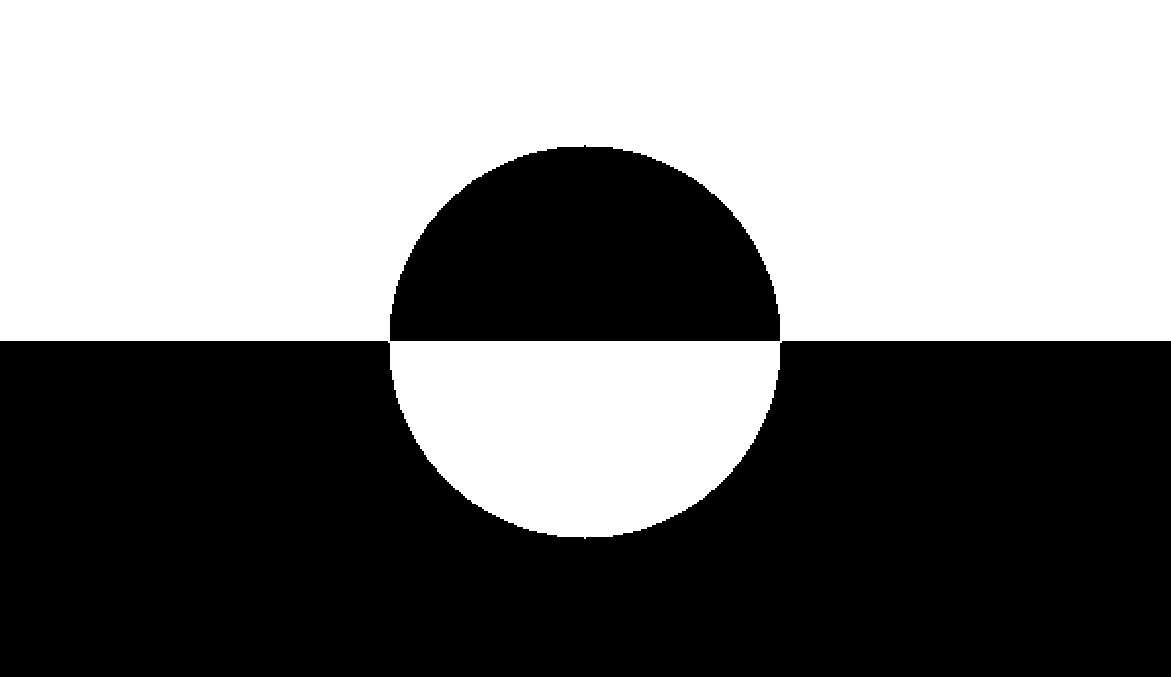
Bitwise XOR result — pixels set in exactly one of the two inputs
The Code
"""Demonstrates bitwise XOR operation between two images."""

from loguru import logger
import rerun as rr

from telekinesis import pupil, datatypes


def bitwise_xor_images_example():
    """Performs bitwise XOR between two images."""
    # ===================== Load Images ==========================================
    image_url_a = "https://assets.telekinesis.ai/examples/v1/images/image_1.png"
    image_url_b = "https://assets.telekinesis.ai/examples/v1/images/image_2.png"
    image_a = datatypes.Image.from_url(image_url_a)
    image_b = datatypes.Image.from_url(image_url_b)

    # ===================== Resize Image B ==========================================
    image_b_resized = pupil.resize_image_with_aspect_fit(
        image=image_b,
        resize_width=image_a.width,
        resize_height=image_a.height,
    )

    # ===================== Run Skill ==========================================
    filtered_image = pupil.bitwise_xor_images(image_a=image_a, image_b=image_b_resized)

    # ===================== Log ================================================
    logger.success(f"Bitwise XOR between {image_a} and {image_b_resized}")
    logger.success(f"Result: {filtered_image}")

    # ===================== Visualization  (Optional) ======================
    rr.init("bitwise_xor_images_example", spawn=True)
    datatypes.visualize(image_a, entity_path="1-Original")
    datatypes.visualize(image_b_resized, entity_path="2-Resized")
    datatypes.visualize(filtered_image, entity_path="3-Filtered")

if __name__ == "__main__":
    bitwise_xor_images_example()
Runnable examples are available in the Telekinesis examples repository.
Follow the README in that repository to set up the environment, run this specific example with:
cd telekinesis-examples
python examples/image_processing/bitwise_xor_images.py
Parameter Configuration
| Parameter | Type | Default | Description |
|---|---|---|---|
image_a | datatypes.Image | np.ndarray | required | First input image, shape (H, W) or (H, W, C) |
image_b | datatypes.Image | np.ndarray | required | Second input image, combined with image_a via bitwise XOR. Must have the same (H, W) as image_a — use resize_image_with_aspect_fit first if the sizes differ |
Returns
| Type | Description |
|---|---|
datatypes.Image | Same shape as image_a, containing the pixel-wise bitwise XOR of the two inputs |
Raises
| Exception | Condition |
|---|---|
TypeError | image_a or image_b has an invalid type |
ValueError | image_a and image_b have different width or height |
ConfigurationError | The TELEKINESIS_API_KEY environment variable is not set |
SerializationError | The request input failed to serialize, the response was not returned as an Arrow stream, or the response failed to deserialize |
RequestTimeoutError | The request to the Pupil service timed out |
TransportError | A network failure occurred before a response was received |
ClientError | The Pupil service rejected the request due to invalid or malformed input (HTTP 400/422), an unrecognized endpoint (HTTP 404), or another unexpected 4xx response |
AuthenticationError | The API key was rejected as invalid or expired (HTTP 401) |
AuthenticationServiceError | The authentication service returned an invalid response, was temporarily unavailable, or timed out (HTTP 502/503/504) |
ServerError | The Pupil service returned a 5xx or otherwise unexpected error response |
How to Tune the Parameters
bitwise_xor_images has no tunable parameters — it takes two required images and combines them with a fixed XOR operation. The only requirement is that image_a and image_b have matching width and height.
TIP
Best practice: Use XOR on binary masks to spot disagreement between two versions of the same mask (e.g. before/after a manual edit, or two different segmentation runs). For intensity images where you care about the magnitude of the difference rather than a logical disagreement, use bitwise_difference_images instead.
Where to Use the Skill
Common pipelines include:
- Mask comparison – Highlight where two segmentation outputs disagree
- Change detection – Flag pixels that toggled between two binary states
- Region toggling – Turn a sub-region of a mask on/off by XOR-ing with a shape mask
Alternative Skills
| Skill | vs. Bitwise XOR Images |
|---|---|
| bitwise_difference_images | Computes the absolute intensity difference between two images instead of a logical XOR; use it for grayscale/color comparison rather than binary masks. |
| bitwise_and_images | Computes the intersection of two images instead of their exclusive-or. |
| bitwise_or_images | Computes the union of two images instead of their exclusive-or. |
When Not to Use the Skill
Do not use Bitwise XOR Images when:
- You need the absolute intensity difference between two images (use
bitwise_difference_imagesinstead) - You need the intersection or union of two masks (use
bitwise_and_imagesorbitwise_or_images) image_aandimage_bhave different dimensions (resize one to match first, e.g. withresize_image_with_aspect_fit)