

Segment Image Using Threshold
SUMMARY
Segment Image Using Threshold segments an image using a single, manually chosen global threshold.
Every pixel is compared against one fixed min_value and relabeled according to threshold_type — the simplest possible segmentation. It is the right choice when you already know a good threshold value for your setup, for example from a controlled lighting rig.
Use this Skill when you want to segment an image with a threshold value you already know.
The Skill
from telekinesis import cornea

segmented_image = cornea.segment_image_using_threshold(
    image=image,
    min_value=45,
    max_value=255,
    threshold_type="binary",
)Example
Input Image
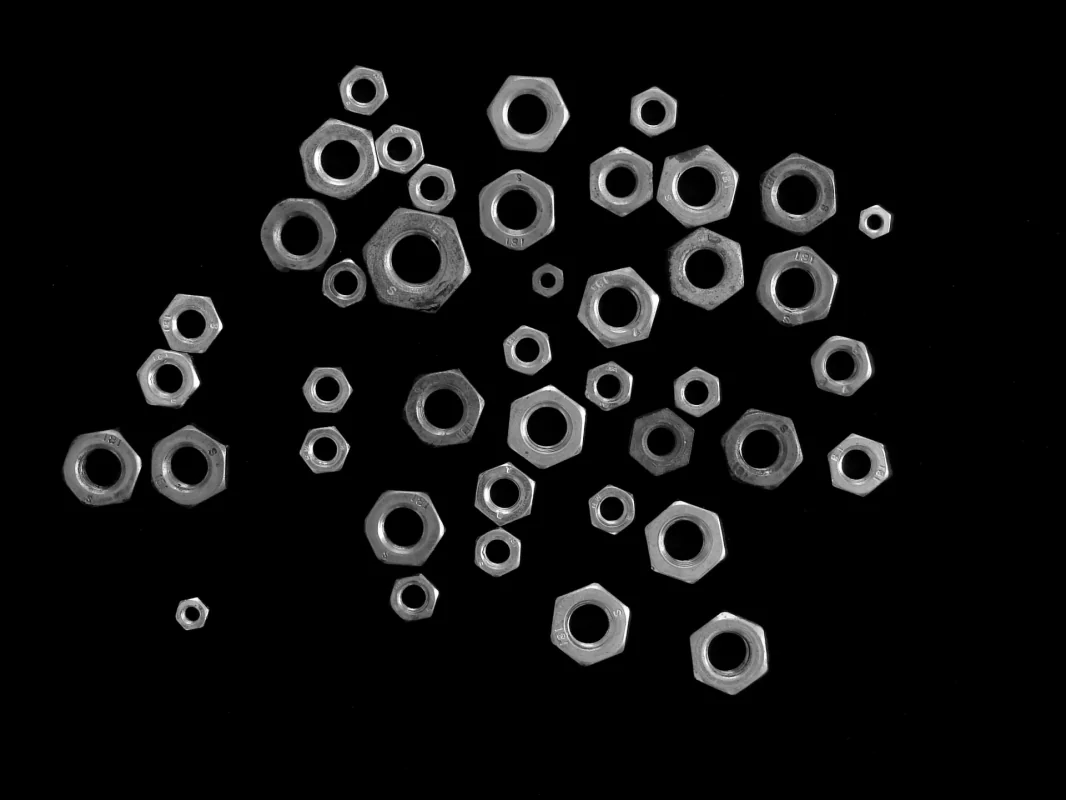
Original image for threshold segmentation
Output Image
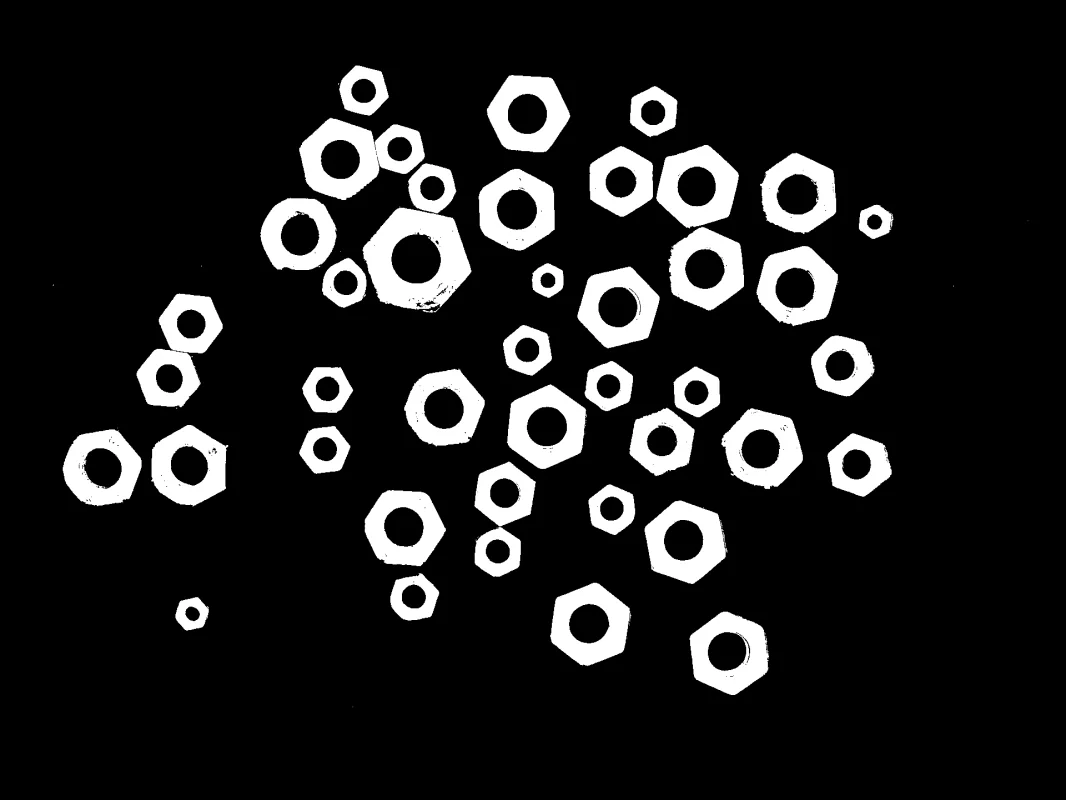
Binary segmented image using threshold
The Code
"""
Demonstrates basic threshold segmentation.
"""

from loguru import logger
import rerun as rr
import rerun.blueprint as rrb

from telekinesis import cornea, datatypes

def segment_image_using_threshold_example():
    """Applies a simple global threshold to segment the image."""
    # ===================== Load Image ==========================================
    image_url = "https://assets.telekinesis.ai/examples/v1/images/nuts_scattered.jpg"
    image = datatypes.Image.from_url(url=image_url)

    # ===================== Run Skill ==========================================
    segmented_image = cornea.segment_image_using_threshold(
        image=image,
        min_value=45,
        max_value=255,
        threshold_type="binary"
    )

    # ===================== Log ================================================
    logger.success(f"Segmented {image} using a global threshold.")
    logger.success(f"Results: {segmented_image}")
    logger.info(f"Segmented image label codes: {segmented_image.label_codes}")
    logger.info(f"Segmented image number of labels: {segmented_image.number_of_labels}")
    logger.info(f"Segmented image shape: {segmented_image.shape}")
    logger.info(f"Segmented image dtype: {segmented_image.dtype}")

    # ===================== Visualization  (Optional) ======================
    rr.init("segment_image_using_threshold_example", spawn=True)
    blueprint = rrb.Horizontal(
        rrb.Spatial2DView(origin="/input_image", name="Input"),
        rrb.Spatial2DView(origin="/segmented_image", name="Output"),
    )
    rr.send_blueprint(blueprint)
    datatypes.visualize(image, entity_path="/input_image")
    datatypes.visualize(segmented_image, entity_path="/segmented_image")


if __name__ == "__main__":
    segment_image_using_threshold_example()
Runnable examples are available in the Telekinesis examples repository.
Follow the README in that repository to set up the environment, run this specific example with:
cd telekinesis-examples
python examples/segmentation/segment_image_using_threshold.py
Parameter Configuration
| Parameter | Type | Default | Description |
|---|---|---|---|
image | datatypes.Image | np.ndarray | required | Input image to segment, shape (H, W) or (H, W, 3) |
min_value | datatypes.Int | int | 127 | The threshold value pixels are compared against |
max_value | datatypes.Int | int | 255 | The value assigned to pixels that pass the threshold test (only used by "binary"/"binary_inv") |
threshold_type | datatypes.String | str | "binary" | How a pixel's value is compared against min_value: "binary" — pixels above min_value become max_value, others become 0; "binary_inv" — the inverse of "binary", pixels above min_value become 0, others become max_value; "trunc" — pixels above min_value are capped (truncated) to min_value, others are unchanged; "tozero" — pixels at or below min_value are set to 0, others are unchanged; "tozero_inv" — pixels above min_value are set to 0, others are unchanged |
Returns
| Type | Description |
|---|---|
datatypes.SegmentationImage | A per-pixel label map, shape (H, W), reflecting the result of the threshold comparison. Use .data for the raw label array, .label_codes for the sorted array of unique ids present, .number_of_labels for how many distinct labels were found, and .shape/.dtype for its size and label dtype. |
Raises
| Exception | Condition |
|---|---|
TypeError | A parameter's value does not match its expected type (see the Parameter Configuration table above) |
ValueError | threshold_type is not one of its documented options ("binary", "binary_inv", "trunc", "tozero", "tozero_inv") |
ConfigurationError | The TELEKINESIS_API_KEY environment variable is not set |
SerializationError | The request input failed to serialize, the response was not returned as an Arrow stream, or the response failed to deserialize |
RequestTimeoutError | The request to the Cornea service timed out |
TransportError | A network failure occurred before a response was received |
ClientError | The Cornea service rejected the request due to invalid or malformed input (HTTP 400/422), an unrecognized endpoint (HTTP 404), or another unexpected 4xx response |
AuthenticationError | The API key was rejected as invalid or expired (HTTP 401) |
AuthenticationServiceError | The authentication service returned an invalid response, was temporarily unavailable, or timed out (HTTP 502/503/504) |
ServerError | The Cornea service returned a 5xx or otherwise unexpected error response |
How to Tune the Parameters
The segment_image_using_threshold Skill exposes three parameters: the threshold value itself, the value assigned on a pass, and the comparison mode applied.
min_value
- Controls: The threshold value every pixel is compared against.
- Units: Pixel intensity (0-255)
- Default:
127(the midpoint of the 0-255 range) - Decrease → includes darker pixels in the "passing" side of the comparison
- Increase → excludes darker pixels, requiring brighter pixels to pass
- Typical range: 0-255, chosen from the valley between the foreground and background peaks of the image's intensity histogram
max_value
- Controls: The value written to pixels that pass the threshold test. Only used by
threshold_type="binary"or"binary_inv". - Units: Pixel intensity (0-255)
- Default:
255 - Typical range: left at
255unless a specific downstream label value is required
threshold_type
- Controls: How a pixel's value is compared against
min_valueand what it becomes as a result. - Options:
"binary"(default) — pixels abovemin_valuebecomemax_value, others become0"binary_inv"— the inverse of"binary": pixels abovemin_valuebecome0, others becomemax_value"trunc"— pixels abovemin_valueare capped (truncated) tomin_value; others are unchanged"tozero"— pixels at or belowmin_valueare set to0; others are unchanged"tozero_inv"— pixels abovemin_valueare set to0; others are unchanged
- Default:
"binary" - Use
"binary"/"binary_inv"for a clean two-label mask; use"trunc"/"tozero"/"tozero_inv"when you want to preserve some of the original intensity information instead of collapsing everything to two flat values. - Passing any other value raises
ValueError
TIP
Determine min_value from the image's intensity histogram: pick the valley between the foreground and background peaks. If you don't know a good value, or the image doesn't have a controlled/fixed lighting setup, prefer segment_image_using_otsu_threshold or segment_image_using_yen_threshold, which pick the threshold automatically.
Where to Use the Skill
Common pipelines include:
- Controlled-lighting inspection – Segmenting parts on a fixed rig where the same threshold value reliably separates foreground from background across runs
- Fast binary segmentation – Producing a mask with the least computation when the threshold is already known
- Preprocessing – Creating a binary mask to feed into downstream steps such as
filter_segments_by_areaorfilter_segments_by_color - Quality control – Defect detection against a known, calibrated intensity threshold
Alternative Skills
| Skill | vs. Segment Image Using Threshold |
|---|---|
| segment_image_using_otsu_threshold | Otsu picks the threshold automatically from the histogram. Use manual threshold when you already know a good value; use Otsu when you don't. |
| segment_image_using_yen_threshold | Yen also picks the threshold automatically, using an entropy-based criterion that can work better when the histogram isn't cleanly bimodal. Same trade-off as Otsu vs. manual. |
| segment_image_using_adaptive_threshold | Computes a threshold per pixel from its local neighborhood instead of one global value. Prefer this when lighting varies across the image. |
| segment_image_using_local_threshold | The simpler of the two local/neighborhood methods, exposing only block_size. Prefer this over adaptive threshold when you don't need to choose the local-averaging method or comparison type. |
| segment_image_using_laplacian_threshold | Thresholds on local edge strength rather than raw intensity. Use it to isolate textured or detailed regions instead of bright/dark ones. |
When Not to Use the Skill
Do not use Segment Image Using Threshold when:
- The threshold value is unknown — use
segment_image_using_otsu_thresholdorsegment_image_using_yen_thresholdto pick it automatically. - Lighting varies across the image — a single global threshold cannot adapt to it; use
segment_image_using_adaptive_thresholdorsegment_image_using_local_thresholdinstead.
TIP
If your setup already fixes the lighting (e.g. a calibrated inspection rig), a manual threshold is the fastest and most predictable of the threshold-based Skills — there's no histogram analysis to run at inference time.