

Filter Image Using Box
SUMMARY
Filter Image Using Box applies a box filter to smooth an image by averaging or summing pixel values within a sliding kernel window.
It computes the local sum of pixel values inside a kernel_size x kernel_size window around every pixel. With normalize=True (default) the sum is divided by the kernel area, giving a local average equivalent to filter_image_using_blur; with normalize=False the raw sum is returned instead, which brightens the image and can exceed the input dtype's range unless paired with a wider output_format. Use it over filter_image_using_blur when you need explicit control over the output bit depth or want the unnormalized sum.
Use this Skill when you want to average pixel values in a local window with explicit control over normalization and output bit depth.
The Skill
from telekinesis import pupil

filtered_image = pupil.filter_image_using_box(
    image=image,
    output_format="8bit",
    kernel_size=5,
    normalize=True,
    border_type="reflect",
)Example
Input Image
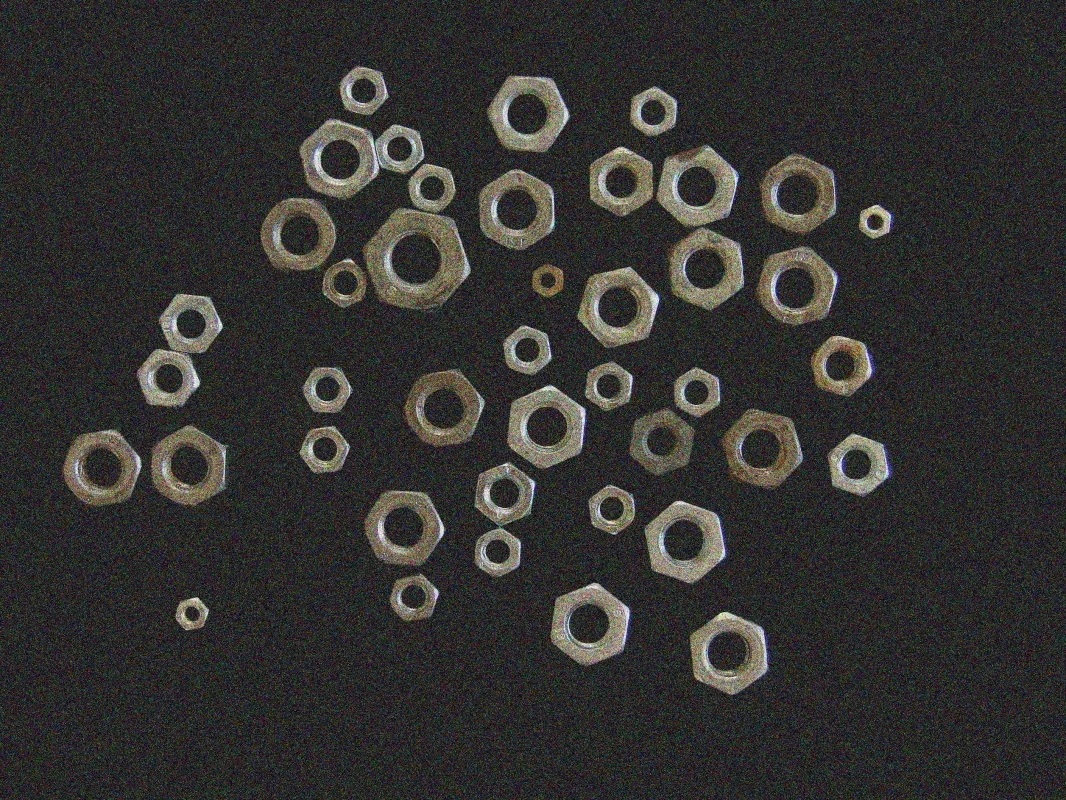
Original noisy image
Filtered Image
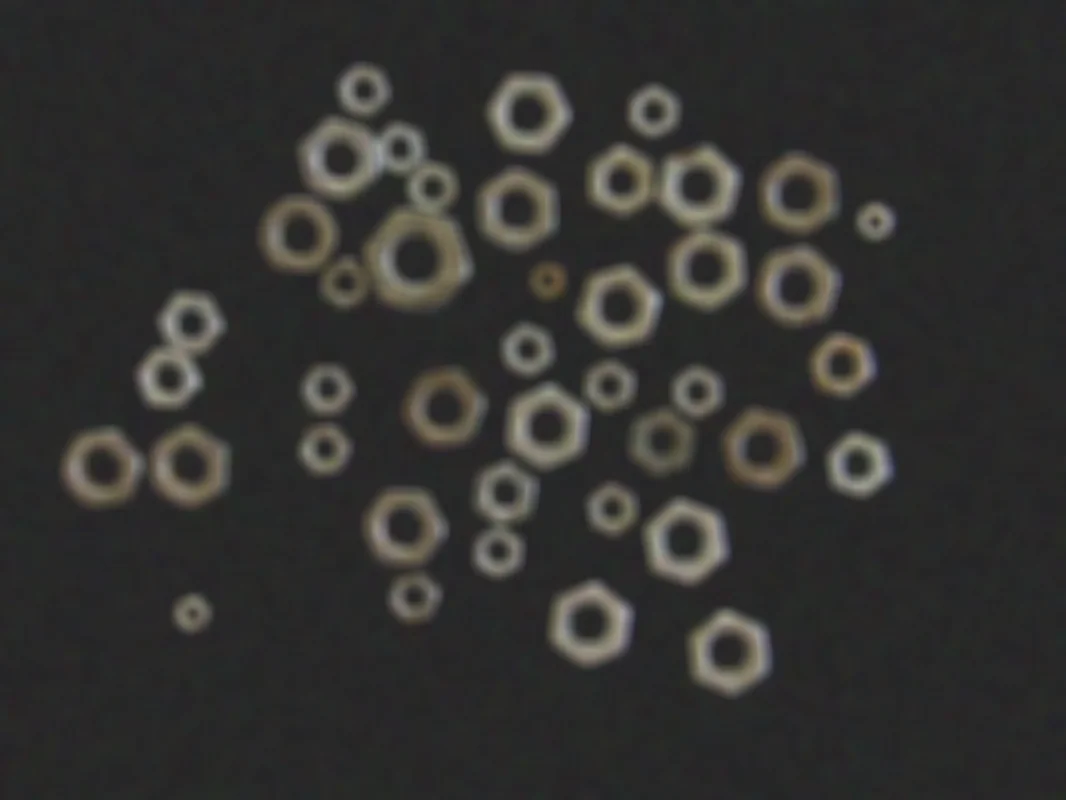
Box-filtered image with kernel_size=5, normalize=True, output_format="8bit"
The Code
"""Demonstrates filter_image_using_box operation."""

from loguru import logger
import rerun as rr

from telekinesis import pupil, datatypes


def filter_image_using_box_example():
    """Applies filter_image_using_box operation."""
    # ===================== Load Image ==========================================
    image_url = "https://assets.telekinesis.ai/examples/v1/images/nuts_scattered_noised.jpg"
    image = datatypes.Image.from_url(image_url)

    # ===================== Run Skill ==========================================
    filtered_image = pupil.filter_image_using_box(
        image=image,
        output_format="8bit",
        kernel_size=5,
        normalize=True,
        border_type="reflect",
    )

    # ===================== Log ================================================
    logger.success(f"Applied filter_image_using_box on {image}")
    logger.success(f"Result: {filtered_image}")

    # ===================== Visualization  (Optional) ======================
    rr.init("filter_image_using_box_example", spawn=True)
    datatypes.visualize(image, entity_path="1-Original")
    datatypes.visualize(filtered_image, entity_path="2-Filtered")

if __name__ == "__main__":
    filter_image_using_box_example()
Runnable examples are available in the Telekinesis examples repository.
Follow the README in that repository to set up the environment, run this specific example with:
cd telekinesis-examples
python examples/image_processing/filter_image_using_box.py
Parameter Configuration
| Parameter | Type | Default | Description |
|---|---|---|---|
image | datatypes.Image | np.ndarray | required | The input image to filter, shape (H, W) or (H, W, C) |
output_format | datatypes.String | str | "same as input" | Output bit depth: "same as input", "8bit", "16bitS", "16bitU", "32bit", "64bit". Must be compatible with the input image dtype |
kernel_size | datatypes.Int | int | 3 | Size of the box kernel. Must be odd |
normalize | datatypes.Bool | bool | True | Whether to normalize the kernel so its weights sum to 1 (local average). When False, returns the raw local sum instead |
border_type | datatypes.String | str | "default" | Border handling mode: "default", "constant", "replicate", "reflect", "reflect 101" |
Returns
| Type | Description |
|---|---|
datatypes.Image | The filtered image, same (H, W)/(H, W, C) as the input, in the dtype specified by output_format |
Raises
| Exception | Condition |
|---|---|
TypeError | A parameter's value does not match its expected type (see the Parameter Configuration table above) |
ValueError | kernel_size is not odd, or output_format/border_type is not one of the supported options |
ConfigurationError | The TELEKINESIS_API_KEY environment variable is not set |
SerializationError | The request input failed to serialize, the response was not returned as an Arrow stream, or the response failed to deserialize |
RequestTimeoutError | The request to the Pupil service timed out |
TransportError | A network failure occurred before a response was received |
ClientError | The Pupil service rejected the request due to invalid or malformed input (HTTP 400/422), an unrecognized endpoint (HTTP 404), or another unexpected 4xx response |
AuthenticationError | The API key was rejected as invalid or expired (HTTP 401) |
AuthenticationServiceError | The authentication service returned an invalid response, was temporarily unavailable, or timed out (HTTP 502/503/504) |
ServerError | The Pupil service returned a 5xx or otherwise unexpected error response |
How to Tune the Parameters
The filter_image_using_box Skill exposes four parameters that control the averaging window, its normalization, and the output precision.
kernel_size
- Controls: The size of the box kernel.
- Units: Pixels
- Default:
3 - Increase → larger averaging area, more smoothing, slower
- Decrease → less smoothing, faster
- Typical range: 3-15. Use 3-5 for subtle smoothing, 5-9 for moderate, 9-15 for heavy
normalize
- Controls: Whether the kernel's weights are divided by the kernel area before summing.
- Default:
True - Options:
True– outputs the local average; brightness is preserved (equivalent tofilter_image_using_blur)False– outputs the raw local sum; brightens the image and can overflow the input dtype
output_format
- Controls: The numerical bit depth/precision of the returned image.
- Default:
"same as input" - Options:
same as input– keeps the input dtype8bit– unsigned 8-bit; may clip whennormalize=Falseproduces large sums16bitS/16bitU– signed/unsigned 16-bit32bit/64bit– float, highest headroom and precision; use withnormalize=Falseto avoid clipping
border_type
- Controls: How pixels beyond the image boundary are synthesized when the kernel extends past the edge.
- Default:
"default" - Options:
default– library default (same asreflect 101)constant– pads with a fixed valuereplicate– repeats the edge pixelreflect– mirrors without repeating the edge pixelreflect 101– mirrors with the edge pixel repeated, avoiding dark borders
TIP
Best practice: Keep normalize=True unless you specifically need the raw kernel sum. If you do set normalize=False, pair it with a wide output_format ("32bit" or "64bit") so the larger sums don't clip.
Where to Use the Skill
Common pipelines include:
- Preprocessing for downsampling – Smooth before reducing resolution to avoid aliasing
- Local averaging / integral-image style computation – Compute local sums or averages as a building block for other operations
- Precision-sensitive smoothing – Widen
output_formatwhen intermediate results must not clip before further numerical processing - Noise reduction before edge detection – Reduce high-frequency noise ahead of
filter_image_using_sobelorfilter_image_using_laplacian
Alternative Skills
| Skill | vs. Filter Image Using Box |
|---|---|
| filter_image_using_blur | A simpler box blur with no control over normalization or output bit depth. Use Box when you need those knobs. |
| filter_image_using_gaussian_blur | Weights nearby pixels more than distant ones, giving smoother, more natural results. Use Box for speed and simplicity. |
| filter_image_using_bilateral | Preserves edges by also weighting on color similarity. Use Bilateral when edges must stay sharp. |
| filter_image_using_median_blur | Removes salt-and-pepper/impulse noise rather than performing uniform smoothing. |
When Not to Use the Skill
Do not use Filter Image Using Box when:
- You need edge-preserving smoothing (use
filter_image_using_bilateralinstead) - You have salt-and-pepper noise (use
filter_image_using_median_blurinstead) - You want a smoother, more natural-looking blur (use
filter_image_using_gaussian_blurinstead) - You don't need normalization or output-depth control (use
filter_image_using_blurfor a simpler API)
TIP
normalize=False produces a local sum, not an average — it will visibly brighten the image and can overflow an 8-bit output unless you also widen output_format.