

Segment Image Using RGB
SUMMARY
Segment Image Using RGB segments an image by thresholding it directly in RGB color space.
Only the pixels whose [R, G, B] values fall within the inclusive [lower_bound, upper_bound] range are kept. This is the simplest and most direct color-range threshold, but also the most sensitive to lighting changes, since brightness and color are mixed together in the same three channels.
Use this Skill when you want to segment objects by their raw color values under lighting that stays controlled.
The Skill
from telekinesis import cornea

segmented_image = cornea.segment_image_using_rgb(
    image=image,
    lower_bound=(0, 50, 50),
    upper_bound=(180, 255, 255),
)Example
Input Image
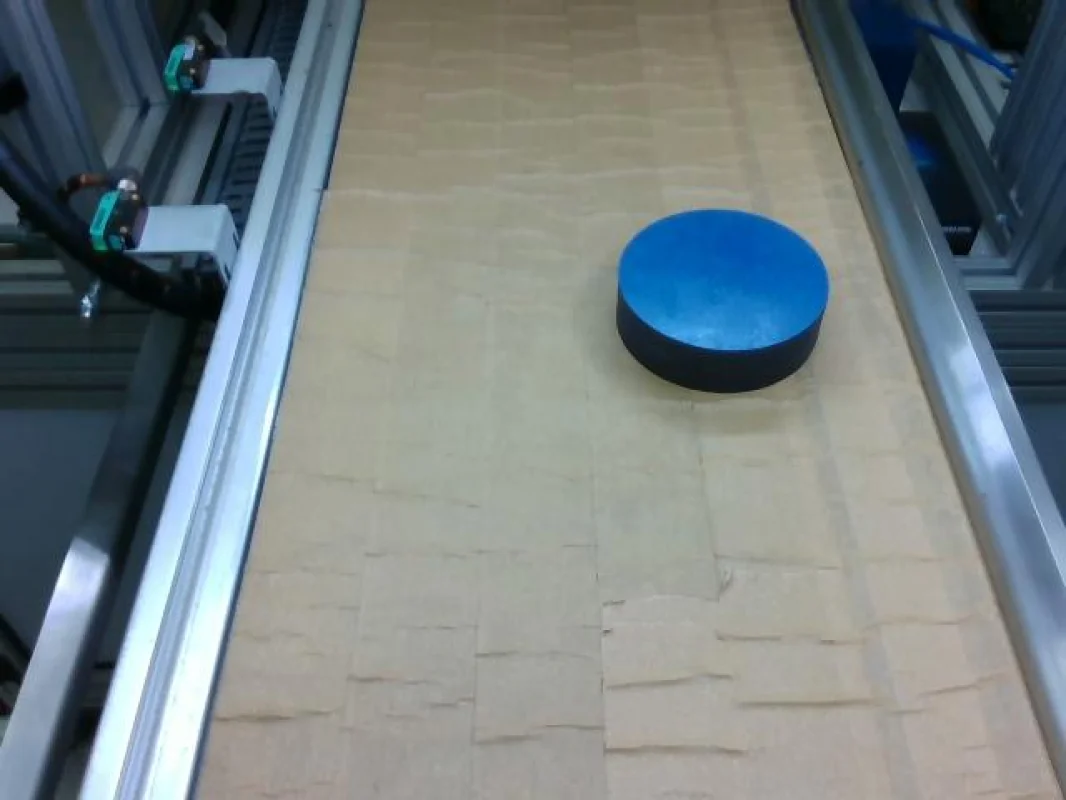
Original image for RGB color segmentation
Output Image
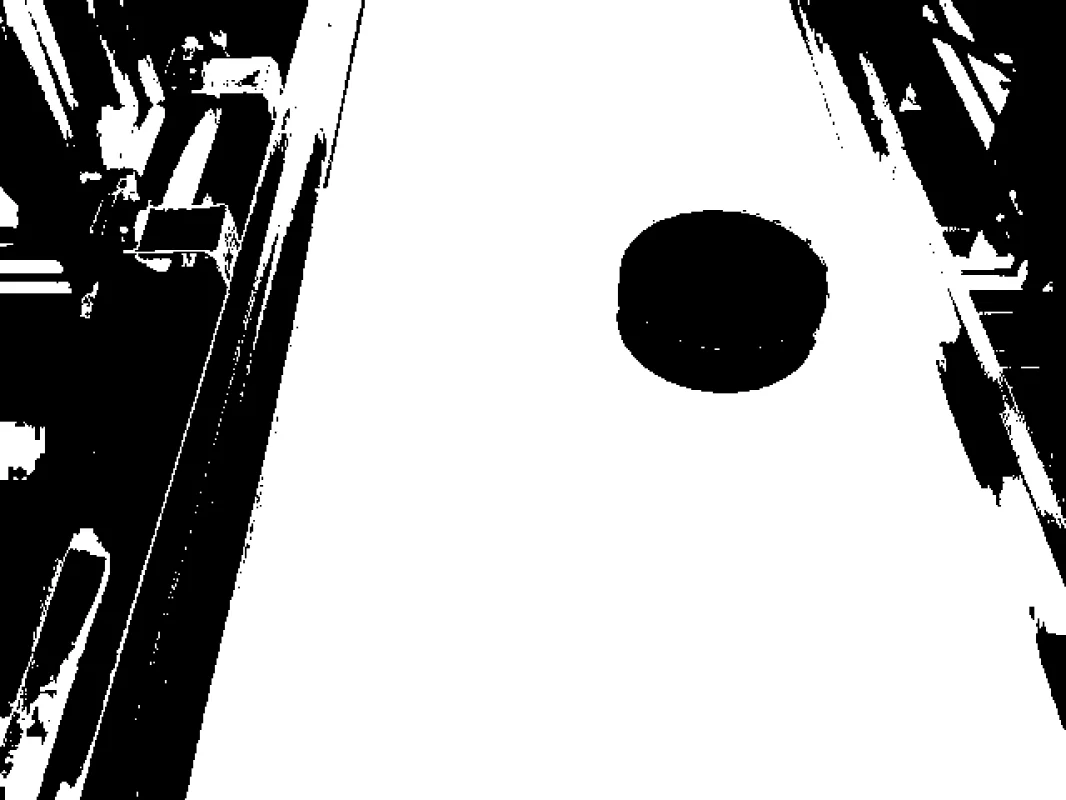
Segmented image by RGB color range
The Code
"""
Demonstrates RGB color space segmentation.
"""

from loguru import logger
import rerun as rr
import rerun.blueprint as rrb

from telekinesis import cornea, datatypes

def segment_image_using_rgb_example():
    """Segments an image using RGB color space range."""
    # ===================== Load Image ==========================================
    image_url = "https://assets.telekinesis.ai/examples/v1/images/cylinder_on_conveyor.jpg"
    image = datatypes.Image.from_url(url=image_url)

    # ===================== Run Skill ==========================================
    segmented_image = cornea.segment_image_using_rgb(
        image=image, lower_bound=(0, 50, 50), upper_bound=(180, 255, 255)
    )

    # ===================== Log ================================================
    logger.success(f"Segmented {image} using RGB color space range.")
    logger.success(f"Results: {segmented_image}")
    logger.info(f"Segmented image label codes: {segmented_image.label_codes}")
    logger.info(f"Segmented image number of labels: {segmented_image.number_of_labels}")
    logger.info(f"Segmented image shape: {segmented_image.shape}")
    logger.info(f"Segmented image dtype: {segmented_image.dtype}")

    # ===================== Visualization  (Optional) ======================
    rr.init("segment_image_using_rgb_example", spawn=True)
    blueprint = rrb.Horizontal(
        rrb.Spatial2DView(origin="/input_image", name="Input"),
        rrb.Spatial2DView(origin="/segmented_image", name="Output"),
    )
    rr.send_blueprint(blueprint)
    datatypes.visualize(image, entity_path="/input_image")
    datatypes.visualize(segmented_image, entity_path="/segmented_image")


if __name__ == "__main__":
    segment_image_using_rgb_example()
Runnable examples are available in the Telekinesis examples repository.
Follow the README in that repository to set up the environment, run this specific example with:
cd telekinesis-examples
python examples/segmentation/segment_image_using_rgb.py
Parameter Configuration
These parameters control the input image and the inclusive RGB range used to decide which pixels are marked as foreground.
| Parameter | Type | Default | Description |
|---|---|---|---|
image | datatypes.Image | np.ndarray | required | Input image to segment, shape (H, W, 3) |
lower_bound | list[int] | tuple[int] | (0, 0, 0) | Inclusive lower [R, G, B] bound |
upper_bound | list[int] | tuple[int] | (255, 255, 255) | Inclusive upper [R, G, B] bound |
Returns
| Type | Description |
|---|---|
datatypes.SegmentationImage | A per-pixel label map, shape (H, W), where 0 marks pixels outside the RGB range and 1 marks pixels inside it. Use .data for the raw label array, .label_codes for the sorted array of unique ids present, .number_of_labels for how many distinct labels were found, and .shape/.dtype for its size and label dtype. |
Raises
| Exception | Condition |
|---|---|
TypeError | A parameter's value does not match its expected type (see the Parameter Configuration table above) |
ValueError | image is not shape (H, W, 3), lower_bound or upper_bound does not have exactly 3 elements, or any channel is outside [0, 255] |
ConfigurationError | The TELEKINESIS_API_KEY environment variable is not set |
SerializationError | The request input failed to serialize, the response was not returned as an Arrow stream, or the response failed to deserialize |
RequestTimeoutError | The request to the Cornea service timed out |
TransportError | A network failure occurred before a response was received |
ClientError | The Cornea service rejected the request due to invalid or malformed input (HTTP 400/422), an unrecognized endpoint (HTTP 404), or another unexpected 4xx response |
AuthenticationError | The API key was rejected as invalid or expired (HTTP 401) |
AuthenticationServiceError | The authentication service returned an invalid response, was temporarily unavailable, or timed out (HTTP 502/503/504) |
ServerError | The Cornea service returned a 5xx or otherwise unexpected error response |
How to Tune the Parameters
The segment_image_using_rgb skill exposes two parameters that together define the accepted RGB range.
In general, a narrower range increases precision by excluding more unrelated pixels, while a wider range is more forgiving of variation in the target color but risks including background pixels that happen to fall inside it.
lower_bound
- Controls: The inclusive lower
[R, G, B]bound; a pixel is excluded if any of its channels falls below the corresponding bound. - Units: Each channel on a 0–255 scale.
- Default:
(0, 0, 0) - Raise a channel's bound to exclude darker shades along that channel
- Because brightness is mixed into every channel, a lighting change shifts
R,G, andBtogether — expect to re-tune all three whenever illumination changes - Typical range: each channel 0–255, tightened around values sampled from the target color
upper_bound
- Controls: The inclusive upper
[R, G, B]bound; a pixel is excluded if any of its channels exceeds the corresponding bound. - Units: Same as
lower_bound. - Default:
(255, 255, 255)(i.e. everything, by default) - Lower a channel's bound to exclude brighter shades along that channel
- Typical range: each channel 0–255, tightened around values sampled from the target color
TIP
RGB's sensitivity comes from mixing brightness into every channel. Pick lower_bound/upper_bound directly from pixel values sampled under the same lighting the system will run in, rather than reasoning about them abstractly, and expect to re-sample if the lighting setup changes.
Where to Use the Skill
Common pipelines include:
- Color sorting under fixed, controlled lighting – e.g. a conveyor with consistent, artificial illumination
- Background removal against a known, uniform background color
- Quality control – flagging parts whose raw pixel color drifts outside an expected range
- Quick prototyping – a first-pass color threshold before moving to a lighting-robust color space if needed
Alternative Skills
| Skill | vs. Segment Image Using RGB |
|---|---|
| segment_image_using_hsv | HSV separates hue from brightness, making the color range far less sensitive to lighting shifts. Use HSV when lighting varies across the scene; use RGB only when lighting stays controlled. |
| segment_image_using_lab | LAB is perceptually uniform, so bounds chosen by how a color looks translate more reliably than raw RGB numbers. Use LAB for perceptually-driven bounds; use RGB for the simplest, most direct threshold. |
When Not to Use the Skill
Do not use Segment Image Using RGB when:
- Lighting varies across the scene or over time – any brightness shift moves
R,G, andBtogether, requiring the bounds to be re-tuned - Bounds need to match perceived color rather than raw sensor values – LAB is a better fit
- Color is not a distinguishing feature of the target – consider a non-color-based segmentation skill instead
TIP
If lighting cannot be tightly controlled, segment_image_using_hsv or segment_image_using_lab will need far less re-tuning as conditions change, since both separate brightness from color instead of mixing them into every channel.