

Segment Image Using GrabCut
SUMMARY
Segment Image Using GrabCut turns a rough bounding box around an object into a precise foreground mask.
GrabCut models the foreground/background color distributions inside and around bbox and iteratively refines a foreground mask, giving a much tighter cutout than the box itself. Use it when you already know roughly where the object is — for example from an object detector like retina.detect_objects_using_yolox — and want a precise mask instead of just the box. Compare with segment_image_foreground_using_birefnet (no box needed, but always segments the most salient object) and segment_image_using_sam3 (also box-prompted, but a deep model rather than a classical color-model algorithm).
Use this Skill when you want to turn a bounding box around an object into a precise foreground mask using classical graph-cut optimization.
The Skill
from telekinesis import cornea

segmented_image = cornea.segment_image_using_grab_cut(
    image=image,
    bbox=[220, 20, 930, 850],
    num_iterations=2,
)Example
Input Image
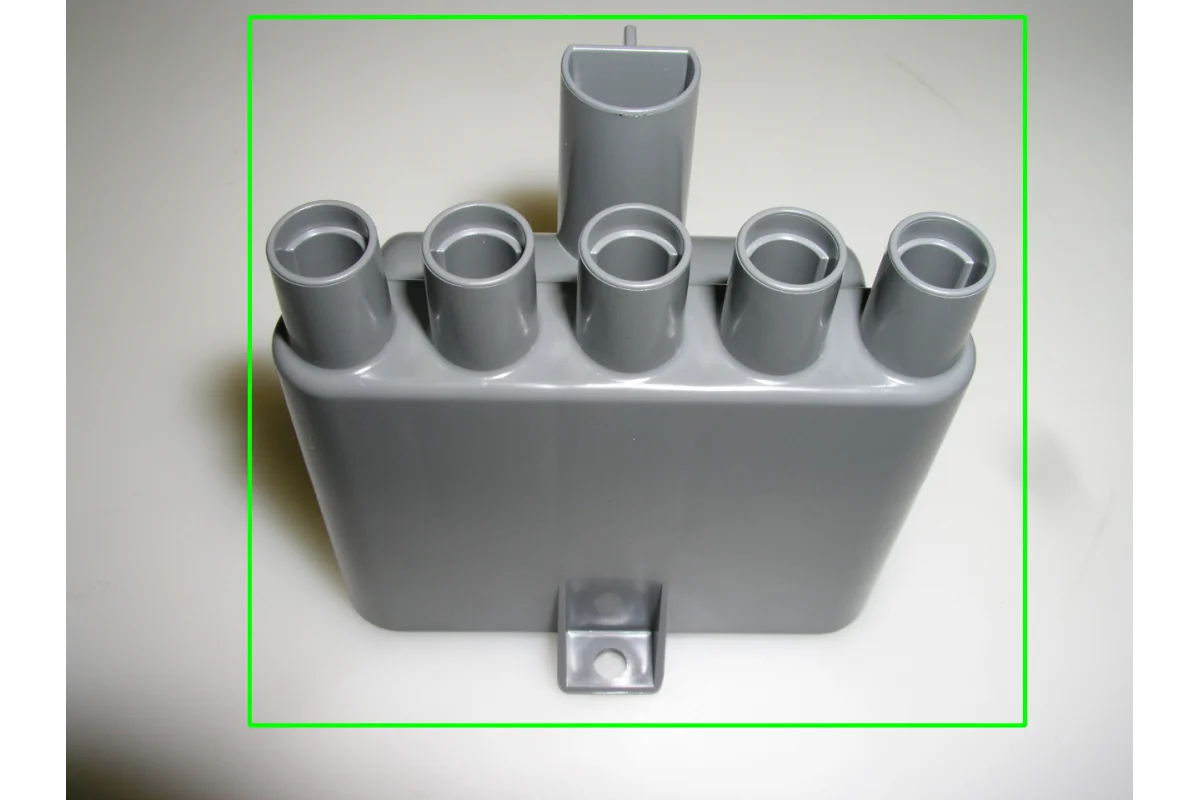
Original image for GrabCut segmentation
Output Image
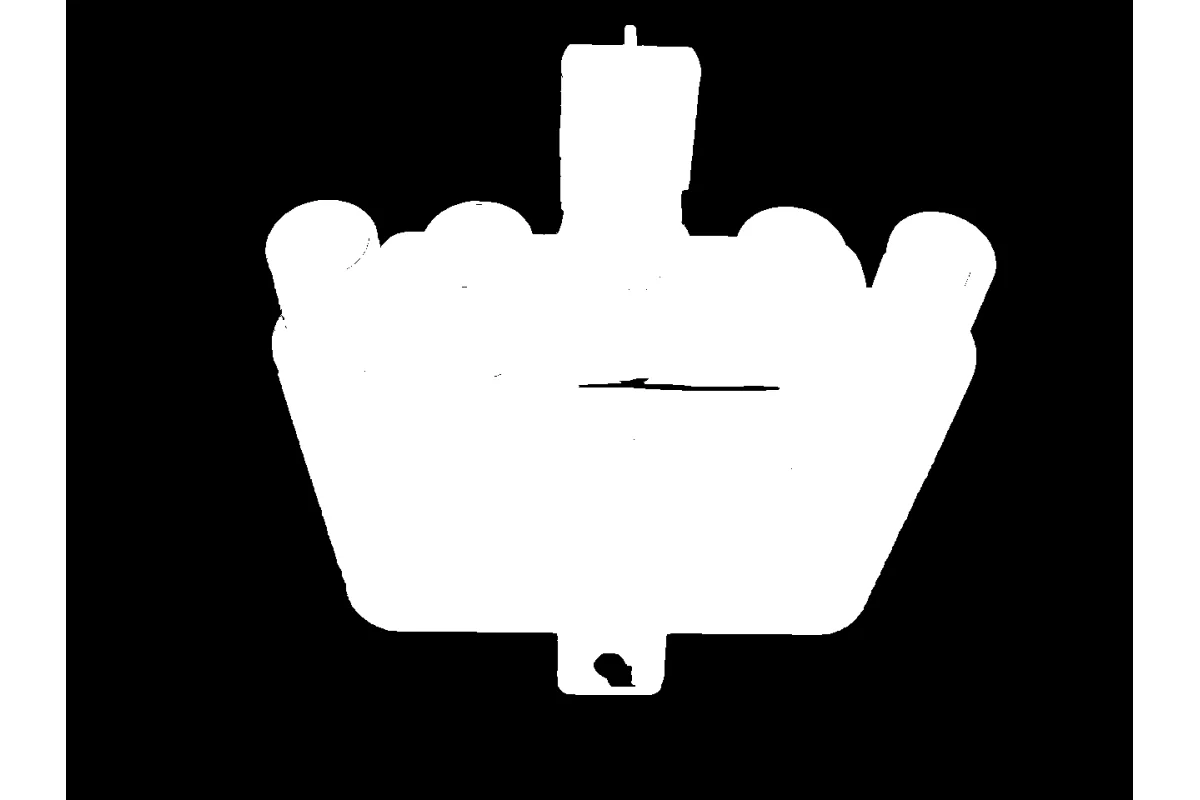
Foreground/background segmentation using GrabCut
The Code
"""
Demonstrates GrabCut segmentation.
"""

from loguru import logger
import rerun as rr
import rerun.blueprint as rrb

from telekinesis import cornea, datatypes

def segment_image_using_grab_cut_example():
    """Segments an image using the GrabCut algorithm."""
    # ===================== Load Image ==========================================
    image_url = "https://assets.telekinesis.ai/examples/v1/images/plastic_part.jpg"
    image = datatypes.Image.from_url(url=image_url)

    # ===================== Run Skill ==========================================
    bbox = [220, 20, 930, 850]
    segmented_image = cornea.segment_image_using_grab_cut(
        image=image,
        bbox=bbox,
        num_iterations=2
    )

    # ===================== Log ================================================
    logger.success(f"Segmented {image} using the GrabCut algorithm.")
    logger.success(f"Results: {segmented_image}")
    logger.info(f"Segmented image label codes: {segmented_image.label_codes}")
    logger.info(f"Segmented image number of labels: {segmented_image.number_of_labels}")
    logger.info(f"Segmented image shape: {segmented_image.shape}")
    logger.info(f"Segmented image dtype: {segmented_image.dtype}")

    # ===================== Visualization  (Optional) ======================
    rr.init("segment_image_using_grab_cut_example", spawn=True)
    blueprint = rrb.Horizontal(
        rrb.Spatial2DView(origin="/input_image", name="Input"),
        rrb.Spatial2DView(origin="/segmented_image", name="Output"),
    )
    rr.send_blueprint(blueprint)
    datatypes.visualize(image, entity_path="/input_image")
    datatypes.visualize(segmented_image, entity_path="/segmented_image")


if __name__ == "__main__":
    segment_image_using_grab_cut_example()
Runnable examples are available in the Telekinesis examples repository.
Follow the README in that repository to set up the environment, run this specific example with:
cd telekinesis-examples
python examples/segmentation/segment_image_using_grab_cut.py
Parameter Configuration
These parameters control where GrabCut looks for the foreground object and how many refinement passes it runs.
| Parameter | Type | Default | Description |
|---|---|---|---|
image | datatypes.Image | np.ndarray | required | Input image to segment, shape (H, W, 3) |
bbox | list[int] | datatypes.Box2D | np.ndarray | None | Initial bounding box around the foreground object, [x, y, width, height] in pixel coordinates. GrabCut treats everything outside the box as background. When left as None, the whole image (minus a 1-pixel border) is used as the initial box |
num_iterations | datatypes.Int | int | 5 | Number of GrabCut refinement iterations to run |
Returns
| Type | Description |
|---|---|
datatypes.SegmentationImage | A per-pixel label map, shape (H, W), where 0 marks background and 1 marks the extracted foreground. Use .data for the raw label array, .label_codes for the sorted array of unique ids present, .number_of_labels for how many distinct labels were found, and .shape/.dtype for its size and label dtype. |
Raises
| Exception | Condition |
|---|---|
TypeError | A parameter's value does not match its expected type (see the Parameter Configuration table above) |
ValueError | image is not shape (H, W, 3) |
ConfigurationError | The TELEKINESIS_API_KEY environment variable is not set |
SerializationError | The request input failed to serialize, the response was not returned as an Arrow stream, or the response failed to deserialize |
RequestTimeoutError | The request to the Cornea service timed out |
TransportError | A network failure occurred before a response was received |
ClientError | The Cornea service rejected the request due to invalid or malformed input (HTTP 400/422), an unrecognized endpoint (HTTP 404), or another unexpected 4xx response |
AuthenticationError | The API key was rejected as invalid or expired (HTTP 401) |
AuthenticationServiceError | The authentication service returned an invalid response, was temporarily unavailable, or timed out (HTTP 502/503/504) |
ServerError | The Cornea service returned a 5xx or otherwise unexpected error response |
How to Tune the Parameters
bbox
- Controls: The initial box
[x, y, width, height]that tells GrabCut where to look for the foreground object. GrabCut treats everything outside the box as background. - Units: Pixel coordinates
- Default:
None— when omitted, the whole image (minus a 1-pixel border) is used as the initial box. This is useful when the foreground object roughly fills the frame and you don't have a real detection box to supply - Tightly bound the object with only a small margin — too loose a box lets background area confuse the color model; too tight a box can clip parts of the object
- Feed this from an upstream detector (e.g.
retina.detect_objects_using_yolox) when one is available, rather than relying on the whole-image fallback
num_iterations
- Controls: How many GrabCut refinement iterations run before returning a result.
- Units: Iterations (integer count)
- Default:
5 - Increase → generally improves mask quality, up to a point of diminishing returns, at the cost of more compute
- Decrease → faster, but coarser masks
- Typical range: 2-10
Where to Use the Skill
Common pipelines include:
- Detector-to-mask refinement – turning a bounding box from an object detector into a precise foreground mask
- Background removal – isolating a product or part from its background for compositing or measurement
- Interactive segmentation – letting a user draw a box around an object to extract it
- Pre-processing for downstream measurement – producing a tight mask before area or shape analysis
Alternative Skills
| Skill | vs. Segment Image Using GrabCut |
|---|---|
| segment_image_foreground_using_birefnet | segment_image_foreground_using_birefnet needs no bounding box — it automatically finds the most salient object using a deep model. Use it when you don't have a box; use GrabCut when you do and want a lighter-weight classical, box-guided cutout. |
| segment_image_using_sam3 | SAM3 can also be box-prompted, but is a deep model rather than a classical color-model algorithm, and can additionally be prompted with text concepts. Use SAM3 for harder scenes where a color-distribution model struggles; use GrabCut for a lighter-weight classical approach. |
When Not to Use the Skill
Do not use Segment Image Using GrabCut when:
- You have no bounding box and the object does not roughly fill the frame — the whole-image fallback will include background area as "foreground"; use
segment_image_foreground_using_birefnetinstead for automatic, box-free segmentation - The foreground and background have very similar colors — GrabCut's color-distribution model has little to work with; consider
segment_image_using_sam3or a different cue (color range, seed point) instead - The box is loose or mis-placed — GrabCut treats everything outside the box as background, so a poorly fitted box directly limits achievable mask quality
TIP
If results look wrong, check bbox before raising num_iterations — GrabCut only ever refines within the box you give it (or the whole-image fallback when bbox=None), so a bad box caps mask quality regardless of how many iterations you run.