

Segment Image Using Local Threshold
SUMMARY
Segment Image Using Local Threshold segments an image by recomputing a threshold for every pixel from its own local neighborhood.
Like segment_image_using_adaptive_threshold, it computes a threshold per pixel from a block_size x block_size neighborhood rather than one global value for the whole image — effective when illumination varies across the image. It is the simpler of the two: it only exposes block_size, whereas segment_image_using_adaptive_threshold also lets you choose the local-averaging method and the threshold comparison type. Reach for this one first; switch to segment_image_using_adaptive_threshold if you need that extra control.
Use this Skill when you want to segment images under non-uniform lighting with a minimal, single-parameter local threshold.
The Skill
from telekinesis import cornea

segmented_image = cornea.segment_image_using_local_threshold(
    image=image,
    block_size=23,
)Example
Input Image
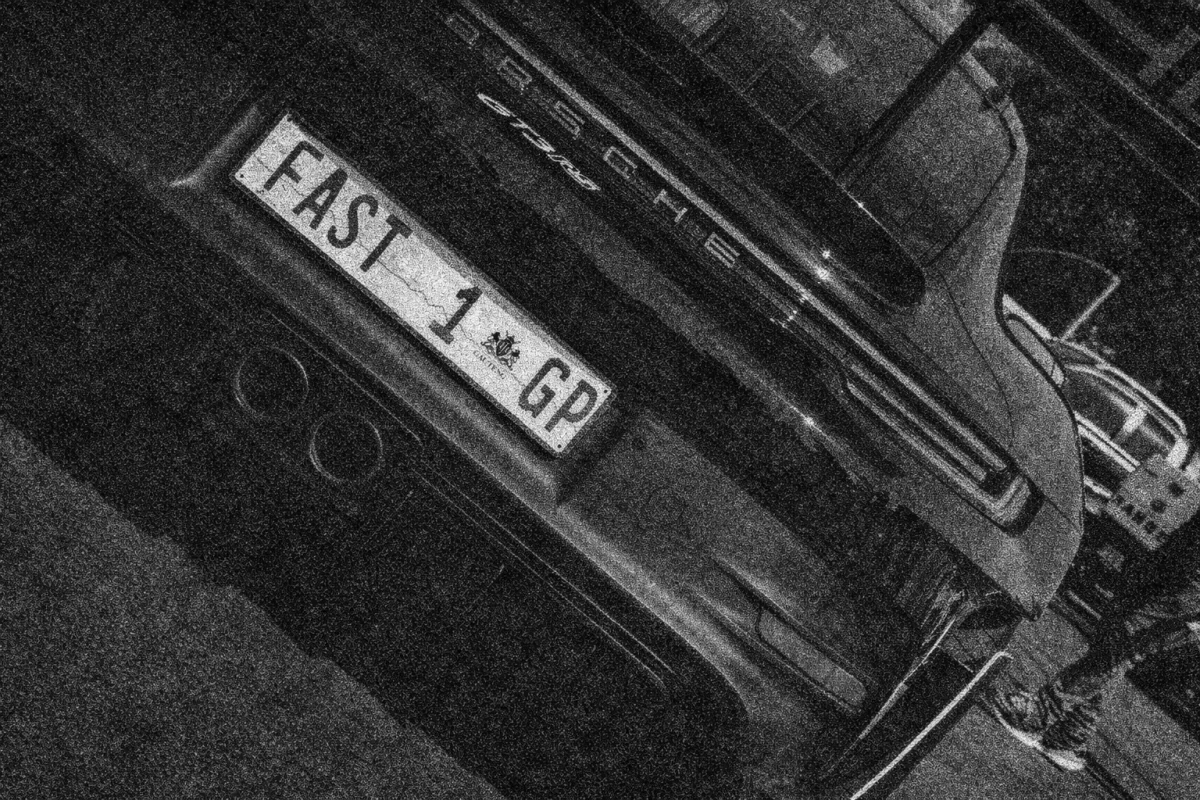
Original image for local threshold segmentation
Output Image
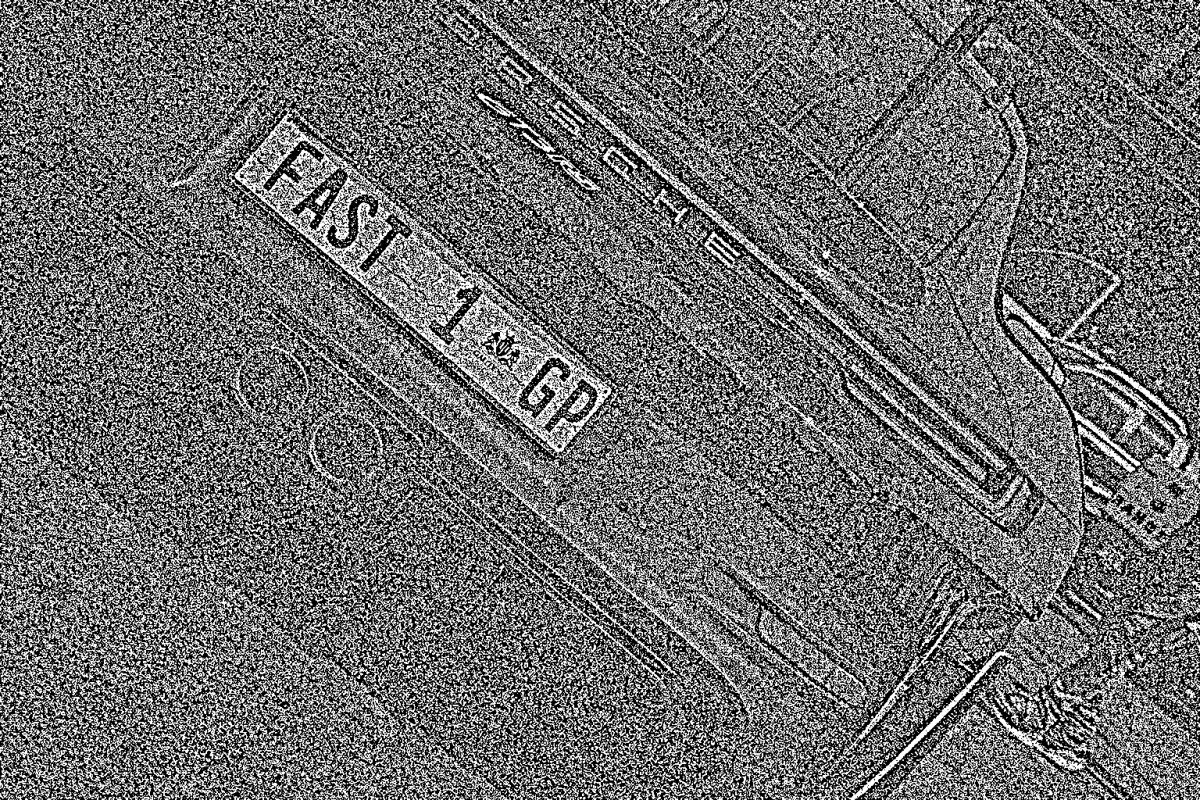
Segmented image using local thresholding
The Code
"""
Demonstrates local threshold segmentation.
"""

from loguru import logger
import rerun as rr
import rerun.blueprint as rrb

from telekinesis import cornea, datatypes

def segment_image_using_local_threshold_example():
    """Applies adaptive (local) thresholding to segment the image."""
    # ===================== Load Image ==========================================
    image_url = "https://assets.telekinesis.ai/examples/v1/images/car_number_plate.jpg"
    image = datatypes.Image.from_url(url=image_url)

    # ===================== Run Skill ==========================================
    segmented_image = cornea.segment_image_using_local_threshold(image=image, block_size=23)

    # ===================== Log ================================================
    logger.success(f"Segmented {image} using local thresholding.")
    logger.success(f"Results: {segmented_image}")
    logger.info(f"Segmented image label codes: {segmented_image.label_codes}")
    logger.info(f"Segmented image number of labels: {segmented_image.number_of_labels}")
    logger.info(f"Segmented image shape: {segmented_image.shape}")
    logger.info(f"Segmented image dtype: {segmented_image.dtype}")

    # ===================== Visualization  (Optional) ======================
    rr.init("segment_image_using_local_threshold_example", spawn=True)
    blueprint = rrb.Horizontal(
        rrb.Spatial2DView(origin="/input_image", name="Input"),
        rrb.Spatial2DView(origin="/segmented_image", name="Output"),
    )
    rr.send_blueprint(blueprint)
    datatypes.visualize(image, entity_path="/input_image")
    datatypes.visualize(segmented_image, entity_path="/segmented_image")


if __name__ == "__main__":
    segment_image_using_local_threshold_example()
Runnable examples are available in the Telekinesis examples repository.
Follow the README in that repository to set up the environment, run this specific example with:
cd telekinesis-examples
python examples/segmentation/segment_image_using_local_threshold.py
Parameter Configuration
| Parameter | Type | Default | Description |
|---|---|---|---|
image | datatypes.Image | np.ndarray | required | Input image to segment, shape (H, W) or (H, W, 3) |
block_size | datatypes.Int | int | 35 | Size, in pixels, of the neighborhood used to compute each pixel's local threshold. Expected to be an odd value so the neighborhood is centered on the pixel |
Returns
| Type | Description |
|---|---|
datatypes.SegmentationImage | A per-pixel label map, shape (H, W), where pixels above and below their local threshold are assigned distinct labels. Use .data for the raw label array, .label_codes for the sorted array of unique ids present, .number_of_labels for how many distinct labels were found, and .shape/.dtype for its size and label dtype. |
Raises
| Exception | Condition |
|---|---|
TypeError | A parameter's value does not match its expected type (see the Parameter Configuration table above) |
ValueError | block_size is not odd |
ConfigurationError | The TELEKINESIS_API_KEY environment variable is not set |
SerializationError | The request input failed to serialize, the response was not returned as an Arrow stream, or the response failed to deserialize |
RequestTimeoutError | The request to the Cornea service timed out |
TransportError | A network failure occurred before a response was received |
ClientError | The Cornea service rejected the request due to invalid or malformed input (HTTP 400/422), an unrecognized endpoint (HTTP 404), or another unexpected 4xx response |
AuthenticationError | The API key was rejected as invalid or expired (HTTP 401) |
AuthenticationServiceError | The authentication service returned an invalid response, was temporarily unavailable, or timed out (HTTP 502/503/504) |
ServerError | The Cornea service returned a 5xx or otherwise unexpected error response |
How to Tune the Parameters
The segment_image_using_local_threshold Skill exposes a single parameter: block_size controls how large a neighborhood is examined when computing each pixel's own threshold.
block_size
- Controls: The size of the neighborhood used to compute each pixel's local threshold.
- Units: Pixels (odd integer)
- Default:
35 - Increase → smoother, more slowly-varying thresholds — better for larger, evenly-lit regions
- Decrease → reacts to finer local lighting changes, at the cost of being more sensitive to noise
- Typical range: depends on image resolution and the scale of the lighting variation you want to cancel out; the SDK example uses
23
TIP
Reach for segment_image_using_local_threshold first for its single-parameter simplicity; only switch to segment_image_using_adaptive_threshold once you find you actually need control over the local-averaging method or an inverted comparison.
Where to Use the Skill
Common pipelines include:
- Document and label scanning under shadows or lighting gradients – extracting text or markings from surfaces that are lit unevenly
- Industrial inspection under varying illumination – parts imaged under non-uniform ambient or task lighting, such as the SDK example's license-plate image
- Quick local segmentation without extra configuration – pipelines that want illumination-robust segmentation without choosing an averaging method or threshold direction
Alternative Skills
| Skill | vs. Segment Image Using Local Threshold |
|---|---|
| segment_image_using_adaptive_threshold | Adds max_value, adaptive_method, and threshold_type on top of block_size. Use local threshold first for a minimal-parameter option; switch to adaptive threshold when you need to choose the local-averaging method or an inverted comparison. |
When Not to Use the Skill
Do not use Segment Image Using Local Threshold when:
- Lighting is already uniform across the image – a single global threshold (e.g.
segment_image_using_otsu_threshold) achieves the same result with no neighborhood size to tune - You need control over the local-averaging method or an inverted comparison –
segment_image_using_local_thresholdonly exposesblock_size; usesegment_image_using_adaptive_thresholdif you need to choose between mean and Gaussian-weighted averaging, or need abinary_inv-style inverted output
TIP
This is deliberately the simpler of the two local-thresholding Skills. If block_size alone isn't giving you the result you need, move to segment_image_using_adaptive_threshold rather than fighting block_size on its own.