

Detect Objects Using Grounding DINO
SUMMARY
Detect Objects Using Grounding DINO detects objects using Grounding DINO and returns detections with bounding boxes and categories built from a list of object names you supply.
This Skill is designed for open-vocabulary, zero-shot object detection where you name the objects you want to find (for example, ["carton", "pallet"]) instead of picking from a fixed set of class IDs.
Use this Skill when you want to detect objects you can name in words, without retraining a model.
The Skill
from telekinesis import retina

detection_results, categories = retina.detect_objects_using_grounding_dino(
    image=image,
    objects=["carton"],
    box_threshold=0.5,
    text_threshold=0.5,
)Example
Input Image
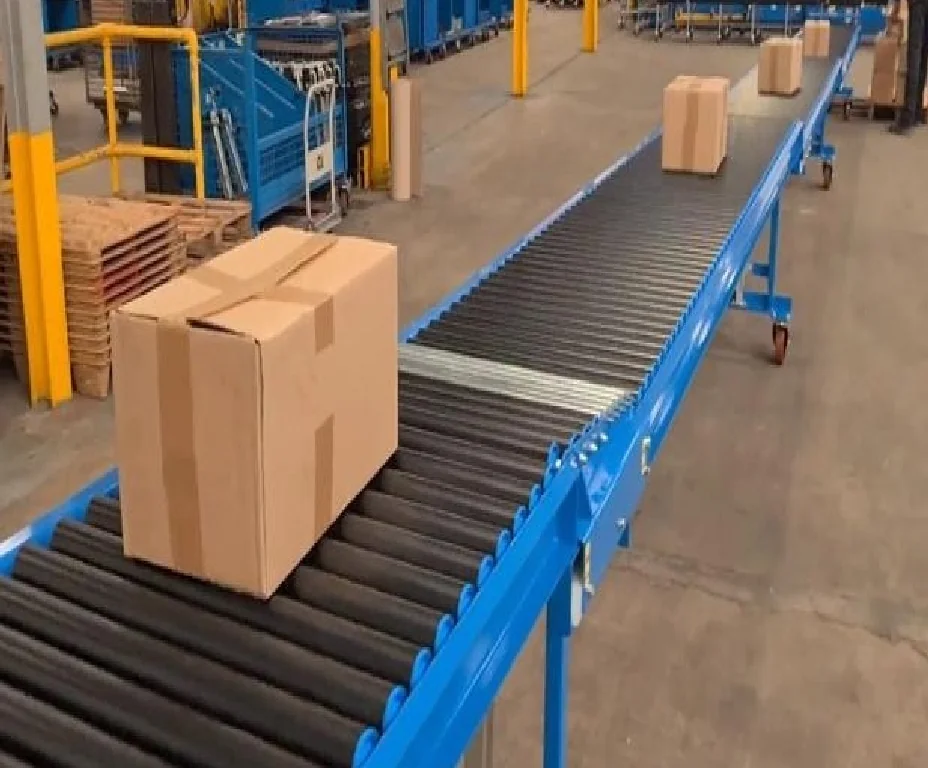
Original image
Detected Objects
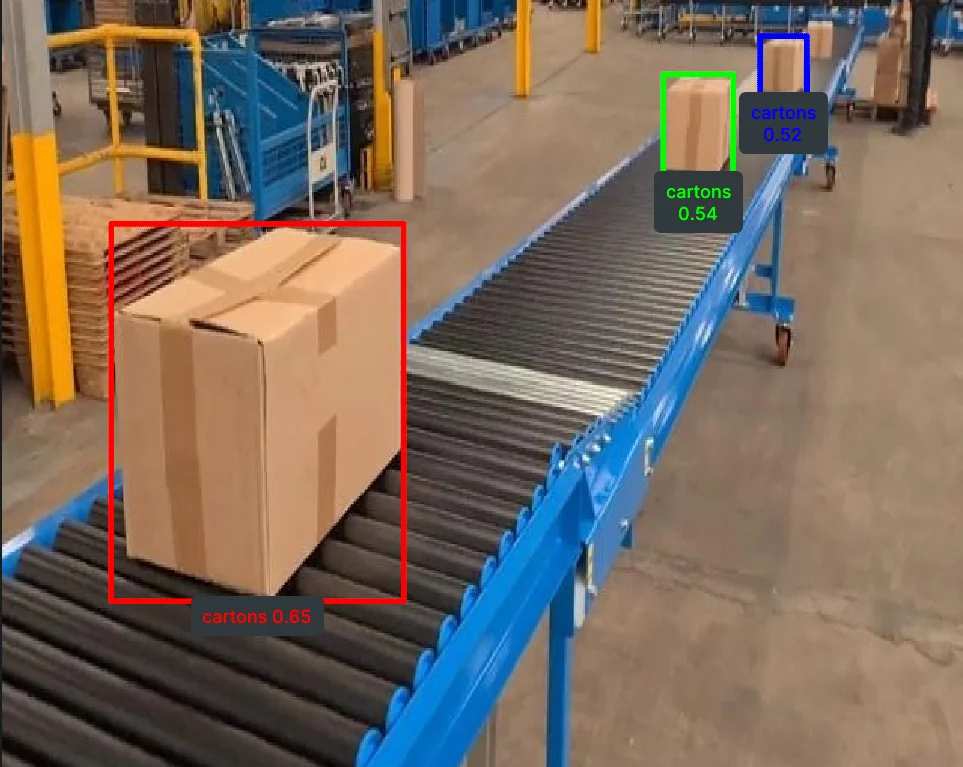
Detected objects with bounding boxes, labels and scores from a list of object names.
The Code
"""
Detect objects using Grounding DINO (zero-shot).
"""

from loguru import logger
import rerun as rr

from telekinesis import retina, datatypes


def detect_objects_using_grounding_dino_example():
    """
    Detect objects using Grounding DINO (zero-shot).

    Requires the input objects to be defined to detect objects in an image and
    returns object detections using datatype `COCOObjectDetectionDetectionResults` with `Categories`.
    """
    # ===================== Load Image ==========================================
    image_url = "https://assets.telekinesis.ai/examples/v1/images/palletizing.jpg"
    image = datatypes.Image.from_url(url=image_url)

    # ===================== Run Skill ==========================================
    detection_results, categories = retina.detect_objects_using_grounding_dino(
        image=image,
        objects=["carton"],
        box_threshold=0.45,
        text_threshold=0.5,
    )

    # ===================== Log ================================================
    logger.success(f"Detected objects in {image} using Grounding DINO (zero-shot).")
    logger.success(f"Results: {detection_results}")

    logger.info(f"Categories available: {categories}")
    logger.info(f"All detected object bounding boxes: {detection_results.bboxes}")
    logger.info(f"All detected object scores: {detection_results.scores}")
    logger.info(f"All detected object category IDs: {detection_results.category_ids}")

    # Indexed object is of type `COCOObjectDetectionResult`
    logger.info(f"Detected object at index 0: {detection_results[0]}")
    logger.info(f"Detected object at index 0 bounding box: {detection_results[0].bbox}")
    logger.info(f"Detected object at index 0 score: {detection_results[0].score}")
    logger.info(
        f"Detected object at index 0 category ID: {detection_results[0].category_id}"
    )
    logger.info(
        f"Detected object at index 0 category name: {categories[detection_results[0].category_id]}"
    )

    # ===================== Visualization  (Optional) ======================
    rr.init("detect_objects_using_grounding_dino_example", spawn=True)
    datatypes.visualize(image, entity_path="/image/")
    datatypes.visualize(detection_results, entity_path="/image/overlayed_detections")


if __name__ == "__main__":
    detect_objects_using_grounding_dino_example()
Runnable examples are available in the Telekinesis examples repository.
Follow the README in that repository to set up the environment, run this specific example with:
cd telekinesis-examples
python examples/detection/detect_objects_using_grounding_dino.py
Parameter Configuration
These parameters are passed directly to the underlying Grounding DINO model and control which objects it looks for and how confident it must be before reporting a detection.
| Parameter | Type | Default | Description |
|---|---|---|---|
image | datatypes.Image | np.ndarray | list | required | Input image. Supported shapes are (H, W), (H, W, 1), or (H, W, 3) — 4-channel (alpha) images are not supported |
objects | list[datatypes.String | str] | required | List of object names to detect (for example, ["carton", "pallet"]). Internally joined into a single comma-separated string sent to the model — avoid commas inside an individual object name |
box_threshold | datatypes.Float | float | int | 0.25 | Minimum confidence required for a predicted bounding box |
text_threshold | datatypes.Float | float | int | 0.25 | Minimum confidence required for matching an image region to an object name |
Returns
| Type | Description |
|---|---|
tuple[datatypes.COCOObjectDetectionResults, datatypes.Categories] | A (detections, categories) pair. detections holds the COCO-style results — access the grouped arrays via .bboxes (shape (N, 4), [x, y, w, h]), .scores (shape (N,)), and .category_ids (shape (N,)), or index a single detection with detections[i] to get its .bbox, .score, and .category_id. categories holds the object names you supplied — index it by category id (e.g. categories[detections[0].category_id]) to get a Category with a .name. |
Raises
| Exception | Condition |
|---|---|
TypeError | A parameter's value does not match its expected type (see the Parameter Configuration table above) |
ValueError | image has an unsupported shape, objects is empty or contains an empty/whitespace-only string, or box_threshold/text_threshold is outside the valid 0.0–1.0 range |
ConfigurationError | The TELEKINESIS_API_KEY environment variable is not set |
SerializationError | The request input failed to serialize, the response was not returned as an Arrow stream, or the response failed to deserialize |
RequestTimeoutError | The request to the Retina service timed out |
TransportError | A network failure occurred before a response was received |
ClientError | The Retina service rejected the request due to invalid or malformed input (HTTP 400/422), an unrecognized endpoint (HTTP 404), or another unexpected 4xx response |
AuthenticationError | The API key was rejected as invalid or expired (HTTP 401) |
AuthenticationServiceError | The authentication service returned an invalid response, was temporarily unavailable, or timed out (HTTP 502/503/504) |
ServerError | The Retina service returned a 5xx or otherwise unexpected error response |
How to Tune the Parameters
The detect_objects_using_grounding_dino Skill exposes one required list and two confidence thresholds.
objects
- Controls: Which object names the model searches the image for.
- Use specific, singular nouns (
"carton"rather than"cartons and boxes") — one concept per entry - Add more entries to search for several object types in a single call (e.g.
["carton", "pallet", "forklift"]) - Reword an entry if it's returning too many or too few matches — Grounding DINO matches on the literal wording
box_threshold
- Controls: The minimum confidence required for a predicted bounding box to be kept.
- Default:
0.25 - Increase → fewer, higher-confidence boxes (reduces false positives)
- Decrease → more boxes kept, including lower-confidence ones (improves recall for hard or small objects)
- Typical range:
0.3–0.7
text_threshold
- Controls: The minimum confidence required for matching an image region to one of the
objectsnames. - Default:
0.25 - Increase → stricter text-to-region matching
- Decrease → looser matching, useful when valid detections are being missed
- Typical range:
0.2–0.7
TIP
Best practice: Start with box_threshold=0.5 and text_threshold=0.5 — higher than the library defaults of 0.25/0.25 — then loosen either one if valid detections are being missed, or tighten if you see false positives.
Where to Use the Skill
Common pipelines include:
- Open-vocabulary inspection – Detecting user-defined object types without retraining
- Flexible warehouse analytics – Rapidly switching targets by changing the
objectslist (for example, cartons, pallets, forklifts)
Alternative Skills
| Skill | vs. Detect Objects Using Grounding DINO |
|---|---|
| detect_objects_using_qwen | QWEN is a general VLM with no tunable thresholds. Use Grounding DINO when you want finer control over the box/text confidence trade-off; use QWEN for a simpler call. |
| detect_objects_using_yolox | Use YOLOX when you need faster inference on a fixed set of categories. |
When Not to Use the Skill
Do not use Detect Objects Using Grounding DINO when:
- You only need fixed-category detection with strict real-time latency (YOLOX is usually faster)
- Wording sensitivity is not acceptable in the workflow (results depend on how object names are phrased)
- The target classes are fully known and stable (a fixed detector may be simpler to operate)