

Bitwise OR Images
SUMMARY
Bitwise OR Images computes the pixel-wise bitwise OR of two images.
Each output pixel is the bitwise OR of the corresponding pixels in image_a and image_b. For 0/255 binary masks this produces a pixel that is set wherever either input has it set, i.e. it merges two masks into their union. The two inputs must share the same width and height — resize one first (e.g. with resize_image_with_aspect_fit) if they don't.
Use this Skill when you want to merge two binary masks into one, combining the regions marked in either.
The Skill
from telekinesis import pupil

result_image = pupil.bitwise_or_images(image_a=image_a, image_b=image_b)Example
Image A
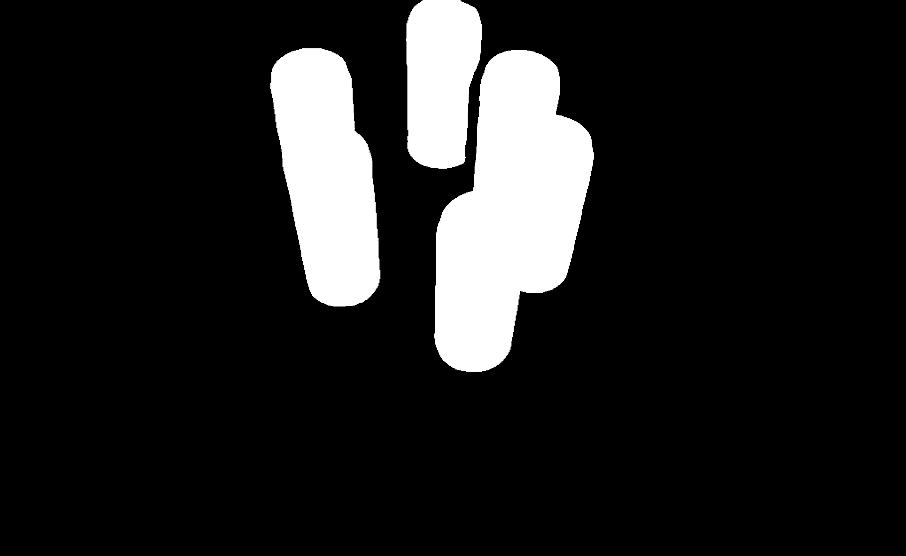
First mask
Image B
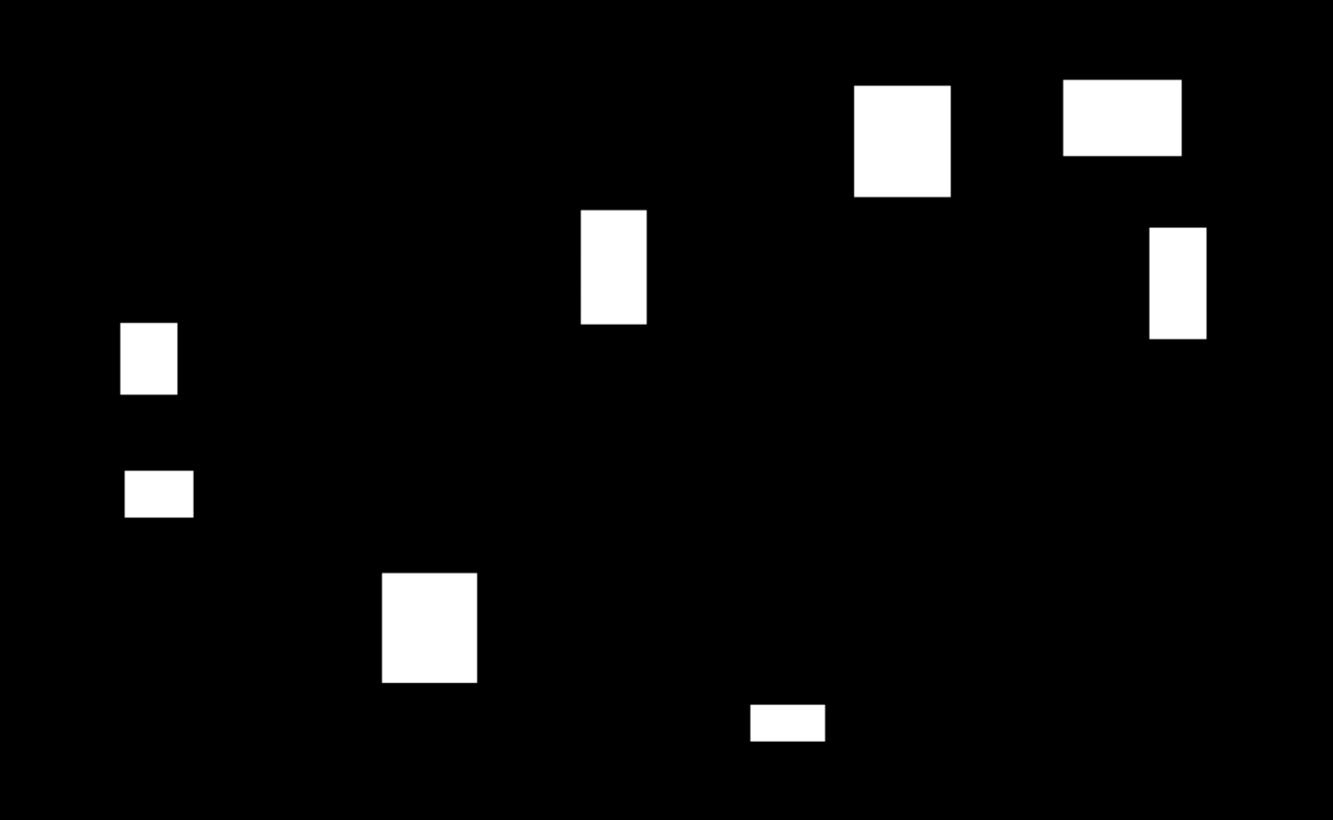
Second mask, resized to match Image A
Result
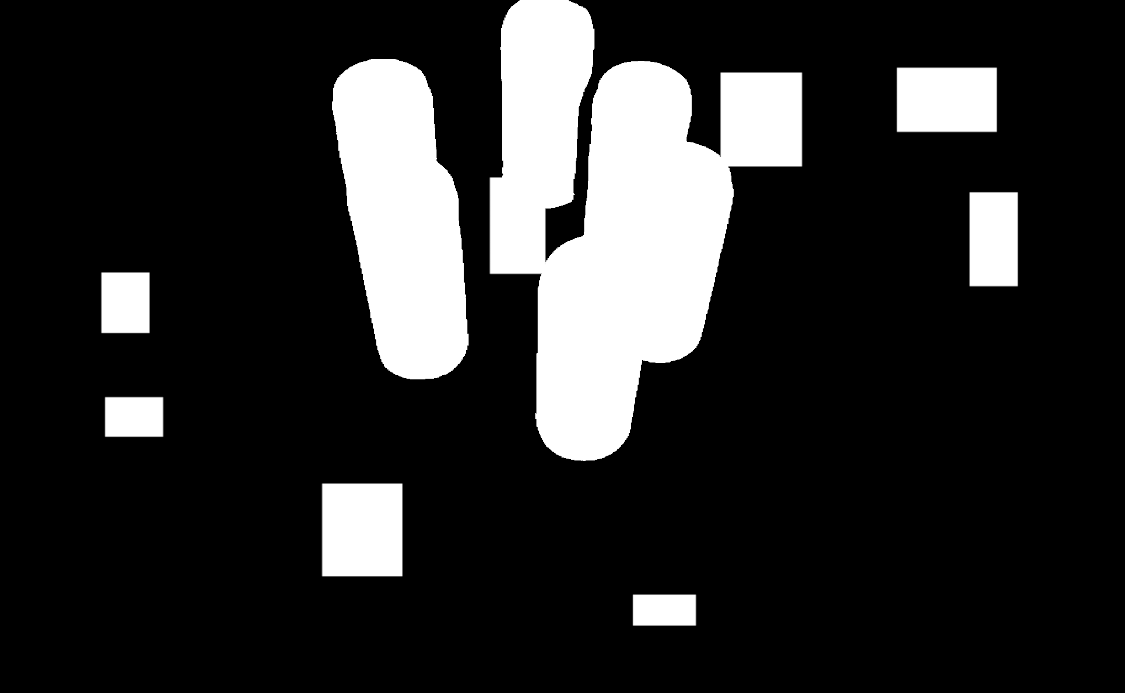
Bitwise OR result — the union of both masks
The Code
"""Demonstrates bitwise OR operation between two images."""

from loguru import logger
import rerun as rr

from telekinesis import pupil, datatypes


def bitwise_or_images_example():
    """Performs bitwise OR between two images."""
    # ===================== Load Images ==========================================
    image_url_a = "https://assets.telekinesis.ai/examples/v1/images/can_vertical_6_mask.png"
    image_url_b = "https://assets.telekinesis.ai/examples/v1/images/rectangles_mask.png"
    image_a = datatypes.Image.from_url(image_url_a).to_rgb()
    image_b = datatypes.Image.from_url(image_url_b).to_rgb()

    # ===================== Resize Image B ==========================================
    image_b = pupil.resize_image_with_aspect_fit(
        image=image_b,
        resize_width=image_a.width,
        resize_height=image_a.height,
        pad_color=(0, 0, 0),
    )
    logger.info(f"Resized {image_b} to match dimensions of {image_a}")

    # ===================== Run Skill ==========================================
    filtered_image = pupil.bitwise_or_images(image_a=image_a, image_b=image_b)

    # ===================== Log ================================================
    logger.success(f"Bitwise OR between {image_a} and {image_b}")
    logger.success(f"Result: {filtered_image}")

    # ===================== Visualization  (Optional) ======================
    rr.init("bitwise_or_images_example", spawn=True)
    datatypes.visualize(image_a, entity_path="1-Original")
    datatypes.visualize(image_b, entity_path="2-Resized")
    datatypes.visualize(filtered_image, entity_path="3-Filtered")

if __name__ == "__main__":
    bitwise_or_images_example()
Runnable examples are available in the Telekinesis examples repository.
Follow the README in that repository to set up the environment, run this specific example with:
cd telekinesis-examples
python examples/image_processing/bitwise_or_images.py
Parameter Configuration
| Parameter | Type | Default | Description |
|---|---|---|---|
image_a | datatypes.Image | np.ndarray | required | First input image, shape (H, W) or (H, W, C) |
image_b | datatypes.Image | np.ndarray | required | Second input image, combined with image_a via bitwise OR. Must have the same (H, W) as image_a — use resize_image_with_aspect_fit first if the sizes differ |
Returns
| Type | Description |
|---|---|
datatypes.Image | Same shape as image_a, containing the pixel-wise bitwise OR of the two inputs |
Raises
| Exception | Condition |
|---|---|
TypeError | image_a or image_b has an invalid type |
ValueError | image_a and image_b have different width or height |
ConfigurationError | The TELEKINESIS_API_KEY environment variable is not set |
SerializationError | The request input failed to serialize, the response was not returned as an Arrow stream, or the response failed to deserialize |
RequestTimeoutError | The request to the Pupil service timed out |
TransportError | A network failure occurred before a response was received |
ClientError | The Pupil service rejected the request due to invalid or malformed input (HTTP 400/422), an unrecognized endpoint (HTTP 404), or another unexpected 4xx response |
AuthenticationError | The API key was rejected as invalid or expired (HTTP 401) |
AuthenticationServiceError | The authentication service returned an invalid response, was temporarily unavailable, or timed out (HTTP 502/503/504) |
ServerError | The Pupil service returned a 5xx or otherwise unexpected error response |
How to Tune the Parameters
bitwise_or_images has no tunable parameters — it takes two required images and combines them with a fixed OR operation. The only requirement is that image_a and image_b have matching width and height.
TIP
Best practice: When merging masks produced by different upstream skills, resize the smaller/mismatched one with resize_image_with_aspect_fit and drop any alpha channel before calling this Skill, so both inputs are directly comparable binary masks.
Where to Use the Skill
Common pipelines include:
- Mask union – Merge multiple segmentation masks into a single region
- Combining detections – Aggregate regions flagged by different detectors into one mask
- Gap filling – Combine two partial masks that each cover part of an object
Alternative Skills
| Skill | vs. Bitwise OR Images |
|---|---|
| bitwise_and_images | Computes the intersection of two images instead of their union. |
| bitwise_xor_images | Keeps only pixels that differ between the two inputs instead of merging both. |
| bitwise_not_image | Inverts a single mask rather than combining two. |
When Not to Use the Skill
Do not use Bitwise OR Images when:
- You need the intersection of two masks (use
bitwise_and_imagesinstead) - You need pixels that differ between two masks (use
bitwise_xor_imagesfor a logical comparison, orbitwise_difference_imagesfor an intensity difference) image_aandimage_bhave different dimensions (resize one to match first, e.g. withresize_image_with_aspect_fit)- You only have one mask and want to invert it (use
bitwise_not_imageinstead)