

TF: Coordinate Transform Skills
SUMMARY
TF is the coordinate frame module in the Telekinesis SDK. It provides a TransformTree for building and querying hierarchies of named coordinate frames, and a tfutils collection of pose and rotation conversion functions.
Quickstart
1. Create the tree and visualize
python
from telekinesis.tf import tftree

tree = tftree.TransformTree(root_name="map")
tree.visualize_rerun(axis_len=0.5)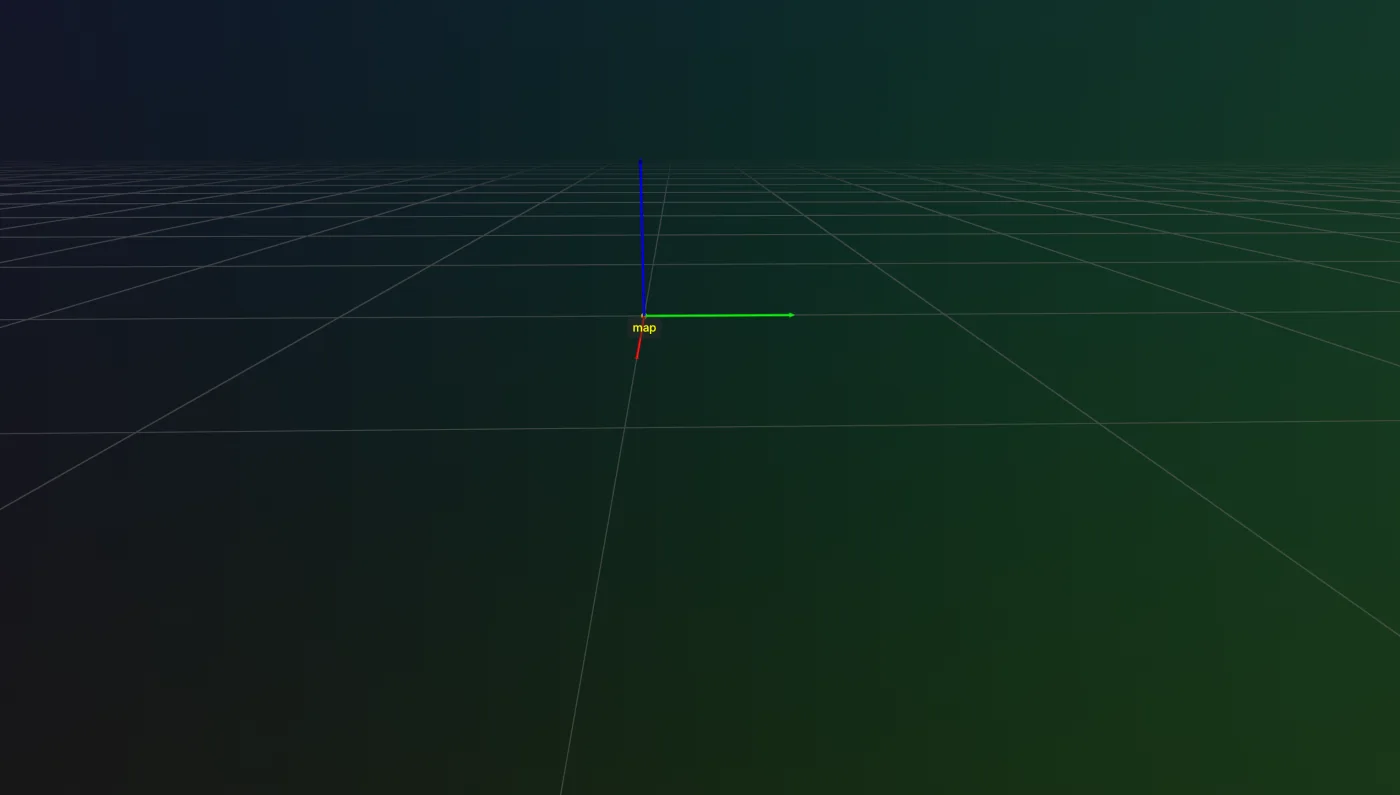
2. Add and update transforms, and visualize
python
# Add transform: map -> odom
odom_pose = [0.5, 0.5, 0.5, 0, 0, 90]
tree.add(source_name="map", target_name="odom", transform=odom_pose, rot_type="deg")

# Add transform: odom -> base_link
base_link_pose = [0.5, 0.5, 0.5, 0, 0, 90]
tree.add(source_name="odom", target_name="base_link", transform=base_link_pose, rot_type="deg")

# Add transform: base_link -> camera
camera_pose = [0.5, 0.5, 0.5, 0, 0, 0]
tree.add(source_name="base_link", target_name="camera", transform=camera_pose, rot_type="deg")

# Rename the camera frame
tree.update_node_name(old_name="camera", new_name="camera_updated")

# Add transform: base_link -> lidar
lidar_pose = [0, -0.5, 0.5, 0, 90, 0]
tree.add(source_name="base_link", target_name="lidar", transform=lidar_pose, rot_type="deg")

# Update transform: base_link -> camera_updated
camera_pose_updated = [0.5, 0.5, 1, -1.5707963, 0, 0]
tree.update(source_name="camera_updated", transform=camera_pose_updated, rot_type="rad")

tree.visualize_rerun(axis_len=0.5)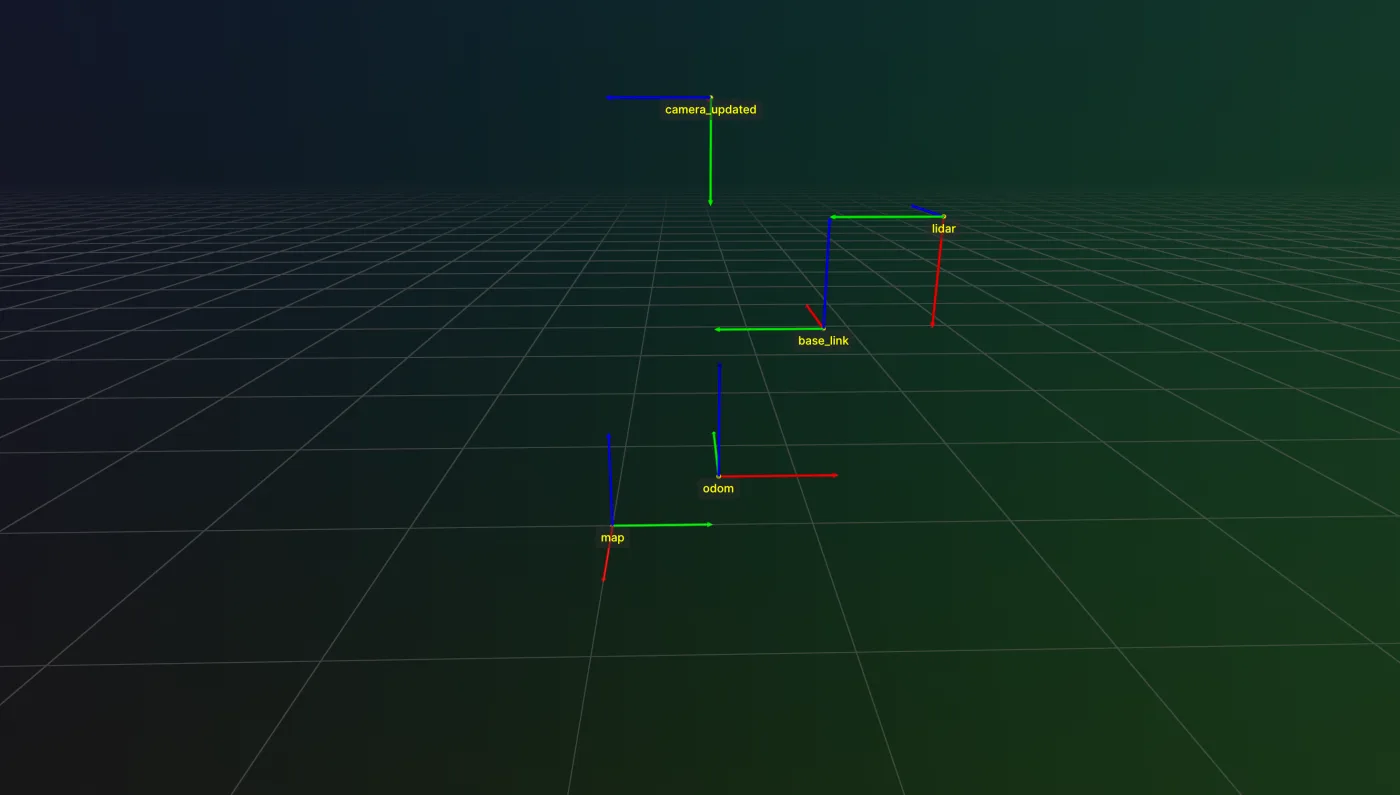
3. Remove a transform and visualize
python
tree.delete(node_name="lidar")
tree.visualize_rerun(axis_len=0.5)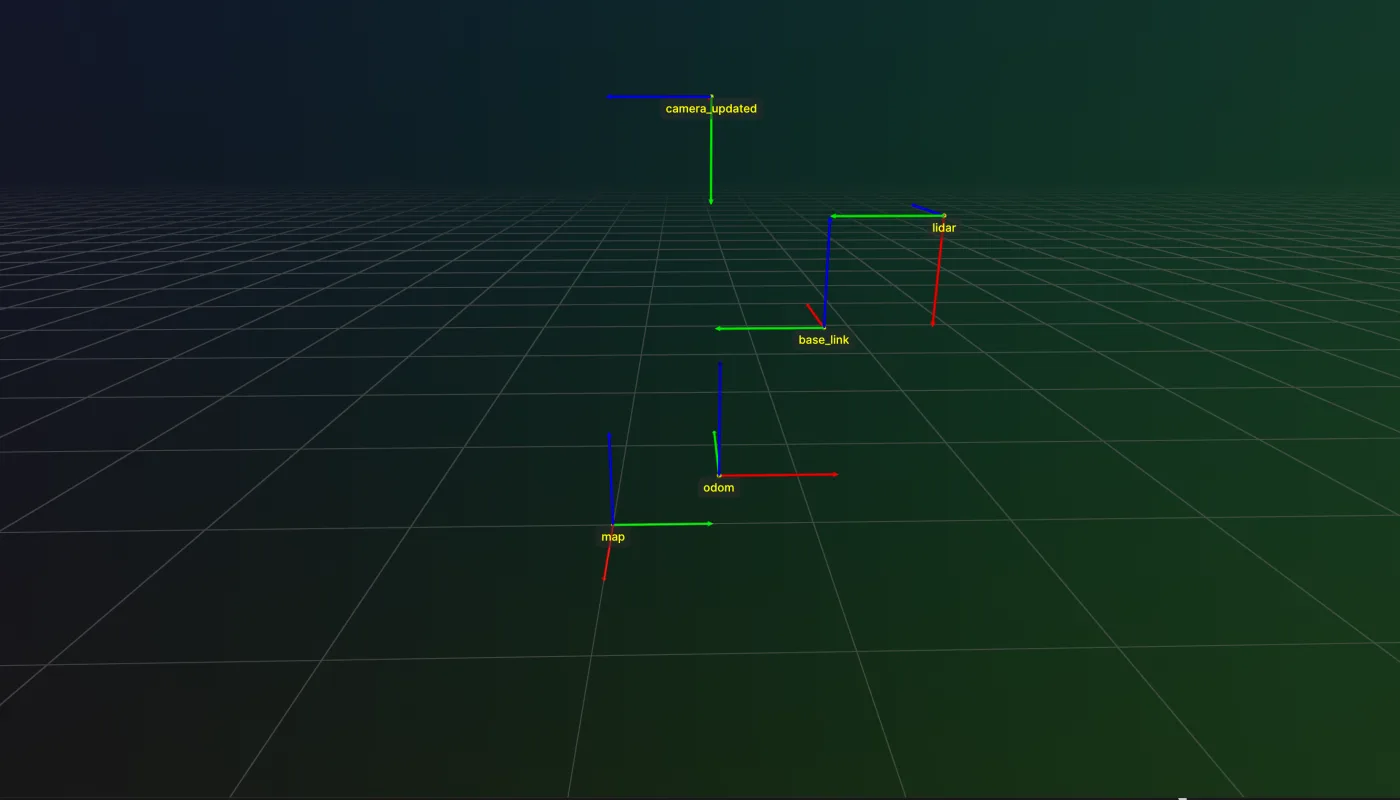
4. Add a frame, print the hierarchy, change its parent, and visualize
python
# Add transform: odom -> imu
imu_pose = [0, 0, 0.5, 0, 0, 0]
tree.add(source_name="odom", target_name="imu", transform=imu_pose, rot_type="deg")

tree.print_hierarchy()

# Re-parent imu under base_link, keeping its pose in the world
tree.change_parent(node_name="imu", new_parent_name="base_link")

tree.print_hierarchy()

frames = tree.get_all_frames(reference_node_name="map")
tree_copy = tree.copy(prefix="copy_")

tree.visualize_rerun(axis_len=0.5)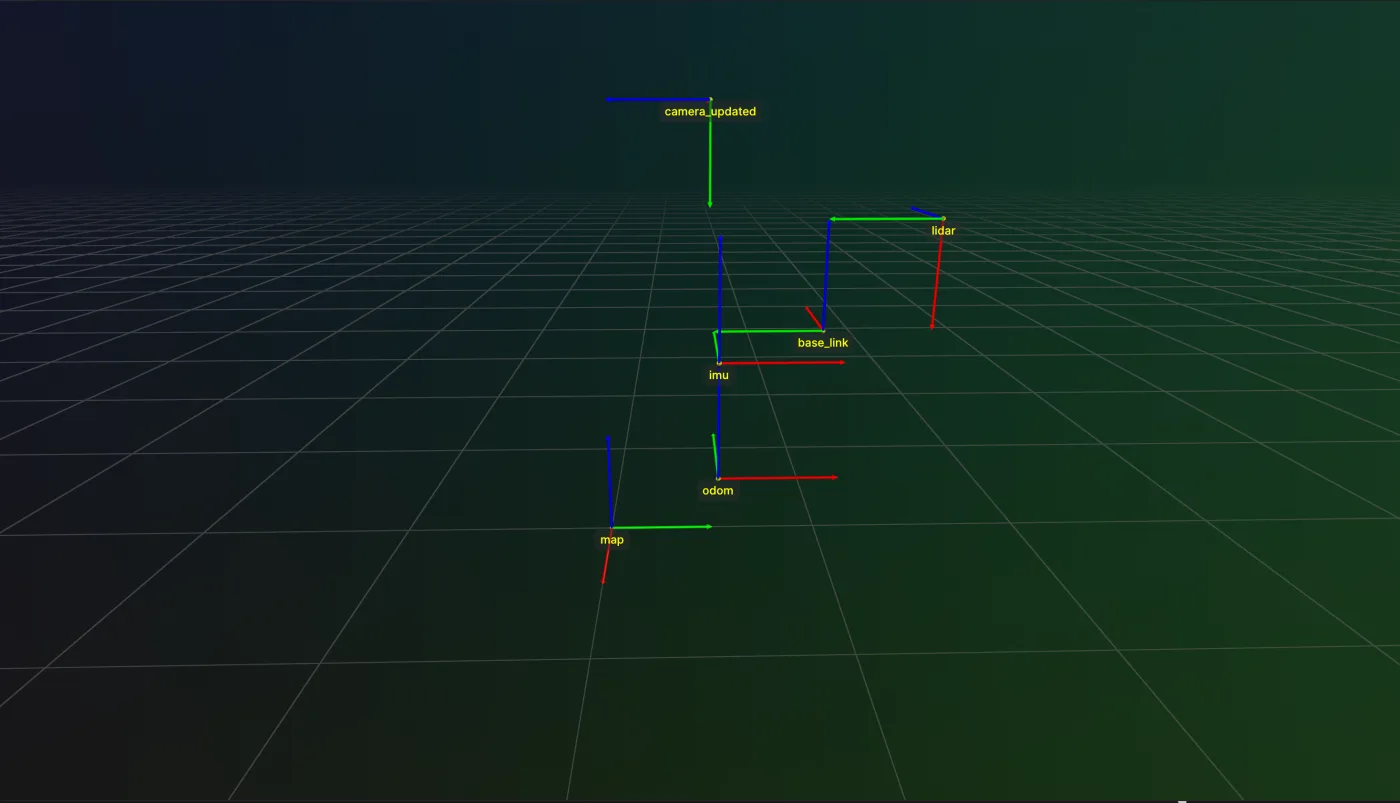
When to Use TF?
Use TF whenever an application needs to reason about named coordinate frames and the transforms between them, such as:
- Tracking the relationship between a robot base, its tool center point, and a camera
- Looking up the transform between any two frames in a scene, regardless of how they are connected
- Converting poses between degrees, radians, quaternions, and rotation vectors
- Visualizing a frame hierarchy in Rerun while a robot or scene changes over time
What Does TF Provide?
TF includes two groups of Skills:
- TransformTree - a tree of named coordinate frames with lookup, mutation, and visualization
- tfutils - stateless functions for converting poses and rotations between representations, computing pose error, and plotting a frame in Rerun
Overview of Skills
Transform Tree
| SDK Call | Description |
|---|---|
| TransformTree | Construct a tree with a root frame. |
| add | Add a new frame under an existing frame. |
| add_tree | Graft another tree in as a subtree. |
| update | Update the transform of an existing frame. |
| delete | Remove a frame from the tree. |
| update_node_name | Rename a frame. |
| find_nodes | Look up nodes in the tree by name. |
| lookup_transform | Get the transform between any two frames. |
| copy | Deep copy the tree with a renamed root. |
| get_root_name | Get the name of the root frame. |
| set_root_name | Set the name of the root frame. |
| get_parent | Get the parent of a frame. |
| change_parent | Move a frame under a different parent. |
| get_all_frames | Get every frame's pose relative to a reference. |
| visualize_rerun | Log the whole tree to Rerun. |
| print_hierarchy | Log the parent/child structure of the tree. |
Transform Utility
| SDK Call | Description |
|---|---|
| pose_to_transformation_matrix | Convert a pose to a 4x4 transformation matrix. |
| transformation_matrix_to_pose | Convert a 4x4 transformation matrix to a pose. |
| invert_transformation_matrix | Invert a 4x4 transformation matrix. |
| convert_rotation_format | Convert a rotation between deg, rad, quat, and rotvec. |
| convert_pose_format | Convert a pose between deg, rad, quat, and rotvec. |
| convert_quaternion_to_scalar_first | Convert a quaternion from xyzw to wxyz. |
| convert_quaternion_to_scalar_last | Convert a quaternion from wxyz to xyzw. |
| compute_transformation_matrix_error | Compute the SE(3) error between two transforms. |
| plot_transformation_frame | Log a single transform's frame to Rerun. |
| sort_poses | Sort a list of poses by position. |