

Enhance Image Using White Balance
SUMMARY
Enhance Image Using White Balance automatically adjusts color temperature to remove color casts from an image.
It estimates the scene illuminant from the color image itself and rebalances the channel intensities so that colors that should be neutral (grays, whites) appear neutral, compensating for tinted lighting (e.g. a yellow/orange cast from warm indoor light). There are no tunable parameters — correction is fully automatic and requires a color input.
Use this Skill when you want to remove a color cast caused by scene lighting.
The Skill
from telekinesis import pupil

balanced_image = pupil.enhance_image_using_white_balance(image=image)Example
Input Image
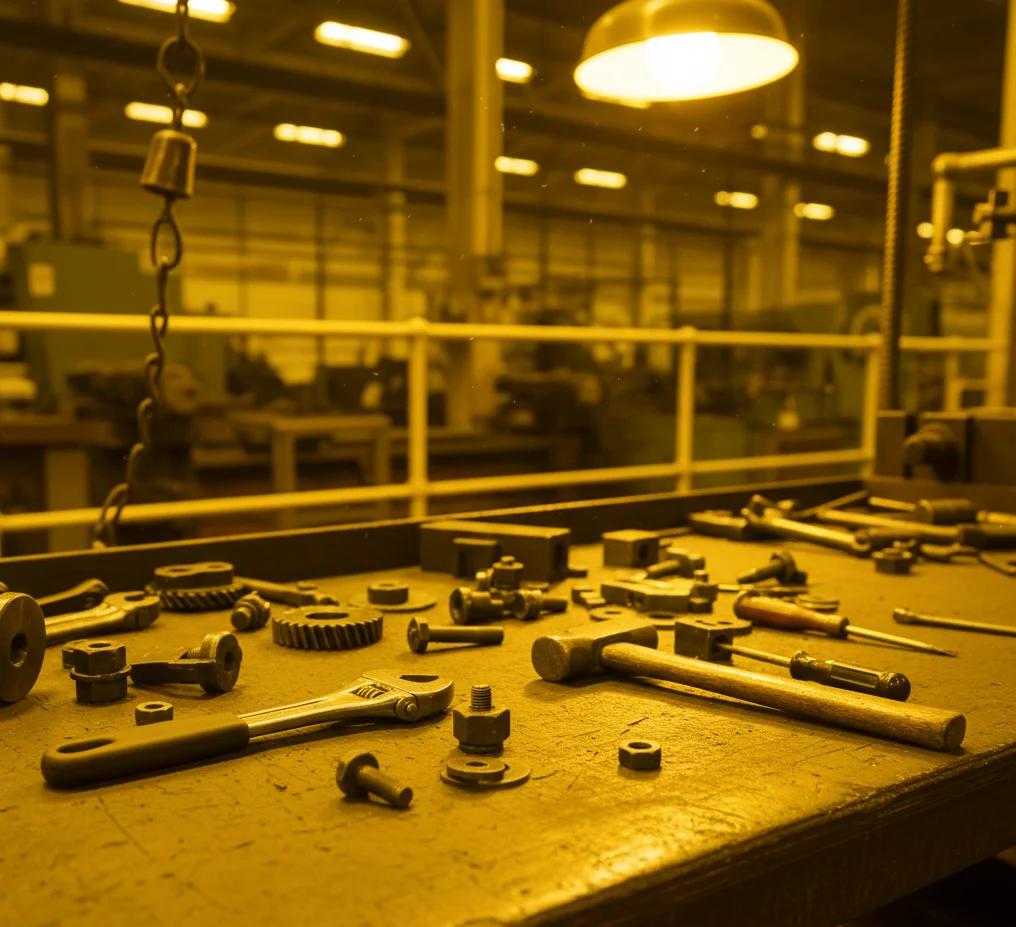
Original image with a yellow color cast from warm lighting
Enhanced Image
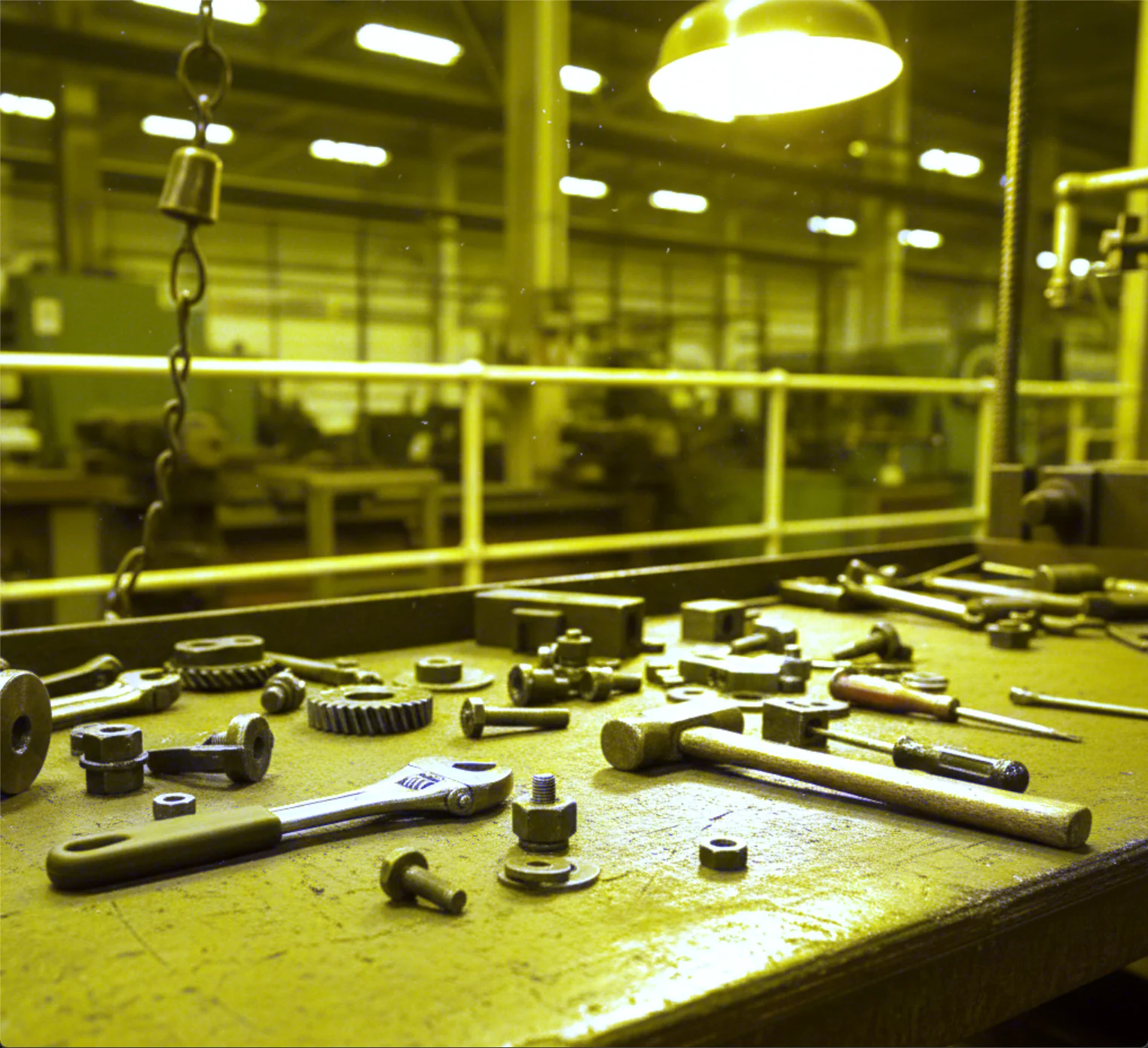
White-balanced image with neutral colors restored
The Code
"""Demonstrates enhance_image_using_white_balance operation."""

from loguru import logger
import rerun as rr

from telekinesis import pupil, datatypes


def enhance_image_using_white_balance_example():
    """Applies enhance_image_using_white_balance operation."""
    # ===================== Load Image ==========================================
    image_url = "https://assets.telekinesis.ai/examples/v1/images/hand_tools_yellow_light.png"
    image = datatypes.Image.from_url(image_url)

    # ===================== Run Skill ==========================================
    filtered_image = pupil.enhance_image_using_white_balance(
        image=image,
    )

    # ===================== Log ================================================
    logger.success(f"Applied enhance_image_using_white_balance on {image}")
    logger.success(f"Result: {filtered_image}")

    # ===================== Visualization  (Optional) ======================
    rr.init("enhance_image_using_white_balance_example", spawn=True)
    datatypes.visualize(image, entity_path="1-Original")
    datatypes.visualize(filtered_image, entity_path="2-Enhanced")

if __name__ == "__main__":
    enhance_image_using_white_balance_example()
Runnable examples are available in the Telekinesis examples repository.
Follow the README in that repository to set up the environment, run this specific example with:
cd telekinesis-examples
python examples/image_processing/enhance_image_using_white_balance.py
Parameter Configuration
| Parameter | Type | Default | Description |
|---|---|---|---|
image | datatypes.Image | np.ndarray | required | The input color image to process, shape (H, W, C) |
Returns
| Type | Description |
|---|---|
datatypes.Image | Same shape as image, with color temperature corrected. |
Raises
| Exception | Condition |
|---|---|
TypeError | image has an invalid type |
ConfigurationError | The TELEKINESIS_API_KEY environment variable is not set |
SerializationError | The request input failed to serialize, the response was not returned as an Arrow stream, or the response failed to deserialize |
RequestTimeoutError | The request to the Pupil service timed out |
TransportError | A network failure occurred before a response was received |
ClientError | The Pupil service rejected the request due to invalid or malformed input (HTTP 400/422), an unrecognized endpoint (HTTP 404), or another unexpected 4xx response |
AuthenticationError | The API key was rejected as invalid or expired (HTTP 401) |
AuthenticationServiceError | The authentication service returned an invalid response, was temporarily unavailable, or timed out (HTTP 502/503/504) |
ServerError | The Pupil service returned a 5xx or otherwise unexpected error response |
How to Tune the Parameters
enhance_image_using_white_balance has no tunable parameters — it automatically estimates the scene illuminant from image and corrects accordingly.
TIP
Best practice: White balance correction works best when the scene contains some neutral colors (grays, whites) that the algorithm can use as a reference for what "neutral" should look like. Scenes with no neutral surfaces can produce an inaccurate estimate.
Where to Use the Skill
Common pipelines include:
- Color-cast removal – Correct images captured under tinted indoor/outdoor lighting before display or analysis
- Preprocessing for color-based downstream skills – Normalize color before color-space conversion, color-based segmentation, or color matching
- Dataset normalization – Reduce color-temperature variance across images captured under different lighting
Alternative Skills
| Skill | vs. Enhance Image Using White Balance |
|---|---|
| enhance_image_using_auto_gamma_correction | Corrects brightness/exposure, not color. Use together when an image is both dark and color-cast. |
| enhance_image_using_clahe | Corrects local contrast, not color temperature. |
| convert_image_color_space | Converts between color spaces (e.g. RGB to HSV); does not remove a lighting-induced color cast. |
When Not to Use the Skill
Do not use Enhance Image Using White Balance when:
- The input is a single-channel/grayscale image (there are no color channels to rebalance — use
enhance_image_using_auto_gamma_correctionfor brightness instead) - The scene contains no neutral (gray/white) reference surfaces (the illuminant estimate can be inaccurate)
- Intentional color grading is desired (white balance removes the color tones you may want to keep)
- There is no visible color cast (the correction is unnecessary and adds a round trip for no benefit)