

Enhance Image Using CLAHE
SUMMARY
Enhance Image Using CLAHE applies Contrast Limited Adaptive Histogram Equalization to boost local contrast.
CLAHE divides the image into tiles and equalizes the histogram within each tile independently, clipping the histogram at clip_limit before equalization to cap how much contrast (and noise) any single tile can gain. This makes it effective on images with uneven illumination, where a single global adjustment (e.g. enhance_image_using_auto_gamma_correction) would over- or under-correct different regions.
Use this Skill when you want to boost local contrast in unevenly lit images without amplifying noise in already-uniform regions.
The Skill
from telekinesis import pupil

enhanced_image = pupil.enhance_image_using_clahe(
    image=image,
    clip_limit=10.0,
    tile_grid_size=8,
    color_space="lab",
)Example
Input Image
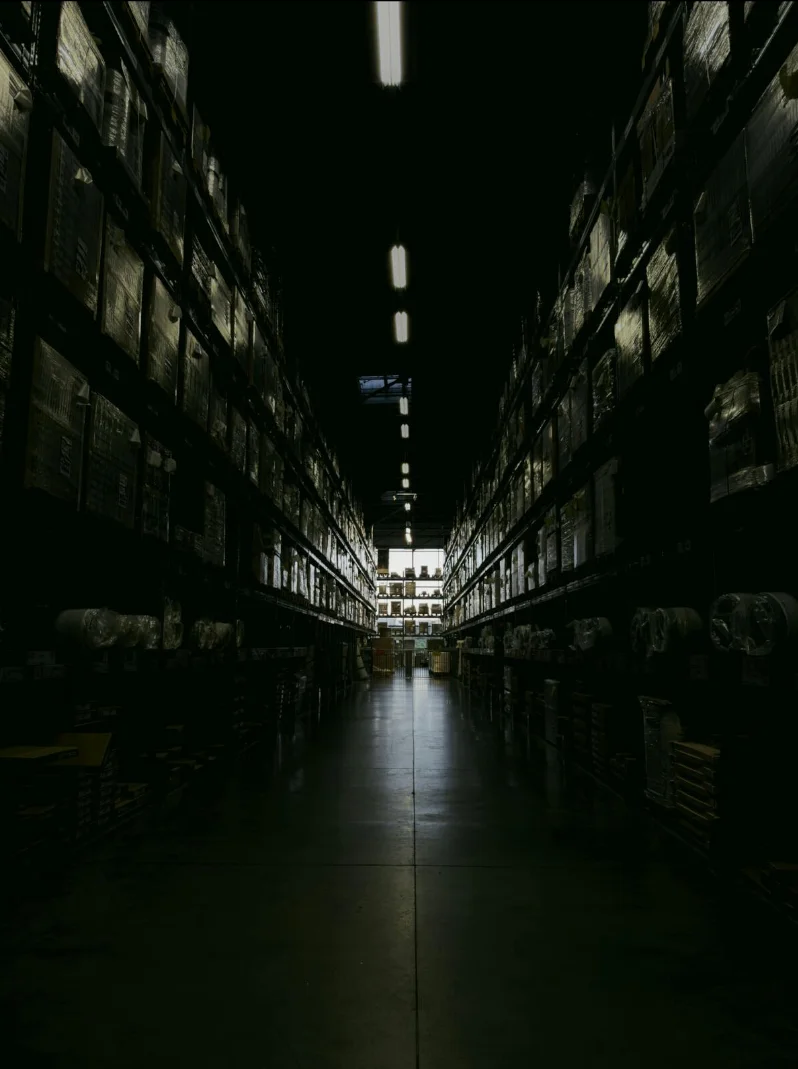
Original low-contrast image of a dark warehouse
Enhanced Image
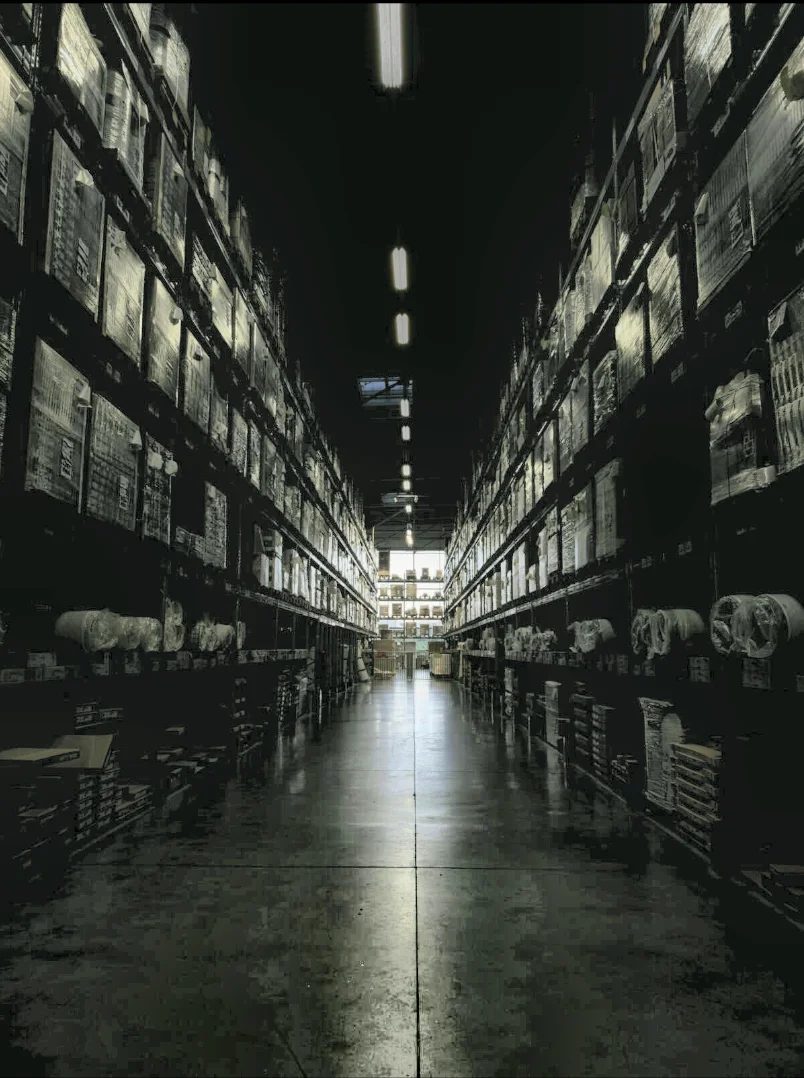
CLAHE-enhanced image with improved local contrast
The Code
"""Demonstrates enhance_image_using_clahe operation."""

from loguru import logger
import rerun as rr

from telekinesis import pupil, datatypes


def enhance_image_using_clahe_example():
    """Applies enhance_image_using_clahe operation."""
    # ===================== Load Image ==========================================
    image_url = "https://assets.telekinesis.ai/examples/v1/images/dark_warehouse.jpg"
    image = datatypes.Image.from_url(image_url)

    # ===================== Run Skill ==========================================
    filtered_image = pupil.enhance_image_using_clahe(
        image=image,
        clip_limit=10.0,
        tile_grid_size=8,
        color_space="lab",
    )

    # ===================== Log ================================================
    logger.success(f"Applied enhance_image_using_clahe on {image}")
    logger.success(f"Result: {filtered_image}")

    # ===================== Visualization  (Optional) ======================
    rr.init("enhance_image_using_clahe_example", spawn=True)
    datatypes.visualize(image, entity_path="1-Original")
    datatypes.visualize(filtered_image, entity_path="2-Enhanced")

if __name__ == "__main__":
    enhance_image_using_clahe_example()
Runnable examples are available in the Telekinesis examples repository.
Follow the README in that repository to set up the environment, run this specific example with:
cd telekinesis-examples
python examples/image_processing/enhance_image_using_clahe.py
Parameter Configuration
Images are internally converted to uint8/uint16 before processing.
| Parameter | Type | Default | Description |
|---|---|---|---|
image | datatypes.Image | np.ndarray | required | The input image to process, shape (H, W) or (H, W, C) |
clip_limit | datatypes.Float | float | int | 2.0 | Contrast limiting threshold applied before equalization |
tile_grid_size | datatypes.Int | int | 8 | Size of the adaptive processing grid, applied internally as a (tile_grid_size, tile_grid_size) grid of tiles |
color_space | datatypes.String | str | "gray" | Color space CLAHE is applied in: "gray" (convert to grayscale, equalize, single-channel output) or "lab" (equalize only the L/lightness channel, preserving color) |
Returns
| Type | Description |
|---|---|
datatypes.Image | The CLAHE-enhanced image: shape (H, W) if color_space is "gray", or (H, W, C) if "lab". |
Raises
| Exception | Condition |
|---|---|
TypeError | A parameter's value does not match its expected type (see the Parameter Configuration table above) |
ValueError | color_space is not "gray" or "lab" |
ConfigurationError | The TELEKINESIS_API_KEY environment variable is not set |
SerializationError | The request input failed to serialize, the response was not returned as an Arrow stream, or the response failed to deserialize |
RequestTimeoutError | The request to the Pupil service timed out |
TransportError | A network failure occurred before a response was received |
ClientError | The Pupil service rejected the request due to invalid or malformed input (HTTP 400/422), an unrecognized endpoint (HTTP 404), or another unexpected 4xx response |
AuthenticationError | The API key was rejected as invalid or expired (HTTP 401) |
AuthenticationServiceError | The authentication service returned an invalid response, was temporarily unavailable, or timed out (HTTP 502/503/504) |
ServerError | The Pupil service returned a 5xx or otherwise unexpected error response |
How to Tune the Parameters
The enhance_image_using_clahe Skill exposes three parameters that control enhancement strength, tile granularity, and whether color is preserved.
clip_limit
- Controls: How much contrast (and noise) each tile is allowed to gain before equalization.
- Default:
2.0 - Increase → stronger local contrast, but more amplified noise
- Decrease → subtler enhancement, less noise
- Typical range: 1.0-8.0. Use 1.0-2.0 for subtle enhancement, 2.0-4.0 for moderate, 4.0-8.0 for strong.
tile_grid_size
- Controls: How many tiles the image is divided into for adaptive processing (a
tile_grid_size x tile_grid_sizegrid). - Units: Grid cells per side
- Default:
8 - Increase → more/smaller tiles, finer local detail, more sensitive to noise
- Decrease → fewer/larger tiles, coarser processing, less local detail
- Typical range: 2-16. Use 2-4 for fine detail, 4-8 for balanced, 8-16 for coarse.
color_space
- Controls: Whether CLAHE runs on a grayscale conversion or only on the lightness channel of a color image.
- Default:
"gray" - Options:
gray– converts to grayscale first; output is single-channellab– equalizes only the L channel of LAB, preserving the image's color; use for color images where hue must not shift
TIP
Best practice: Start with clip_limit=2.0 and tile_grid_size=8, then increase clip_limit gradually if contrast is still insufficient. Use color_space="lab" whenever the input is a color image you don't want tinted.
Where to Use the Skill
Common pipelines include:
- Low-light enhancement – Improve visibility in dark or dim captures, e.g. warehouse or nighttime imagery
- Preprocessing for detection/segmentation – Bring out local detail before feature extraction, thresholding, or edge detection
- Medical/industrial imaging – Enhance contrast in scans or inspection images with uneven illumination
- Dataset normalization – Even out contrast differences across a batch captured under inconsistent lighting
Alternative Skills
| Skill | vs. Enhance Image Using CLAHE |
|---|---|
| enhance_image_using_auto_gamma_correction | Applies one global brightness transform instead of per-tile local contrast. Faster and simpler, but can't fix uneven illumination within a single image. |
| enhance_image_using_white_balance | Corrects color temperature/casts, not contrast. Use together when both color and contrast need fixing. |
| normalize_image_intensity | Rescales the whole image's intensity range linearly instead of equalizing local histograms. |
When Not to Use the Skill
Do not use Enhance Image Using CLAHE when:
- Illumination is already uniform across the image (a global correction like
enhance_image_using_auto_gamma_correctionis simpler and cheaper) - The image is already high contrast (CLAHE can over-enhance and introduce visible tiling artifacts)
- The issue is color cast, not contrast (use
enhance_image_using_white_balanceinstead) - You need precise, uniform intensity scaling for measurement (use
normalize_image_intensity, which applies a single explicit transform rather than per-tile equalization)