

Transform Image Using Pyramid Downsampling
SUMMARY
Transform Image Using Pyramid Downsampling downsamples an image using a Gaussian pyramid step.
The image is first Gaussian-smoothed, then subsampled by scale_factor, which suppresses aliasing that a plain resize can introduce. Call it repeatedly, feeding each output back in as the next input, to build a full multi-level image pyramid. It is the inverse of transform_image_using_pyramid_upsampling.
Use this Skill when you want to reduce image resolution while minimizing aliasing artifacts.
The Skill
from telekinesis import pupil

# Build a 3-level pyramid by repeated downsampling.
level_1 = pupil.transform_image_using_pyramid_downsampling(image=image, scale_factor=0.5)
level_2 = pupil.transform_image_using_pyramid_downsampling(image=level_1, scale_factor=0.5)
level_3 = pupil.transform_image_using_pyramid_downsampling(image=level_2, scale_factor=0.5)Example
Input Image
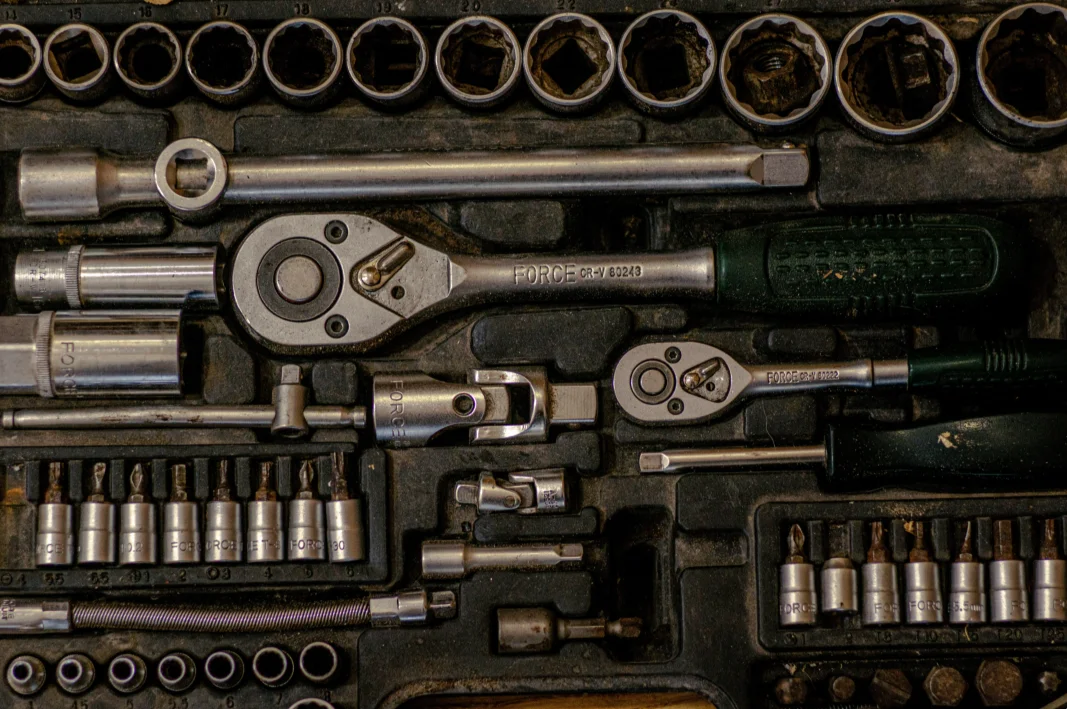
Original full-resolution image
Pyramid Level 1
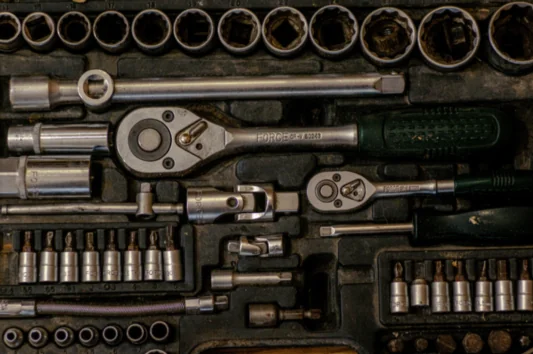
scale_factor=0.5 applied once — resolution halved
Pyramid Level 2
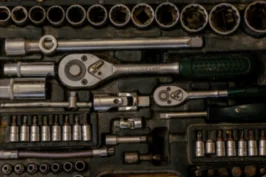
scale_factor=0.5 applied to level 1 — resolution quartered relative to the original
Pyramid Level 3

scale_factor=0.5 applied to level 2 — resolution reduced to 1/8 of the original
The Code
"""Demonstrates pyramid downsampling transformation."""

from loguru import logger
import rerun as rr

from telekinesis import pupil, datatypes


def transform_image_using_pyramid_downsampling_example():
    """Applies pyramid downsampling transformation."""
    # ===================== Load Image ==========================================
    image_url = "https://assets.telekinesis.ai/examples/v1/images/gearbox.png"
    image = datatypes.Image.from_url(image_url)

    # ===================== Run Skill ==========================================
    filtered_image = pupil.transform_image_using_pyramid_downsampling(
        image=image,
        scale_factor=0.5,
    )
    filtered_image_1 = pupil.transform_image_using_pyramid_downsampling(
        image=filtered_image,
        scale_factor=0.5,
    )
    filtered_image_2 = pupil.transform_image_using_pyramid_downsampling(
        image=filtered_image_1,
        scale_factor=0.5,
    )

    # ===================== Log ================================================
    logger.success(f"Applied pyramid downsampling on {image}")
    logger.success(f"Result: {filtered_image}, {filtered_image_1}, {filtered_image_2}")

    # ===================== Visualization  (Optional) ======================
    rr.init("transform_image_using_pyramid_downsampling_example", spawn=True)
    datatypes.visualize(image, entity_path="1-Original")
    datatypes.visualize(filtered_image, entity_path="2-Level 1")
    datatypes.visualize(filtered_image_1, entity_path="3-Level 2")
    datatypes.visualize(filtered_image_2, entity_path="4-Level 3")

if __name__ == "__main__":
    transform_image_using_pyramid_downsampling_example()
Runnable examples are available in the Telekinesis examples repository.
Follow the README in that repository to set up the environment, run this specific example with:
cd telekinesis-examples
python examples/image_processing/transform_image_using_pyramid_downsampling.py
Parameter Configuration
| Parameter | Type | Default | Description |
|---|---|---|---|
image | datatypes.Image | np.ndarray | required | The input image to downsample, shape (H, W) or (H, W, C) |
scale_factor | datatypes.Float | float | int | 0.5 | Scale factor for downsampling, must be in the open interval (0, 1). Decreasing produces a smaller output |
Returns
| Type | Description |
|---|---|
datatypes.Image | The image, scaled down by scale_factor from image, after Gaussian smoothing |
Raises
| Exception | Condition |
|---|---|
TypeError | A parameter's value does not match its expected type (see the Parameter Configuration table above) |
ValueError | scale_factor is not in the open interval (0, 1) |
ConfigurationError | The TELEKINESIS_API_KEY environment variable is not set |
SerializationError | The request input failed to serialize, the response was not returned as an Arrow stream, or the response failed to deserialize |
RequestTimeoutError | The request to the Pupil service timed out |
TransportError | A network failure occurred before a response was received |
ClientError | The Pupil service rejected the request due to invalid or malformed input (HTTP 400/422), an unrecognized endpoint (HTTP 404), or another unexpected 4xx response |
AuthenticationError | The API key was rejected as invalid or expired (HTTP 401) |
AuthenticationServiceError | The authentication service returned an invalid response, was temporarily unavailable, or timed out (HTTP 502/503/504) |
ServerError | The Pupil service returned a 5xx or otherwise unexpected error response |
How to Tune the Parameters
The transform_image_using_pyramid_downsampling Skill exposes a single parameter controlling how much the resolution is reduced on each call.
scale_factor
- Controls: The fraction of the current resolution kept after smoothing and subsampling.
- Units: Dimensionless multiplier
- Default:
0.5 - Increase → output closer to the original size (less reduction)
- Decrease → smaller output (more aggressive reduction)
- Typical range:
0.1-0.9;0.5for a standard pyramid level (half size, 1/4 the pixels),0.25for a quarter-size step
TIP
Best practice: Use scale_factor=0.5 and call the Skill repeatedly, feeding each output back in as the next input, to build a standard image pyramid rather than trying to reach a deep reduction in a single call.
Where to Use the Skill
Common pipelines include:
- Multi-scale/pyramid processing – Build a Gaussian pyramid for scale-space analysis or coarse-to-fine algorithms
- Feature detection at multiple scales – Run a detector across several pyramid levels to catch objects of different sizes
- Performance optimization – Reduce resolution before an expensive operation, then map results back to full resolution
- Image blending – Construct pyramid levels as part of a Laplacian-pyramid blend
Alternative Skills
| Skill | vs. Transform Image Using Pyramid Downsampling |
|---|---|
| transform_image_using_pyramid_upsampling | The inverse operation — increases resolution instead of reducing it. |
| resize_image | Resizes to an arbitrary scale factor or exact size without the Gaussian smoothing step; use when aliasing control isn't needed and a specific interpolation_method is required. |
| filter_image_using_blur | Smooths the image without changing its resolution; use this alone if smoothing is all you need. |
When Not to Use the Skill
Do not use Transform Image Using Pyramid Downsampling when:
- You need an arbitrary scale factor or exact output dimensions with a specific interpolation method (use
resize_imageinstead) - You need to increase resolution (use
transform_image_using_pyramid_upsampling) - Smoothing without any resolution change is what you want (use
filter_image_using_blurorfilter_image_using_gaussian_blur) - Sharp, alias-preserving downscaling is intentional (this Skill always smooths first, which is the opposite of that goal)