

Filter Image Using Morphological Tophat
SUMMARY
Filter Image Using Morphological Tophat applies the morphological top-hat transform to an image.
It subtracts the morphologically opened image from the original, isolating whatever the opening removed: bright features/details smaller than the structuring element defined by kernel_size/kernel_shape. This highlights small bright defects or fine bright detail sitting on top of a larger, more uniform background. The complementary operation is filter_image_using_morphological_blackhat, which highlights small dark features instead.
Use this Skill when you want to extract or enhance small bright features against a larger background.
The Skill
from telekinesis import pupil

filtered_image = pupil.filter_image_using_morphological_tophat(
    image=image,
    kernel_size=3,
    kernel_shape="ellipse",
    iterations=5,
    border_type="default",
)Example
Input Image
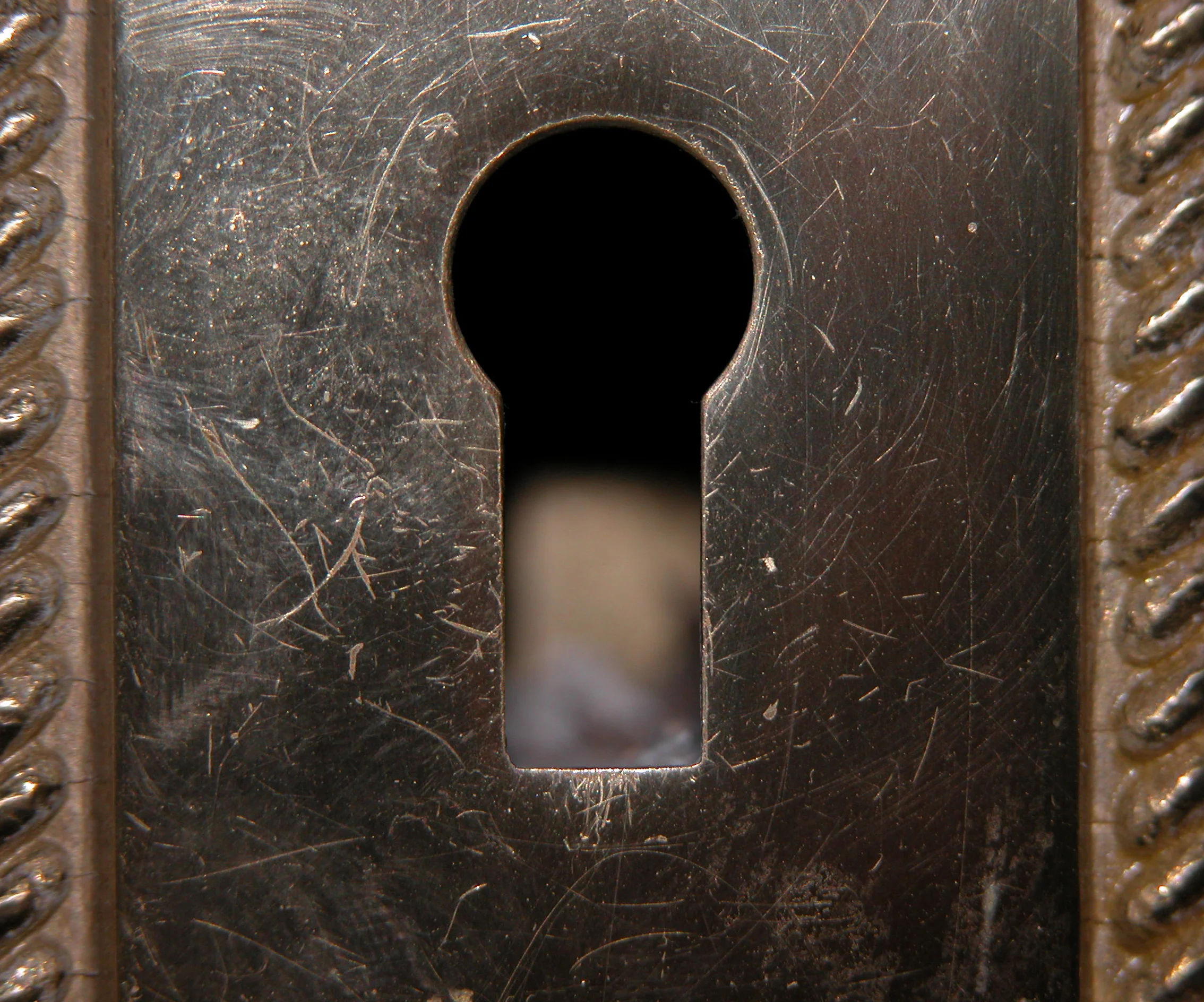
Original close-up image of a keyhole plate with fine scratches
Filtered Image
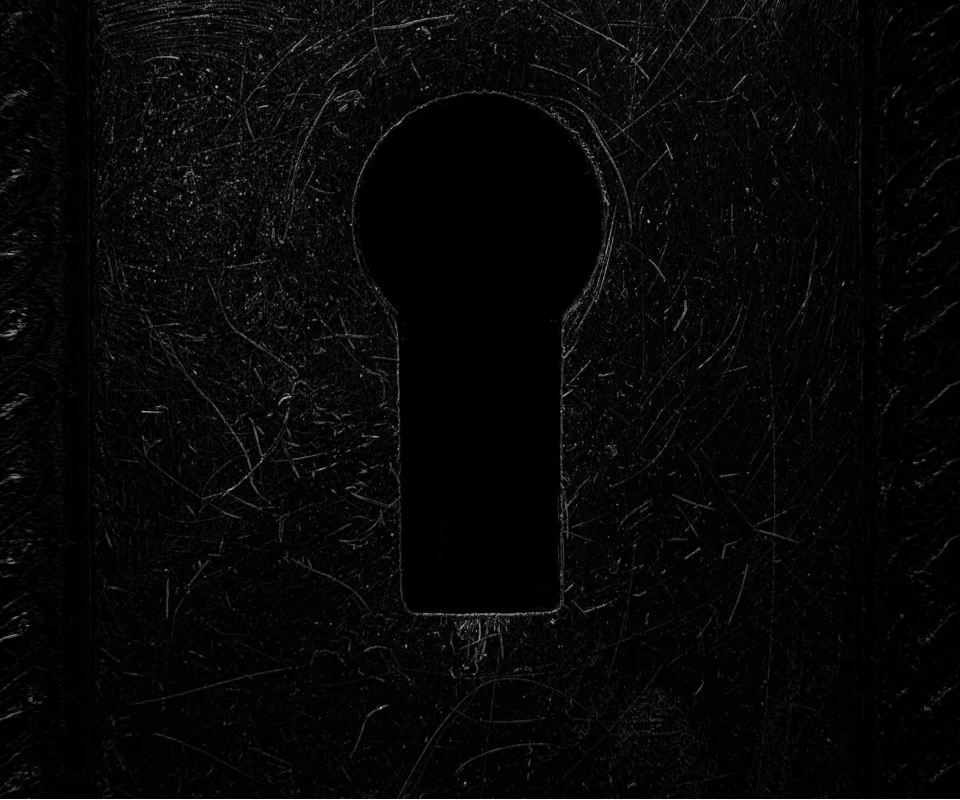
Top-hat result — fine scratches and the keyhole outline isolated as small bright features against the metal surface
The Code
"""Demonstrates filter_image_using_morphological_tophat operation."""

from loguru import logger
import rerun as rr

from telekinesis import pupil, datatypes


def filter_image_using_morphological_tophat_example():
    """Applies filter_image_using_morphological_tophat operation."""
    # ===================== Load Image ==========================================
    image_url = "https://assets.telekinesis.ai/examples/v1/images/keyhole.jpg"
    image = datatypes.Image.from_url(image_url).to_grayscale()

    # ===================== Run Skill ==========================================
    filtered_image = pupil.filter_image_using_morphological_tophat(
        image=image,
        kernel_size=3,
        kernel_shape="ellipse",
        iterations=5,
        border_type="default",
    )

    # ===================== Log ================================================
    logger.success(f"Applied filter_image_using_morphological_tophat on {image}")
    logger.success(f"Result: {filtered_image}")

    # ===================== Visualization  (Optional) ======================
    rr.init("filter_image_using_morphological_tophat_example", spawn=True)
    datatypes.visualize(image, entity_path="1-Original")
    datatypes.visualize(filtered_image, entity_path="2-Filtered")

if __name__ == "__main__":
    filter_image_using_morphological_tophat_example()
Runnable examples are available in the Telekinesis examples repository.
Follow the README in that repository to set up the environment, run this specific example with:
cd telekinesis-examples
python examples/image_processing/filter_image_using_morphological_tophat.py
Parameter Configuration
| Parameter | Type | Default | Description |
|---|---|---|---|
image | datatypes.Image | np.ndarray | required | The input image to process, shape (H, W). Recommended to use a binary image/mask |
kernel_size | datatypes.Int | int | 3 | The size of the structuring element used for the opening step, in pixels |
kernel_shape | datatypes.String | str | "ellipse" | The shape of the structuring element: ellipse, rectangle, cross, or diamond |
iterations | datatypes.Int | int | 1 | The number of times the top-hat operation is applied |
border_type | datatypes.String | str | "default" | The border handling mode: default, constant, replicate, reflect, or reflect 101 |
border_value | datatypes.Float | float | int | 0.0 | The fill value used only when border_type is "constant" |
Returns
| Type | Description |
|---|---|
datatypes.Image | Same shape as image, with small bright features highlighted against the background. |
Raises
| Exception | Condition |
|---|---|
TypeError | image, kernel_size, kernel_shape, iterations, border_type, or border_value has an invalid type |
ValueError | kernel_shape or border_type is not one of the supported options |
ConfigurationError | The TELEKINESIS_API_KEY environment variable is not set |
SerializationError | The request input failed to serialize, the response was not returned as an Arrow stream, or the response failed to deserialize |
RequestTimeoutError | The request to the Pupil service timed out |
TransportError | A network failure occurred before a response was received |
ClientError | The Pupil service rejected the request due to invalid or malformed input (HTTP 400/422), an unrecognized endpoint (HTTP 404), or another unexpected 4xx response |
AuthenticationError | The API key was rejected as invalid or expired (HTTP 401) |
AuthenticationServiceError | The authentication service returned an invalid response, was temporarily unavailable, or timed out (HTTP 502/503/504) |
ServerError | The Pupil service returned a 5xx or otherwise unexpected error response |
How to Tune the Parameters
The filter_image_using_morphological_tophat Skill is driven primarily by kernel_size: features smaller than the structuring element are extracted, larger ones are suppressed along with the background.
kernel_size
- Controls: The size of the structuring element used for the opening step that top-hat subtracts from the original.
- Units: Pixels
- Default:
3 - Increase → extracts larger bright features relative to the background
- Decrease → extracts only the finest bright details
- Typical range: 3-15
kernel_shape
- Controls: The geometric shape of the structuring element.
- Default:
"ellipse" - Options:
ellipse– smooth, isotropic extraction of bright featuresrectangle– axis-aligned, directional along rows/columnscross– emphasizes line-like structuresdiamond– symmetric along diagonals
iterations
- Controls: How many times the underlying opening operation is applied before subtracting.
- Units: Count
- Default:
1 - Increase → removes progressively larger background structures, isolating larger bright features
- Decrease → preserves only the smallest bright details
- Typical range: 1-10
border_type
- Controls: How pixels are synthesized when the structuring element extends past the image boundary.
- Default:
"default" - Options:
default– reflect 101 padding, suitable for most casesconstant– pads withborder_valuereplicate– repeats the nearest edge pixelreflect– mirrors border pixels without repeating the edgereflect 101– mirror reflection without repeating the edge pixel
TIP
Best practice: Set kernel_size larger than the features you want to extract but smaller than the background variations you want to remove. Combine with iterations to push the effective structuring element size further without picking an overly large kernel_size outright.
Where to Use the Skill
Common pipelines include:
- Background correction – Remove uneven illumination before thresholding
- Small object/defect detection – Detect particles, scratches, or bright surface defects
- Detail enhancement – Enhance fine bright detail obscured by a varying background
- Preprocessing for thresholding – Normalize background brightness before segmentation
Alternative Skills
| Skill | vs. Filter Image Using Morphological Tophat |
|---|---|
| filter_image_using_morphological_blackhat | Extracts small dark features instead. Use top-hat for bright features on a dark/uniform background, black-hat for dark features on a bright background. |
| filter_image_using_morphological_open | Produces the opened image that top-hat subtracts from the original; use directly when you want the background/shape estimate rather than the residual. |
| enhance_image_using_clahe | Enhances local contrast adaptively rather than isolating features smaller than a fixed structuring element; use for general contrast correction instead of feature isolation. |
When Not to Use the Skill
Do not use Filter Image Using Morphological Tophat when:
- You want to extract dark features instead (use
filter_image_using_morphological_blackhat) - The features of interest are larger than the background variations (top-hat will suppress them along with the background)
- You need to preserve overall background/illumination information (top-hat discards it by design)
- The background is already uniform (top-hat adds no value over the raw image)