

Transform Mask Using Blob Thinning
SUMMARY
Transform Mask Using Blob Thinning skeletonizes the blobs in a binary mask.
It iteratively erodes foreground pixels from the boundary of each blob/stroke until only a 1-pixel-wide skeleton remains, using either the Zhang-Suen or Guo-Hall algorithm (thinning_type), while preserving the mask's overall connectivity and topology. It is commonly used as a pre-processing step before pattern-matching Skills such as filter_image_using_morphological_hitmiss, which can then detect endpoints or branch points on the resulting skeleton.
Use this Skill when you want to reduce binary blobs to a topology-preserving, 1-pixel-wide skeleton.
The Skill
from telekinesis import pupil, cornea

mask = cornea.segment_image_using_otsu_threshold(image=image)

filtered_image = pupil.transform_mask_using_blob_thinning(
    mask=mask,
    thinning_type="thinning guohall",
)Example
Input Mask

Binary mask of handwritten text and a stroke-drawn shape
Thinned Skeleton
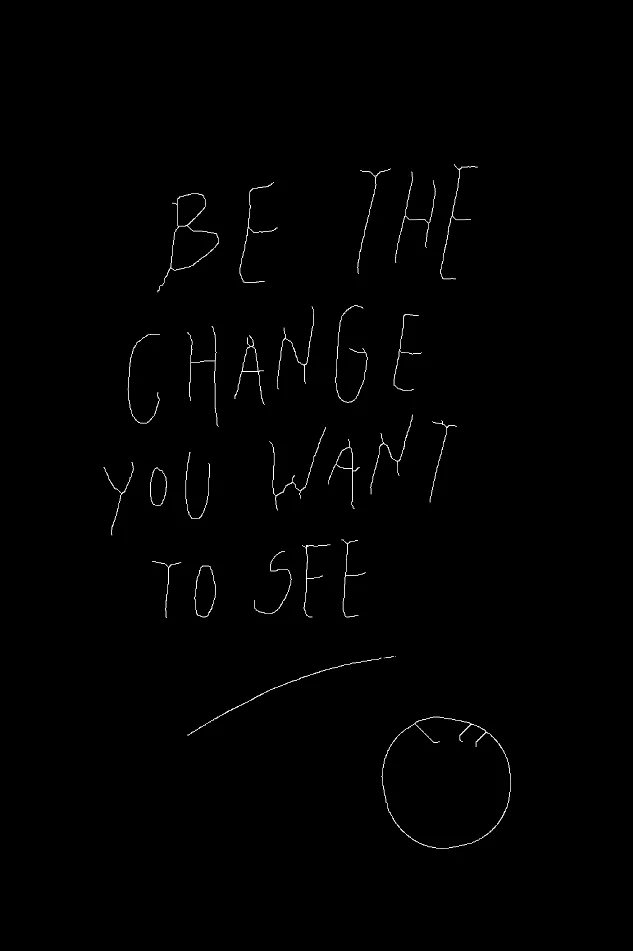
Guo-Hall thinning result — strokes reduced to a 1-pixel-wide skeleton
Input Mask
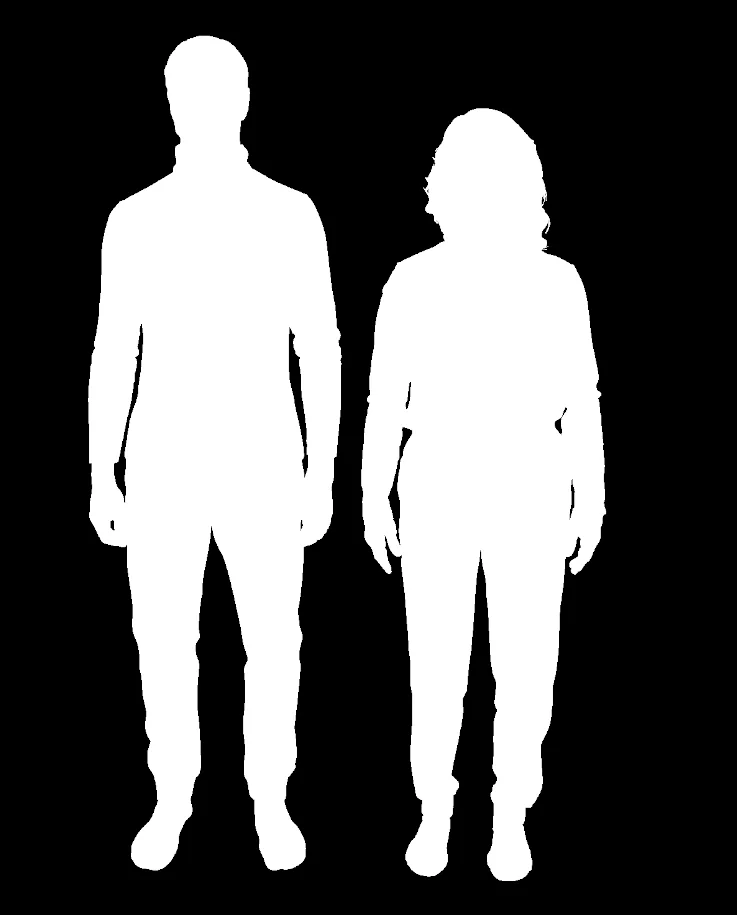
Binary mask of two thick human silhouettes
Thinned Skeleton
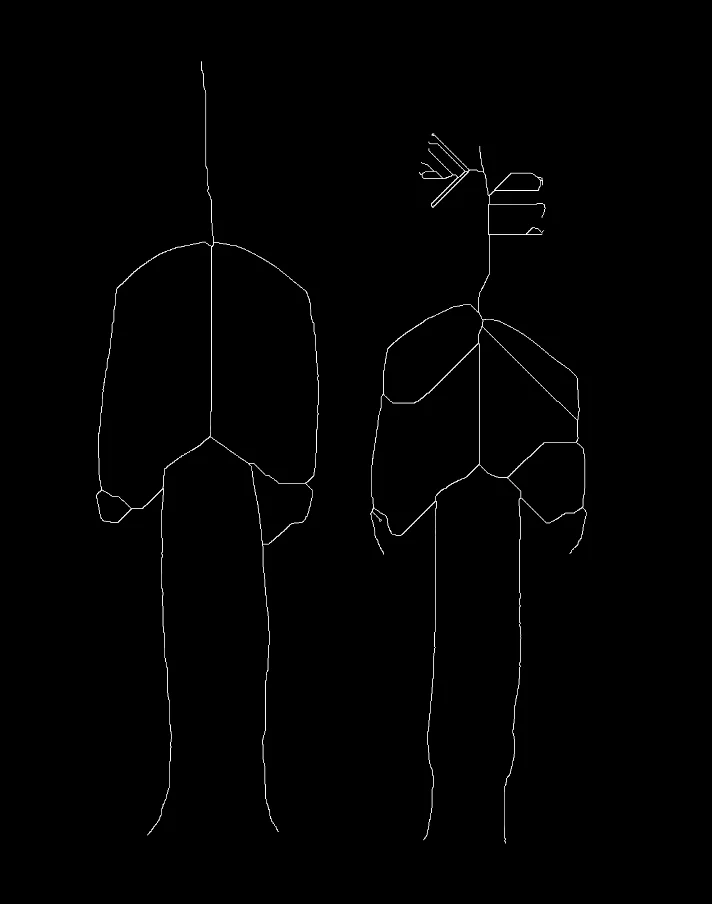
Thinning result — each silhouette reduced to its skeletal centerline while preserving connectivity
The Code
"""Demonstrates blob thinning (skeletonization) transformation."""

from loguru import logger
import rerun as rr

from telekinesis import pupil, datatypes, cornea


def transform_mask_using_blob_thinning_example():
    """Applies blob thinning transformation."""
    # ===================== Load Image ==========================================
    image_url = "https://assets.telekinesis.ai/examples/v1/images/handwriting_mask.png"
    image = datatypes.Image.from_url(image_url)

    mask = cornea.segment_image_using_otsu_threshold(image=image)

    # ===================== Run Skill ==========================================
    filtered_image = pupil.transform_mask_using_blob_thinning(
        mask=mask,
        thinning_type="thinning guohall",
    )

    # ===================== Log ================================================
    logger.success(f"Applied blob thinning on {image}")
    logger.success(f"Result: {filtered_image}")

    # ===================== Visualization  (Optional) ======================
    rr.init("transform_mask_using_blob_thinning_example", spawn=True)
    datatypes.visualize(image, entity_path="1-Original")
    datatypes.visualize(filtered_image, entity_path="2-Thinned")

if __name__ == "__main__":
    transform_mask_using_blob_thinning_example()
Runnable examples are available in the Telekinesis examples repository.
Follow the README in that repository to set up the environment, run this specific example with:
cd telekinesis-examples
python examples/image_processing/transform_mask_using_blob_thinning.py
Parameter Configuration
| Parameter | Type | Default | Description |
|---|---|---|---|
mask | datatypes.SegmentationImage | np.ndarray | required | The input binary mask, shape (H, W) or (H, W, C). Any non-zero value counts as foreground. Accepts a datatypes.SegmentationImage (preserves label-code semantics if already segmented), or a raw np.ndarray |
thinning_type | datatypes.String | str | "thinning zhangsuen" | The thinning algorithm to use: thinning zhangsuen or thinning guohall |
Returns
| Type | Description |
|---|---|
datatypes.Image | Same shape as mask, with blobs reduced to their 1-pixel-wide skeleton. |
Raises
| Exception | Condition |
|---|---|
TypeError | mask or thinning_type has an invalid type |
ValueError | thinning_type is not one of the supported options |
ConfigurationError | The TELEKINESIS_API_KEY environment variable is not set |
SerializationError | The request input failed to serialize, the response was not returned as an Arrow stream, or the response failed to deserialize |
RequestTimeoutError | The request to the Pupil service timed out |
TransportError | A network failure occurred before a response was received |
ClientError | The Pupil service rejected the request due to invalid or malformed input (HTTP 400/422), an unrecognized endpoint (HTTP 404), or another unexpected 4xx response |
AuthenticationError | The API key was rejected as invalid or expired (HTTP 401) |
AuthenticationServiceError | The authentication service returned an invalid response, was temporarily unavailable, or timed out (HTTP 502/503/504) |
ServerError | The Pupil service returned a 5xx or otherwise unexpected error response |
How to Tune the Parameters
The transform_mask_using_blob_thinning Skill has a single tunable parameter: which thinning algorithm to run.
thinning_type
- Controls: Which iterative thinning algorithm is used to erode blobs down to their skeleton.
- Default:
"thinning zhangsuen" - Options:
thinning zhangsuen– Zhang-Suen algorithm; a widely used, well-behaved default for most binary shapesthinning guohall– Guo-Hall algorithm; can produce a slightly different (sometimes more connected) skeleton on the same input
TIP
Best practice: Threshold or segment the input into a clean binary mask first (e.g. with cornea.segment_image_using_otsu_threshold) — the quality of the skeleton depends entirely on the quality of the binary input. If one algorithm produces a skeleton with unwanted gaps or spurs, try the other before adjusting upstream thresholding.
Where to Use the Skill
Common pipelines include:
- Pattern matching – Reduce a mask to its skeleton before running
filter_image_using_morphological_hitmissto detect endpoints or branch points - Shape/length analysis – Measure stroke or path length along a skeleton independent of original stroke thickness
- Handwriting/line-art analysis – Normalize variable-width strokes to a consistent 1-pixel-wide representation
- Pose/centerline extraction – Reduce elongated silhouettes to a centerline for downstream geometric analysis
Alternative Skills
| Skill | vs. Transform Mask Using Blob Thinning |
|---|---|
| filter_image_using_morphological_hitmiss | Matches a specific local pixel pattern rather than skeletonizing; commonly run on the output of this Skill to find endpoints or corners. |
| filter_image_using_morphological_erode | Shrinks blobs uniformly without guaranteeing a connected, 1-pixel-wide result. Use thinning when topology preservation matters, erosion for simple shrinking. |
| filter_image_using_morphological_open | Removes small bright noise/protrusions; a useful cleanup step on the mask before thinning. |
When Not to Use the Skill
Do not use Transform Mask Using Blob Thinning when:
- The input is a continuous-intensity grayscale image (threshold/segment it into a binary mask first)
- You need to preserve object thickness or area (thinning reduces every blob to single-pixel width, discarding thickness information)
- The mask is noisy or poorly thresholded (thinning will produce spurious spurs and branches from noise)
- You need fast, real-time processing on large masks (thinning is iterative and slower than a single erosion/opening pass)