

Segment Image Using HSV
SUMMARY
Segment Image Using HSV segments an image by thresholding it in HSV color space.
The image is converted to HSV (Hue, Saturation, Value) and only the pixels whose [H, S, V] values fall within the inclusive [lower_bound, upper_bound] range are kept, like a color-range picker. Because HSV separates color (hue) from brightness (value), a target hue stays roughly the same whether the scene is brightly or dimly lit, which makes HSV thresholding more robust to lighting changes than thresholding directly in RGB.
Use this Skill when you want to segment objects by color while staying robust to lighting changes.
The Skill
from telekinesis import cornea

segmented_image = cornea.segment_image_using_hsv(
    image=image,
    lower_bound=(0, 50, 50),
    upper_bound=(180, 255, 255),
)Example
Input Image
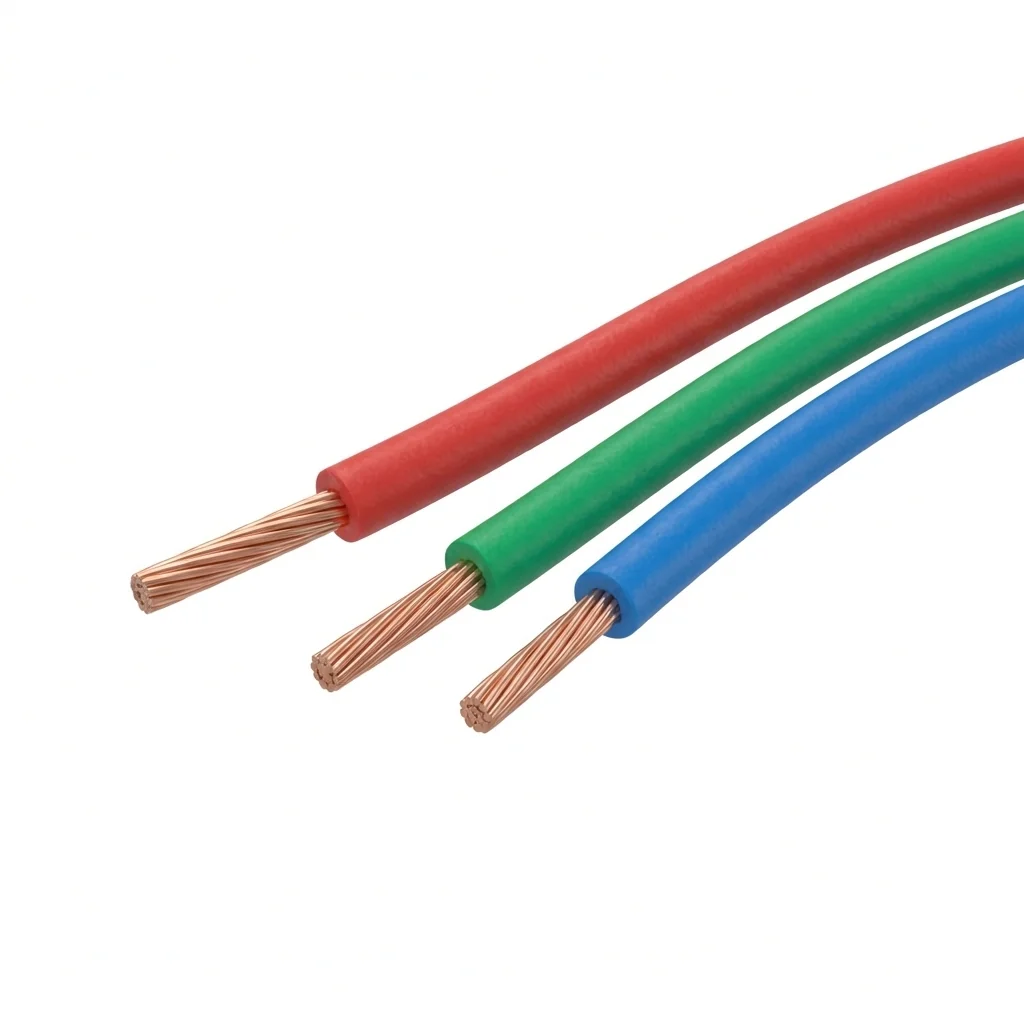
Original image for HSV color segmentation
Output Image
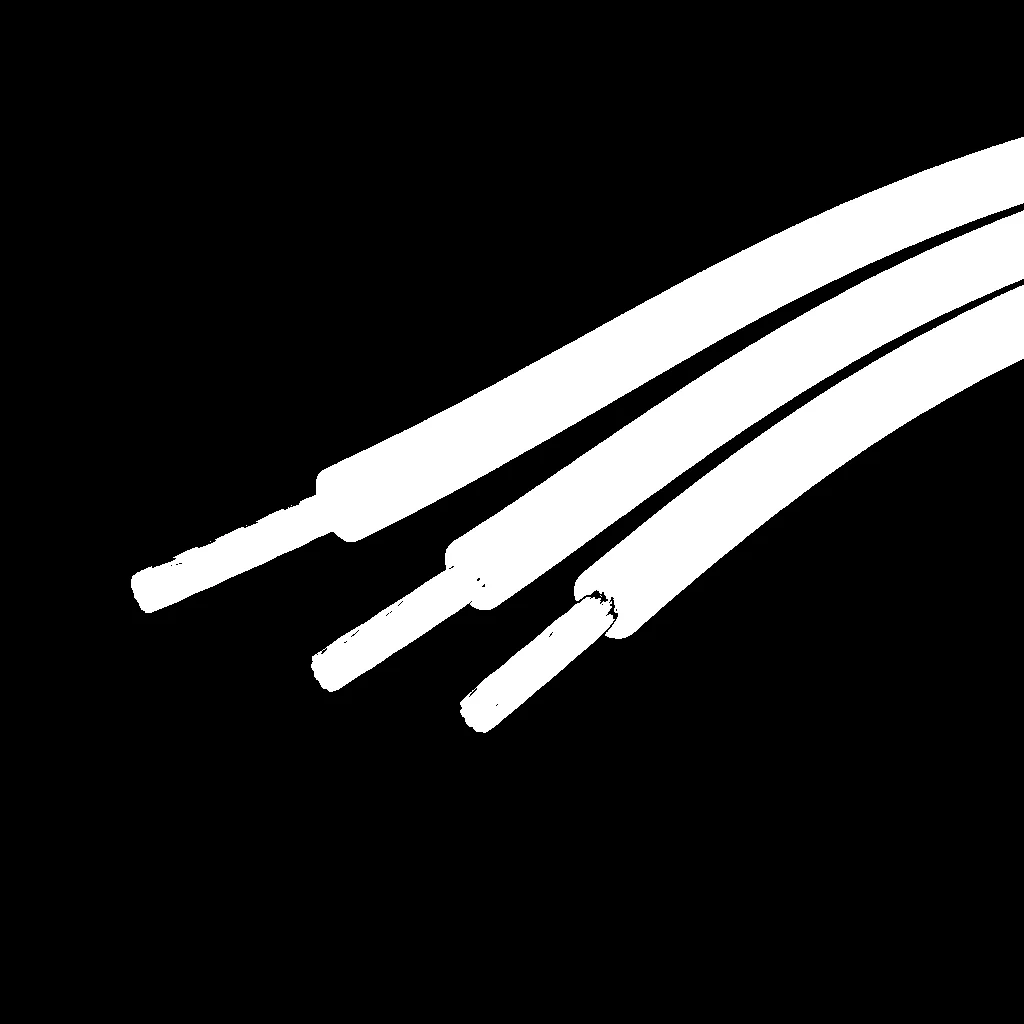
Segmented image by HSV color range
The Code
"""
Demonstrates HSV color space segmentation.
"""

from loguru import logger
import rerun as rr
import rerun.blueprint as rrb

from telekinesis import cornea, datatypes

def segment_image_using_hsv_example():
    """Segments an image using HSV color space range."""
    # ===================== Load Image ==========================================
    image_url = "https://assets.telekinesis.ai/examples/v1/images/wires_rgb.png"
    image = datatypes.Image.from_url(url=image_url)

    # ===================== Run Skill ==========================================
    segmented_image = cornea.segment_image_using_hsv(
        image=image,
        lower_bound=(0, 50, 50),
        upper_bound=(180, 255, 255)
    )

    # ===================== Log ================================================
    logger.success(f"Segmented {image} using HSV color space range.")
    logger.success(f"Results: {segmented_image}")
    logger.info(f"Segmented image label codes: {segmented_image.label_codes}")
    logger.info(f"Segmented image number of labels: {segmented_image.number_of_labels}")
    logger.info(f"Segmented image shape: {segmented_image.shape}")
    logger.info(f"Segmented image dtype: {segmented_image.dtype}")

    # ===================== Visualization  (Optional) ======================
    rr.init("segment_image_using_hsv_example", spawn=True)
    blueprint = rrb.Horizontal(
        rrb.Spatial2DView(origin="/input_image", name="Input"),
        rrb.Spatial2DView(origin="/segmented_image", name="Output"),
    )
    rr.send_blueprint(blueprint)
    datatypes.visualize(image, entity_path="/input_image")
    datatypes.visualize(segmented_image, entity_path="/segmented_image")


if __name__ == "__main__":
    segment_image_using_hsv_example()
Runnable examples are available in the Telekinesis examples repository.
Follow the README in that repository to set up the environment, run this specific example with:
cd telekinesis-examples
python examples/segmentation/segment_image_using_hsv.py
Parameter Configuration
These parameters control the input image and the inclusive HSV range used to decide which pixels are marked as foreground.
| Parameter | Type | Default | Description |
|---|---|---|---|
image | datatypes.Image | np.ndarray | required | Input image to segment, shape (H, W, 3) |
lower_bound | list[int] | tuple[int] | (0, 0, 0) | Inclusive lower [H, S, V] bound |
upper_bound | list[int] | tuple[int] | (180, 255, 255) | Inclusive upper [H, S, V] bound |
Returns
| Type | Description |
|---|---|
datatypes.SegmentationImage | A per-pixel label map, shape (H, W), where 0 marks pixels outside the HSV range and 1 marks pixels inside it. Use .data for the raw label array, .label_codes for the sorted array of unique ids present, .number_of_labels for how many distinct labels were found, and .shape/.dtype for its size and label dtype. |
Raises
| Exception | Condition |
|---|---|
TypeError | A parameter's value does not match its expected type (see the Parameter Configuration table above) |
ValueError | image is not shape (H, W, 3); lower_bound or upper_bound does not have exactly 3 elements; or any channel is outside its documented range (H in [0, 180], S/V in [0, 255]) |
ConfigurationError | The TELEKINESIS_API_KEY environment variable is not set |
SerializationError | The request input failed to serialize, the response was not returned as an Arrow stream, or the response failed to deserialize |
RequestTimeoutError | The request to the Cornea service timed out |
TransportError | A network failure occurred before a response was received |
ClientError | The Cornea service rejected the request due to invalid or malformed input (HTTP 400/422), an unrecognized endpoint (HTTP 404), or another unexpected 4xx response |
AuthenticationError | The API key was rejected as invalid or expired (HTTP 401) |
AuthenticationServiceError | The authentication service returned an invalid response, was temporarily unavailable, or timed out (HTTP 502/503/504) |
ServerError | The Cornea service returned a 5xx or otherwise unexpected error response |
How to Tune the Parameters
The segment_image_using_hsv skill exposes two parameters that together define the accepted HSV range.
In general, a narrower range increases precision by excluding more unrelated pixels, while a wider range is more forgiving of variation in the target color but risks including background pixels that happen to fall inside it.
lower_bound
- Controls: The inclusive lower
[H, S, V]bound; a pixel is excluded if any of its channels falls below the corresponding bound. - Units: Hue on a 0–180 scale (half the usual 0–360 degree hue circle); saturation and value each on a 0–255 scale.
- Default:
(0, 0, 0) - Narrow the hue bound toward the target color's hue to exclude unrelated colors
- Raise the saturation/value bounds only if you also need to exclude washed-out or dark pixels; otherwise keep them low so lighting variation doesn't exclude valid pixels
- Typical range: hue 0–180; saturation/value 0–255, tightened around values sampled from the target color
upper_bound
- Controls: The inclusive upper
[H, S, V]bound; a pixel is excluded if any of its channels exceeds the corresponding bound. - Units: Same as
lower_bound. - Default:
(180, 255, 255)(i.e. everything, by default) - Narrow the hue bound toward the target color's hue to exclude unrelated colors
- Lower the saturation/value bounds only if you also need to exclude bright or highly saturated pixels
- Typical range: hue 0–180; saturation/value 0–255, tightened around values sampled from the target color
TIP
Hue wraps around at both ends of its 0–180 scale, so colors near red straddle the boundary. If the target color sits near the wrap point, run two passes with complementary bounds (one near 0 and one near 180) and combine the results, rather than trying to express the range with a single [lower_bound, upper_bound] pair.
Where to Use the Skill
Common pipelines include:
- Color-coded wire or cable identification – picking out a specific wire color on a harness under uneven lighting
- Outdoor or semi-controlled robotics – color segmentation where sunlight and shadow vary across the scene
- Quality inspection – flagging color defects when illumination isn't tightly controlled
- Preprocessing for downstream skills – producing a foreground mask to crop or filter a region before running another skill
Alternative Skills
| Skill | vs. Segment Image Using HSV |
|---|---|
| segment_image_using_rgb | RGB thresholds raw [R, G, B] values directly, mixing brightness and color together, so it's more sensitive to lighting changes. Use HSV when lighting varies across the scene; use RGB only when lighting stays controlled. |
| segment_image_using_lab | LAB is perceptually uniform, so equal numeric distances correspond to equal perceived color differences. Use LAB when bounds need to match how a color visually looks; use HSV when robustness to lighting is the priority. |
| segment_image_using_ycrcb | YCrCb separates luma from chrominance and keeps a fairly consistent range for skin-tone-like colors across lighting. Use YCrCb for skin-tone or other chrominance-specific ranges; use HSV for general-purpose hue-based color ranges. |
When Not to Use the Skill
Do not use Segment Image Using HSV when:
- Lighting is already tightly controlled – thresholding directly in RGB avoids the extra color-space conversion
- Bounds need to match a human-perceived color difference – LAB's perceptual uniformity is a better fit for bounds picked by eye
- Color is not a distinguishing feature of the target – consider a non-color-based segmentation skill instead