

Calculate Mask PCA
SUMMARY
Calculate Mask PCA computes principal component analysis on the non-zero pixels of a mask or grayscale image.
It treats mask's non-zero pixel coordinates as a point distribution and returns the centroid, the eigenvectors/eigenvalues of the covariance matrix, and the angle of the dominant principal axis. This is typically a post-processing step run on the output of a segmentation or thresholding Skill, used to recover the orientation of an elongated or asymmetric object rather than to segment anything itself.
Use this Skill when you want to find the position and principal orientation of an object from its mask.
The Skill
from telekinesis import pupil

centroid, eigenvectors, eigenvalues, angle = pupil.calculate_mask_pca(mask=mask)Example
Input Image
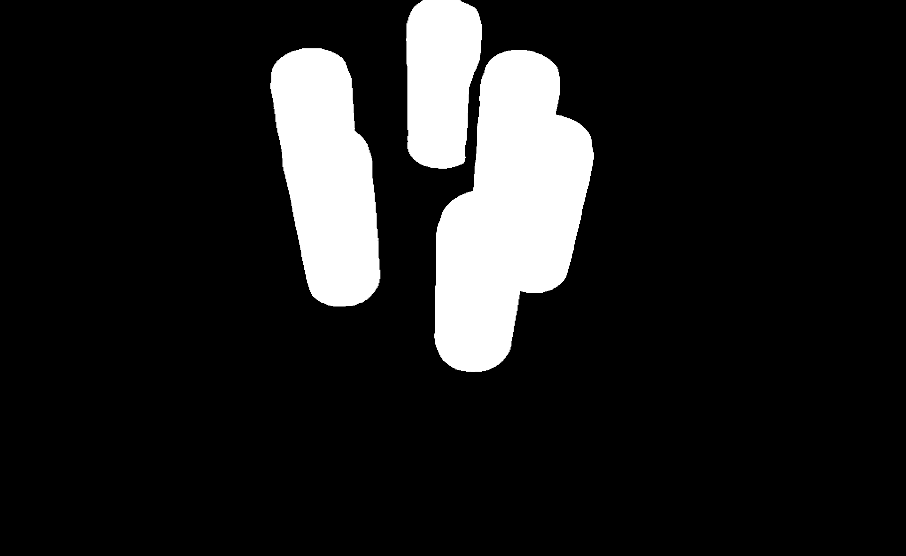
Original image, thresholded to a binary mask before PCA
PCA Visualization
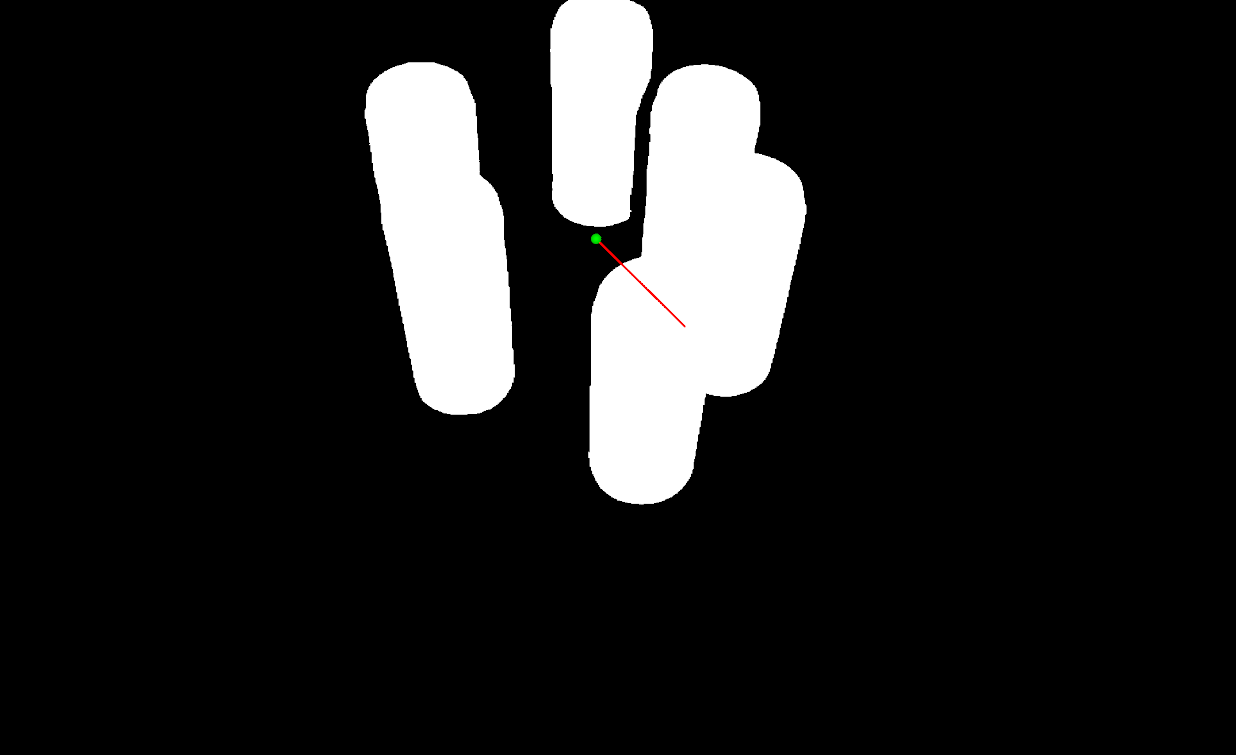
Mask with the computed centroid and principal axes overlaid
The Code
"""Demonstrates PCA calculation on a binary mask."""

from loguru import logger
import rerun as rr

from telekinesis import pupil, datatypes, cornea


def calculate_mask_pca_example():
    """Computes PCA on a binary mask."""
    # ===================== Load Image ==========================================
    image_url = "https://assets.telekinesis.ai/examples/v1/images/can_vertical_6_mask.png"
    image = datatypes.Image.from_url(image_url)
    mask = cornea.segment_image_using_otsu_threshold(image=image)

    # ===================== Run Skill ==========================================
    centroid, eigenvectors, eigenvalues, angle = pupil.calculate_mask_pca(
        mask=mask
    )

    # ===================== Log ================================================
    logger.success(f"Calculated PCA of {image}")
    logger.success(f"Result: centroid={centroid}, angle={angle}")

    # ===================== Visualization  (Optional) ======================
    rr.init("calculate_mask_pca_example", spawn=True)
    datatypes.visualize(image, eigenvectors, entity_path="1-Mask")
    datatypes.visualize(centroid, entity_path="2-Centroid")
    datatypes.visualize(eigenvectors, entity_path="3-Eigenvectors")
    datatypes.visualize(eigenvalues, entity_path="4-Eigenvalues")
    datatypes.visualize(angle, entity_path="5-Angle")

if __name__ == "__main__":
    calculate_mask_pca_example()
Runnable examples are available in the Telekinesis examples repository.
Follow the README in that repository to set up the environment, run this specific example with:
cd telekinesis-examples
python examples/image_processing/calculate_mask_pca.py
Parameter Configuration
| Parameter | Type | Default | Description |
|---|---|---|---|
mask | datatypes.SegmentationImage | np.ndarray | required | The input to analyze, shape (H, W), with non-zero values marking the region of interest — either a binary mask or a multi-region segmentation. Pass a datatypes.SegmentationImage directly if you already have segmentation label output — this keeps the label-code semantics. Coerced via SegmentationImage.coerce, which accepts an existing SegmentationImage or a raw np.ndarray; unlike calculate_mask_centroid, a plain datatypes.Image is not accepted directly |
Returns
| Type | Description |
|---|---|
tuple[datatypes.Position2D, datatypes.Eigenvectors, datatypes.Eigenvalues, datatypes.Float] | A 4-tuple (centroid, eigenvectors, eigenvalues, principal_angle): centroid is a Position2D [cx, cy]; eigenvectors are the principal axes of the mask's covariance matrix; eigenvalues has shape (N,), matching eigenvectors order (largest-variance axis first); principal_angle is a Float, the angle in degrees of the dominant principal axis |
Raises
| Exception | Condition |
|---|---|
TypeError | mask has an invalid type |
ValueError | mask has no non-zero pixels |
ConfigurationError | The TELEKINESIS_API_KEY environment variable is not set |
SerializationError | The request input failed to serialize, the response was not returned as an Arrow stream, or the response failed to deserialize |
RequestTimeoutError | The request to the Pupil service timed out |
TransportError | A network failure occurred before a response was received |
ClientError | The Pupil service rejected the request due to invalid or malformed input (HTTP 400/422), an unrecognized endpoint (HTTP 404), or another unexpected 4xx response |
AuthenticationError | The API key was rejected as invalid or expired (HTTP 401) |
AuthenticationServiceError | The authentication service returned an invalid response, was temporarily unavailable, or timed out (HTTP 502/503/504) |
ServerError | The Pupil service returned a 5xx or otherwise unexpected error response |
How to Tune the Parameters
The calculate_mask_pca Skill takes a single input and has no numeric parameters to tune — the result quality depends entirely on the mask you feed it.
mask
- Controls: Which pixels are treated as the object of interest (grouped by non-zero label code).
- Default: required, no default
- A clean, single-region mask produces a stable, meaningful principal axis. A noisy mask with stray foreground pixels, or a mask covering multiple disconnected objects, pulls the centroid and axes toward a combined result that doesn't correspond to any single object.
TIP
Best practice: Threshold or segment down to one connected region before calling this Skill (e.g. with cornea.segment_image_using_otsu_threshold plus a connected-component or area filter). PCA over multiple disconnected regions returns one combined centroid/orientation, not one per object.
Where to Use the Skill
Common pipelines include:
- Grasp/alignment planning – Recover an object's orientation from its mask before computing a pick pose
- Quality inspection – Check that a part's orientation falls within an expected angular tolerance
- Shape/orientation analysis – Characterize elongated or asymmetric objects by their principal axis
- Post-segmentation analysis – Run after a thresholding/segmentation Skill (e.g.
cornea.segment_image_using_otsu_threshold) to analyze the resulting mask
Alternative Skills
| Skill | vs. Calculate Mask PCA |
|---|---|
| calculate_mask_centroid | Returns only the centroid position, without eigenvectors, eigenvalues, or angle. Use it when you only need position, not orientation |
When Not to Use the Skill
Do not use Calculate Mask PCA when:
- You only need position, not orientation (use
calculate_mask_centroidinstead — cheaper, and returns just the centroid) - The mask contains multiple disconnected objects and you need per-object orientation (PCA is computed over all non-zero pixels combined; segment and mask each object separately first)
- You need 3D orientation (this Skill operates on 2D pixel coordinates only)
- The mask is empty or has no foreground pixels (raises
ValueError; verify the upstream segmentation/thresholding step produced a non-empty mask)
TIP
PCA orientation is only meaningful for elongated or asymmetric shapes. A circular or otherwise symmetric mask has near-equal eigenvalues, which makes the principal angle unstable and not meaningful.