

Resize Image With Aspect Fit
SUMMARY
Resize Image With Aspect Fit resizes an image to fit within target dimensions while preserving its aspect ratio.
The image is scaled uniformly so it fits entirely inside (resize_width, resize_height), then padded with pad_color to reach the exact target size. Unlike a direct resize to (resize_width, resize_height), this never stretches or squashes the content. Use it when downstream consumers (e.g. a fixed-input-size model) require an exact output resolution but the source images have varying aspect ratios.
Use this Skill when you want to resize an image to an exact output size without distorting its aspect ratio.
The Skill
from telekinesis import pupil

filtered_image = pupil.resize_image_with_aspect_fit(
    image=image,
    resize_width=400,
    resize_height=300,
    interpolation_method="linear",
)Example
Input Image
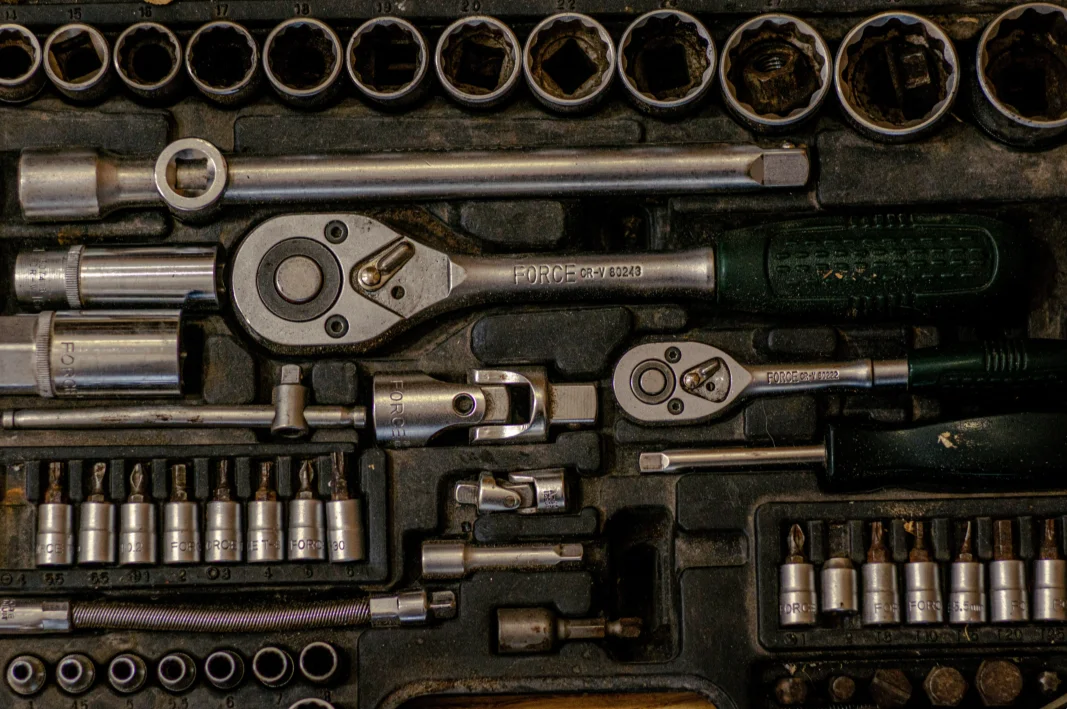
Original image
Resized Image
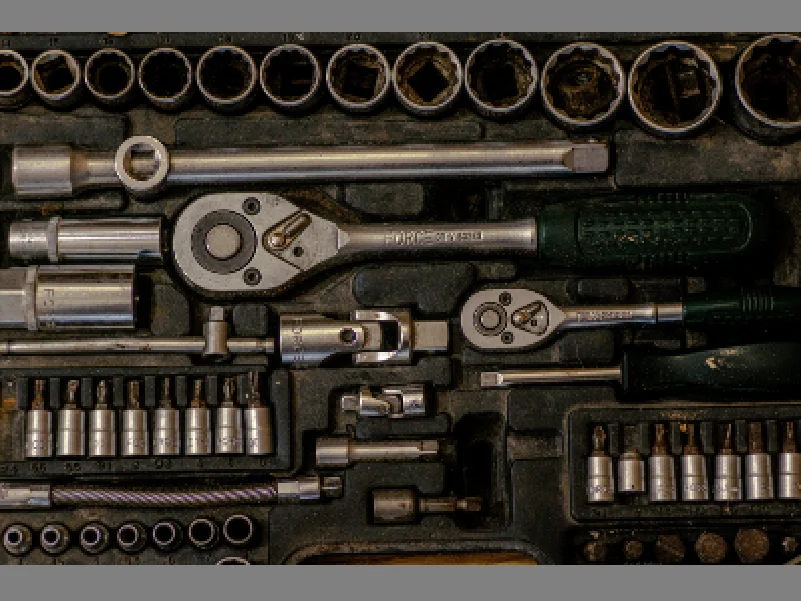
Resized to fit 400x300, aspect ratio preserved with padding
The Code
"""Demonstrates resize_image_with_aspect_fit operation."""

from loguru import logger
import rerun as rr

from telekinesis import pupil, datatypes


def resize_image_with_aspect_fit_example():
    """Applies resize_image_with_aspect_fit operation."""
    # ===================== Load Image ==========================================
    image_url = "https://assets.telekinesis.ai/examples/v1/images/gearbox.png"
    image = datatypes.Image.from_url(image_url)

    # ===================== Run Skill ==========================================
    filtered_image = pupil.resize_image_with_aspect_fit(
        image=image,
        resize_width=400,
        resize_height=300,
        interpolation_method="linear",
    )

    # ===================== Log ================================================
    logger.success(f"Applied resize_image_with_aspect_fit on {image}")
    logger.success(f"Result: {filtered_image}")

    # ===================== Visualization  (Optional) ======================
    rr.init("resize_image_with_aspect_fit_example", spawn=True)
    datatypes.visualize(image, entity_path="1-Original")
    datatypes.visualize(filtered_image, entity_path="2-Resized")

if __name__ == "__main__":
    resize_image_with_aspect_fit_example()
Runnable examples are available in the Telekinesis examples repository.
Follow the README in that repository to set up the environment, run this specific example with:
cd telekinesis-examples
python examples/image_processing/resize_image_with_aspect_fit.py
Parameter Configuration
| Parameter | Type | Default | Description |
|---|---|---|---|
image | datatypes.Image | np.ndarray | required | The input image to resize, shape (H, W) or (H, W, C) |
resize_width | datatypes.Int | int | required | Target output width, in pixels |
resize_height | datatypes.Int | int | required | Target output height, in pixels |
pad_color | datatypes.Array | np.ndarray | list | tuple | (128, 128, 128) | Fill color for the letterbox/pillarbox padding added around the scaled image. A single scalar (applied to all channels) or one value per channel, e.g. [r, g, b]. For a grayscale image, only the first element is used |
interpolation_method | datatypes.String | str | "linear" | Interpolation method: nearest, linear, cubic, area, lanczos4, linear exact, or nearest exact |
Returns
| Type | Description |
|---|---|
datatypes.Image | Exactly (resize_height, resize_width) — or with a matching channel dimension for (H, W, C) input — scaled to fit inside the target size and padded to it exactly |
Raises
| Exception | Condition |
|---|---|
TypeError | A parameter's value does not match its expected type (see the Parameter Configuration table above) |
ValueError | resize_width or resize_height is not > 0, interpolation_method is not one of the supported options, or pad_color is empty or contains NaN/inf |
ConfigurationError | The TELEKINESIS_API_KEY environment variable is not set |
SerializationError | The request input failed to serialize, the response was not returned as an Arrow stream, or the response failed to deserialize |
RequestTimeoutError | The request to the Pupil service timed out |
TransportError | A network failure occurred before a response was received |
ClientError | The Pupil service rejected the request due to invalid or malformed input (HTTP 400/422), an unrecognized endpoint (HTTP 404), or another unexpected 4xx response |
AuthenticationError | The API key was rejected as invalid or expired (HTTP 401) |
AuthenticationServiceError | The authentication service returned an invalid response, was temporarily unavailable, or timed out (HTTP 502/503/504) |
ServerError | The Pupil service returned a 5xx or otherwise unexpected error response |
How to Tune the Parameters
The resize_image_with_aspect_fit Skill exposes the target size, the padding color, and the resampling method used while scaling.
resize_width / resize_height
- Controls: The exact output dimensions, in pixels.
- Units: Pixels
- Default: required, no default
- Typical range: Match whatever fixed input size a downstream model or display slot expects (e.g. 224, 640)
pad_color
- Controls: The fill color used for the letterbox/pillarbox bands added around the scaled image to reach the exact target size.
- Default:
(128, 128, 128) - Options: Any scalar or per-channel value, e.g.
(0, 0, 0)for black bands,(255, 255, 255)for white,(128, 128, 128)for neutral gray
interpolation_method
- Controls: How pixel values are resampled while scaling the image to fit.
- Default:
"linear" - Options:
nearest/nearest exact– fastest, blocky; use for masks/labels, not photographic contentlinear– good quality/speed trade-off for typical images and mild scalingcubic– sharper than linear, slower; good for 2-4x upscalingarea– best for downscaling, reduces aliasing when shrinkinglanczos4– highest quality resampling, slower; can produce ringing artifacts near sharp high-contrast edgeslinear exact– linear with stricter, more deterministic rounding
TIP
Best practice: Pick pad_color to match what the downstream consumer expects — neutral gray (128, 128, 128) for most model inputs, black for display contexts where padding should be invisible. Use "area" when shrinking and "cubic"/"lanczos4" when enlarging.
Where to Use the Skill
Common pipelines include:
- Model input preparation – Produce a fixed-size input for a neural network without distorting the aspect ratio of the source image
- Batch processing – Normalize a batch of variable-sized images to one uniform shape before further processing
- Thumbnail/display generation – Fit an image into a fixed UI slot without stretching it
Alternative Skills
| Skill | vs. Resize Image With Aspect Fit |
|---|---|
| resize_image | Resizes to an exact width/height (or by scale factor) without preserving aspect ratio — content is stretched if the target aspect differs. |
| crop_image_center | Reaches a fixed output size by cropping/padding around the center instead of scaling — no resampling of the original content. |
| pad_image | Adds padding on specific sides at the original resolution, without any scaling. |
When Not to Use the Skill
Do not use Resize Image With Aspect Fit when:
- Stretching to an exact size is acceptable (
resize_imageis simpler and avoids the padding bands) - You want to reach a fixed size by cropping instead of scaling (use
crop_image_centerorcrop_image_using_bounding_boxes) - The two images being combined must already share a shape and you only need to match sizes, not preserve aspect (a plain
resize_imagecall on the second image is enough) - You need to build an image pyramid (use
transform_image_using_pyramid_downsampling/transform_image_using_pyramid_upsampling, which apply Gaussian smoothing before changing resolution)