

Filter Image Using Meijering
SUMMARY
Filter Image Using Meijering applies the Meijering ridge filter to a grayscale image.
The filter computes a ridge-strength response at multiple scales between scale_start and scale_end, tuned to detect thin, elongated, branching structures — neurites, cracks, wires, and similar features. It is more robust than filter_image_using_sato at branch points and junctions. Output values are per-pixel ridge strength, not a binary mask: higher values indicate a stronger branching structure at that pixel.
Use this Skill when you want to enhance thin, branching structures such as neurites, cracks, or wires in a grayscale image.
The Skill
from telekinesis import pupil

filtered_image = pupil.filter_image_using_meijering(
    image=image,
    scale_start=1,
    scale_end=10,
    scale_step=2,
    detect_black_ridges=True,
    border_type="reflect",
    border_value=0.0,
)Example
Input Image
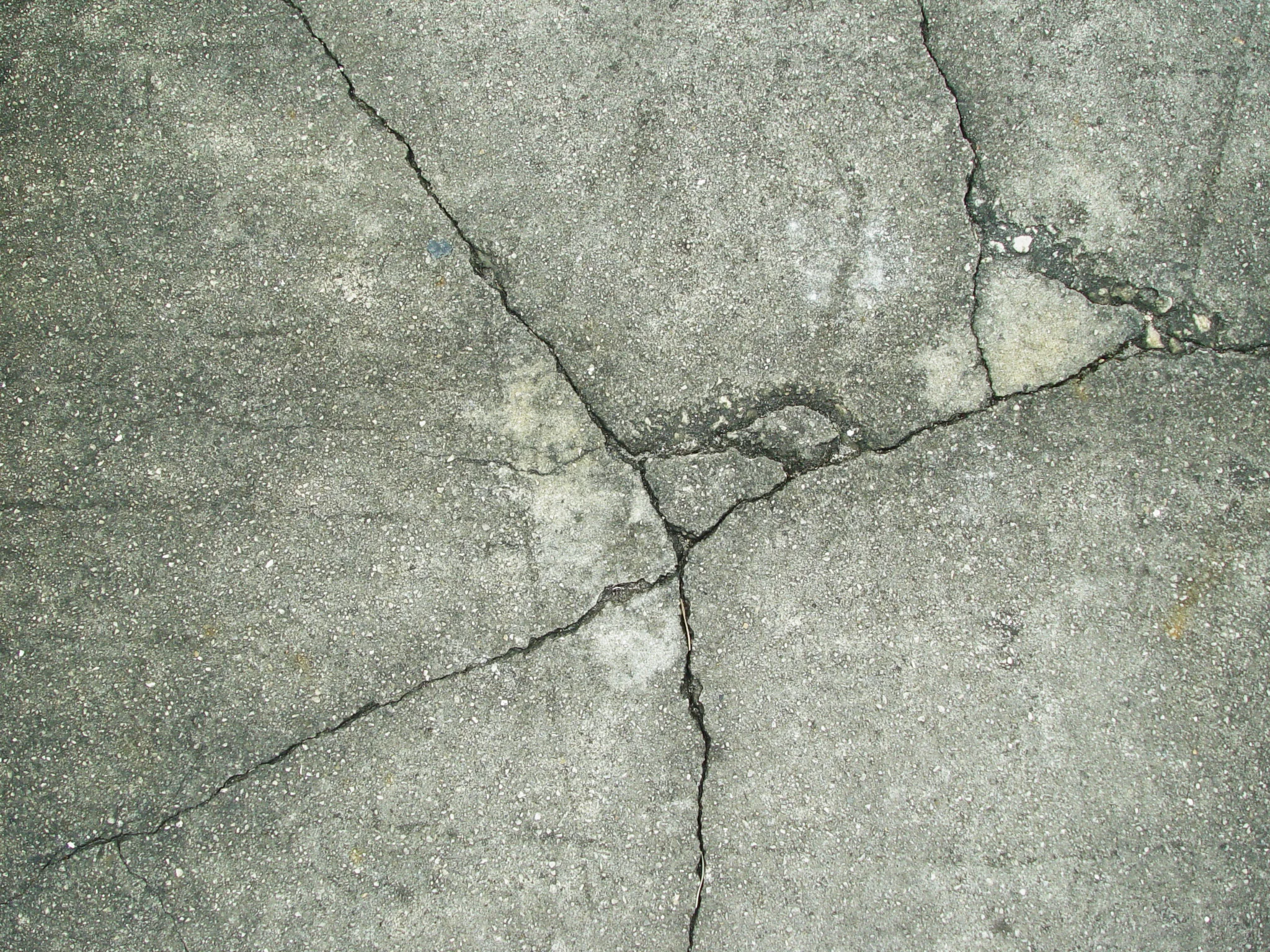
Original grayscale image with fine branching structures
Filtered Image
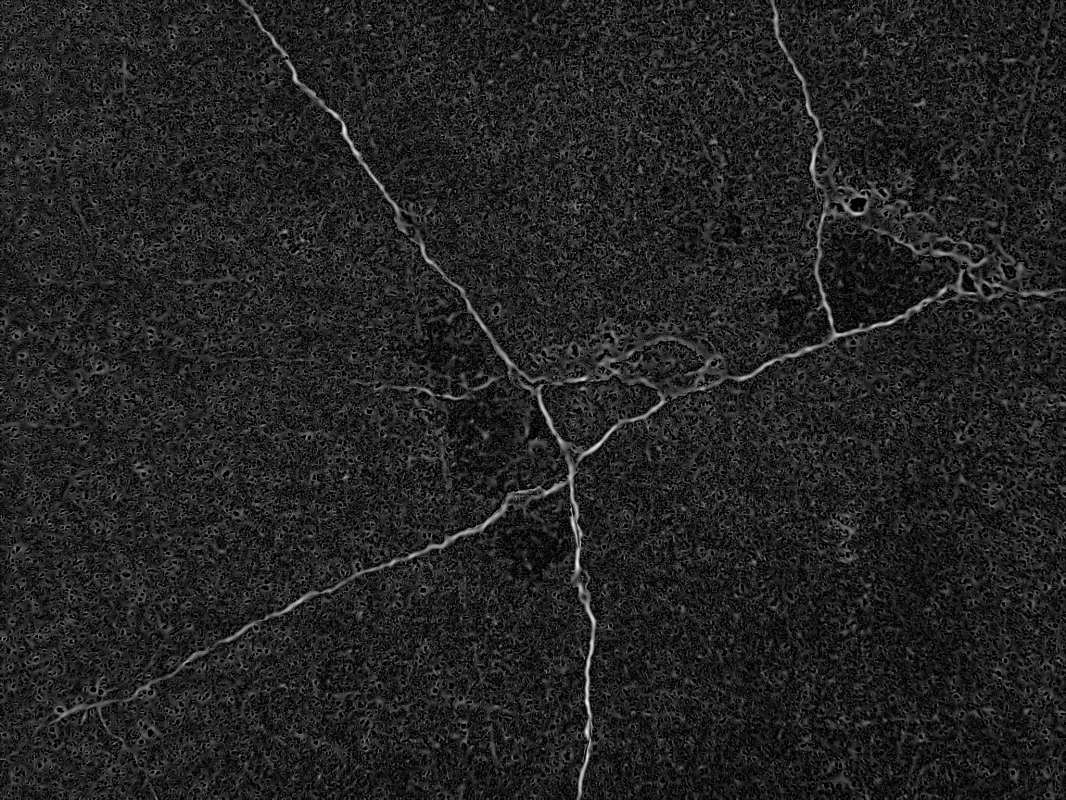
Ridge-strength map — brighter pixels indicate stronger branching structure
The Code
"""Demonstrates filter_image_using_meijering operation."""

from loguru import logger
import rerun as rr

from telekinesis import pupil, datatypes


def filter_image_using_meijering_example():
    """Applies filter_image_using_meijering operation."""
    # ===================== Load Image ==========================================
    image_url = "https://assets.telekinesis.ai/examples/v1/images/sidewalk_cracked.jpg"
    image = datatypes.Image.from_url(image_url).to_grayscale()

    # ===================== Run Skill ==========================================
    filtered_image = pupil.filter_image_using_meijering(
        image=image,
        scale_start=1,
        scale_end=10,
        scale_step=2,
        detect_black_ridges=True,
        border_type="reflect",
        border_value=0.0,
    )

    # ===================== Log ================================================
    logger.success(f"Applied filter_image_using_meijering on {image}")
    logger.success(f"Result: {filtered_image}")

    # ===================== Visualization  (Optional) ======================
    rr.init("filter_image_using_meijering_example", spawn=True)
    datatypes.visualize(image, entity_path="1-Original")
    datatypes.visualize(filtered_image, entity_path="2-Filtered")

if __name__ == "__main__":
    filter_image_using_meijering_example()
Runnable examples are available in the Telekinesis examples repository.
Follow the README in that repository to set up the environment, run this specific example with:
cd telekinesis-examples
python examples/image_processing/filter_image_using_meijering.py
Parameter Configuration
| Parameter | Type | Default | Description |
|---|---|---|---|
image | datatypes.Image | np.ndarray | required | Grayscale input image to filter, shape (H, W), normalized to the 0-1 range. Convert with convert_image_color_space first if starting from a color image |
scale_start | datatypes.Int | int | 1 | Minimum scale (sigma) for structure detection |
scale_end | datatypes.Int | int | 10 | Maximum scale (sigma) for structure detection |
scale_step | datatypes.Int | int | 2 | Step size between scales sampled between scale_start and scale_end |
detect_black_ridges | datatypes.Bool | bool | True | Whether to detect dark ridges instead of bright ones |
border_type | datatypes.String | str | "reflect" | Border handling mode: constant, reflect, wrap, nearest, or mirror |
border_value | datatypes.Float | float | int | 0.0 | Value used for constant padding, only used when border_type is "constant" |
Returns
| Type | Description |
|---|---|
datatypes.Image | Same shape as image, with ridge/branching-structure strength per pixel — higher values indicate a stronger branching structure |
Raises
| Exception | Condition |
|---|---|
TypeError | A parameter's value does not match its expected type (see the Parameter Configuration table above) |
ValueError | border_type is not one of the supported border modes |
ConfigurationError | The TELEKINESIS_API_KEY environment variable is not set |
SerializationError | The request input failed to serialize, the response was not returned as an Arrow stream, or the response failed to deserialize |
RequestTimeoutError | The request to the Pupil service timed out |
TransportError | A network failure occurred before a response was received |
ClientError | The Pupil service rejected the request due to invalid or malformed input (HTTP 400/422), an unrecognized endpoint (HTTP 404), or another unexpected 4xx response |
AuthenticationError | The API key was rejected as invalid or expired (HTTP 401) |
AuthenticationServiceError | The authentication service returned an invalid response, was temporarily unavailable, or timed out (HTTP 502/503/504) |
ServerError | The Pupil service returned a 5xx or otherwise unexpected error response |
How to Tune the Parameters
The filter_image_using_meijering Skill exposes a multi-scale range plus ridge-polarity and border controls.
scale_start
- Controls: The minimum scale (sigma) at which structures are detected.
- Units: Sigma (pixels)
- Default:
1 - Increase → skips very thin structures below the new minimum scale
- Decrease → captures finer, thinner structures
- Typical range: 1-5
scale_end
- Controls: The maximum scale (sigma) at which structures are detected.
- Units: Sigma (pixels)
- Default:
10 - Increase → detects thicker structures and junctions, but slower
- Decrease → faster, but misses thicker structures
- Typical range: 5-20
scale_step
- Controls: The spacing between scales sampled between
scale_startandscale_end. - Units: Sigma steps
- Default:
2 - Increase → faster, coarser scale sampling
- Decrease → finer scale sampling, more precise but slower
- Typical range: 1-5
detect_black_ridges
- Controls: Whether dark or bright ridges are detected.
- Default:
True - Options:
True– detect dark ridges on a bright background (e.g. cracks on a light surface)False– detect bright ridges on a dark background (e.g. fluorescent neurites)
border_type
- Controls: How pixels outside the image boundary are filled when computing multi-scale derivatives near the edges.
- Default:
"reflect" - Options:
reflect– reflects the image at the border, avoids edge artifacts in ridge detectionconstant– pads withborder_valuewrap– treats the image as periodicnearest– extends with the nearest pixelmirror– symmetric reflection, slightly different fromreflectat the edge
border_value
- Controls: The fill value used only when
border_typeis"constant". - Default:
0.0 - Typical range: 0.0-1.0 for a normalized grayscale image
TIP
Best practice: Set scale_start to the width of the finest structure you need and scale_end to the width of the thickest, and keep scale_step at 1-2 — a wide range with a small step gives a thorough multi-scale sweep without excessive compute.
Where to Use the Skill
Common pipelines include:
- Crack/defect detection – Highlighting fine cracks or scratches on manufactured parts
- Wire/cable tracing – Enhancing thin wire-like structures before skeletonization
- Biomedical imaging – Detecting branching neurite/neural structures in microscopy images
- Skeletonization preprocessing – Feed the ridge-strength map into
transform_mask_using_blob_thinning
Alternative Skills
| Skill | vs. Filter Image Using Meijering |
|---|---|
| filter_image_using_frangi | Adds an explicit blobness term (alpha) and is tuned for thicker, vessel-like tubular structures; Meijering is lighter-weight and more robust at branch points for thin structures. |
| filter_image_using_sato | A similar multi-scale ridge filter without Meijering's branch-point robustness — use Sato for simple, non-branching ridges. |
| filter_image_using_hessian | A simpler eigenvalue-based ridge filter without a dedicated multi-scale sweep. |
When Not to Use the Skill
Do not use Filter Image Using Meijering when:
- Structures are thick or blob-like rather than ridge/tubular-shaped (use
filter_image_using_frangi, which weighs blobness explicitly) - You need simple gradient-based edge detection (use
filter_image_using_sobelorfilter_image_using_scharrinstead) - You need fast processing on large images (multi-scale ridge filtering is compute-heavy — narrow the scale range or increase
scale_stepif speed matters more than sensitivity) - The input is a color image (convert to grayscale with
convert_image_color_spacefirst)