

Detect Objects Using YOLOX
SUMMARY
Detect Objects Using YOLOX detects objects using YOLOX and returns COCO-like annotations with category names from the COCO 80-class label set.
This Skill is designed for fast and reliable object detection in scenarios such as real-time object monitoring and warehouse or logistics inspection. For example, identifying boxes, pallets, forklifts, or workers in warehouse environments.
Use this Skill when you want to detect and label objects using COCO 80-class categories.
The Skill
WARNING
This skill is currently in beta and may fail when provided with empty annotations. The underlying YOLOX model is trained on the COCO dataset; performance is optimized for images with similar characteristics. We are continuously enhancing robustness and reliability, and the documentation will be updated in line with validated improvements.
from telekinesis import retina

annotations, categories = retina.detect_objects_using_yolox(
    image=image,
    score_threshold=0.80,
    nms_threshold=0.45,
)Example
Input Image
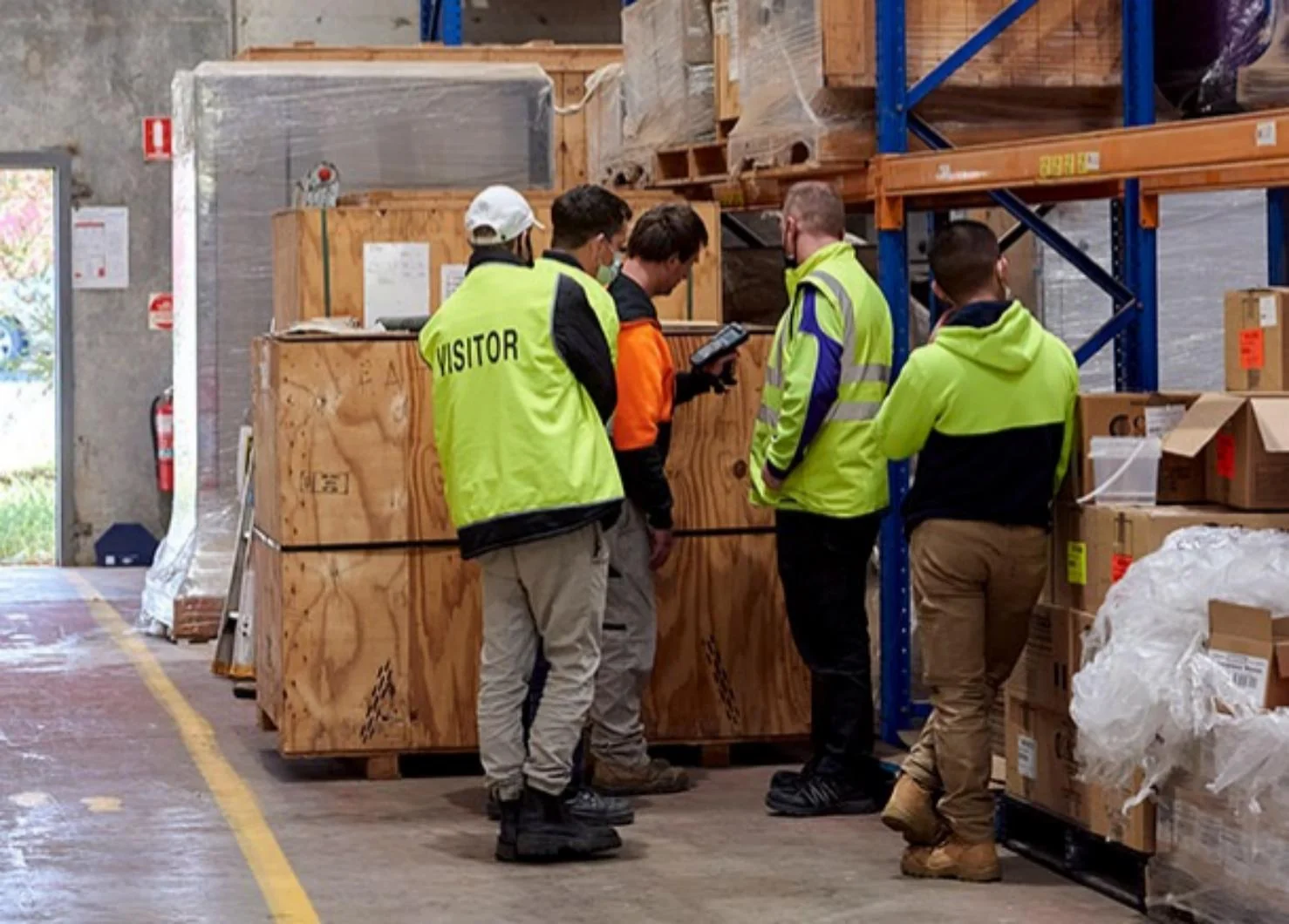
Original image
Detected Objects
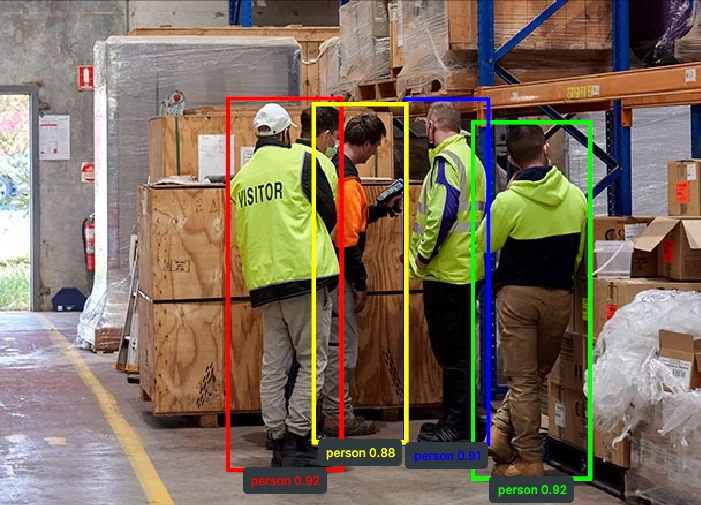
Detected objects with bounding boxes, labels and scores.
The Code
from telekinesis import retina
from datatypes import io
import pathlib

# Optional for logging
from loguru import logger

DATA_DIR = pathlib.Path("path/to/telekinesis-data")

# Load image
filepath = str(DATA_DIR / "images" / "warehouse_2.jpg")
image = io.load_image(filepath=filepath)
logger.success(f"Loaded image from {filepath}")

# Detect Objects
annotations, categories = retina.detect_objects_using_yolox(
    image=image,
    score_threshold=0.80,
    nms_threshold=0.45,
)

# Access results
annotations = annotations.to_list()
categories = categories.to_list()
logger.success(f"YOLOX detected {len(annotations)} objects.")
The Explanation of the Code
This example shows how to use the detect_objects_using_yolox Skill to detect objects in an image. The code begins by importing the necessary modules from Telekinesis and Python, and optionally sets up logging with loguru to provide feedback during execution.
from telekinesis import retina
from datatypes import io
import pathlib

# Optional for logging
from loguru import logger
The image is loaded from a .jpg file using io.load_image. The logger immediately reports the path of the image loaded, helping confirm the input is correct and ready for processing.
DATA_DIR = pathlib.Path("path/to/telekinesis-data")

# Load image
filepath = str(DATA_DIR / "images" / "warehouse_2.jpg")
image = io.load_image(filepath=filepath)
logger.success(f"Loaded image from {filepath}")
The detection parameters are configured:
imagespecifies the input imagescore_thresholdsets the minimum confidence score required for a detection to be returnednms_thresholdsets the non-maximum suppression threshold to remove overlapping boxes
annotations, categories = retina.detect_objects_using_yolox(
    image=image,
    score_threshold=0.80,
    nms_threshold=0.45,
)
The function returns ObjectDetectionAnnotations in COCO-like format and categories with class label information. Extract the detected objects as follows. The logger outputs the number of detected objects.
# Access results
annotations = annotations.to_list()
categories = categories.to_list()
logger.success(f"YOLOX detected {len(annotations)} objects.")
This skill provides a fast, model-driven approach to object detection, useful for identifying and labeling objects and generating visualization overlays in industrial vision pipelines.
Running the Example
Runnable examples are available in the Telekinesis examples repository. Follow the README in that repository to set up the environment. Once set up, you can run this specific example with:
cd telekinesis-examples
python examples/retina_examples.py --example detect_objects_using_yolox
How to Tune the Parameters
The detect_objects_using_yolox Skill has 2 parameters to tune:
score_threshold:
- Minimum confidence score required for a detection to be returned
- Typical range:
0.3to0.9(task-dependent) - Increase to reduce false positives and keep only high-confidence detections
- Decrease to improve recall when objects are small, partially occluded, or hard to detect
nms_threshold:
- IoU threshold used by non-maximum suppression to merge overlapping detections
- Typical range:
0.3to0.6(task-dependent) - Increase to keep more overlapping boxes (higher recall, potentially more duplicates)
- Decrease to suppress duplicates more aggressively (cleaner output, potentially lower recall)
TIP
Best practice: Start with score_threshold=0.80 and nms_threshold=0.45. Raise score_threshold if you see false positives; lower it if true objects are missed. Adjust nms_threshold next to balance duplicate suppression versus recall.
Where to Use the Skill
Detect objects using YOLOX is commonly used in the following pipelines:
- Real-time object monitoring - Detecting and labeling objects in video frames
- Warehouse and logistics inspection - Fast object localization and category labeling for operations
Alternative Skills
| Skill | vs. Detect objects using YOLOX |
|---|---|
| detect_objects_using_rfdetr | Use RF-DETR when you need stronger global context modeling and can trade speed for quality. |
When Not to Use the Skill
Do not use Detect objects using YOLOX when:
- Maximum accuracy on complex scenes is the top priority (RF-DETR may perform better on difficult cases)
- Objects are heavily occluded and require stronger global reasoning
- Latency is not a concern and you prefer transformer-based detectors for quality