

Capture Depth Image
SUMMARY
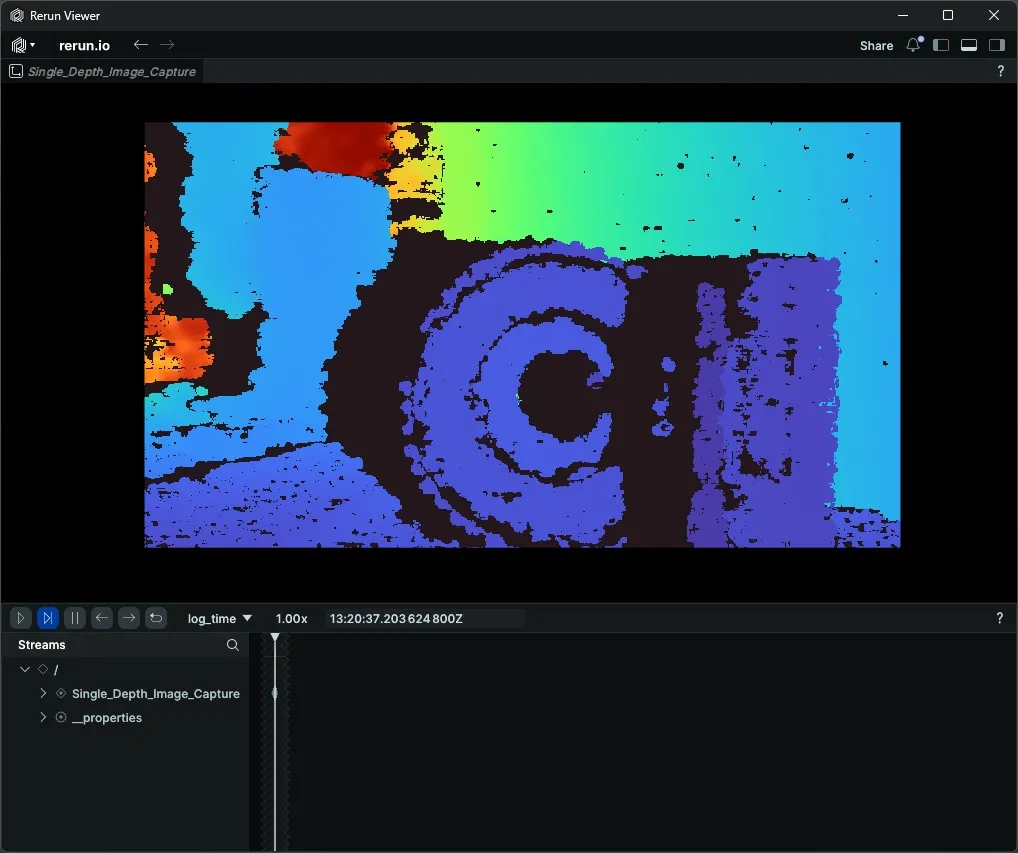
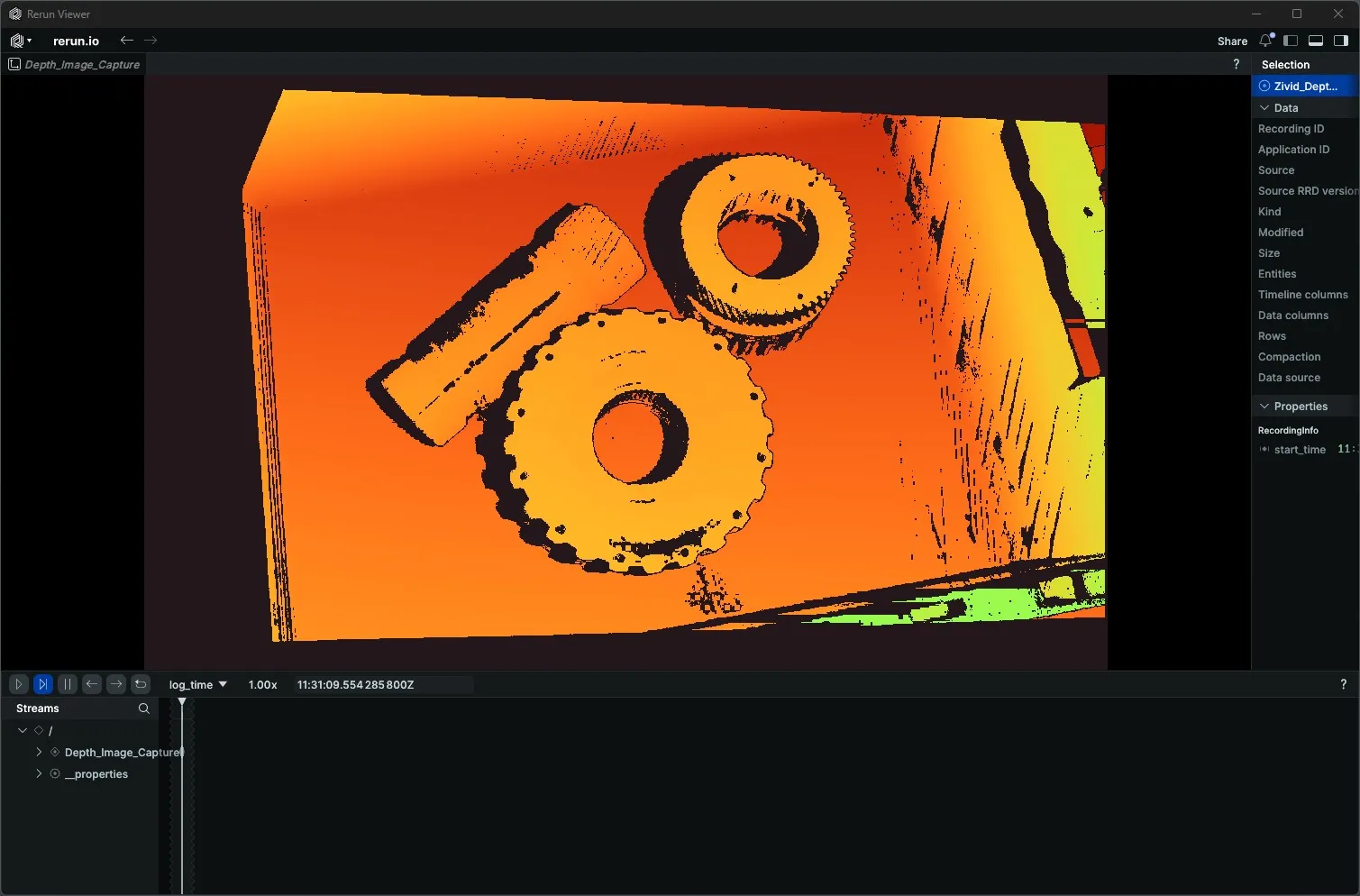
Capture Depth Image acquires one depth frame from a 3D camera and returns it as a NumPy array of float values in metres. Pair it with a Rerun DepthImage colour map for instant visual inspection of distance information.
Available on: Intel RealSense, Zivid.
The Skill
depth_image = camera.capture_depth_image()Example
Intel RealSense
Zivid
The Code
"""
Connect to a RealSense camera, capture a depth image, and disconnect.

Run from a terminal to avoid issues with Rerun's spawn mode.
"""
from loguru import logger
import rerun as rr

from telekinesis.medulla.cameras import realsense

def main():
    camera = realsense.RealSense(name="my_realsense_camera")

    try:
        rr.init("RealSense_Depth_Image_Example", spawn=True)
        camera.connect()

        depth_image = camera.capture_depth_image()

        rr.log(
            "Depth_Image_Capture",
            rr.DepthImage(
                depth_image,
                meter=1.0, # values are already in metres
                colormap="turbo",
                depth_range=(0.0, 3.0) # 3 metres
            )
        )
    except Exception as e:
        logger.error(
            f"Unable to capture depth image. Caught exception: {type(e).__name__}: {e}"
        )
    finally:
        rr.disconnect()
        camera.disconnect()


if __name__ == "__main__":
main()"""
Connect to a Zivid camera, capture a depth image, and disconnect.
Run from a terminal to avoid issues with Rerun's spawn mode.
"""
from loguru import logger
import rerun as rr
from telekinesis.medulla.cameras import zivid
def main():
camera = zivid.Zivid(name="my_zivid_camera")
try:
rr.init("Zivid_Depth_Image_Example", spawn=True)
camera.connect()
depth_image = camera.capture_depth_image()
rr.log(
"Depth_Image_Capture",
rr.DepthImage(
depth_image,
meter=1.0, # values are already in metres
colormap="turbo",
depth_range=(0.0, 3.0) # 3 metres
)
)
except Exception as e:
logger.error(
f"Unable to capture depth image. Caught exception: {type(e).__name__}: {e}"
)
finally:
rr.disconnect()
camera.disconnect()
if __name__ == "__main__":
main()The Explanation of the Code
After connect has initialised the camera, capture_depth_image retrieves one depth image and returns a NumPy array of float values already converted to metres:
depth_image = camera.capture_depth_image()Per-camera behavior:
- RealSense — activates the depth stream, retrieves one frame, and converts it to metres using the sensor's depth scale.
- Zivid — performs a 3D capture using the current settings and extracts the Z channel from the point cloud, converting from millimetres to metres. Invalid pixels (no depth) are
NaN.
rr.DepthImage renders the raw depth array as a false-colour image in Rerun:
meter=1.0tells Rerun the values are already in metres so no unit conversion is applied.colormap="turbo"maps close distances to blue and far distances to red.depth_range=(0.0, 3.0)clamps the colour scale to the 0–3 metre range, so objects outside that band are clipped rather than compressing the palette.
TIP
Make sure to adjust the depth_range according to your scene.
rr.log(
    "Depth_Image_Capture",
    rr.DepthImage(depth_image, meter=1.0, colormap="turbo", depth_range=(0.0, 3.0)),
)
The disconnect call lives in a finally block so the camera resources are released regardless of whether the capture succeeded.
Running the Example
Change to the respective camera examples folder in telekinesis-examples and run
python capture_depth_image.pyA Rerun viewer opens automatically. The depth image appears under Depth_Image_Capture with the turbo colour map applied.
Where to Use the Skill
- Reach and clearance checks — measure object-to-camera distances before grasp planning.
- Workspace mapping — capture a one-shot depth snapshot of the robot cell.
- Sanity checks during calibration — confirm depth alignment without running a continuous stream.