

Merge Image From Channels
SUMMARY
Merge Image From Channels merges multiple single-channel images into a multi-channel image.
Combines grayscale channel images into a single multi-channel image (e.g., BGR). Use after split_image_into_channels and per-channel processing to reconstruct a color image. Channel order must match the expected output format.
Use this Skill when you want to recombine channels into a multi-channel image.
The Skill
from telekinesis import pupil

merged_image = pupil.merge_image_from_channels(channels=channel_images)Example
Channel 1 (Red)
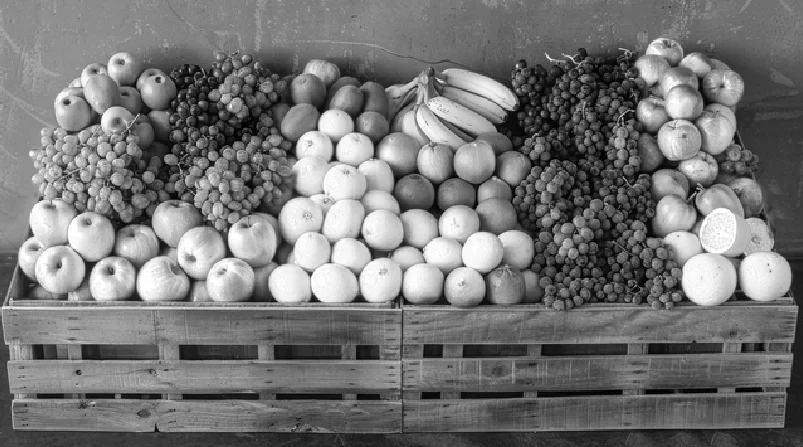
First channel
Channel 2 (Green)
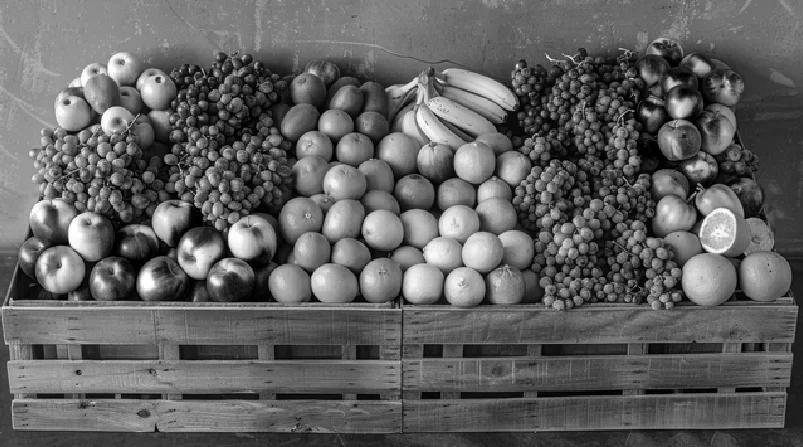
Second channel
Channel 3 (Blue)
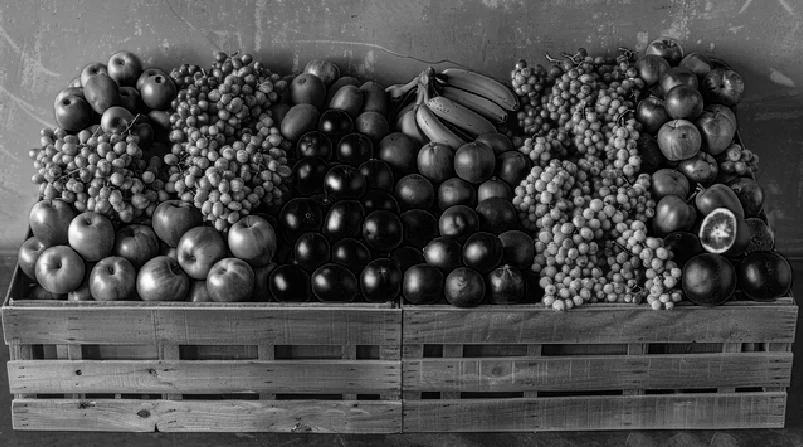
Third channel
Merged Image
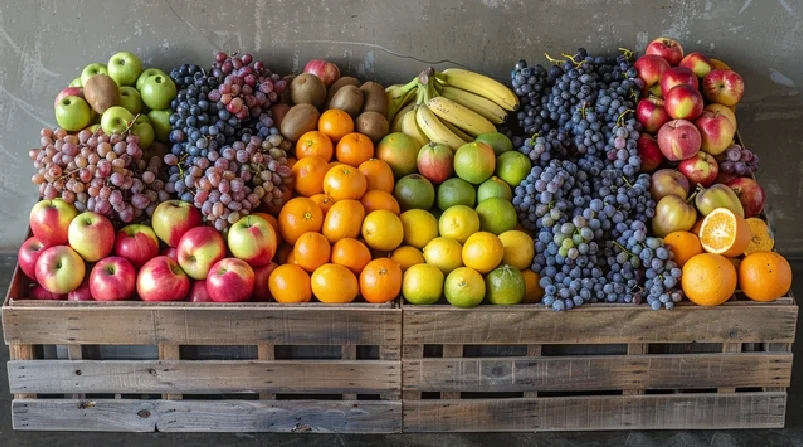
Merged image from channels
The Code
from telekinesis import pupil
from datatypes import io
import pathlib
from loguru import logger

DATA_DIR = pathlib.Path("path/to/telekinesis-data")

# Load image
filepath = str(DATA_DIR / "images" / "fruits_carts.jpg")
image = io.load_image(filepath=filepath)
logger.success(f"Loaded image from {filepath}")

# Split image into channels
image_channels = pupil.split_image_into_channels(image=image)
channel_images = image_channels.to_list()
channel_np_list = [img.to_numpy() for img in channel_images]
logger.success("Split channels. Number of channels: {}", len(channel_np_list))

# Merge channels back into an image
merged_image = pupil.merge_image_from_channels(channels=channel_images)

# Access results
merged_image_np = merged_image.to_numpy()
logger.success("Merged {} channels. Output image shape: {}", len(channel_images), merged_image_np.shape)
The Explanation of the Code
The code begins by importing the necessary modules: pupil for image processing operations, io for data handling, pathlib for path management, and loguru for logging.
from telekinesis import pupil
from datatypes import io
import pathlib
from loguru import logger
Next, an image is loaded from a .jpg file using the io.load_image function. The image is split into channels using split_image_into_channels; the typical workflow is split → process channels → merge. All channel images must have the same dimensions.
DATA_DIR = pathlib.Path("path/to/telekinesis-data")

# Load image
filepath = str(DATA_DIR / "images" / "fruits_carts.jpg")
image = io.load_image(filepath=filepath)

# Split image into channels
image_channels = pupil.split_image_into_channels(image=image)
channel_images = image_channels.to_list()
The main operation uses the merge_image_from_channels Skill from the pupil module. This Skill merges multiple single-channel images into a multi-channel image.
merged_image = pupil.merge_image_from_channels(channels=channel_images)Finally, the merged image is converted to a NumPy array using to_numpy() for further processing, visualization, or downstream tasks.
merged_image_np = merged_image.to_numpy()
logger.success(f"Output image shape: {merged_image_np.shape}")
This operation is particularly useful in robotics and vision pipelines for per-channel processing, color image reconstruction, and channel recombining, where merging single-channel images into a multi-channel image is required.
Running the Example
Runnable examples are available in the Telekinesis examples repository. Follow the README in that repository to set up the environment. Once set up, you can run this specific example with:
cd telekinesis-examples
python examples/pupil_examples.py --example merge_image_from_channels
How to Tune the Parameters
The merge_image_from_channels Skill has no tunable parameters. It operates on a list of single-channel images (from split_image_into_channels or similar) and merges them into a multi-channel image. Channel order in the list determines output order (e.g., [B, G, R] for BGR).
Where to Use the Skill
Merge Image From Channels is commonly used in the following pipelines:
- Per-channel processing - Process channels, then merge
- Channel swapping - Reorder channels before merge
- Custom color compositing - Combine processed channels
- Color space reconstruction - Rebuild after manual channel conversion
Related skills to build such a pipeline:
split_image_into_channels: Split before mergeconvert_image_color_space: Alternative for color space changes
When Not to Use the Skill
Do not use Merge Image From Channels when:
- You only need color space conversion (Use convert_image_color_space instead)
- Channels have different sizes (Resize to match first)
- You're building from scratch (Use generate_image_with_solid_color or similar)