

Detect Objects Using Grounding DINO
SUMMARY
Detect Objects Using Grounding DINO detects objects using Grounding DINO and returns annotations with bounding boxes and categories generated from a text prompt.
This Skill is designed for open-vocabulary, zero-shot object detection where you define target objects with free-form text (for example, cartons .) instead of fixed class IDs.
Use this Skill when you want to detect objects from natural-language prompts without retraining a model.
The Skill
from telekinesis import retina

annotations, categories = retina.detect_objects_using_grounding_dino(
    image=image,
    prompt="cartons .",
    box_threshold=0.5,
    text_threshold=0.5,
)Example
Input Image
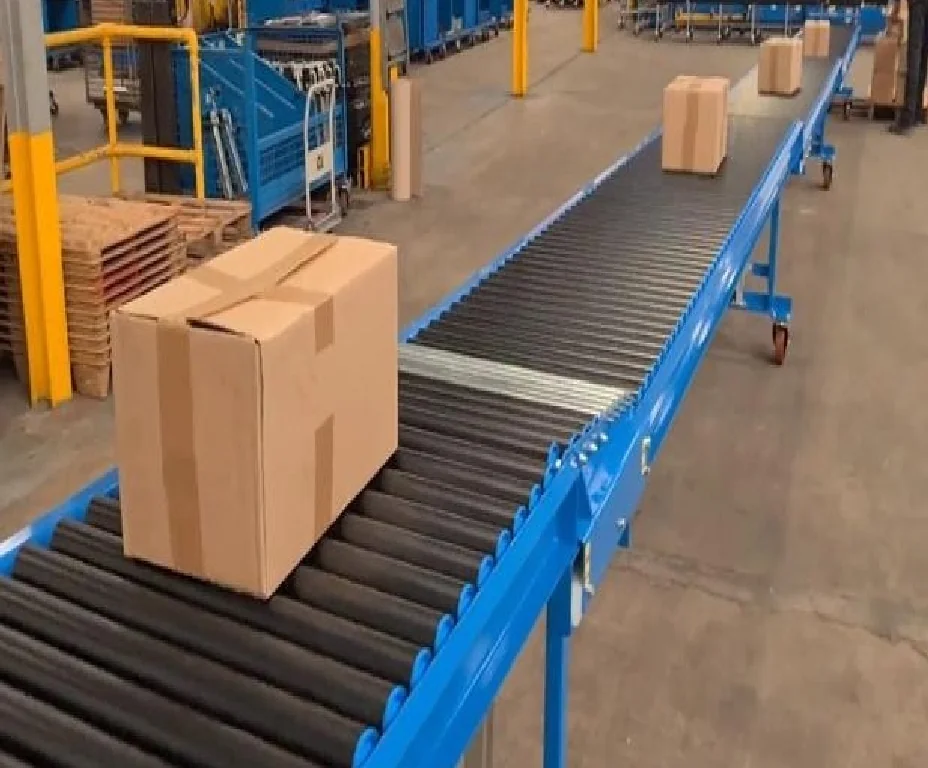
Original image
Detected Objects
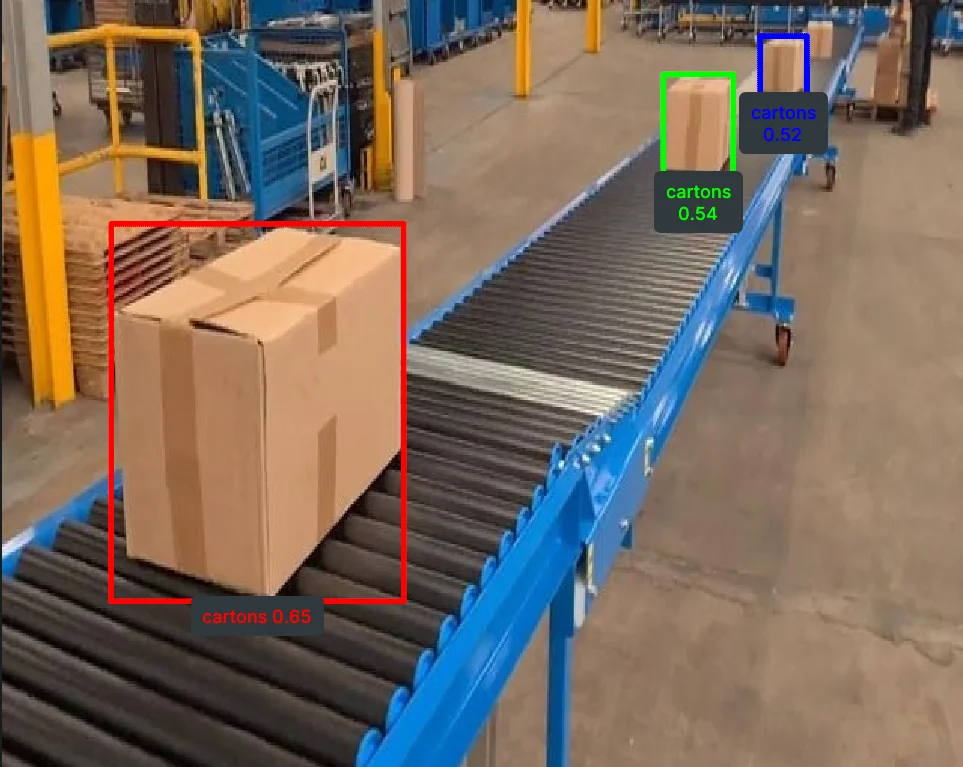
Detected objects with bounding boxes, labels and scores from text prompts.
The Code
from telekinesis import retina
from datatypes import io
import pathlib

# Optional for logging
from loguru import logger

DATA_DIR = pathlib.Path("path/to/telekinesis-data")

# Load image
filepath = str(DATA_DIR / "images" / "palletizing.jpg")
image = io.load_image(filepath=filepath)
logger.success(f"Loaded image from {filepath}")

# Detect Objects
annotations, categories = retina.detect_objects_using_grounding_dino(
    image=image,
    prompt="cartons .",
    box_threshold=0.5,
    text_threshold=0.5,
)

# Access results
annotations = annotations.to_list()
categories = categories.to_list()
logger.success(f"Grounding DINO detected {len(annotations)} objects.")
The Explanation of the Code
This example shows how to use the detect_objects_using_grounding_dino Skill to detect objects in an image. The code begins by importing the necessary modules from Telekinesis and Python, and optionally sets up logging with loguru to provide feedback during execution.
from telekinesis import retina
from datatypes import io
import pathlib

# Optional for logging
from loguru import logger
The image is loaded from a .jpg file using io.load_image. The logger immediately reports the path of the image loaded, helping confirm the input is correct and ready for processing.
DATA_DIR = pathlib.Path("path/to/telekinesis-data")

# Load image
filepath = str(DATA_DIR / "images" / "palletizing.webp")
image = io.load_image(filepath=filepath)
logger.success(f"Loaded image from {filepath}")
The detection parameters are configured:
imagespecifies the input imagepromptprovides the free-form prompt describing the objects to detectbox_thresholdsets the minimum box confidence required for a detectiontext_thresholdsets the minimum text matching confidence for prompt-token alignment
Prompt format
Write prompts as a dot-separated list of object phrases.
For multiple targets, write: cartons . pallets . boxes .
annotations, categories = retina.detect_objects_using_grounding_dino(
    image=image,
    prompt="cartons .",
    box_threshold=0.5,
    text_threshold=0.5,
)
The function returns annotations in COCO-like format and categories with label information derived from the prompt. Extract the detected objects as follows. The logger outputs the number of detected objects.
# Access results
annotations = annotations.to_list()
categories = categories.to_list()
logger.success(f"Grounding DINO detected {len(annotations)} objects.")
This skill provides a flexible, prompt-driven approach to object detection, useful for identifying and labeling objects in industrial vision pipelines without fixed class constraints.
Running the Example
Runnable examples are available in the Telekinesis examples repository. Follow the README in that repository to set up the environment. Once set up, you can run this specific example with:
cd telekinesis-examples
python examples/retina_examples.py --example detect_objects_using_grounding_dino
How to Tune the Parameters
prompt:
- Free-form prompt used to define what objects to detect
- Use clear object nouns and punctuation for stable parsing (example:
cartons .) - Adjust wording if detections are too broad or miss target objects
box_threshold:
- Minimum confidence required for predicted bounding boxes
- Typical range:
0.3to0.7(task-dependent) - Increase to reduce false positives
- Decrease to improve recall for hard or small objects
text_threshold:
- Minimum confidence for matching image regions to prompt tokens
- Typical range:
0.2to0.7(task-dependent) - Increase to enforce stricter text-to-region matching
- Decrease to allow looser matches when detections are missed
TIP
Best practice: Start with prompt="cartons .", box_threshold=0.5, and text_threshold=0.5. Tune box_threshold first for precision/recall, then refine prompt wording and text_threshold for better label alignment.
Where to Use the Skill
Detect objects using Grounding DINO is commonly used in the following pipelines:
- Open-vocabulary inspection - Detecting user-defined object types without retraining
- Flexible warehouse analytics - Rapidly switching targets via prompt text (for example, cartons, pallets, forklifts)
Alternative Skills
| Skill | vs. Detect objects using Grounding DINO |
|---|---|
| detect_objects_using_yolox | Use YOLOX when you need faster inference on fixed categories. |
When Not to Use the Skill
Do not use Detect objects using Grounding DINO when:
- You only need fixed-category detection with strict real-time latency (YOLOX is usually faster)
- Prompt engineering is not acceptable in the workflow (results depend on prompt wording)
- The target classes are fully known and stable (a fixed detector may be simpler to operate)