

Filter Image Using Scharr
SUMMARY
Filter Image Using Scharr applies Scharr filter for improved edge detection accuracy.
Scharr operator is similar to Sobel but with better rotation invariance and more accurate gradient estimation. This filter uses optimized kernel coefficients that provide superior performance in gradient-based applications, particularly when precise edge orientation is critical and accurate gradients are required for downstream magnitude computation.
Use this Skill when you want to detect edges with high accuracy and rotation invariance.
The Skill
from telekinesis import pupil

gradient_image = pupil.filter_image_using_scharr(
    image=image,
    dx=1,
    dy=0,
    scale=1.0,
    delta=0.0,
    output_format="64bit",
    border_type="default",
)Example
The following images illustrate typical Scharr outputs for individual X and Y gradients, along with a gradient magnitude image derived by combining both directional responses.
Input Image
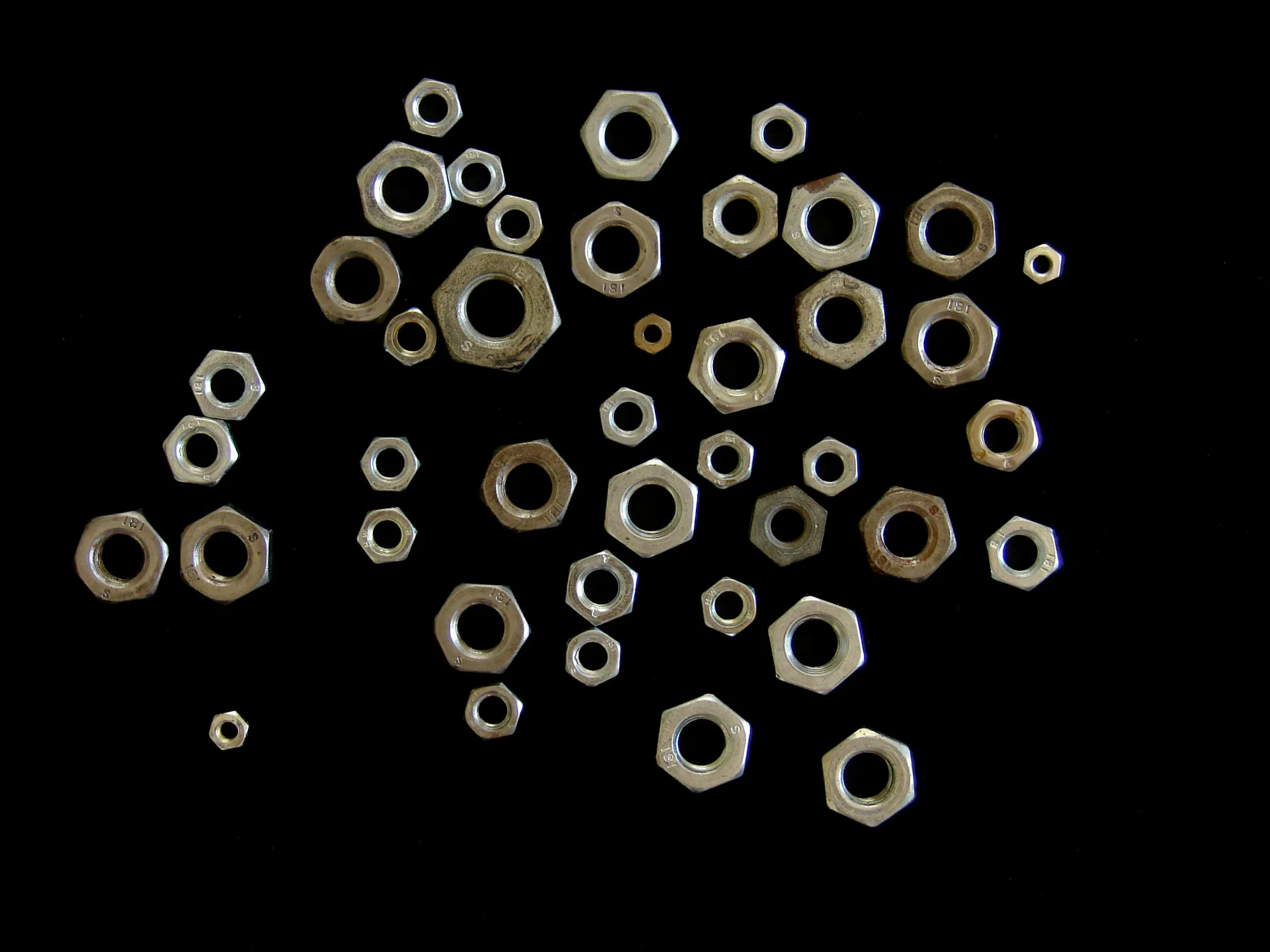
Original grayscale image
Filtered Image
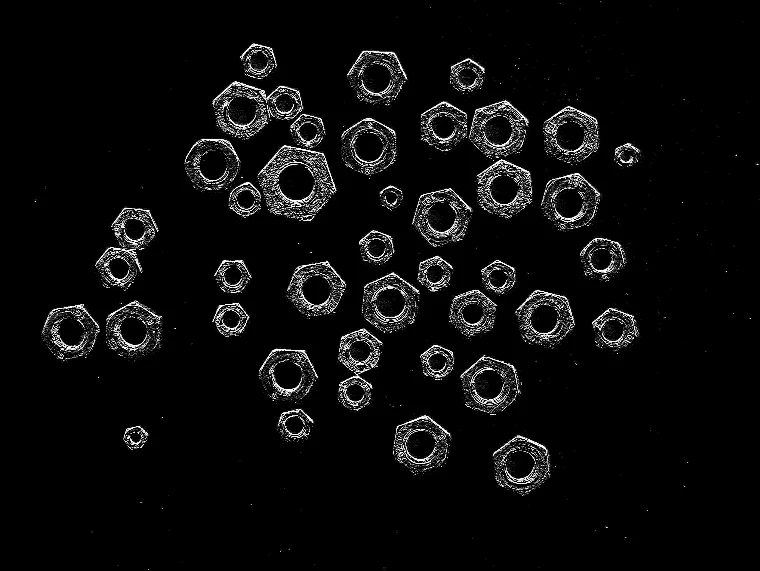
Scharr response with dx=1, dy=0, highlighting vertical intensity transitions
The Code
from telekinesis import pupil
from datatypes import io
import pathlib
from loguru import logger

DATA_DIR = pathlib.Path("path/to/telekinesis-data")

# Load image
filepath = str(DATA_DIR / "images" / "nuts_scattered.jpg")
image = io.load_image(filepath=filepath, as_gray=True)
logger.success(f"Loaded image from {filepath}")

# Apply Scharr filter for edge detection
filtered_image = pupil.filter_image_using_scharr(
    image=image,
    output_format="same as input",
    dx=0,
    dy=1,
    scale=1.0,
    delta=0.0,
    border_type="default",
)

# Access results
filtered_image_np = filtered_image.to_numpy()
logger.success("Applied Scharr filter. Filtered output image shape: {}", filtered_image_np.shape)
The Explanation of the Code
The code begins by importing the necessary modules: pupil for image processing operations, io for data handling, pathlib for path management, and loguru for logging.
from telekinesis import pupil
from datatypes import io
import pathlib
from loguru import logger
Next, an image is loaded from a .jpg file using the io.load_image function. The image is loaded in grayscale mode using as_gray=True, which is appropriate for Scharr edge detection that computes spatial derivatives.
DATA_DIR = pathlib.Path("path/to/telekinesis-data")

# Load the grayscale image
filepath = str(DATA_DIR / "images" / "nuts_scattered.jpg")
image = io.load_image(filepath=filepath, as_gray=True)
The main operation uses the filter_image_using_scharr Skill from the pupil module. This Skill applies the Scharr operator for improved edge detection accuracy with better rotation invariance than Sobel. The parameters can be tuned to control gradient direction, scale, output precision, and border handling depending on the characteristics of the input image.
filtered_image = pupil.filter_image_using_scharr(
    image=image,
    output_format="same as input",
    dx=0,
    dy=1,
    scale=1.0,
    delta=0.0,
    border_type="default",
)
Finally, the filtered image is converted to a NumPy array using to_numpy() for further processing, visualization, or downstream tasks.
filtered_image_np = filtered_image.to_numpy()
logger.success(f"Output image shape: {filtered_image_np.shape}")
This operation is particularly useful in robotics and vision pipelines for edge detection, optical flow, gradient computation, and feature extraction, where high-accuracy gradient estimation with rotation invariance is required.
Running the Example
Runnable examples are available in the Telekinesis examples repository. Follow the README in that repository to set up the environment. Once set up, you can run this specific example with:
cd telekinesis-examples
python examples/pupil_examples.py --example filter_image_using_scharr
How to Tune the Parameters
The filter_image_using_scharr Skill has 6 parameters that control gradient computation and output:
dx (default: 1):
- The order of the derivative in X direction
- Units: Derivative order (0 or 1)
- Use 1 for horizontal gradients, 0 to ignore X direction
- Typical values: 0, 1
- Use cases: 1 for horizontal edges, 0 when computing only Y gradient
dy (default: 0):
- The order of the derivative in Y direction
- Units: Derivative order (0 or 1)
- Use 1 for vertical gradients, 0 to ignore Y direction
- Typical values: 0, 1
- Use cases: 1 for vertical edges, 0 when computing only X gradient
scale (default: 1.0):
- The scale factor for computed gradient values
- Increase to amplify edge responses; Decrease for subtle gradients
- Typical range: 0.1–10.0 (min: 0.1, max: 10.0)
- Use 0.1–1.0 for subtle edges, 1.0–5.0 for normal, 5.0–10.0 for strong amplification
delta (default: 0.0):
- The offset added to the output
- Units: Intensity offset
- Typical range: -128.0 to 128.0 (min: -128.0, max: 128.0)
- Useful for visualization or adjusting dynamic range
output_format (default: "same as input"):
- The output bit depth
- Options: "8bit", "16bitS", "16bitU", "32bit", "64bit"
- Higher depth preserves more precision; use "64bit" for downstream magnitude computation
border_type (default: "default"):
- The border handling mode for pixels near image edges
- Options: "default", "constant", "replicate", "reflect", "wrap"
- Use "default" or "reflect" for most cases
TIP
Best practice: Compute both X and Y gradients separately, then combine them for gradient magnitude: magnitude = sqrt(Gx² + Gy²). This provides complete edge information.
Where to Use the Skill
Filter Using Scharr is commonly used in the following pipelines:
- Precise edge detection - When gradient accuracy is critical
- Optical flow - Accurate spatial gradients for motion estimation
- Feature extraction - High-quality gradients for descriptor computation
- Image registration - Precise gradients for alignment algorithms
- Structure from motion - Accurate edge orientation for 3D reconstruction
Related skills to build such a pipeline:
filter_image_using_gaussian_blur: Pre-smooth for noise reductionfilter_image_using_sobel: Faster alternative when accuracy is less critical
Alternative Skills
| Skill | vs. Filter Using Scharr |
|---|---|
| filter_image_using_sobel | Sobel is faster but less accurate. Use Scharr when gradient precision matters, Sobel for standard edge detection. |
| filter_image_using_laplacian | Laplacian computes second derivatives. Use Laplacian for omnidirectional edges, Scharr for precise directional gradients. |
When Not to Use the Skill
Do not use Filter Using Scharr when:
- Speed is more important than accuracy (Use Sobel for faster computation)
- You need omnidirectional edge detection (Use Laplacian instead)
- You're working with very large images in real-time (Consider Sobel for better performance)
- You need second-order derivatives (Use Laplacian for second derivatives)