

Segment Image Using Foreground BiRefNet
SUMMARY
Segment Image Using Foreground BiRefNet segments the foreground using BiRefNet.
BiRefNet is a deep learning model specifically designed for foreground/background segmentation. It uses a bidirectional reference mechanism to improve segmentation accuracy, particularly for complex scenes with multiple objects.
Use this Skill when you want to segment foreground objects using BiRefNet's advanced deep learning model.
The Skill
from telekinesis import cornea

result = cornea.segment_image_using_foreground_birefnet(
    image=image,
    mask_threshold=128,
)Example
Input Image 3
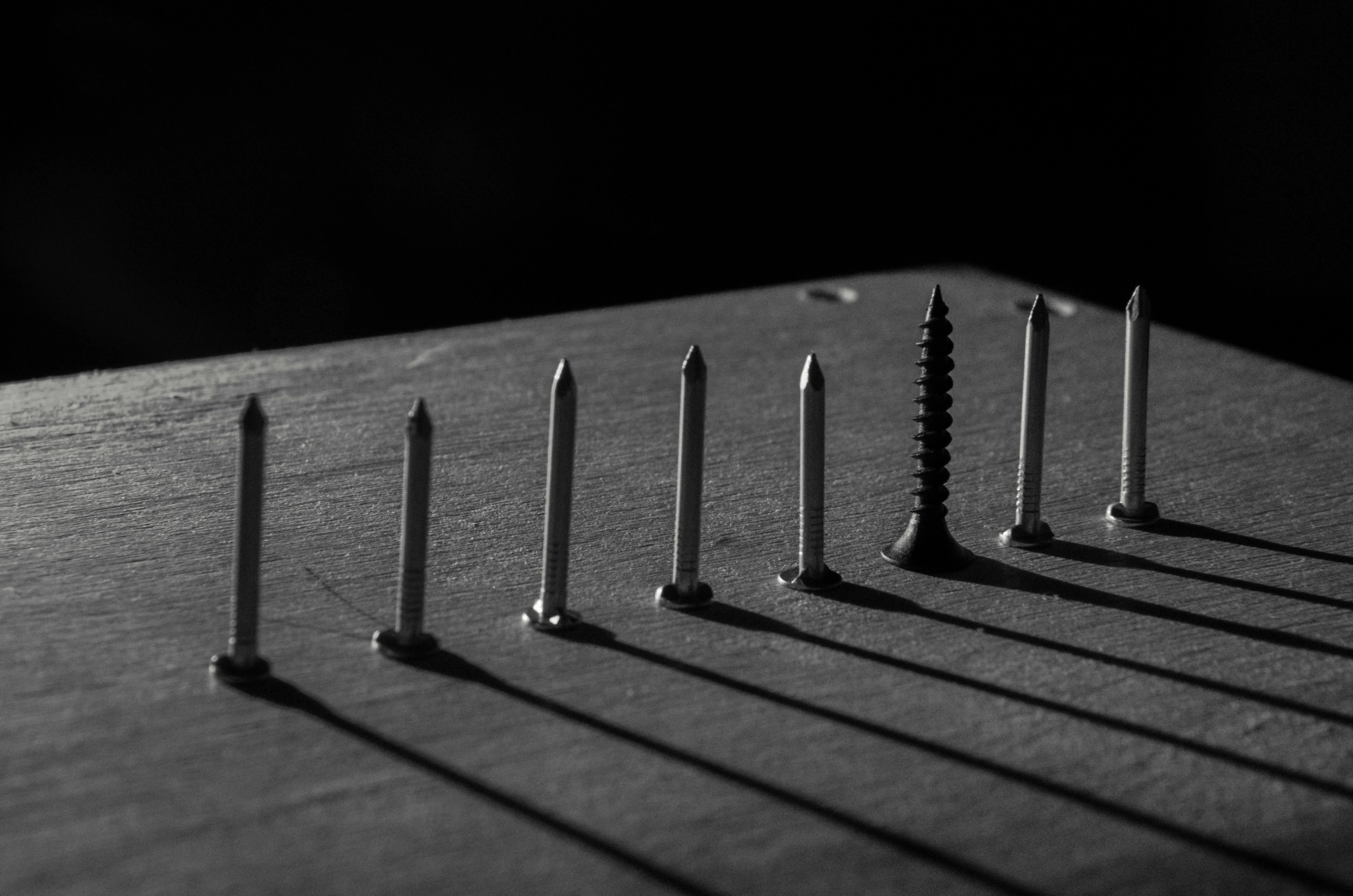
Original image 3 for BiRefNet segmentation
Output Image 3
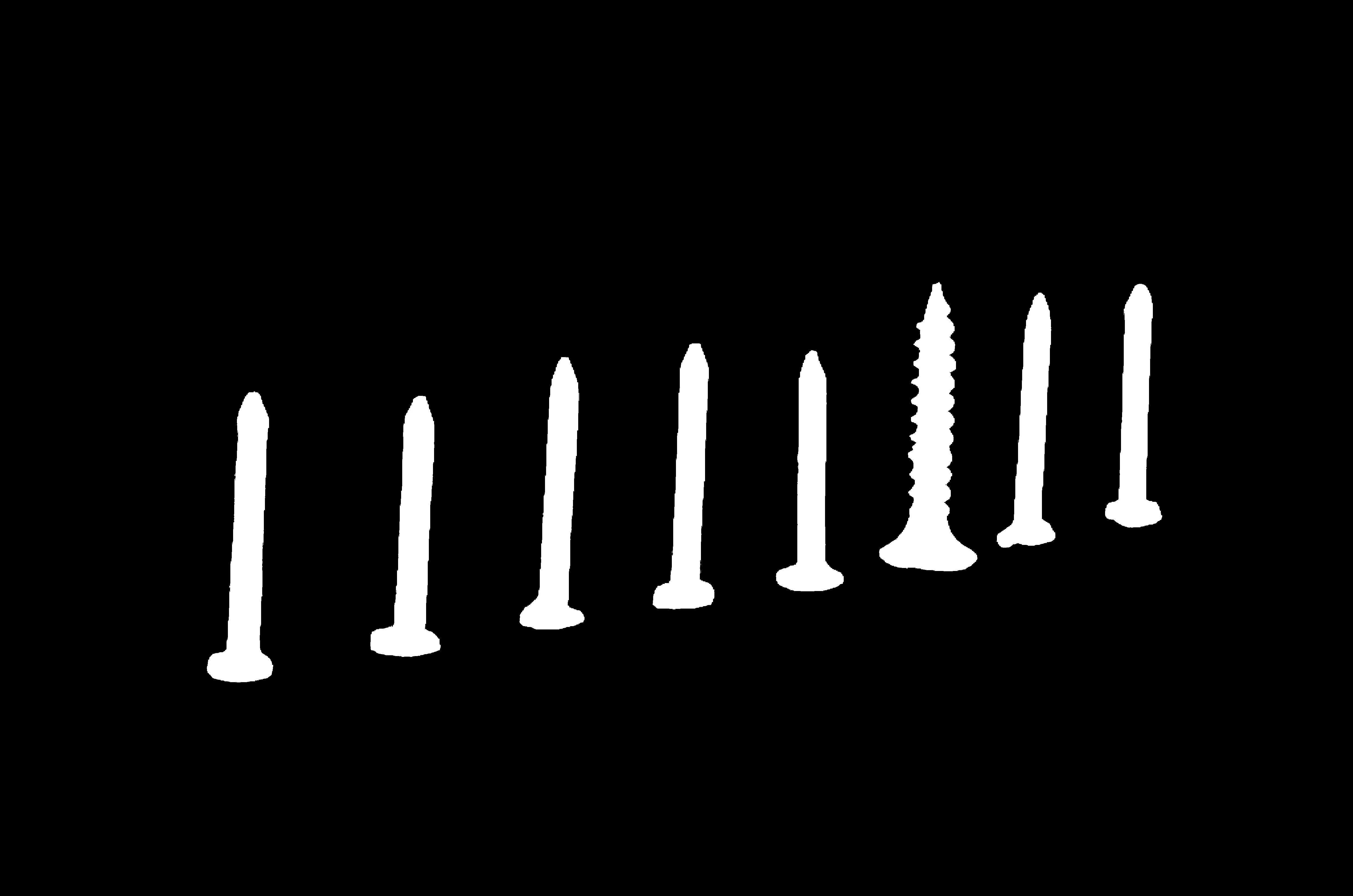
Foreground segmentation result 3 using BiRefNet
Input Image 1

Original image 1 for BiRefNet segmentation
Output Image 1

Foreground segmentation result 1 using BiRefNet
Input Image 2
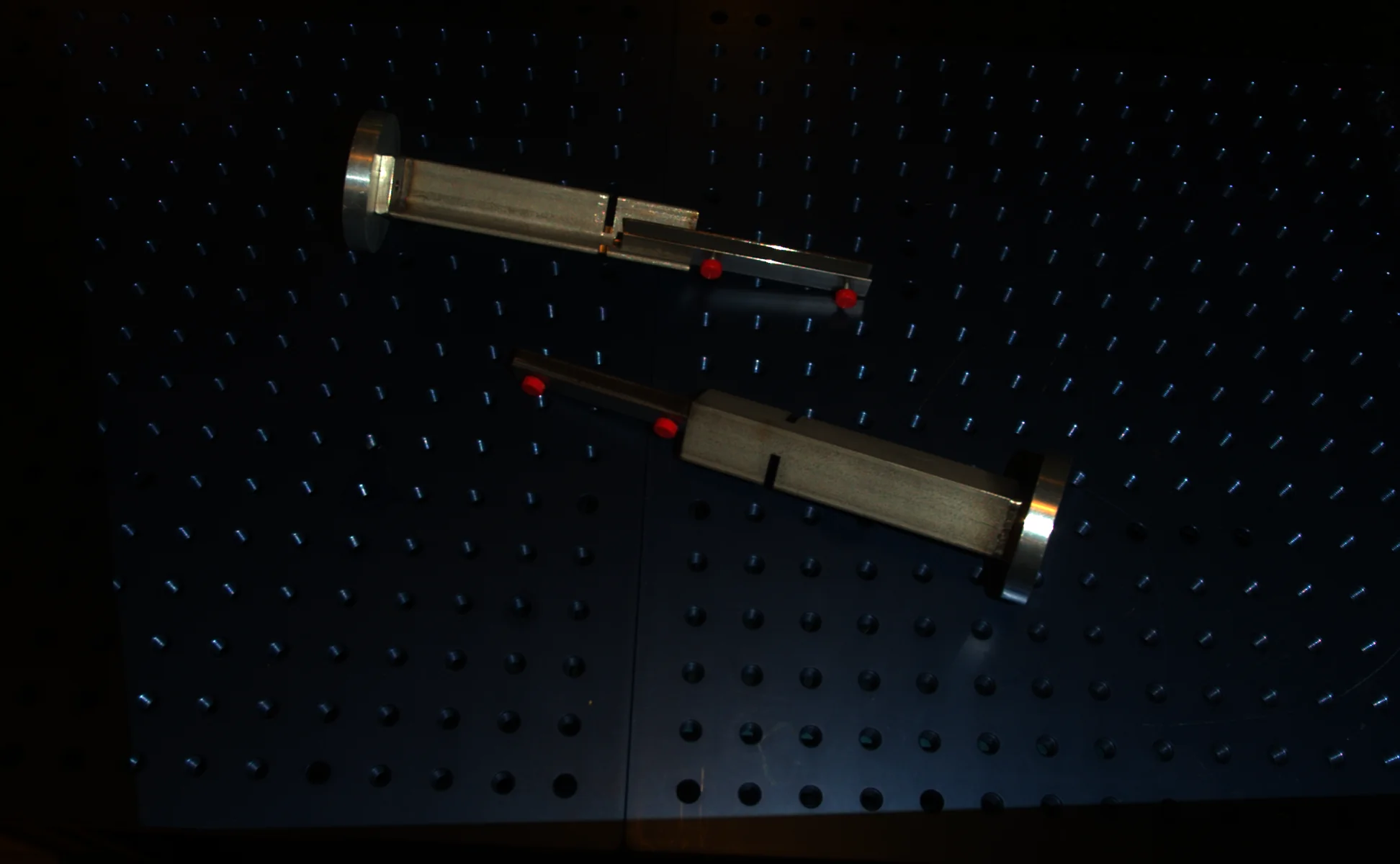
Original image 2 for BiRefNet segmentation
Output Image 2
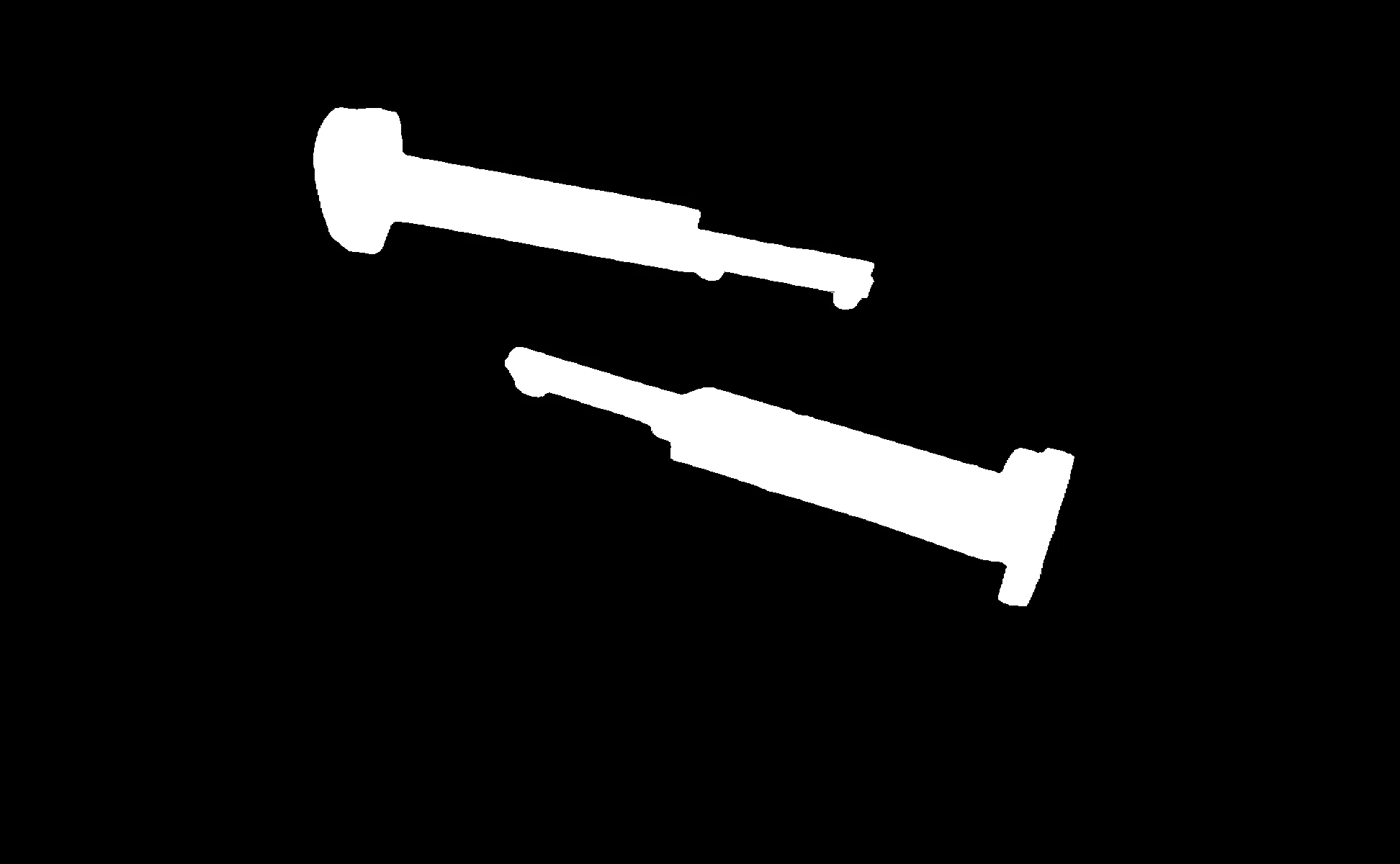
Foreground segmentation result 2 using BiRefNet
The Code
import pathlib

from telekinesis import cornea
from datatypes import io

DATA_DIR = pathlib.Path("path/to/telekinesis-data")

# Load image
filepath = str(DATA_DIR / "images" / "screws_standing.jpg")
image = io.load_image(filepath=filepath)

# Segment Image Using BiRefNet
result = cornea.segment_image_using_foreground_birefnet(
    image=image,
    mask_threshold=0,
)

# Access results
annotation = result.to_dict()
logger.success("Segmentation completed.")
The Explanation of the Code
BiRefNet segmentation uses a deep learning model with bidirectional reference to segment foreground objects. The model is pretrained and available from Hugging Face.
The code begins by importing the required modules and loading an image:
import pathlib

from telekinesis import cornea
from datatypes import io

DATA_DIR = pathlib.Path("path/to/telekinesis-data")
filepath = str(DATA_DIR / "images" / "screws_standing.jpg")
image = io.load_image(filepath=filepath)
The BiRefNet parameters are configured:
input_heightandinput_widthcontrol the input image size for the modelthresholdcontrols the pixel value threshold for binarization
result = cornea.segment_image_using_foreground_birefnet(
    image=image,
    mask_threshold=0,
)
The function returns a dictionary containing an PanopticSegmentationAnnotation object in COCO panoptic format. Extract the mask as follows:
# Access results
annotation = result.to_dict()
logger.success("Segmentation completed.")
Running the Example
Runnable examples are available in the Telekinesis examples repository. Follow the README in that repository to set up the environment. Once set up, you can run this specific example with:
cd telekinesis-examples
python examples/cornea_examples.py --example segment_image_using_foreground_birefnet
How to Tune the Parameters
The segment_image_using_foreground_birefnet Skill has 1 tunable parameter:
mask_threshold (default: 0):
- Pixel value threshold
- Units: Pixel intensity (0-255)
- Increase to require higher confidence
- Decrease to include lower confidence pixels
- Typical range: 0-127
TIP
Best practice: Use default model from Hugging Face. Adjust input size based on image resolution and speed requirements. Increase threshold if results are too noisy.
Where to Use the Skill
Segment Image Using Foreground BiRefNet is commonly used in the following pipelines:
- Foreground extraction - Separating objects from background
- Background removal - Removing backgrounds from images
- Object isolation - Isolating objects for further processing
- Photo editing - Automatic background removal
Alternative Skills
| Skill | vs. Segment Image Using Foreground BiRefNet |
|---|---|
| segment_image_using_sam | SAM is interactive. Use BiRefNet for automatic foreground, SAM for interactive segmentation. |
When Not to Use the Skill
Do not use Segment Image Using Foreground BiRefNet when:
- You need instance segmentation (Use other methods)
- Speed is critical (BiRefNet requires GPU and can be slow)
TIP
BiRefNet is specifically optimized for foreground/background segmentation and often produces better results than general-purpose models for this task.