

Filter Point Cloud Using Mask
SUMMARY
Filter Point Cloud Using Mask selects a subset of points from a point cloud based on a boolean mask, keeping only the points where the mask is True.
This Skill is useful in industrial, mobile, and humanoid robotics pipelines for selectively focusing on relevant regions. For example, in industrial robotics it can isolate a target object on a cluttered table, in mobile robotics it can filter out ground or background points, and in humanoid robotics it can focus on detected parts for manipulation tasks. By applying a mask, robots can reduce computation and improve accuracy of downstream perception, clustering, or pose estimation.
Use this Skill when you want to apply custom filters to a point cloud based on external criteria, detections, or prior processing steps.
The Skill
from telekinesis import vitreous
import numpy as np

# Create or load a 2D binary mask
mask = np.array([[True, False, True], [False, True, False]])  # Example mask

filtered_point_cloud = vitreous.filter_point_cloud_using_mask(
    point_cloud=point_cloud,
    mask=mask,
)Performance Note
Current Data Limits: The system currently supports up to 1 million points per request (approximately 16MB of data). We're actively optimizing data transfer performance as part of our beta program, with improvements rolling out regularly to enhance processing speed.
Example
Raw Sensor Input
Unprocessed point cloud captured directly from the sensor.
Boolean Mask
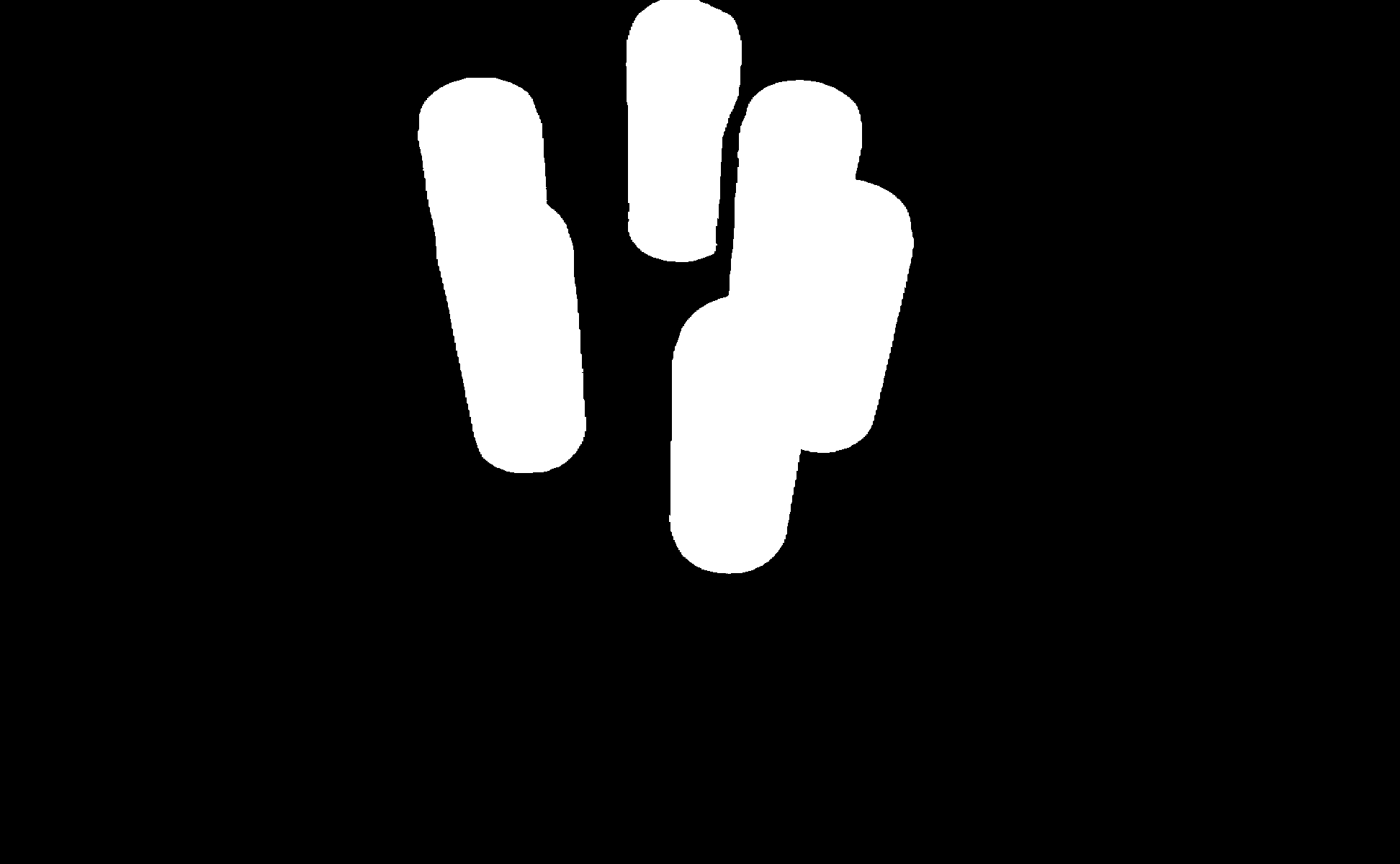
Boolean Mask for selecting a subset of points, i.e. the cans.
Masked Output
Masked point cloud showing only the points selected by the boolean mask. The remaining thin lines can be removed in a post-processing step, for example using statistical outlier removal.
The Code
from telekinesis import vitreous
from datatypes import datatypes, io
import pathlib
import cv2

# Optional for logging
from loguru import logger

DATA_DIR = pathlib.Path("path/to/telekinesis-data")

# Load point cloud and mask
filepath1 = str(DATA_DIR / "point_clouds" / "can_vertical_6_raw.ply")

point_cloud = io.load_point_cloud(filepath=filepath1,
                    remove_duplicated_points=False,
                    remove_infinite_points=False,
                    remove_nan_points=False)

filepath2 = str(DATA_DIR / "images" / "can_vertical_6_mask.png")
mask = cv2.imread(filepath2, cv2.IMREAD_GRAYSCALE)

logger.success("Loaded point cloud and mask")

# Execute operation
filtered_point_cloud = vitreous.filter_point_cloud_using_mask(
  point_cloud=point_cloud,
  mask=mask,
)
logger.success("Filtered points using mask")
The Explanation of the Code
The example starts by importing the necessary modules: vitreous for point cloud operations, datatypes and io for data handling, pathlib for managing file paths, cv2 for image loading, and loguru for optional logging.
from telekinesis import vitreous
from datatypes import datatypes, io
import pathlib
import cv2

# Optional for logging
from loguru import logger
Next, a 3D point cloud and a corresponding 2D mask image are loaded. The mask typically represents a region of interest in the image, such as a segmented object. The point cloud is loaded without removing duplicates, infinite values, or NaNs to preserve the original data for processing.
DATA_DIR = pathlib.Path("path/to/telekinesis-data")

# Load point cloud and mask
filepath1 = str(DATA_DIR / "point_clouds" / "can_vertical_6_raw.ply")

point_cloud = io.load_point_cloud(filepath=filepath1,
                    remove_duplicated_points=False,
                    remove_infinite_points=False,
                    remove_nan_points=False)

filepath2 = str(DATA_DIR / "images" / "can_vertical_6_mask.png")
mask = cv2.imread(filepath2, cv2.IMREAD_GRAYSCALE)

logger.success("Loaded point cloud and mask")
Finally, the filter_point_cloud_using_mask Skill is applied. This operation maps the 2D mask onto the 3D point cloud and filters out points that fall outside the masked region. This is particularly useful in robotics and perception pipelines where you want to isolate specific objects for detection, pose estimation, or further processing, reducing noise and irrelevant data from the scene.
# Execute operation
filtered_point_cloud = vitreous.filter_point_cloud_using_mask(
  point_cloud=point_cloud,
  mask=mask,
)
logger.success("Filtered points using mask")
Running the Example
Runnable examples are available in the Telekinesis examples repository. Follow the README in that repository to set up the environment. Once set up, you can run this specific example with:
cd telekinesis-examples
python examples/vitreous_examples.py --example filter_point_cloud_using_mask
How to Tune the Parameters
The filter_point_cloud_using_mask Skill has one parameter that controls the filtering:
mask (required):
- The 2D binary mask array (Image, ndarray, or list)
- Must be a 2D array with boolean or numeric values (True/1 for keep, False/0 for remove)
- The mask dimensions should match the organized point cloud's image dimensions
- True/1 values: Keep corresponding points
- False/0 values: Remove corresponding points
- Can be created from image segmentation, object detection, or manual annotation
TIP
Best practice: Ensure the mask dimensions match the organized point cloud's image dimensions. The point cloud must be structured/organized (not unorganized) for the mask to work correctly. Use image processing libraries (e.g., OpenCV) to create masks from images.
Where to Use the Skill in a Pipeline
Mask filtering is commonly used in the following pipelines:
- Object segmentation from images
- Region-of-interest extraction
- Multi-object isolation
- Custom filtering based on detections
A typical pipeline for object segmentation looks as follows:
# Example pipeline using mask filtering (parameters omitted).

from telekinesis import vitreous
import cv2
import numpy as np

# 1. Load point cloud (must be organized/structured)
point_cloud = vitreous.load_point_cloud(
    ...,
    remove_duplicated_points=False,
    remove_infinite_points=False,
    remove_nan_points=False,
)

# 2. Load or create mask from image
# Option A: Load mask from file
mask = cv2.imread("mask.png", cv2.IMREAD_GRAYSCALE)
mask = mask > 128  # Convert to boolean

# Option B: Create mask from segmentation
# mask = segment_image(...)

# 3. Filter point cloud using mask
filtered_point_cloud = vitreous.filter_point_cloud_using_mask(
    point_cloud=point_cloud,
    mask=mask,
)

# 4. Optional: Post-process to remove remaining artifacts
cleaned_cloud = vitreous.filter_point_cloud_using_statistical_outlier_removal(
    point_cloud=filtered_point_cloud,
    num_neighbors=20,
    standard_deviation_ratio=2.0,
)

# 5. Process the filtered point cloud
clusters = vitreous.cluster_point_cloud_using_dbscan(...)
Related skills to build such a pipeline:
filter_point_cloud_using_statistical_outlier_removal: clean filtered point cloudcluster_point_cloud_using_dbscan: process masked point cloudssegment_point_cloud_using_color: alternative color-based segmentation
Alternative Skills
| Skill | vs. Filter Point Cloud Using Mask |
|---|---|
| segment_point_cloud_using_color | Use color segmentation when you want to segment based on color. Use mask filtering when you have a pre-computed 2D mask from image processing or detection. |
| filter_point_cloud_using_bounding_box | Use bounding box when you want to filter based on 3D spatial bounds. Use mask filtering when you have a 2D image mask. |
When Not to Use the Skill
Do not use filter point cloud using mask when:
- The point cloud is unorganized/unstructured (this Skill requires an organized/structured point cloud where points correspond to image pixels)
- You need to filter based on 3D spatial criteria (use bounding box, passthrough filter, or plane-based filters instead)
- You want to segment based on color (use
segment_point_cloud_using_colorinstead) - The mask dimensions don't match the point cloud (ensure the mask size matches the organized point cloud's image dimensions)
- You need to filter based on geometric properties (use other filtering methods like radius outlier removal, statistical outlier removal, etc.)