

Filter Image Using Gabor
SUMMARY
Filter Image Using Gabor applies Gabor filter for texture analysis and feature detection.
Gabor filters are useful for detecting oriented features and textures at specific scales and orientations. These filters combine a Gaussian envelope with a sinusoidal wave, making them excellent for texture segmentation, pattern recognition, and feature extraction. They're particularly effective in applications like fingerprint analysis, fabric inspection, and biomedical image analysis.
Use this Skill when you want to detect oriented textures and features at specific scales and orientations.
The Skill
from telekinesis import pupil

filtered_image = pupil.filter_image_using_gabor(
    image=image,
    kernel_size=21,
    standard_deviation=5.0,
    orientation=0.0,
    wavelength=10.0,
    aspect_ratio=0.5,
    phase_offset=0.0,
)Example
Input Image
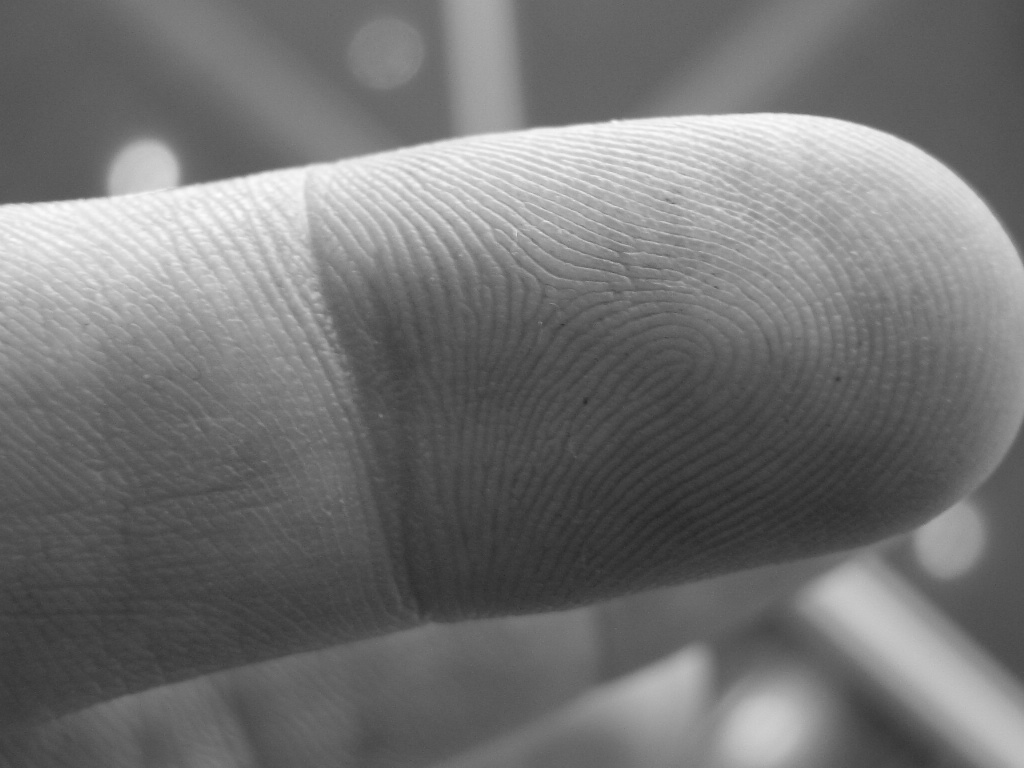
Original grayscale image with textures
Output Image
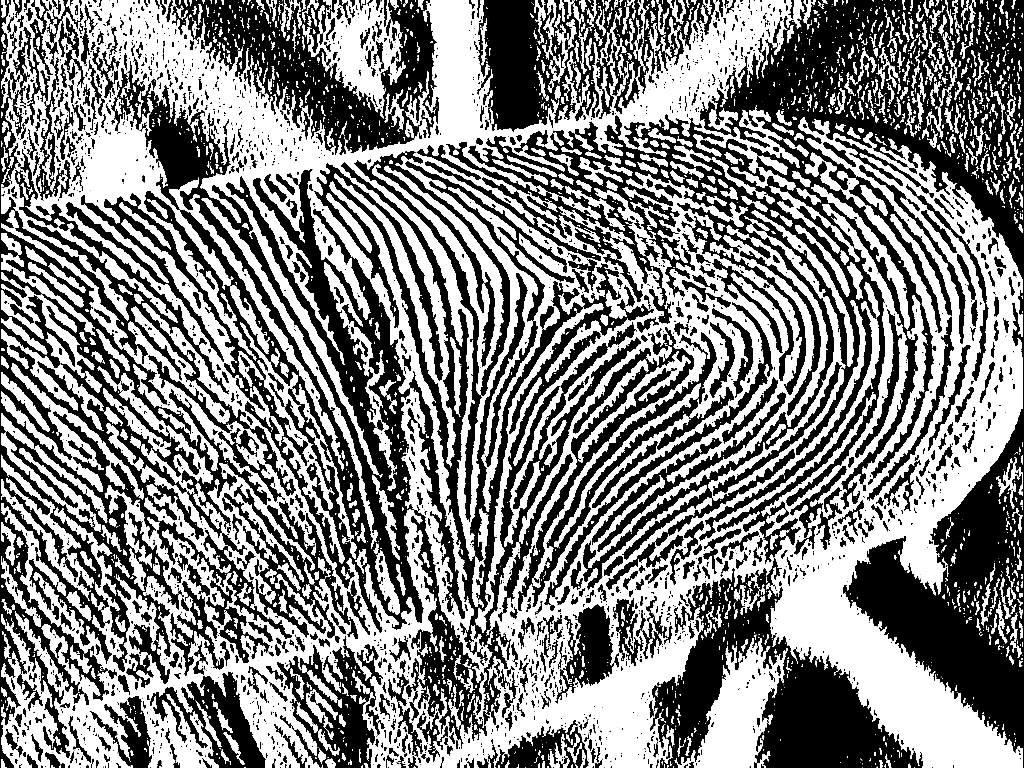
Filtered image with kernel_size=21, wavelength=10.0, orientation=0.0 - specific texture features highlighted
The Code
from telekinesis import pupil
from datatypes import io, datatypes

import pathlib
from loguru import logger

DATA_DIR = pathlib.Path("path/to/telekinesis-data")

# Load the grayscale image
filepath = str(DATA_DIR / "images" / "finger_print.jpg")
image = io.load_image(filepath=filepath, as_gray=True)

# Apply Gabor filter
filtered_image = pupil.filter_image_using_gabor(
    image=image,
    kernel_size=21,
    standard_deviation=5.0,
    orientation=0.0,
    wavelength=10.0,
    aspect_ratio=0.5,
    phase_offset=0.0,
)
logger.success(f"Applied Gabor filter with filtered image shape as {filtered_image.to_numpy().shape}")
The Explanation of the Code
The Gabor filter is designed to highlight image structures that have a specific orientation and spatial frequency. It works by convolving the image with a kernel formed by a sinusoidal wave modulated by a Gaussian envelope. This makes the filter highly selective to textures and patterns aligned with the chosen orientation and wavelength.
The code starts by importing the required modules. These provide access to the Pupil SDK for filtering operations, image loading utilities, and optional logging.
from telekinesis import pupil
from datatypes import io, datatypes

import pathlib
from loguru import logger
A data directory is defined, and the input image is loaded as a grayscale image. Gabor filtering operates on single-channel intensity images, as the filter response is based on local frequency and orientation rather than color information.
DATA_DIR = pathlib.Path("path/to/telekinesis-data")

# Load the grayscale image
filepath = str(DATA_DIR / "images" / "finger_print.jpg")
image = io.load_image(filepath=filepath, as_gray=True)
Next, the parameters controlling the Gabor kernel are configured. Gabor filters combine a Gaussian envelope with a sinusoidal wave, making them ideal for detecting oriented textures and patterns at specific frequencies and orientations.
kernel_size parameter defines the spatial extent of the filter and determines how large a neighborhood is considered during convolution. Larger kernels capture broader patterns but require more computation.
standard_deviation controls the width of the Gaussian envelope and influences how localized the filter response is. Smaller values create more focused responses, while larger values provide smoother, more averaged outputs.
orientation specifies the angle (in degrees) of the sinusoidal component and determines which directional features are emphasized. The filter responds strongest to patterns aligned with this orientation.
wavelength defines the spatial frequency of the sinusoid and controls the scale of texture being detected. Shorter wavelengths detect fine details, while longer wavelengths capture coarser patterns.
aspect_ratio adjusts the elongation of the kernel, allowing the filter to be more sensitive to linear structures. Values less than 1.0 create elongated kernels that are more selective for linear features.
phase_offset shifts the sinusoidal wave and can be used to detect different symmetry properties of textures, affecting sensitivity to specific phase relationships in the pattern.
The Gabor filter is then applied using the filter_image_using_gabor Skill. The original image remains unchanged, and a new filtered image is produced that emphasizes features matching the specified orientation and wavelength.
filtered_image = pupil.filter_image_using_gabor(
    image=image,
    kernel_size=21,
    standard_deviation=5.0,
    orientation=0.0,
    wavelength=10.0,
    aspect_ratio=0.5,
    phase_offset=0.0,
)
logger.success(f"Applied Gabor filter with filtered image shape as {filtered_image.to_numpy().shape}")
The resulting output highlights texture elements aligned with the selected direction and frequency while suppressing unrelated structures. This makes Gabor filtering particularly useful for tasks such as ridge detection in fingerprints, texture-based segmentation, and feature extraction in patterned images.
Running the Example
Runnable examples are available in the Telekinesis examples repository. Follow the README in that repository to set up the environment. Once set up, you can run this specific example with:
cd telekinesis-examples
python examples/pupil_examples.py --example filter_image_using_gabor
How to Tune the Parameters
The filter_image_using_gabor Skill has 6 parameters:
kernel_size (default: 21):
- The size of the Gabor kernel. Must be odd.
- Increase to capture larger features
- Typical range: 5-51
- Use 5-15 for fine textures, 15-31 for medium, 31-51 for coarse textures
standard_deviation (default: 5.0):
- The standard deviation of the Gaussian envelope
- Increase to create a wider filter
- Typical range: 1.0-20.0
orientation (default: 0.0):
- The orientation of the filter in degrees
- 0° is horizontal, 90° is vertical
- Typical range: 0.0-180.0
- Use multiple orientations for complete texture analysis
wavelength (default: 10.0):
- The wavelength of the sinusoidal component
- Decrease to detect finer features
- Typical range: 2.0-50.0
aspect_ratio (default: 0.5):
- The aspect ratio of the filter (width/height)
- 1.0 is circular, <1.0 is elongated
- Typical range: 0.1-1.0
phase_offset (default: 0.0):
- The phase offset of the sinusoidal component in degrees
- Typical range: 0.0-360.0
TIP
Best practice: For comprehensive texture analysis, apply Gabor filters at multiple orientations (e.g., 0°, 45°, 90°, 135°) and multiple scales (different wavelengths) to capture all texture features.
Where to Use the Skill in a Pipeline
Filter Using Gabor is commonly used in the following pipelines:
- Texture segmentation - Separate regions based on texture
- Fingerprint recognition - Detect ridge orientations
- Fabric inspection - Identify weave patterns and defects
- Biomedical imaging - Analyze tissue textures
- Face recognition - Extract texture features for identification
A typical pipeline for texture-based segmentation looks as follows:
# Example pipeline using Gabor (parameters omitted).

from telekinesis import pupil
from datatypes import io

# 1. Load the image
image = io.load_image(filepath=...)

# 2. Apply Gabor filters at multiple orientations
features = []
for angle in [0, 45, 90, 135]:
    response = pupil.filter_image_using_gabor(image=image, orientation=angle, ...)
    features.append(response)

# 3. Combine responses for texture description
texture_map = ...

# 4. Segment based on texture features
segmented = ...
Related skills to build such a pipeline:
load_image: Load imagesfilter_image_using_gaussian_blur: Pre-smooth for noise reductionfilter_image_morphological_close: Post-process segmentation results
Alternative Skills
| Skill | vs. Filter Using Gabor |
|---|---|
| filter_image_using_sobel | Sobel detects edges, Gabor detects oriented textures. Use Sobel for simple edges, Gabor for texture analysis. |
| filter_image_using_gaussian_blur | Gaussian smooths, Gabor detects. Use Gaussian for preprocessing, Gabor for feature extraction. |
When Not to Use the Skill
Do not use Filter Using Gabor when:
- You only need simple edge detection (Use Sobel or Canny instead)
- You don't have oriented textures (Gabor is overkill for random textures)
- You need very fast processing (Gabor is computationally expensive)
- You're working with non-textured images (Use simpler edge detectors)
WARNING
Gabor filtering is computationally intensive. For real-time applications or large images, consider using a limited set of orientations and scales, or process at reduced resolution.