

Enhance Image Using CLAHE
SUMMARY
Enhance Image Using CLAHE applies Contrast Limited Adaptive Histogram Equalization for local contrast enhancement.
CLAHE enhances local contrast by applying histogram equalization on small image regions while limiting contrast amplification to prevent noise over-enhancement. This makes it particularly effective for images with uneven illumination or low local contrast.
Use this Skill when you want to enhance local contrast while controlling noise amplification.
The Skill
from telekinesis import pupil

enhanced_image = pupil.enhance_image_using_clahe(
    image=image,
    clip_limit=10.0,
    tile_grid_size=4,
    color_space="lab",
)Example
Input Image
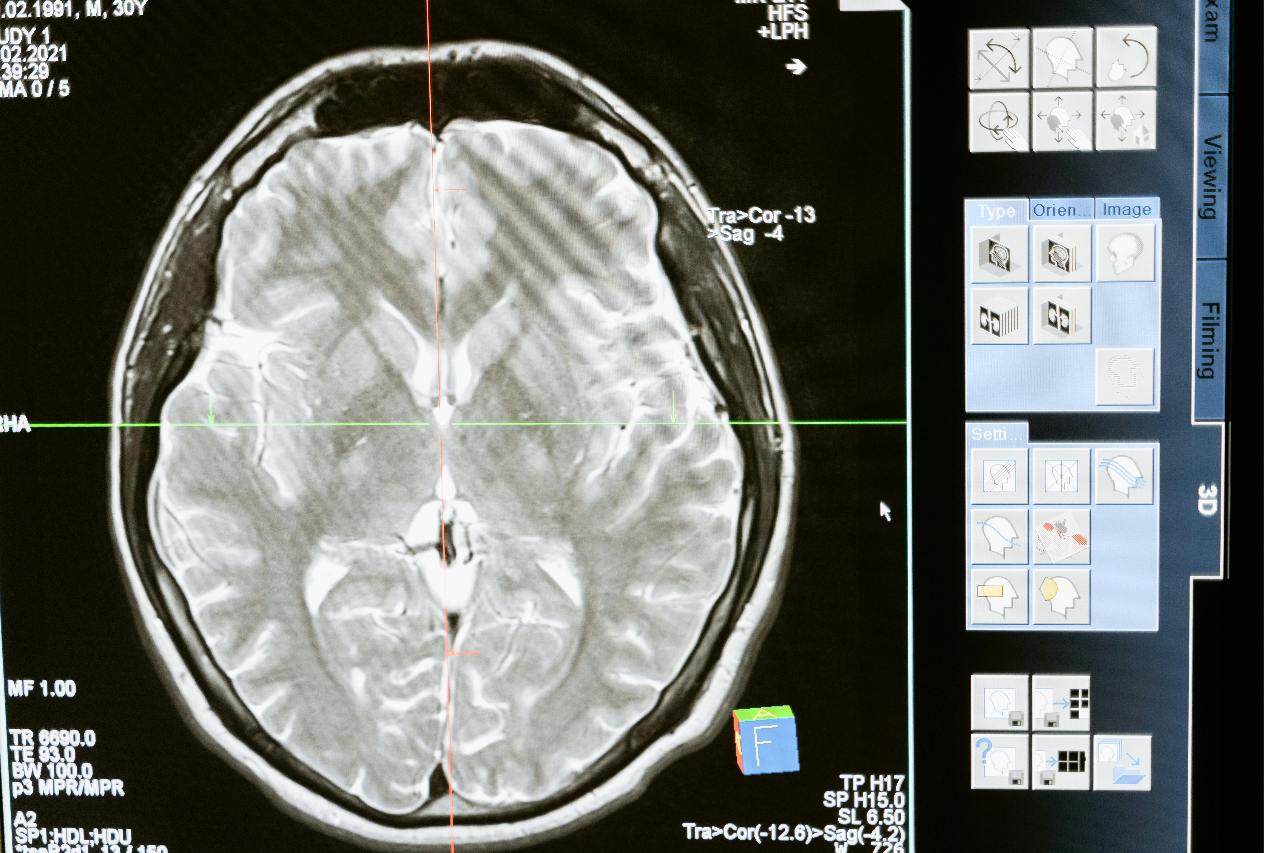
Original low-contrast image
Output Image
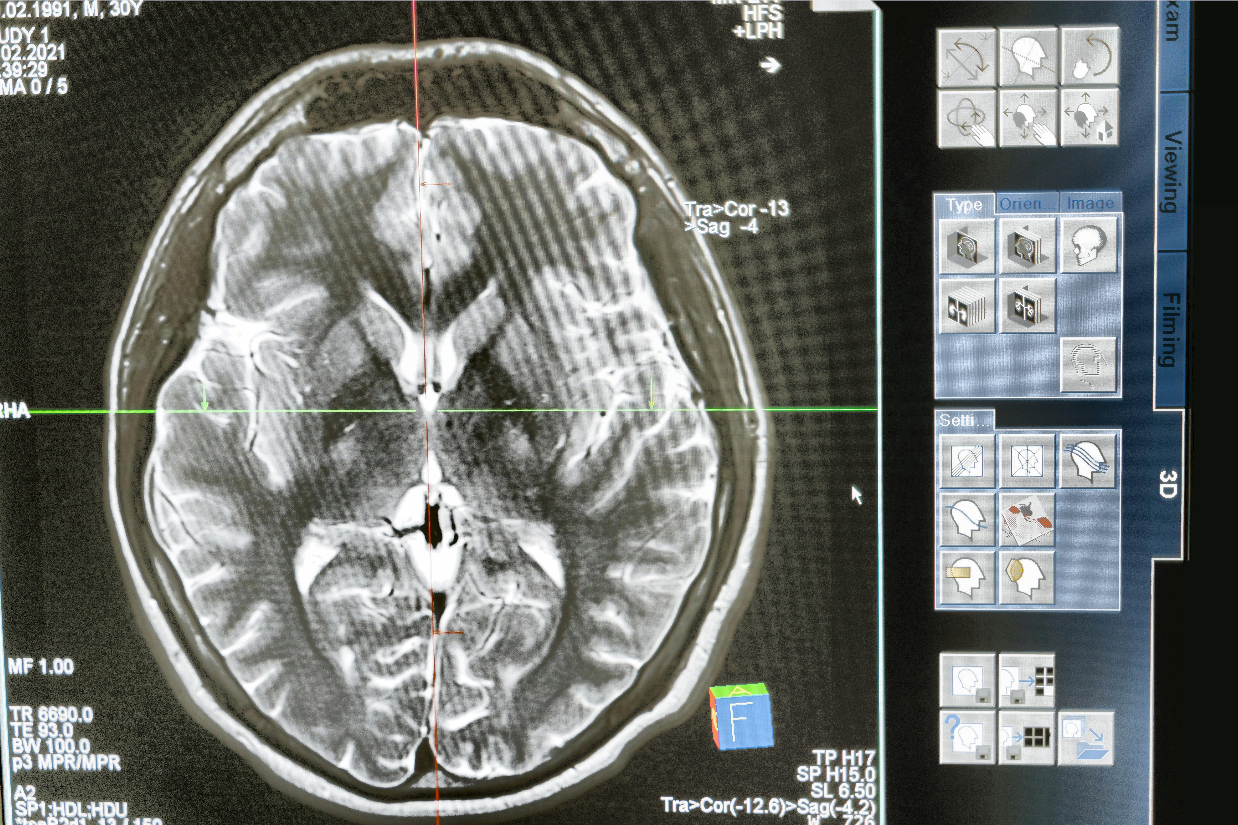
Enhanced with CLAHE - improved local contrast
The Code
from telekinesis import pupil
from datatypes import io
import pathlib

# Optional for logging
from loguru import logger

# Load image
DATA_DIR = pathlib.Path("path/to/telekinesis-data")
filepath = str(DATA_DIR / "images" / "brain_scan.jpg")
image = io.load_image(filepath = filepath)
logger.success(f"Loaded image with shape {image.to_numpy().shape}")

# Apply CLAHE enhancement
enhanced_image = pupil.enhance_image_using_clahe(
    image=image,
    clip_limit=10.0,
    tile_grid_size=4,
    color_space="lab",
)
logger.success(f"Applied CLAHE with enhanced image shape as {enhanced_image.to_numpy().shape}")
The Explanation of the Code
This example demonstrates how to use the enhance_image_using_clahe Skill to improve local contrast in images with uneven illumination or low contrast.
The code begins by importing the required Telekinesis modules, utilities for loading image data, and optional logging support.
from telekinesis import pupil
from datatypes import io
import pathlib

# Optional for logging
from loguru import logger
A data directory is defined, and an input image is loaded from disk using io.load_image. The image dimensions are logged to verify successful loading.
# Load image
DATA_DIR = pathlib.Path("path/to/telekinesis-data")
filepath = str(DATA_DIR / "images" / "brain_scan.jpg")
image = io.load_image(filepath= filepath)
CLAHE parameters are then defined:
clip_limitcontrols the maximum contrast amplificationtile_grid_sizedefines the size of local regions used for equalizationcolor_spacespecifies the color space in which CLAHE is applied (commonly lab to avoid color distortion)
The enhance_image_using_clahe Skill applies histogram equalization independently to each tile while limiting contrast amplification to suppress noise. The original image remains unchanged, and a new contrast-enhanced image is returned.
enhanced_image = pupil.enhance_image_using_clahe(
    image=image,
    clip_limit=10.0,
    tile_grid_size=4,
    color_space="lab",
)
logger.success(f"Applied CLAHE with enhanced image shape as {enhanced_image.to_numpy().shape}")
Running the Example
Runnable examples are available in the Telekinesis examples repository. Follow the README in that repository to set up the environment. Once set up, you can run this specific example with:
cd telekinesis-examples
python examples/pupil_examples.py --example enhance_image_using_clahe
How to Tune the Parameters
clip_limit (default: 10.0):
- Controls contrast limiting
- Higher values = stronger enhancement but more noise
tile_grid_size (default: 4):
- Size of tiles for local equalization
color_space (default: "lab"):
- Color space to apply CLAHE
TIP
Best practice: CLAHE is excellent for enhancing images with varying illumination. Start with clip_limit=10.0 and tile_grid_size=4. Increase contrast gradually to avoid noise amplification.
Where to Use the Skill in a Pipeline
- Medical imaging - Enhance X-rays, CT scans
- Low-light enhancement - Improve visibility in dark images
- Detail enhancement - Bring out hidden details
- Preprocessing - Enhance before feature extraction
When Not to Use the Skill
- Uniform illumination (Standard histogram equalization may suffice)
- Already high contrast (May over-enhance)