

Filter Image Using Morphological Thinning Filter
SUMMARY
Filter Image Using Morphological Thinning Filter applies skeletonization (thinning) to binary images.
Thinning reduces binary objects to their skeletons, useful for shape analysis and feature extraction. This operation iteratively removes pixels from object boundaries while preserving connectivity and topology, reducing objects to single-pixel-wide representations. It's particularly valuable for analyzing shapes, measuring lengths, and detecting branch points in binary structures.
Use this Skill when you want to reduce binary objects to their skeletal structure while preserving topology.
The Skill
from telekinesis import pupil

skeleton = pupil.transform_mask_using_blob_thinning(
    image=image,
    thinning_type=datatypes.String("thinning_zhangsuen"),
)Example
Input Image 1

Original binary image with handwriting
Output Image 1
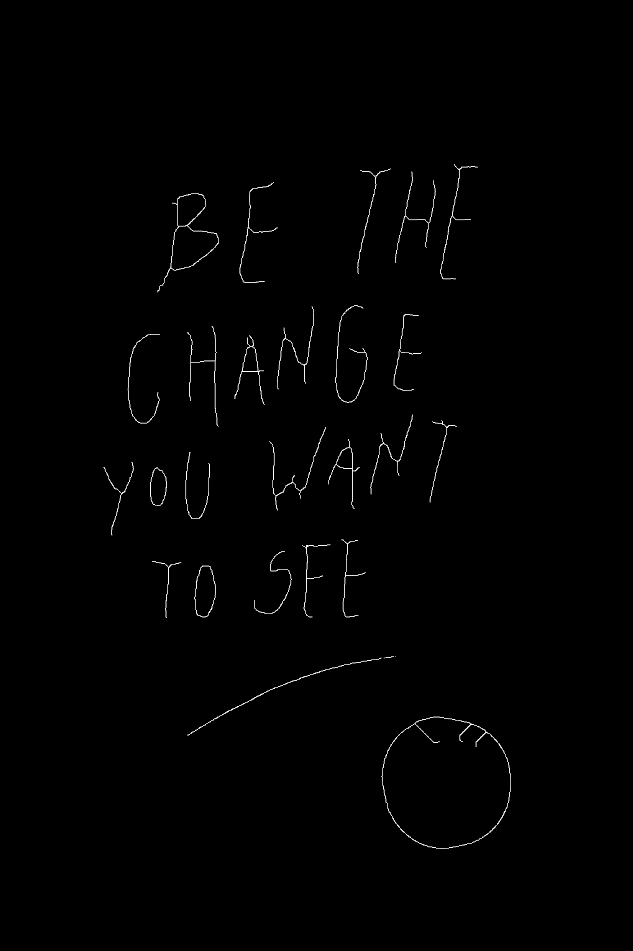
Thinned skeleton image - objects reduced to single-pixel width
Input Image 2
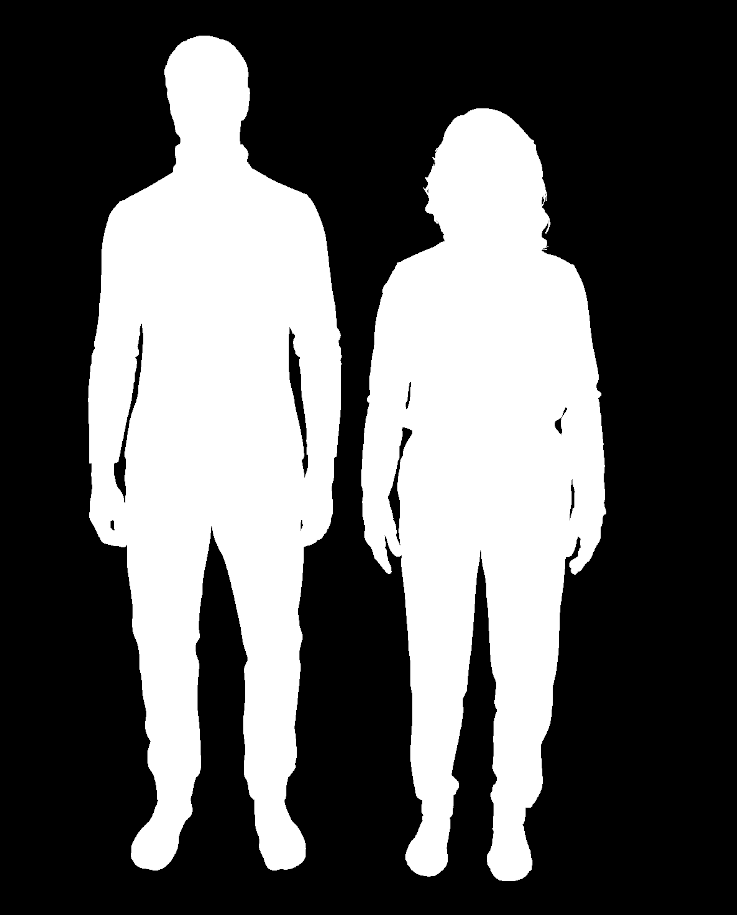
Original binary image with thick human shapes
Output Image 2
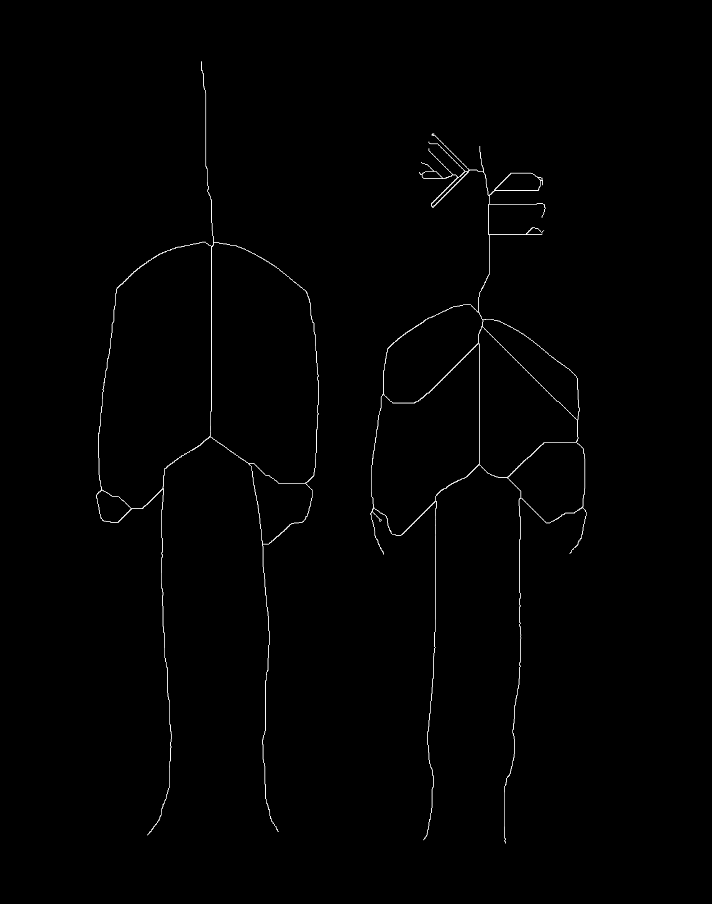
Thinned skeleton image - objects reduced to single-pixel width
The Code
from telekinesis import pupil
from datatypes import io
import pathlib
from loguru import logger

DATA_DIR = pathlib.Path("path/to/telekinesis-data")

# Load the binary mask
filepath = str(DATA_DIR / "images" / "handwriting_mask.png")
image = io.load_image(filepath=filepath, as_binary=True)

# Apply thinning
skeleton = pupil.transform_mask_using_blob_thinning(
    image=image,
    thinning_type="thinning_zhangsuen",
)
logger.success(f"Applied thinning with skeleton shape as {skeleton.to_numpy().shape}")
The Explanation of the Code
The blob thinning implementation follows a standard image processing workflow with proper parameter configuration. Thinning creates a skeleton representation of binary objects by iteratively removing boundary pixels while preserving connectivity and topology.
First, import the required modules:
from telekinesis import pupil
from datatypes import io
import pathlib
from loguru import logger
These imports provide access to the Pupil SDK, type-safe datatypes for I/O operations, path handling utilities, and logging functionality.
Next, prepare your binary image:
DATA_DIR = pathlib.Path("path/to/telekinesis-data")

# Load the binary mask
filepath = str(DATA_DIR / "images" / "handwriting_mask.png")
image = io.load_image(filepath=filepath, as_binary=True)
The image is loaded from disk using the io.load_image function. Thinning requires a binary input image, so the image is loaded as a binary image using the as_binary=True parameter.
Finally, apply the thinning operation:
skeleton = pupil.transform_mask_using_blob_thinning(
    image=image,
    thinning_type="thinning_zhangsuen",
)
logger.success(f"Applied thinning with skeleton shape as {skeleton.to_numpy().shape}")
Thinning reduces binary objects to their skeletal structure by iteratively removing boundary pixels while preserving object connectivity and topology. The operation continues until no further pixels can be removed without breaking connectivity, resulting in single-pixel-wide skeleton representations.
thinning_type specifies the thinning algorithm to use. The "thinning_zhangsuen" algorithm is a commonly used method that produces clean, topology-preserving skeletons suitable for shape analysis, length measurement, and branch point detection.
This operation is particularly valuable for analyzing shapes, measuring path lengths along skeletons, detecting branch points in structures, and extracting skeletal features for pattern recognition tasks.
Running the Example
Runnable examples are available in the Telekinesis examples repository. Follow the README in that repository to set up the environment. Once set up, you can run this specific example with:
cd telekinesis-examples
python examples/pupil_examples.py --example morphology_using_thinning
How to Tune the Parameters
The morphology_using_thinning Skill has 1 parameter:
thinning_type (default: "thinning_zhangsuen"):
- The thinning algorithm to use
- Options: "thinning_zhangsuen", "thinning_guo_hall", or other available methods
- Different methods may produce slightly different skeletons
- "thinning_zhangsuen" is a commonly used algorithm with good performance
TIP
Best practice: Ensure your input image is properly thresholded to binary before applying thinning. The quality of the skeleton depends on the quality of the binary input.
Where to Use the Skill in a Pipeline
Morphological Thinning is commonly used in the following pipelines:
- Shape analysis - Reduce shapes to skeletons for analysis
- Length measurement - Measure path lengths along skeletons
- Branch point detection - Find branching points in structures
- Pattern recognition - Extract skeletal features for recognition
- Neuronal analysis - Analyze neurite structure
A typical pipeline for neurite analysis looks as follows:
# Example pipeline using thinning (parameters omitted).

from telekinesis import pupil

# 1. Load and segment neurites
image = pupil.load_image(filepath=...)
binary_neurites = ...

# 2. Apply thinning to create skeleton
filtered_image = pupil.transform_mask_using_blob_thinning(image=binary_neurites, ...)

# 3. Analyze skeleton
# Find branch points, measure lengths, etc.
analysis = ...
Related skills to build such a pipeline:
load_image: Load imagesfilter_image_using_frangi: Detect vessels/neuritesfilter_image_usingmorphological_erode: Alternative thinning approachfilter_image_usingmorphological_open: Clean binary images before thinning
Alternative Skills
| Skill | vs. Morphological Thinning |
|---|---|
| filter_image_using_morphological_erode | Erosion shrinks objects but doesn't create skeletons. Use thinning for topology-preserving skeletonization, erosion for simple shrinking. |
When Not to Use the Skill
Do not use Morphological Thinning when:
- You're working with grayscale images (Convert to binary first)
- You need to preserve object thickness (Thinning reduces everything to single pixels)
- Objects have holes that need preserving (Thinning may alter topology in some cases)
- You need very fast processing (Thinning is iterative and can be slow)
WARNING
Thinning is sensitive to noise in the binary image. Always clean your binary images with opening or other morphological operations before thinning to get clean skeletons.