

Filter Image Using Hessian Filter
SUMMARY
Filter Image Using Hessian Filter applies Hessian-based vesselness filter for tubular structure detection.
Hessian filter uses eigenvalue analysis to detect vessel-like structures, similar to Frangi but with a different vesselness measure. This multi-scale filter is effective for detecting tubular and ridge-like structures in biomedical images, offering a simpler alternative to Frangi with competitive performance in many applications. It's particularly useful when computational efficiency is important while maintaining good detection quality.
Use this Skill when you want to detect vessel-like structures with a simpler, faster alternative to Frangi.
The Skill
from telekinesis import pupil

vessels = pupil.filter_image_using_hessian(
    image=image,
    scale_start=1,
    scale_end=10,
    scale_step=2,
    detect_black_ridges=True,
    border_type="reflect",
    constant_value=0.0,
)Example
Input Image
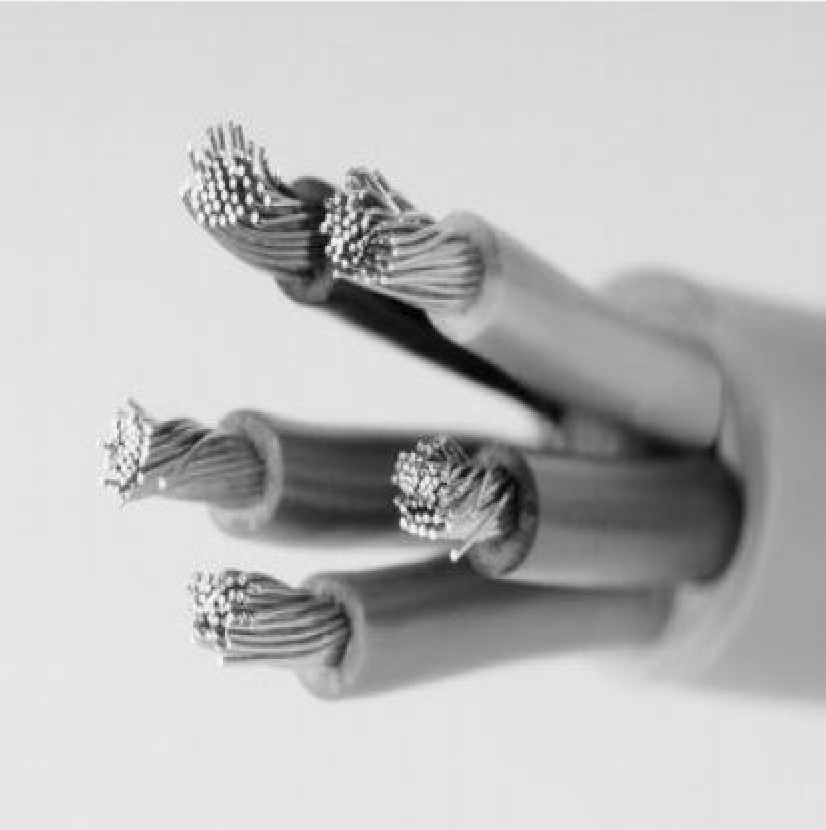
Original grayscale image (normalized to 0-1 range)
Output Image
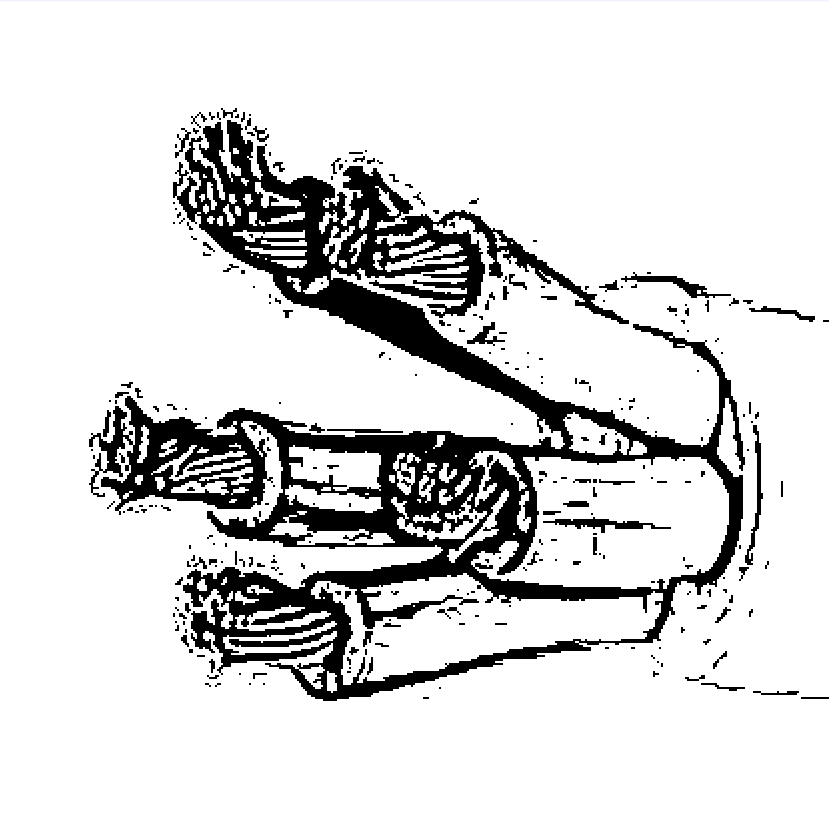
Vesselness map with scale_start=1, scale_end=10, scale_step=2
The Code
from telekinesis import pupil
from datatypes import io, datatypes

import pathlib
from loguru import logger

DATA_DIR = pathlib.Path("path/to/telekinesis-data")

# Load the grayscale image
filepath = str(DATA_DIR / "images" / "wires.jpg")
image = io.load_image(filepath=filepath, as_gray=True)

# Apply Hessian filter
filtered_image = pupil.filter_image_using_hessian(
    image=image,
    scale_start=1,
    scale_end=6,
    scale_step=1,
    detect_black_ridges=True,
    border_type="reflect",
    constant_value=0.0,
)
logger.success(f"Applied Hessian filter with filtered image shape as {filtered_image.to_numpy().shape}")
The Explanation of the Code
The Hessian filter enhances tubular and ridge-like structures by analyzing second-order intensity variations in the image. It uses the eigenvalues of the Hessian matrix to identify pixels that are likely part of elongated structures, such as vessels, wires, or cracks.
The code begins by importing the required modules. These imports provide access to the Pupil SDK for image filtering operations, image loading utilities, numerical support, and optional logging.
from telekinesis import pupil
from datatypes import io, datatypes

import pathlib
from loguru import logger
A data directory is defined, and the input image is loaded as a grayscale image. Hessian-based filters operate on single-channel intensity data, since the vesselness response is computed from spatial derivatives rather than color information.
DATA_DIR = pathlib.Path("path/to/telekinesis-data")

# Load the grayscale image
filepath = str(DATA_DIR / "images" / "wires.jpg")
image = io.load_image(filepath=filepath, as_gray=True)
Next, the parameters controlling the multi-scale Hessian analysis are configured. The Hessian filter analyzes second-order intensity variations using the eigenvalues of the Hessian matrix to identify tubular and ridge-like structures across multiple scales.
scale_start, scale_end, and scale_step parameters define the range of scales (sigma values) used to detect structures of different widths. Smaller scales respond to thin structures like fine wires or capillaries, while larger scales capture thicker ones like major vessels or cables. The filter evaluates all scales and retains the strongest response.
detect_black_ridges specifies whether the filter should detect dark tubular structures on a bright background or vice versa. This parameter determines the sign of the eigenvalue analysis, matching the contrast polarity of the structures in your image.
border_type and constant_value parameters control how image borders are handled when computing derivatives near the image edges, where the Hessian matrix calculation requires pixels outside the image boundaries.
The Hessian filter is then applied using the filter_image_using_hessian Skill. The filter evaluates vesselness at each scale and retains the strongest response per pixel across all scales.
filtered_image = pupil.filter_image_using_hessian(
    image=image,
    scale_start=1,
    scale_end=6,
    scale_step=1,
    detect_black_ridges=True,
    border_type="reflect",
    constant_value=0.0,
)
logger.success(f"Applied Hessian filter with filtered image shape as {filtered_image.to_numpy().shape}")
The output is a vesselness map, where higher values indicate a stronger likelihood that a pixel belongs to a tubular or ridge-like structure. The original image remains unchanged.
Running the Example
Runnable examples are available in the Telekinesis examples repository. Follow the README in that repository to set up the environment. Once set up, you can run this specific example with:
cd telekinesis-examples
python examples/pupil_examples.py --example filter_image_using_hessian
How to Tune the Parameters
The filter_image_using_hessian Skill has 6 parameters:
scale_start (default: 1):
- The starting scale (sigma) for multi-scale detection
- Typical range: 1-5
- Determines the smallest structure width to detect
scale_end (default: 10):
- The ending scale (sigma) for multi-scale detection
- Typical range: 5-20
- Determines the largest structure width to detect
scale_step (default: 2):
- The step size between scales
- Typical range: 1-5
- Use 2 for efficiency, 1 for maximum precision
detect_black_ridges (default: True):
- Whether to detect dark ridges instead of bright
- Set True for dark vessels on bright background
- Set False for bright vessels on dark background
border_type (default: "reflect"):
- The padding mode
- Options: "reflect", "constant", "edge", "symmetric", "wrap"
- Use "reflect" for most cases
constant_value (default: 0.0):
- The value used for constant padding mode
- Typical range: 0.0-1.0
- Only used when mode="constant"
TIP
Best practice: Set scale_start and scale_end to bracket the expected vessel widths. Use scale_step=2 for good balance between speed and accuracy.
Where to Use the Skill in a Pipeline
Filter Using Hessian is commonly used in the following pipelines:
- Medical vessel detection - Detect blood vessels in various imaging modalities
- Crack detection - Find linear defects in materials
- Ridge enhancement - Enhance ridge structures in fingerprints or terrain
- Neuroimaging - Detect fiber tracts and vascular structures
- Industrial inspection - Detect linear features or defects
A typical pipeline for vessel segmentation looks as follows:
# Example pipeline using Hessian (parameters omitted).

from telekinesis import pupil
from datatypes import io

# 1. Load the image
image = io.load_image(filepath=...)

# 2. Apply Hessian vesselness
vessels = pupil.filter_image_using_hessian(image=image, ...)

# 4. Threshold to binary
binary = vessels > threshold

# 5. Post-process
result = pupil.filter_image_using_morphological_close(image=binary, ...)
Related skills to build such a pipeline:
load_image: Load imagesfilter_image_using_frangi: More sophisticated vesselness measurefilter_image_using_morphological_close: Clean up detection results
Alternative Skills
| Skill | vs. Filter Using Hessian |
|---|---|
| filter_image_using_frangi | Frangi is more sophisticated but slower. Use Frangi for better quality, Hessian for speed. |
| filter_image_using_sato | Sato is optimized for general ridges. Use Hessian for vessels, Sato for ridge-like features. |
| filter_image_using_meijering | Meijering is optimized for neurites. Use Hessian for general tubular structures. |
When Not to Use the Skill
Do not use Filter Using Hessian when:
- You need the highest quality vessel detection (Use Frangi for better results)
- You're detecting non-tubular structures (Use appropriate filters for your structure type)
- You need simple edge detection (Use Sobel or Canny instead)
- You're working with very noisy images (Pre-filter with Gaussian blur first)