

Bin Picking with SAM
SUMMARY
This section demonstrates how to use the Cornea module to solve a core industrial robotics problem: bin picking.
Bin picking is the robotic task of identifying and picking individual items from a bin where objects are randomly arranged, touching, or partially occluded. In such environments, simple detection or bounding boxes are insufficient for reliable picking.
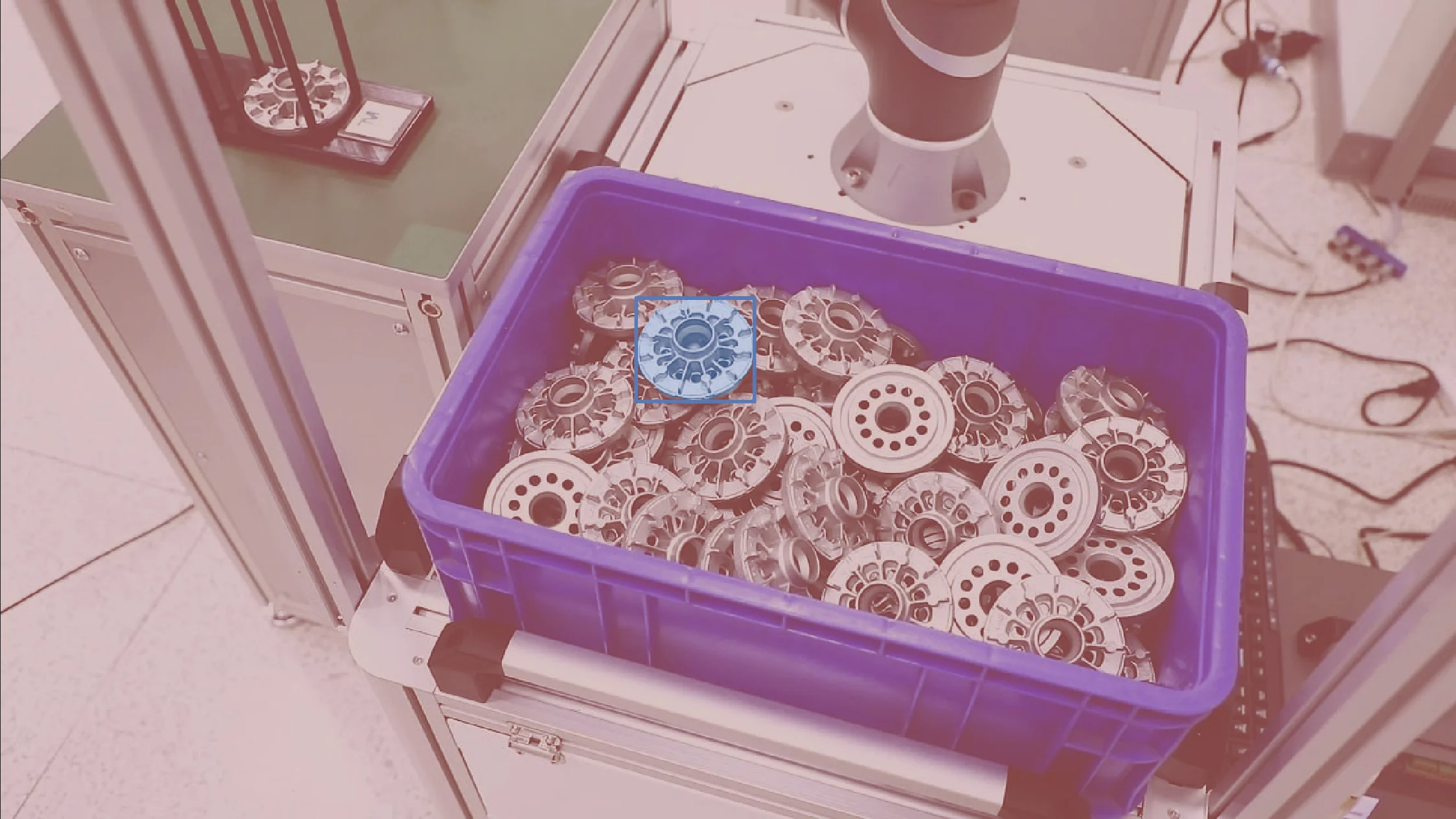
segment_image_using_sam is used to extract instance-level object masks, enabling the system to separate overlapping objects and identify safe, pickable regions on each item.
Details on the skill, code, and practical usage are provided below.
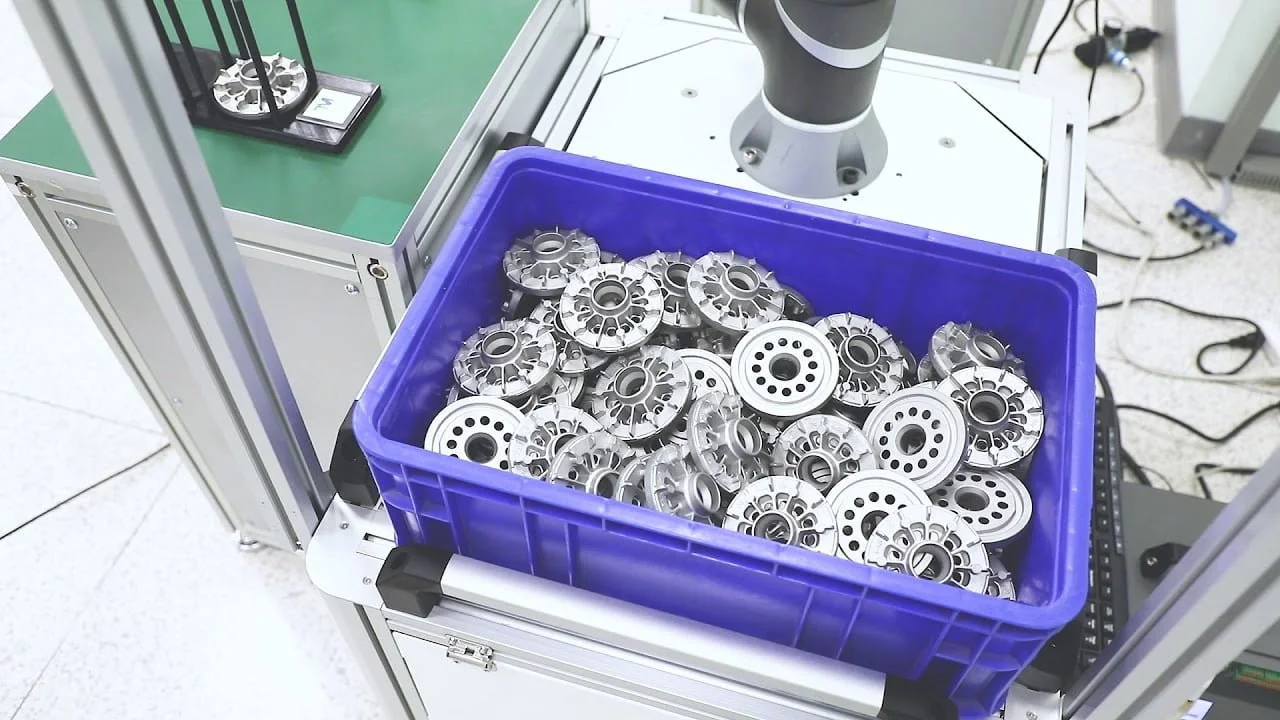
The Skill
For reliable bin picking, the robot must identify a pickable surface that is:
- Belonging to a single object only
- Separated from neighboring or overlapping objects
- Accessible and free from occlusion
- Suitable for stable grasping or suction
Bounding boxes alone cannot guarantee these conditions in cluttered bins, where a single box may contain parts of multiple objects.
segment_image_using_sam provides pixel-accurate, instance-level segmentation that clearly separates individual objects, even when they touch or overlap.
This segmentation mask enables safe pick-point selection and reliable pose estimation under real industrial bin-picking conditions.
See below for a code example demonstrating how to load a bin image, segment objects using SAM, and access the resulting annotations for further processing or visualization.
The Code
from telekinesis import cornea
from datatypes import io

# 1. Load a bin image
image = io.load_image(filepath="bin_picking_1.png")

# 2.Define bounding boxes for regions of interest
bounding_boxes = [[x_min, y_min, x_max, y_max], ...]

# 3. Segment objects using SAM
result = cornea.segment_image_using_sam(image=image, bbox=bounding_boxes)

# 4. Access COCO-style annotations for visualization and processing
annotations = result["annotation"].to_list()
This code demonstrates how to load a bin image, segment objects using segment_image_using_sam, and access the resulting masks and bounding boxes for further processing or visualization.
Going Further: From Segmentation to Picking
Once objects are segmented, the following steps could be taken inorder to ensure enable reliable bin picking:
Instance filtering: Discard objects that are too small, heavily occluded, or unstable.
Pickable surface selection: Use the interior of each segmentation mask, away from edges and overlaps.
Pick-point estimation: Compute a safe pick point from the selected surface region.
Pose estimation: Estimate position and orientation from the mask and depth.
Object selection and execution: Rank candidates by accessibility, pick the safest object, and repeat.
Key Takeaway
Segmentation turns cluttered bin images into pickable objects with usable geometry.
Other Typical Applications
- Random bin picking
- Automated sorting
- Inventory management
- Quality inspection
- Palletizing and depalletizing
- Ground segmentation
- Conveyor tracking
Related Skills
segment_image_using_samsegment_using_rgbsegment_using_hsv
Running the Example
Runnable examples are available in the Telekinesis examples repository. Follow the README in that repository to set up the environment. Once set up, you can run a similar example with:
cd telekinesis-examples
python examples/cornea_examples.py --example segment_image_using_sam