

Transform Using Pyramid Downsampling
SUMMARY
Transform Using Pyramid Downsampling downsamples an image using Gaussian pyramid.
Pyramid down reduces image resolution by smoothing and subsampling, useful for multi-scale analysis and efficient processing. This operation first applies Gaussian smoothing to prevent aliasing, then reduces the image size. It's a fundamental operation in image pyramids used for multi-resolution processing, feature detection at multiple scales, and efficient image processing pipelines.
Use this Skill when you want to reduce image resolution while minimizing aliasing artifacts.
The Skill
from telekinesis import pupil

downsampled_image = pupil.transform_image_using_pyramid_downsampling(
    image=image,
    scale_factor=datatypes.Float(0.5),
)Example
Input Image
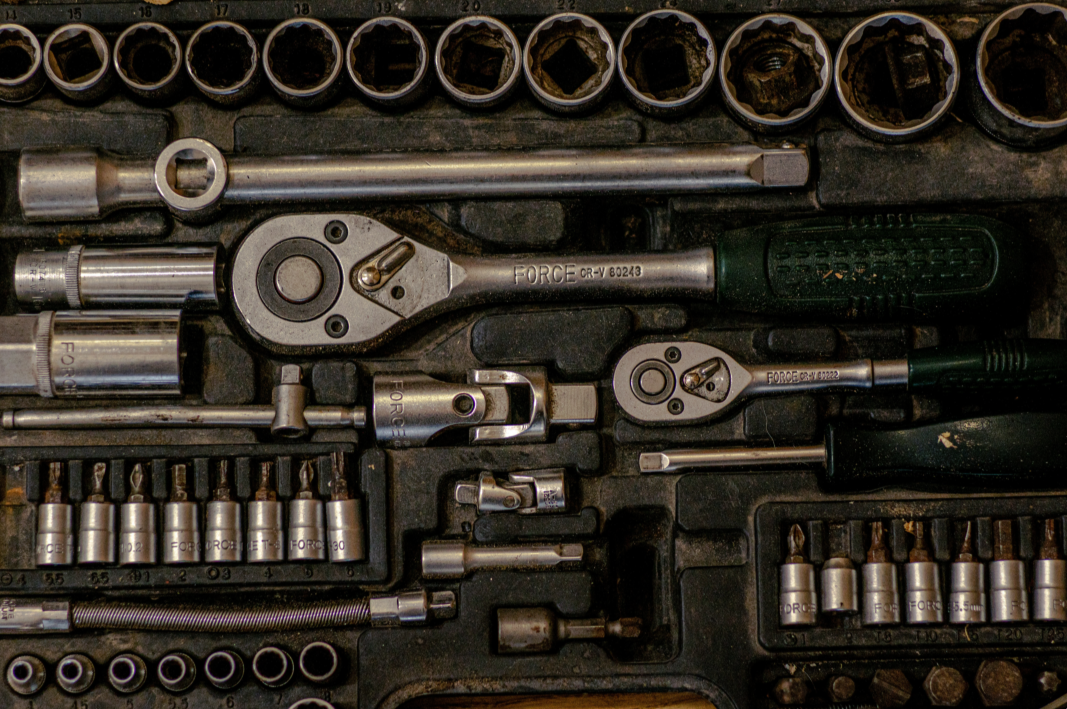
Original full-resolution image
Output Image 1
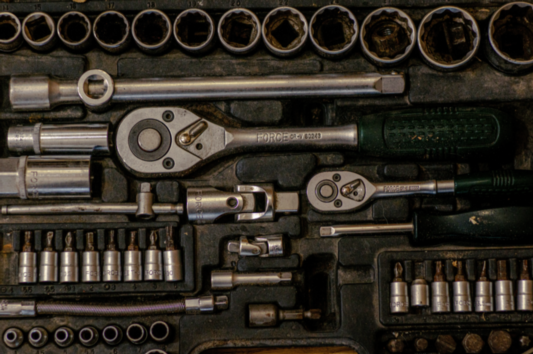
Downsampled image, Pyramid Level 1, with scale_factor=0.5 - resolution reduced by half
Output Image 2
Downsampled image, Pyramid Level 2, with scale_factor=0.5 - resolution reduced by half
Output Image 3
Downsampled image, Pyramid Level 3, with scale_factor=0.5 - resolution reduced by half
The Code
from telekinesis import pupil
from datatypes import io
import pathlib

# Optional for logging
from loguru import logger

DATA_DIR = pathlib.Path("path/to/telekinesis-data")

# Load image
filepath = str(DATA_DIR / "images" / "gearbox.png")
image = io.load_image(filepath=filepath)
logger.success(f"Loaded image with shape {image.to_numpy().shape}")

# Apply pyramid downsampling
transformed_image = pupil.transform_image_using_pyramid_downsampling(
    image=image,
    scale_factor=0.5,
)
logger.success(
    f"Applied Pyramid downsampling with downsampled image shape  {transformed_image.to_numpy().shape}"
)
The Explanation of the Code
Pyramid downsampling reduces image resolution by applying Gaussian smoothing to suppress high-frequency content, followed by subsampling to minimize aliasing artifacts that typically occur with naive downsampling.
The input image is first loaded from disk using io.load_image. These imports provide access to the Pupil SDK, type-safe datatypes for I/O operations, path handling utilities, and logging functionality.
from telekinesis import pupil
from datatypes import io
import pathlib

# Optional for logging
from loguru import logger
The image is loaded from disk using the io.load_image function. The input image may be either grayscale (H, W) or color (H, W, C). A log message confirms successful loading and reports the image dimensions.
DATA_DIR = pathlib.Path("path/to/telekinesis-data")

# Load image
filepath = str(DATA_DIR / "images" / "gearbox.png")
image = io.load_image(filepath=filepath)
logger.success(f"Loaded image with shape {image.to_numpy().shape}")
Pyramid downsampling then applies Gaussian smoothing to suppress high-frequency content, followed by subsampling to reduce image resolution. This combination minimizes aliasing artifacts that typically occur with naive downsampling.
INFO
Aliasing artifacts occur when fine image details are sampled at too low a resolution, causing false patterns, jagged edges, or moiré effects—and Gaussian smoothing before downsampling prevents this by removing unrepresentable high-frequency content.
Create pyramid levels
level_0 = image level_1 = pupil.transform_image_using_pyramid_downsampling(image=level_0, scale_factor=0.5) level_2 = pupil.transform_image_using_pyramid_downsampling(image=level_1, scale_factor=0.5) level_3 = pupil.transform_image_using_pyramid_downsampling(image=level_2, scale_factor=0.5)
The logger then outputs the final downsampled size of the image.
scale_factor controls the scaling factor for downsampling. A value of 0.5 reduces both width and height by half, resulting in 1/4 the total pixels. This is the standard value for building image pyramids, where each level is half the resolution of the previous level.
transformed_image = pupil.transform_image_using_pyramid_downsampling(
    image=image,
    scale_factor=0.5,
)
logger.success(
    f"Applied Pyramid downsampling with downsampled image shape  {transformed_image.to_numpy().shape}"
)
The operation returns a new image at a lower resolution. The original image remains unchanged. This Skill performs a representation change (scale-space transform) rather than photometric enhancement or spatial filtering, making it fundamental for multi-resolution processing, feature detection at multiple scales, and efficient image processing pipelines.
Running the Example
Runnable examples are available in the Telekinesis examples repository. Follow the README in that repository to set up the environment. Once set up, you can run this specific example with:
cd telekinesis-examples
python examples/pupil_examples.py --example transform_image_using_pyramid_downsampling
How to Tune the Parameters
The transform_image_using_pyramid_downsampling Skill has 1 parameter:
scale_factor (default: 0.5):
- The scaling factor for downsampling
- Typical value: 0.5 (reduces dimensions by half)
- Values less than 1.0 downsample, exactly 0.5 is standard for image pyramids
- Use 0.5 for standard pyramid levels, other values for custom scaling
TIP
Best practice: Use scale_factor=0.5 for standard image pyramids. This reduces both width and height by half, resulting in 1/4 the total pixels. For multi-level pyramids, apply repeatedly.
Where to Use the Skill in a Pipeline
Transform Using Pyramid Down is commonly used in the following pipelines:
- Multi-scale processing - Create image pyramids for scale-space analysis
- Performance optimization - Reduce resolution for faster processing
- Feature detection - Detect features at multiple scales
- Image blending - Create pyramids for seamless blending
- Coarse-to-fine processing - Start with low resolution, refine at high resolution
A typical pipeline for multi-scale feature detection looks as follows:
# Example pipeline using pyramid down (parameters omitted).

from telekinesis import pupil

# 1. Load image
image = pupil.load_image(filepath=...)

# 2. Create pyramid levels
level_0 = image
level_1 = pupil.enhance_image_using_pyramid_downsampling(image=level_0, ...)
level_2 = pupil.enhance_image_using_pyramid_downsampling(image=level_1, ...)
level_3 = pupil.enhance_image_using_pyramid_downsampling(image=level_2, ...)

# 3. Detect features at each level
features_0 = detect_features(level_0)
features_1 = detect_features(level_1)
# ...
Related skills to build such a pipeline:
load_image: Load imagestransform_image_using_pyramid_upsampling: Upsample imagesfilter_image_using_gaussian_blur: Manual smoothing before downsampling
Alternate Skill
Pyramid downsampling is a scale-space transformation, not a generic resize. It always smooths before reducing resolution to prevent aliasing.
| Skill | When to use it instead |
|---|---|
transform_image_using_pyramid_upsampling | Use when you need to increase resolution or reconstruct higher pyramid levels. Pyramid up is the inverse of pyramid down. |
filter_image_using_gaussian_blur | Use when you only want smoothing without changing image resolution. Pyramid down always reduces image size. |
| Manual decimation (nearest resize) | Use when you want sharp or aliasing-preserving downsampling. Pyramid down explicitly avoids aliasing by design. |
When Not to Use the Skill
Do not use Transform Using Pyramid Down when:
- You need custom interpolation methods (Use resizing instead)
- You want to upsample (Use transform_image_using_pyramid_upsampling instead)
- You need non-0.5 scale factors with specific interpolation (Use resizing for more control)
- You don't want smoothing (Pyramid down always smooths; use resize with NEAREST interpolation if you want sharp downsampling)
WARNING
Pyramid down always applies Gaussian smoothing before downsampling. If you need sharp, non-smooth downsampling, use resizing with NEAREST interpolation instead.