

Segment Image Using Otsu Threshold
SUMMARY
Segment Image Using Otsu Threshold performs Otsu threshold segmentation.
Otsu's method automatically determines the optimal threshold value by maximizing the between-class variance. This makes it ideal for images with bimodal histograms where you want to automatically separate foreground from background.
Use this Skill when you want to automatically determine the optimal threshold for segmentation.
The Skill
from telekinesis import cornea

result = cornea.segment_image_using_otsu_threshold(
image=image)Example
Input Image
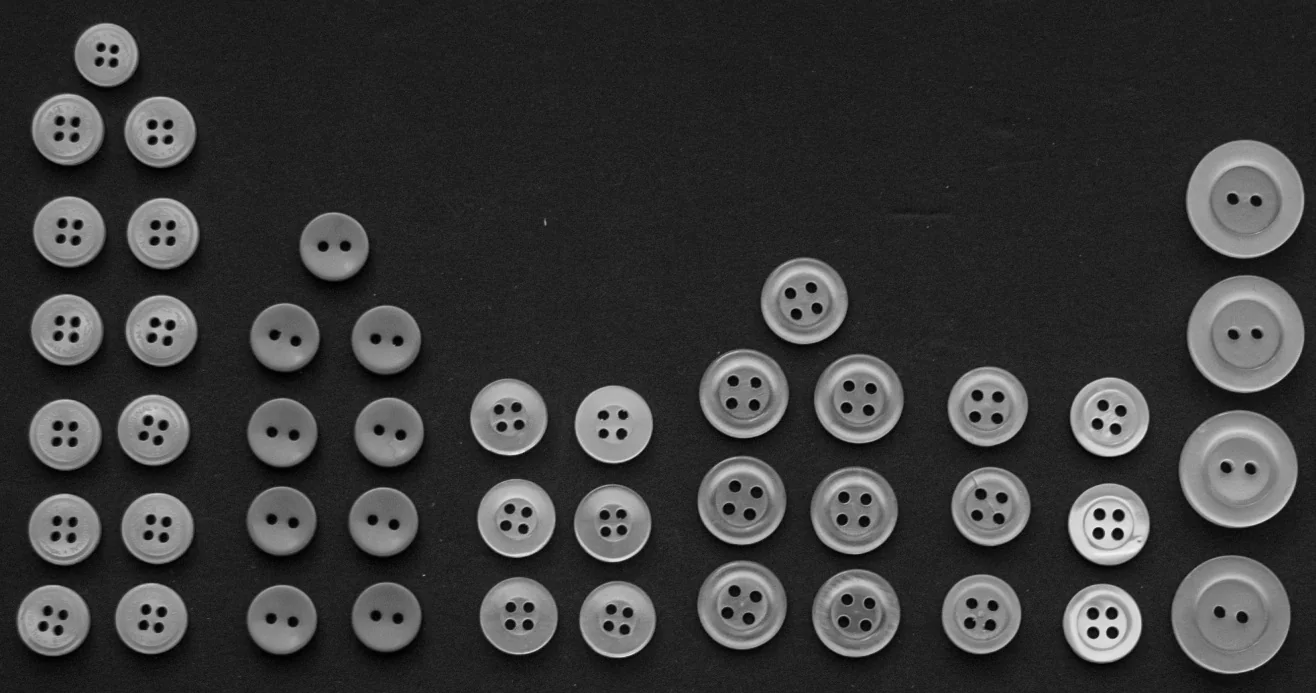
Original image for Otsu threshold segmentation
Output Image
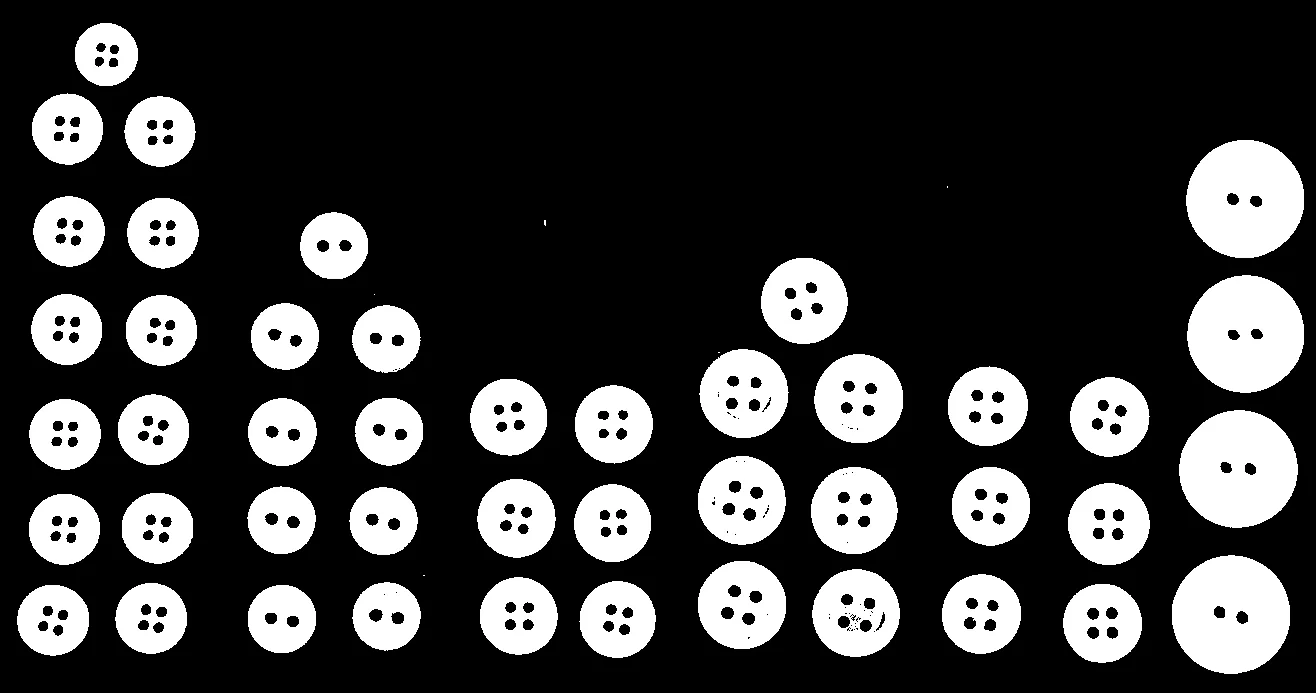
Segmented image using automatic Otsu threshold
The Code
import pathlib

from telekinesis import cornea
from datatypes import io

DATA_DIR = pathlib.Path("path/to/telekinesis-data")

# Load image as grayscale
filepath = str(DATA_DIR / "images" / "buttons_arranged.jpg")
image = io.load_image(filepath=filepath, as_gray=True)

# Perform Otsu threshold segmentation
result = cornea.segment_image_using_otsu_threshold(
    image=image,
)

# Access results
annotation = result["annotation"].to_dict()
mask = annotation['labeled_mask']
The Explanation of the Code
Otsu threshold automatically finds the optimal threshold by analyzing the image histogram and maximizing the separation between foreground and background classes.
The code begins by importing the required modules and loading a grayscale image:
import pathlib

from telekinesis import cornea
from datatypes import io

DATA_DIR = pathlib.Path("path/to/telekinesis-data")
filepath = str(DATA_DIR / "images" / "buttons_arranged.jpg")
image = io.load_image(filepath=filepath, as_gray=True)
Otsu threshold segmentation is applied. No threshold value needs to be specified as it's determined automatically:
result = cornea.segment_image_using_otsu_threshold(
    image=image,
)
The function returns a dictionary containing an annotation object in COCO panoptic format. Extract the mask as follows:
annotation = result["annotation"].to_dict()
mask = annotation['labeled_mask']
Running the Example
Runnable examples are available in the Telekinesis examples repository. Follow the README in that repository to set up the environment. Once set up, you can run this specific example with:
cd telekinesis-examples
python examples/cornea_examples.py --example segment_image_using_otsu_threshold
How to Tune the Parameters
The segment_image_using_otsu_threshold Skill has no tunable parameters - the threshold is automatically determined.
TIP
Best practice: Otsu threshold works best with bimodal histograms (two distinct peaks). For images with unimodal or complex histograms, consider using adaptive threshold or manual threshold selection.
Where to Use the Skill
Segment Image Using Otsu Threshold is commonly used in the following pipelines:
- Automatic thresholding - When threshold value is unknown
- Bimodal image segmentation - Separating foreground from background
- Document processing - Text extraction from background
- Quality control - Automatic defect detection
Alternative Skills
| Skill | vs. Segment Image Using Otsu Threshold |
|---|---|
| segment_image_using_threshold | Manual threshold gives control. Use Otsu for automatic, manual threshold when you know the value. |
| segment_image_using_adaptive_threshold | Adaptive handles non-uniform lighting. Use adaptive for varying lighting, Otsu for uniform lighting. |
| segment_image_using_local_threshold | Local threshold handles local variations. Use local for local variations, Otsu for global threshold. |
When Not to Use the Skill
Do not use Segment Image Using Otsu Threshold when:
- Image has unimodal histogram (Use manual threshold or other methods)
- Lighting is non-uniform (Use adaptive threshold instead)
- You know the optimal threshold (Use manual threshold for speed)
TIP
Otsu threshold is one of the most commonly used automatic thresholding methods and works well for images with clear foreground/background separation.