

Filter Image Using Median Blur
SUMMARY
Filter Image Using Median Blur Filter applies median blur to reduce salt-and-pepper noise.
Median blur replaces each pixel with the median of its neighborhood, effectively removing impulse noise while preserving edges. This non-linear filter is particularly effective at removing isolated noise pixels (salt-and-pepper noise) without significantly blurring edges, making it ideal for cleaning up noisy images before further processing.
Use this Skill when you want to remove salt-and-pepper noise while preserving edges.
The Skill
from telekinesis import pupil

filtered_image = pupil.filter_image_using_median_blur(
    image=image,
    kernel_size=5,
)Example
Input Image
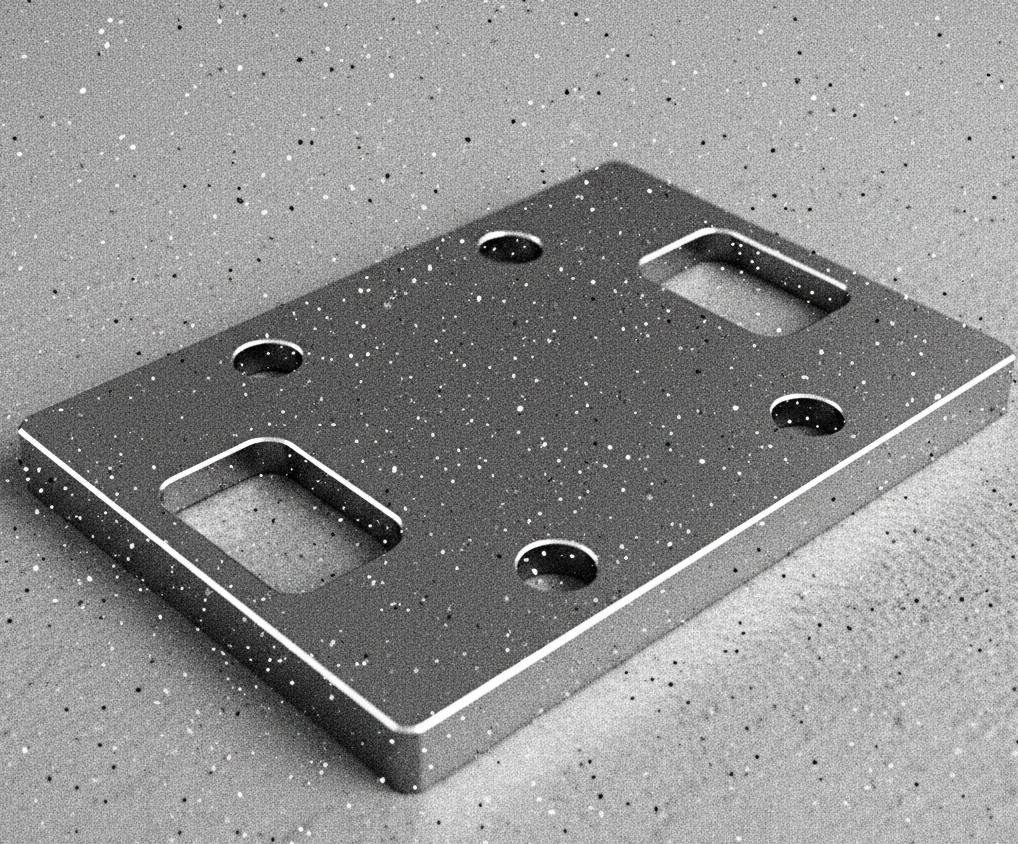
Original image with salt-and-pepper noise
Output Image
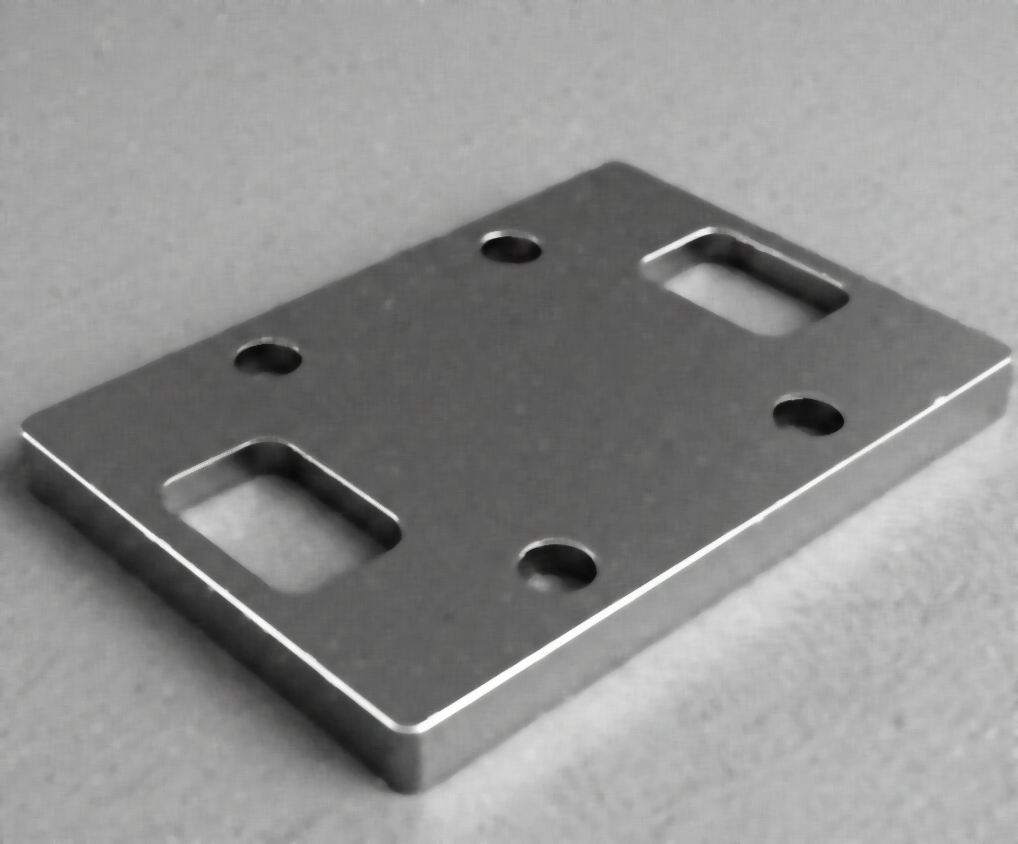
Filtered image with kernel_size=5 - noise removed, edges preserved
The Code
from telekinesis import pupil
from datatypes import io, datatypes

import pathlib
from loguru import logger

DATA_DIR = pathlib.Path("path/to/telekinesis-data")

# Load image
filepath = str(DATA_DIR / "images" / "flat_mechanical_component.png")
image = io.load_image(filepath=filepath)

# Apply median blur
filtered_image = pupil.filter_image_using_median_blur(
    image=image,
    kernel_size=5,
)
logger.success(f"Applied median blur with filtered image shape as {filtered_image.to_numpy().shape}")
The Explanation of the Code
The median filter performs non-linear noise removal by replacing each pixel with the median value of its neighboring pixels inside a fixed-size window. Unlike averaging filters, this approach removes outliers without blurring edges, making it especially effective against salt-and-pepper and impulse noise.
The code begins by importing the required modules. These provide access to the Pupil SDK for filtering operations and optional logging utilities.
from telekinesis import pupil
from datatypes import datatypes, io
from loguru import logger
Next, the input image is loaded. The image is expected to be a Telekinesis Image datatype and may be either grayscale (H, W) or color (H, W, C). The median filter supports both formats and processes each channel independently for color images.
DATA_DIR = pathlib.Path("path/to/telekinesis-data")

filepath = str(DATA_DIR / "images" / "nuts_scattered_noised.png")
image = io.load_image(filepath=filepath)
The filter parameters are then configured. Median blur is particularly effective at removing salt-and-pepper noise and impulse noise by replacing each pixel with the median value of its neighborhood, which naturally filters out outliers.
kernel_size defines the size of the neighborhood window used to compute the median. A larger window removes stronger noise but may also suppress fine details and can blur edges more than other filtering methods.
Finally, the median filter is applied using the filter_image_using_median Skill. For each pixel, the surrounding neighborhood values are sorted and the median value is selected as the output. The original image remains unchanged, and a new filtered image is returned.
filtered_image = pupil.filter_image_using_median(
    image=image,
    kernel_size=5
)
logger.success(f"Applied median blur with filtered image shape as {filtered_image.to_numpy().shape}")
This operation effectively removes isolated noise spikes while preserving sharp edges and object boundaries. Because the median filter does not compute averages, it avoids the blurring artifacts commonly introduced by linear smoothing filters.
Median filtering is commonly used as a robust preprocessing step before segmentation, edge detection, or thresholding, especially when images contain impulse noise or corrupted pixels.
Running the Example
Runnable examples are available in the Telekinesis examples repository. Follow the README in that repository to set up the environment. Once set up, you can run this specific example with:
cd telekinesis-examples
python examples/pupil_examples.py --example filter_image_using_median_blur
How to Tune the Parameters
The filter_image_using_median_blur Skill has 1 parameter:
kernel_size (default: 5):
- The size of the median filter kernel. Must be odd.
- Units: Pixels
- Increase to remove larger noise spots but may blur fine details
- Decrease for faster processing and preserving more detail
- Typical range: 3-15
- Use 3-5 for small noise spots, 5-9 for moderate noise, 9-15 for heavy noise or large noise spots
TIP
Best practice: Start with kernel_size=5 and increase only if noise remains. Larger kernels significantly increase processing time as the algorithm must sort more pixels.
Where to Use the Skill in a Pipeline
Filter Using Median Blur is commonly used in the following pipelines:
- Impulse noise removal - Clean up salt-and-pepper noise from sensors or transmission errors
- Image restoration - Remove isolated artifacts while preserving structure
- Preprocessing for segmentation - Clean images before thresholding or clustering
- Scanner artifact removal - Remove scanning artifacts from digitized images
- Preprocessing for OCR - Clean document images before text recognition
A typical pipeline for document image preprocessing looks as follows:
# Example pipeline using median blur (parameters omitted).

from telekinesis import pupil
from datatypes import io

# 1. Load the document image
image = io.load_image(filepath=...)

# 2. Apply median blur to remove scanner noise
cleaned = pupil.filter_image_using_median_blur(image=image, ...)

# 3. Apply thresholding or further processing
binary = ...
Related skills to build such a pipeline:
load_image: Load images from diskfilter_image_using_morphological_open: Further clean binary imagesfilter_image_using_morphological_close: Fill small gaps in binary images
Alternative Skills
| Skill | vs. Filter Using Median Blur |
|---|---|
| filter_image_using_bilateral | Bilateral filter preserves edges for Gaussian noise. Use median for impulse noise, bilateral for Gaussian noise. |
| filter_image_using_gaussian_blur | Gaussian blur is faster but doesn't preserve edges as well. Use median for impulse noise, Gaussian for general smoothing. |
| filter_image_using_morphological_open | Morphological opening can also remove small noise spots. Use median for grayscale, opening for binary images. |
When Not to Use the Skill
Do not use Filter Using Median Blur when:
- You have Gaussian noise instead of impulse noise (Use Gaussian or bilateral filter instead)
- You need very fast processing (Median blur is slower than linear filters like Gaussian)
- You're working with very large images and need real-time processing (Consider downsampling first or using faster filters)
- You need to preserve fine texture details (Median blur can remove small-scale texture)
WARNING
Median blur is computationally expensive, especially with large kernel sizes, as it requires sorting pixel values. For large images or real-time applications, use smaller kernel sizes or consider alternative filters.