

Filter Image Using Morphological Tophat Filter
SUMMARY
Filter Image Using Morphological Tophat Filter applies top-hat transform to extract small bright features.
Top-hat finds bright features smaller than the structuring element, useful for detecting small objects or enhancing details. This operation subtracts the morphologically opened image from the original, isolating features that were removed by opening. It's particularly effective for extracting small bright objects on varying backgrounds or enhancing fine details obscured by uneven illumination.
Use this Skill when you want to extract or enhance small bright features and details.
The Skill
from telekinesis import pupil

filtered_image = pupil.filter_image_using_morphological_tophat(
    image=image,
    kernel_size=15,
    kernel_shape="ellipse",
    iterations=1,
    border_type="default",
    morphology_type="tophat",
)Example
Input Image
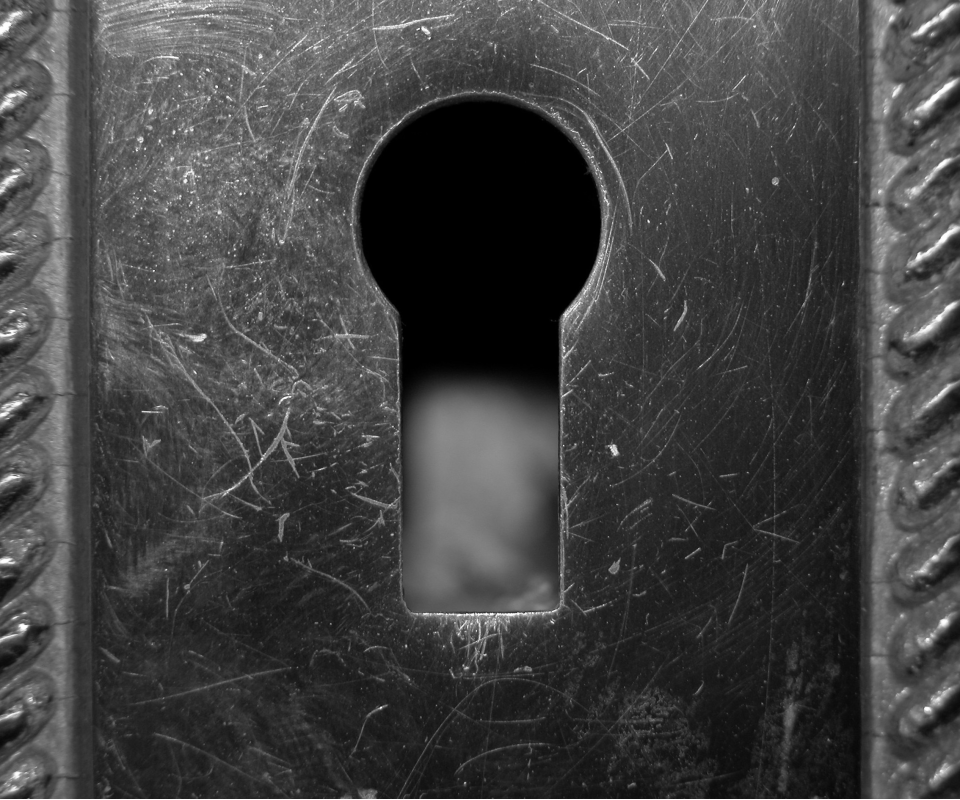
Original image with small bright features and uneven background
Output Image
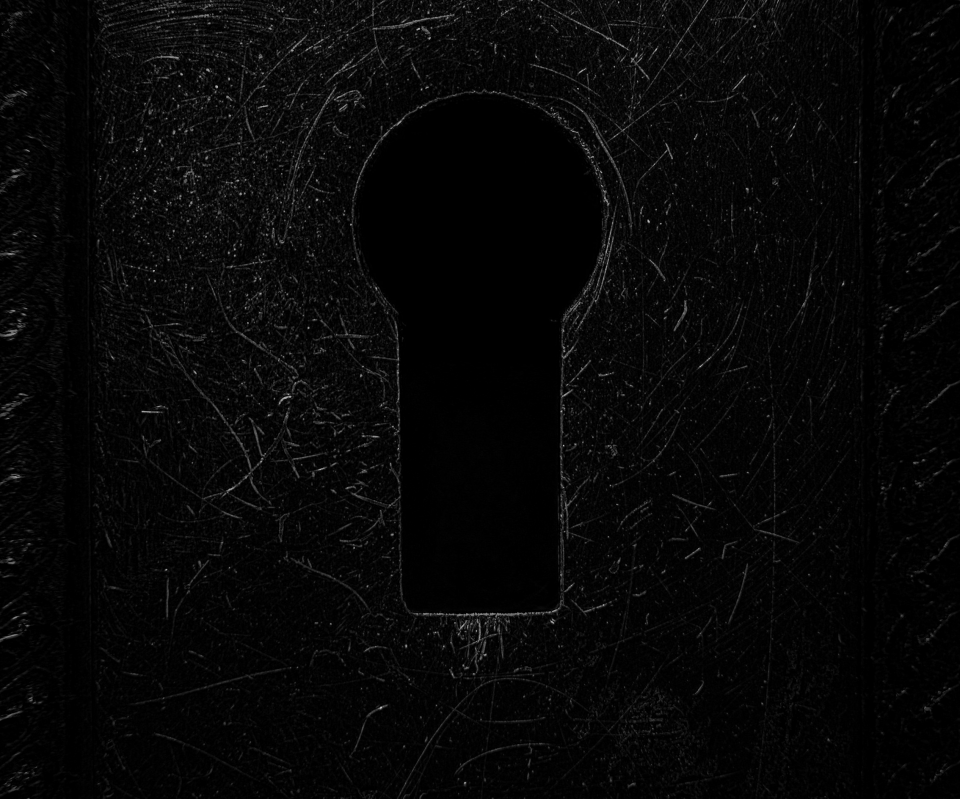
Top-hat image with kernel_size=15 - small bright features extracted
The Code
from telekinesis import pupil
from datatypes import io, datatypes
import pathlib
from loguru import logger

DATA_DIR = pathlib.Path("path/to/telekinesis-data")

# Load the binary image
filepath = str(DATA_DIR / "images" / "keyhole.jpg")
image = io.load_image(filepath=filepath, as_binary=True)

# Apply top-hat
filtered_image = pupil.filter_image_using_morphological_tophat(
    image=image,
    kernel_size=3,
    kernel_shape="ellipse",
    iterations=5,
    border_type="default",
)
logger.success(f"Applied tophat with tophat image shape as {filtered_image.to_numpy().shape}")
The Explanation of the Code
The morphological top-hat implementation follows a standard image processing workflow with proper parameter configuration.
First, import the required modules:
from telekinesis import pupil
from datatypes import io, datatypes
import pathlib
from loguru import logger
These imports provide access to the Pupil SDK, type-safe datatypes for both I/O and parameters, path handling utilities, and logging functionality.
Next, prepare your image data:
DATA_DIR = pathlib.Path("path/to/telekinesis-data")
filepath = str(DATA_DIR / "images" / "keyhole.jpg")
image = io.load_image(filepath=filepath, as_binary=True)
The image is loaded from the data directory using the io module. For morphological operations, the image is loaded as a binary image using the as_binary=True parameter, which prepares the image for top-hat transformation that isolates small bright features.
Next, the parameters controlling the top-hat operation are configured. Top-hat subtracts the morphologically opened image from the original, isolating bright features smaller than the structuring element.
kernel_size determines the size of the structuring element used for top-hat computation. Larger kernels isolate larger bright features, while smaller kernels detect finer details. The kernel size should match the scale of the features you want to extract.
kernel_shape defines the geometric shape of the structuring element. Common shapes include "ellipse" for smooth, isotropic top-hat computation, "rectangle" for axis-aligned operations, and "cross" for directional effects. The shape affects how features are isolated and extracted.
iterations controls how many times the opening operation (used in top-hat) is applied sequentially. Each iteration removes progressively larger features from the background, affecting which features are isolated by the top-hat operation.
border_type specifies how pixels near image boundaries are handled during top-hat computation, where the structuring element extends beyond the image edges. This affects how features near borders are extracted.
Finally, the top-hat operation is applied using the filter_image_using_morphological_tophat Skill.
filtered_image = pupil.filter_image_using_morphological_tophat(
    image=image,
    kernel_size=3,
    kernel_shape="ellipse",
    iterations=5,
    border_type="default",
)
logger.success(f"Applied tophat with tophat image shape as {filtered_image.to_numpy().shape}")
Top-hat subtracts the morphologically opened image from the original, isolating bright features smaller than the structuring element. This operation is particularly effective for background correction, small object detection, and enhancing fine details obscured by uneven illumination, making it useful for particle detection and defect detection in machine vision applications.
Running the Example
Runnable examples are available in the Telekinesis examples repository. Follow the README in that repository to set up the environment. Once set up, you can run this specific example with:
cd telekinesis-examples
python examples/pupil_examples.py --example filter_image_using_morphological_tophat
How to Tune the Parameters
The filter_image_using_morphological_tophat Skill has 4 parameters:
kernel_size (default: 15):
- The size of the structuring element
- Increase to extract larger features relative to background
- Typical range: 5-31
- Features smaller than the kernel will be extracted, larger features will be suppressed
- Use 5-9 for very small features, 9-15 for moderate features, 15-31 for larger features relative to background structures
TIP
Best practice: Set kernel_size larger than the features you want to extract but smaller than the background variations you want to remove. Top-hat is excellent for background correction and small feature enhancement.
Where to Use the Skill in a Pipeline
Morphological Tophat is commonly used in the following pipelines:
- Background correction - Remove uneven illumination
- Small object detection - Detect particles, cells, or small features
- Feature enhancement - Enhance fine details obscured by background
- Preprocessing for thresholding - Normalize background before segmentation
- Defect detection - Find small bright defects on surfaces
A typical pipeline for particle detection looks as follows:
# Example pipeline using tophat (parameters omitted).

from telekinesis import pupil
from datatypes import io

# 1. Load surface image
image = io.load_image(filepath=...)

# 2. Apply top-hat to extract particles
particles = pupil.filter_image_using_morphological_tophat(image=image, kernel_size=15, ...)

# 3. Threshold to binary
binary = ...

# 4. Count or analyze particles
count = ...
Related skills to build such a pipeline:
load_image: Load imagesfilter_image_usingmorphological_blackhat: Extract dark featuresfilter_image_using_gaussian_blur: Pre-smooth for noise reductionfilter_image_usingmorphological_open: Related operation for noise removal
Alternative Skills
| Skill | vs. Morphological Tophat |
|---|---|
| filter_image_using_morphological_blackhat | Blackhat extracts dark features. Use tophat for bright features on dark backgrounds, blackhat for dark features on bright backgrounds. |
When Not to Use the Skill
Do not use Morphological Tophat when:
- You want to extract dark features (Use blackhat instead)
- Features are larger than the background variations (Top-hat won't help)
- You need to preserve background information (Top-hat removes it)
- Working with uniform backgrounds (Top-hat is unnecessary)
WARNING
Choose kernel_size carefully - it should be larger than the features you want to extract but smaller than the background structures you want to remove.