

Ground Segmentation with SAM
SUMMARY
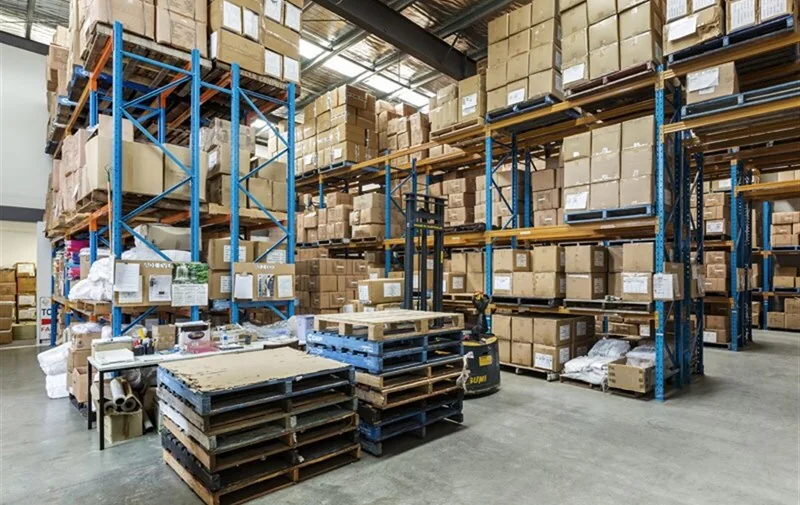
This section demonstrates how to use the Cornea module for ground (floor) segmentation in industrial environments.
Ground segmentation is the task of identifying drivable floor surfaces so mobile robots, forklifts, and AMRs can navigate safely in warehouses and factories. Real-world floors contain markings, shadows, reflections, pallets, and debris that make rule-based or color-based methods unreliable.
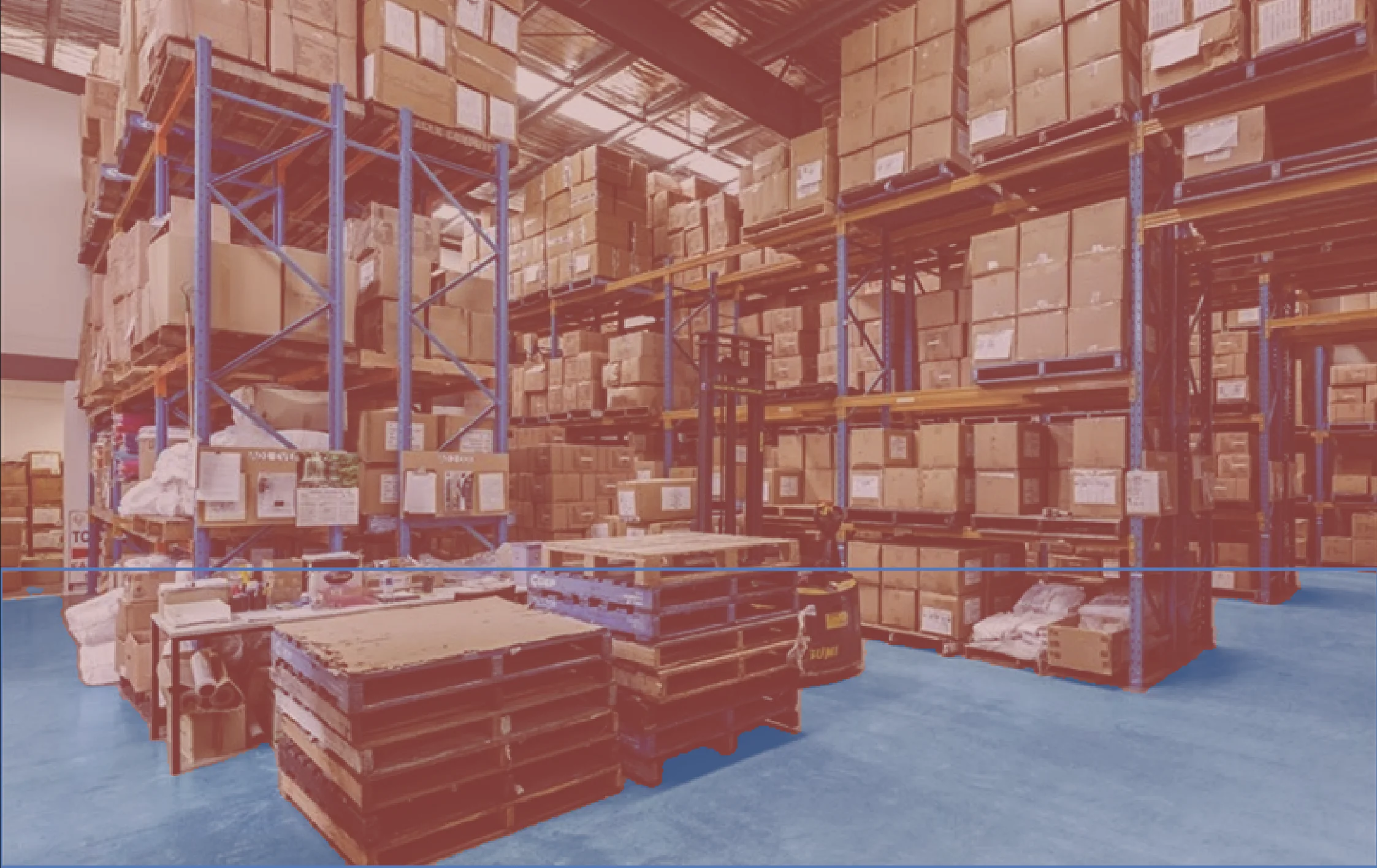
segment_image_using_sam is used to robustly isolate the true ground surface, enabling navigation and safety logic to operate on drivable space, not visual noise.
Details on the skill, code, and practical usage are provided below.
The Skill
For mobile robots and forklifts, the critical question is not what objects are present, but where the robot can safely drive.
Bounding boxes and object detectors identify items such as pallets or racks, but they do not define continuous, traversable ground.
segment_image_using_sam provides a pixel-accurate ground mask that separates the floor from all non-ground regions, even in the presence of shadows, markings, reflections, and clutter.
This ground mask becomes a reliable input for downstream navigation and safety systems.
This segmentation mask enables industrial applications such as:
- Forklift and AMR navigation
- Drivable area estimation
- Obstacle detection by ground subtraction
- Safety zone enforcement
See below for a code example demonstrating how to load a raw sensory input, segments the ground using SAM, and access the resulting annotations for further processing or visualization.
The Code
from telekinesis import cornea
from datatypes import io

# 1. Load a bin image
image = io.load_image(filepath="warehouse_ground.jpg")

# 2.Define bounding boxes for regions of interest
bounding_boxes = [[x_min, y_min, x_max, y_max], ...]

# 3. Segment objects using SAM
result = cornea.segment_image_using_sam(image=image, bbox=bounding_boxes)

# 4. Access COCO-style annotations for visualization and processing
annotations = result["annotation"].to_list()
This code demonstrates how to load the warehouse ground image from the sensor, segment the ground using segment_image_using_sam, and access the resulting masks and bounding boxes for further processing or visualization.
Going Further: From Ground Segmentation to Navigation
Once the ground surface is segmented, the following steps enable safe and reliable robot navigation:
Drivable area estimation: Use the ground mask to define where the robot or forklift can safely move.
Obstacle identification: Treat all non-ground regions as obstacles, including pallets, racks, people, and debris.
Safety zone enforcement: Apply distance and clearance rules on the ground mask to enforce slow-down or stop zones.
Path planning constraints: Constrain navigation and motion planning to valid ground regions only.
Execution and continuous update: Recompute the ground mask as the scene changes to maintain safe operation.
Key Takeaway
Ground segmentation converts a visually complex scene into explicit drivable space for navigation and safety logic.
Other Typical Applications
- Random bin picking
- Automated sorting
- Inventory management
- Quality inspection
- Palletizing and depalletizing
- Conveyor tracking
Related Skills
segment_image_using_samsegment_using_rgbsegment_using_hsv
Running the Example
Runnable examples are available in the Telekinesis examples repository. Follow the README in that repository to set up the environment. Once set up, you can run a similar example with:
cd telekinesis-examples
python examples/cornea_examples.py --example segment_image_using_sam