

Filter Image Using Laplacian Filter
SUMMARY
Filter Image Using Laplacian Filter applies Laplacian filter for edge detection using second derivatives.
Laplacian operator detects edges by finding regions where the second derivative is zero or changes sign. This filter is highly sensitive to fine details and edges, making it useful for edge detection, image sharpening, and detecting rapid intensity changes. It's commonly used in computer vision applications that require precise edge localization.
Use this Skill when you want to detect edges and fine details using second-order derivatives.
The Skill
from telekinesis import pupil

edge_image = pupil.filter_image_using_laplacian(
    image=image,
    kernel_size=3,
    scale=1.0,
    delta=0.0,
    output_format="64bit",
    border_type="default",
)Example
Input Image
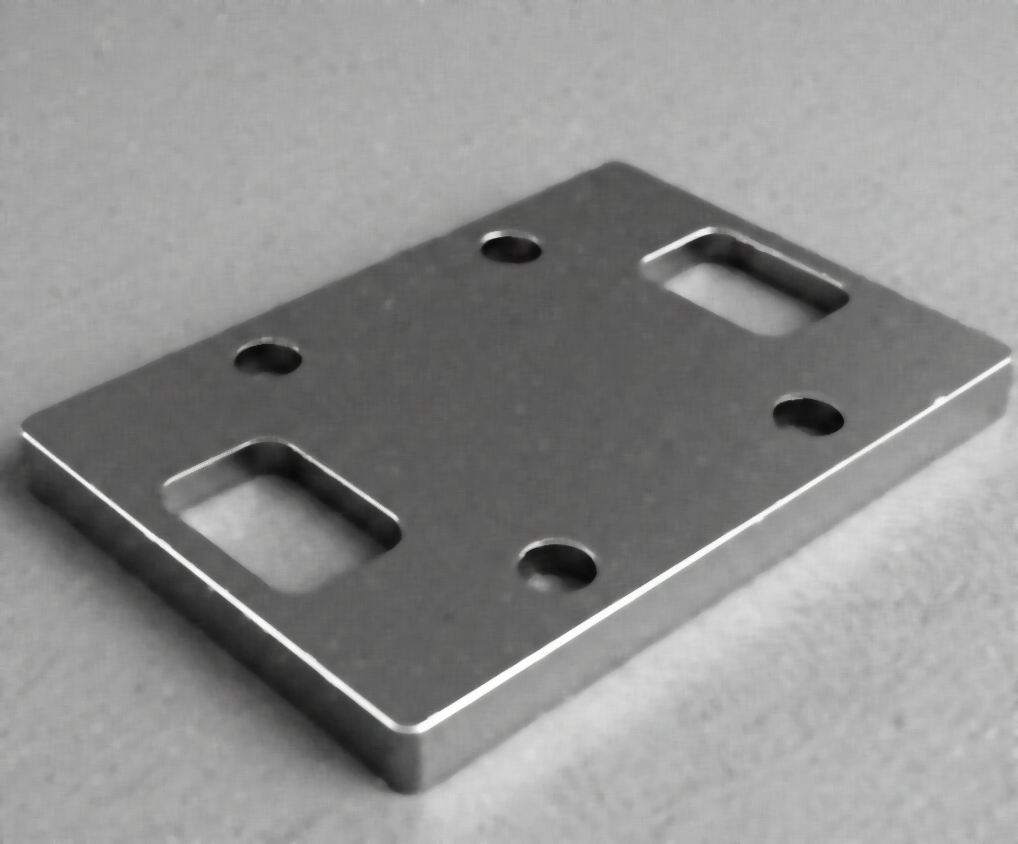
Original grayscale image
Output Image
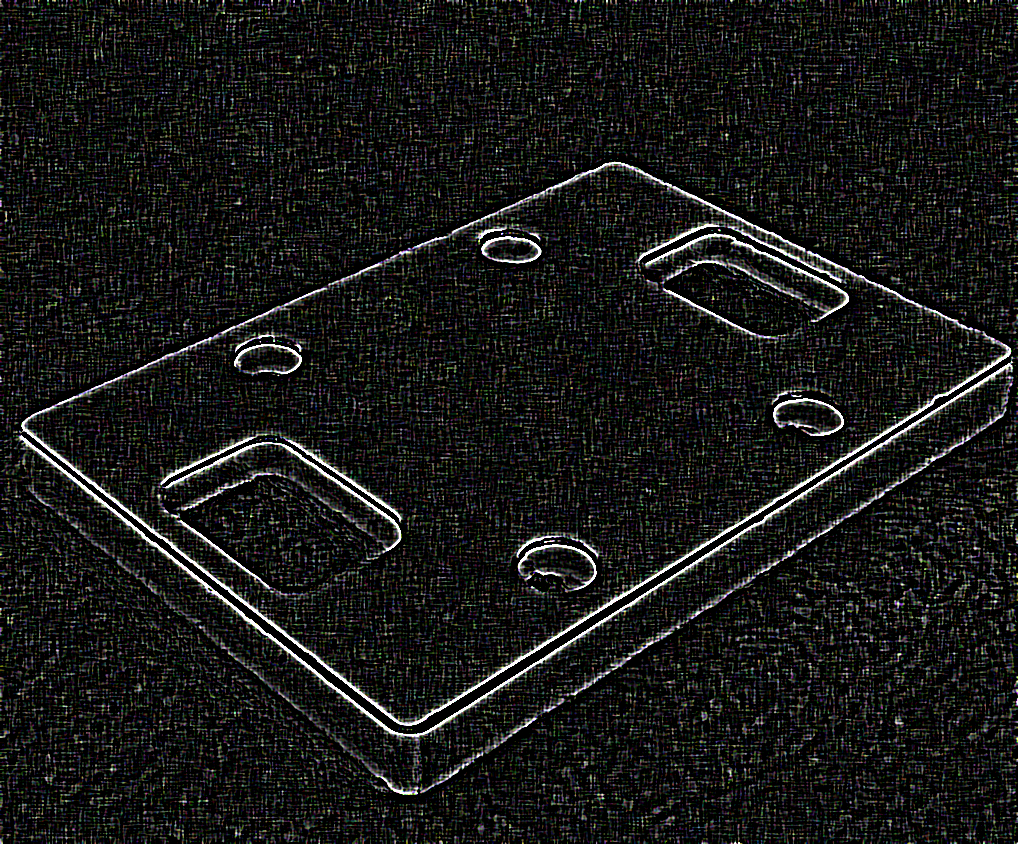
Edge-detected image with kernel_size=3, scale=1.0 - highlights edges and fine details
The Code
from telekinesis import pupil
from datatypes import io, datatypes

import pathlib
from loguru import logger

DATA_DIR = pathlib.Path("path/to/telekinesis-data")

# Load the image
filepath = str(DATA_DIR / "images" / "flat_mechanical_component_denoised.png")
image = io.load_image(filepath=filepath)

# Apply Laplacian filter
edge_image = pupil.filter_image_using_laplacian(
    image=image,
    kernel_size=5,
    scale=1.0,
    delta=0.0,
    output_format="8bit",
    border_type="default",
)
logger.success(f"Applied Laplacian filter with edge image shape as {edge_image.to_numpy().shape}")
The Explanation of the Code
The Laplacian filter detects edges by computing the second-order spatial derivatives of the image. Unlike gradient-based methods that measure the direction of intensity change, the Laplacian highlights locations where the intensity changes rapidly in any direction. This makes it effective for detecting fine details, sharp edges, and small structures.
The code begins by importing the required modules. These imports provide access to the Pupil SDK for filtering operations, and optional logging utilities.
from telekinesis import pupil
from datatypes import io, datatypes

import pathlib
from loguru import logger
A data directory is defined, and the input image is loaded from disk. The Laplacian filter operates on single-channel intensity images, so color images are converted to grayscale before filtering.
DATA_DIR = pathlib.Path("path/to/telekinesis-data")

# Load the image
filepath = str(DATA_DIR / "images" / "flat_mechanical_component_denoised.png")
image = io.load_image(filepath=filepath, color_model='l')
Converting to grayscale ensures that the filter responds to intensity variations rather than color differences, which is essential for reliable second-derivative edge detection.
Next, the Laplacian filter parameters are configured. The Laplacian operator detects edges by computing the second derivative of the image, responding strongly to rapid intensity changes and producing zero-crossings at edge locations.
kernel_size controls the size of the discrete Laplacian operator and determines the spatial scale of edge detection. Larger kernels are more sensitive to gradual intensity changes, while smaller kernels detect sharper transitions.
scale multiplies the computed Laplacian values and can be used to amplify or attenuate the edge response, useful for adjusting sensitivity in different image conditions.
delta adds a constant offset to the output, which is useful for visualizing signed Laplacian values in lower bit-depth formats, as the Laplacian can produce both positive and negative values.
output_format specifies the numerical precision of the output image, affecting how the signed Laplacian values are represented and stored.
border_type defines how pixels near the image boundaries are handled during convolution, affecting edge detection behavior at image borders.
The Laplacian filter is then applied using the filter_image_using_laplacian Skill. The original image remains unchanged, and a new image containing the Laplacian response is returned.
edge_image = pupil.filter_image_using_laplacian(
    image=image,
    kernel_size=5,
    scale=1.0,
    delta=0.0,
    output_format="8bit",
    border_type="default",
)
logger.success(f"Applied Laplacian filter with edge image shape as {edge_image.to_numpy().shape}")
The resulting output emphasizes regions where the intensity curvature is high, which typically corresponds to edges, corners, and fine structural details. Positive and negative values indicate different transition directions, while zero-crossings often correspond to precise edge locations.
Running the Example
Runnable examples are available in the Telekinesis examples repository. Follow the README in that repository to set up the environment. Once set up, you can run this specific example with:
cd telekinesis-examples
python examples/pupil_examples.py --example filter_image_using_laplacian
How to Tune the Parameters
The filter_image_using_laplacian Skill has 5 parameters:
kernel_size (default: 3):
- The size of the Laplacian kernel. Must be 1, 3, 5, or 7.
- Larger kernels detect larger-scale edges
- Typical values: 1, 3, 5, 7
- Use 1 or 3 for fine details, 5 or 7 for larger edges
scale (default: 1.0):
- The scale factor for the computed Laplacian values
- Increase to amplify edge responses
- Decrease for subtle edge detection
- Typical range: 0.1-10.0
- Use 0.1-1.0 for subtle edges, 1.0-5.0 for normal detection, 5.0-10.0 for strong edge emphasis
delta (default: 0.0):
- The offset added to the output
- Useful for visualization (shift negative values into visible range)
- Typical range: -128.0 to 128.0
- Use 0.0 for most cases, 128.0 to shift for 8-bit visualization
output_format (default: "64bit"):
- The output bit depth
- Options: "8bit", "16bit", "32bit", "64bit"
- Use "64bit" for accuracy, "8bit" for display
border_type (default: "default"):
- Border handling mode
- Options: "default", "constant", "replicate", "reflect", "wrap"
TIP
Best practice: Use kernel_size=3 for most applications. If you need to visualize the output, add delta=128.0 to shift negative values into the visible range for 8-bit images.
Where to Use the Skill in a Pipeline
Filter Using Laplacian is commonly used in the following pipelines:
- Edge detection - Find edges with high precision
- Image sharpening - Enhance fine details by subtracting Laplacian from original
- Zero-crossing detection - Locate edges at zero-crossings of second derivative
- Blob detection - Find regions of rapid intensity change
- Focus quality assessment - Measure image sharpness
A typical pipeline for image sharpening looks as follows:
# Example pipeline using Laplacian (parameters omitted).

from telekinesis import pupil
from datatypes import io

# 1. Load the image
image = io.load_image(filepath=...)

# 2. Apply Laplacian to detect edges
edges = pupil.filter_image_using_laplacian(image=image, ...)

# 3. Subtract edges from original to sharpen
sharpened = image - edges

# 4. Save or display result
io.save_image(image=sharpened, ...)
Related skills to build such a pipeline:
load_image: Load imagesfilter_image_using_gaussian_blur: Pre-smooth before edge detectionfilter_image_using_sobel: Alternative gradient-based edge detectionsave_image: Save processed results
Alternative Skills
| Skill | vs. Filter Using Laplacian |
|---|---|
| filter_image_using_sobel | Sobel computes first derivatives (gradient). Use Sobel for directional edges, Laplacian for omnidirectional edge detection. |
| filter_image_using_scharr | Scharr is similar to Sobel with better rotation invariance. Use Scharr for accurate gradients, Laplacian for second-order features. |
When Not to Use the Skill
Do not use Filter Using Laplacian when:
- You need noise-robust edge detection (Use Canny edge detector or pre-smooth with Gaussian)
- You want directional information about edges (Use Sobel or Scharr which provide gradient direction)
- You're working with noisy images without preprocessing (Laplacian is very noise-sensitive)
- You need thick, connected edges (Use morphological gradient or Canny instead)
WARNING
Laplacian is highly sensitive to noise. Always pre-smooth noisy images with Gaussian blur before applying Laplacian.