

Pedestrian Segmentation with SAM
SUMMARY
This section demonstrates how to use the Cornea module for pedestrian segmentation in industrial and public environments.
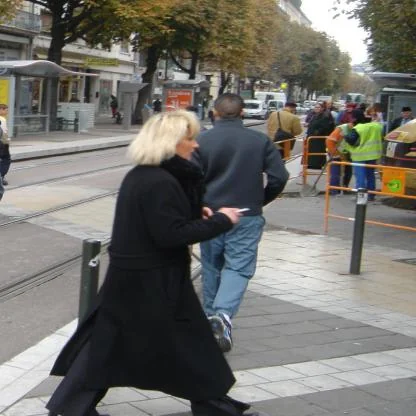
Pedestrian segmentation is the task of identifying and isolating people in images or video frames, even in crowded or cluttered scenes. Accurate segmentation enables advanced safety, monitoring, analytics, and real-time obstacle avoidance for robots and AGVs, where simple bounding boxes are not sufficient.
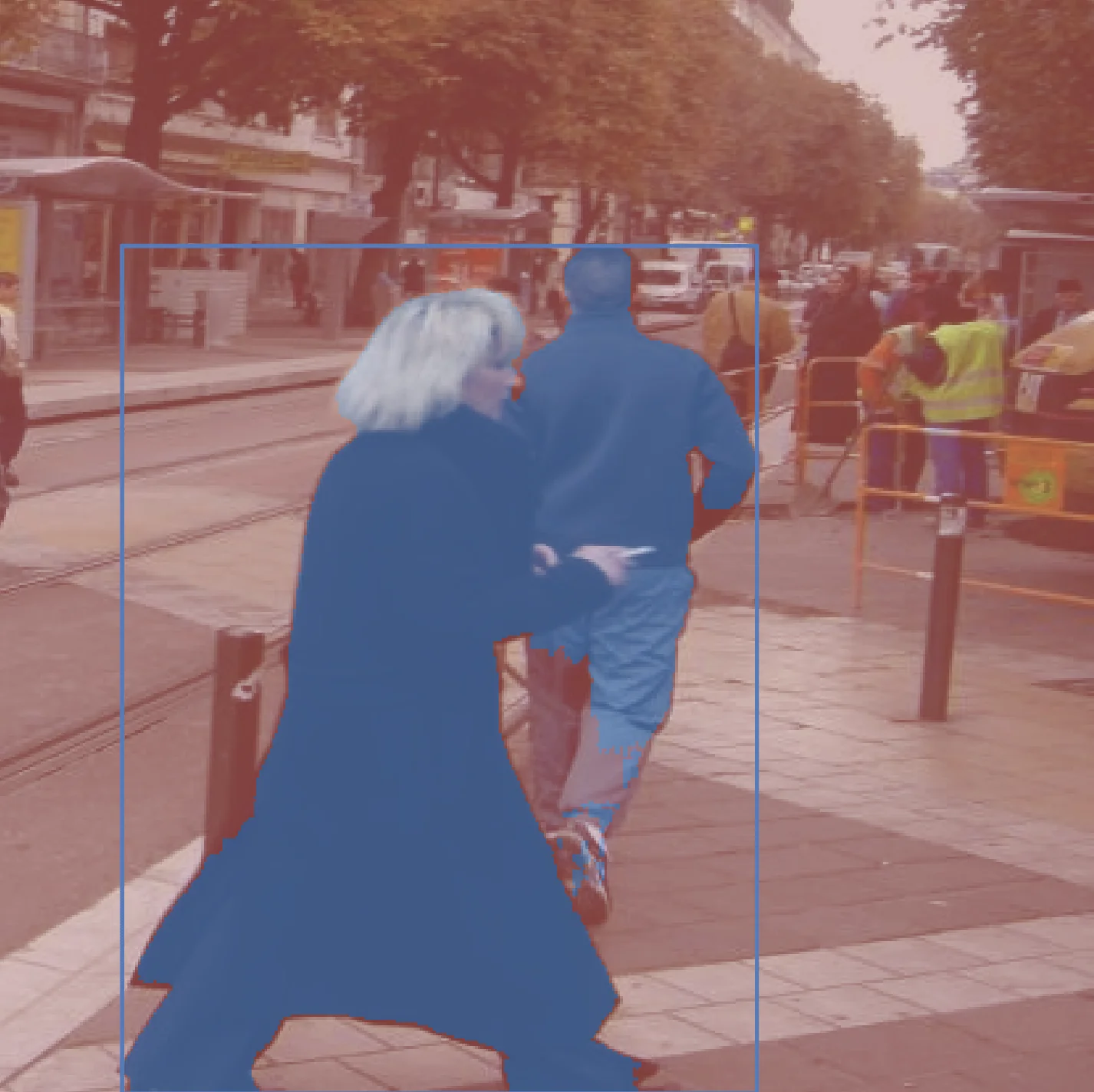
segment_image_using_sam is used to extract precise masks for each pedestrian, supporting downstream tasks such as safety zone enforcement, people counting, movement analysis, and dynamic obstacle avoidance in navigation.
Details on the skill, code, and practical usage are provided below.
The Skill
For safety, analytics, and navigation, it is critical to accurately isolate each pedestrian, even in the presence of occlusions, shadows, or overlapping people.
Bounding boxes alone are insufficient for precise safety logic, people counting, or real-time obstacle avoidance. segment_image_using_sam provides pixel-accurate masks for each person, enabling:
- Safety zone enforcement
- People counting and tracking
- Movement analysis
- Dynamic obstacle avoidance for robots and AGVs
See below for a code example demonstrating how to load an image, segment pedestrians using SAM, and access the resulting annotations for further processing or visualization.
The Code
from telekinesis import cornea
from datatypes import io

# 1. Load an image with pedestrians
image = io.load_image(filepath="pedestrian_scene.jpg")

# 2. Define bounding boxes for regions of interest (optional)
bounding_boxes = [[x_min, y_min, x_max, y_max], ...]

# 3. Segment objects using SAM
result = cornea.segment_image_using_sam(image=image, bbox=bounding_boxes)

# 4. Access COCO-style annotations for visualization and processing
annotations = result["annotation"].to_list()
This code demonstrates how to load an image, segment pedestrians using segment_image_using_sam, and access the resulting masks and bounding boxes for further processing or visualization.
Going Further: Navigation and Obstacle Avoidance in Warehouses and Public Spaces
Once pedestrians are segmented, you can directly use these masks to enhance navigation and safety for mobile robots, AGVs, and AMRs in warehouses, factories, and public spaces:
- Dynamic obstacle avoidance: Treat segmented pedestrians as dynamic obstacles in the robot's path. Update navigation and path planning in real time to avoid collisions and maintain safe distances.
- Safety zone enforcement: Monitor restricted or hazardous areas and trigger slow-downs, stops, or alerts if a person enters a danger zone.
- People counting and flow analysis: Track the number and movement of people for occupancy monitoring, process optimization, and crowd management.
- Anomaly and intrusion detection: Detect unusual behavior or unauthorized access by analyzing segmented pedestrian tracks.
- Proximity and distancing checks: Measure distances between people and between people and robots for compliance with safety protocols.
- Continuous monitoring: Update segmentation in real time to maintain situational awareness in dynamic, high-traffic environments.
Key Takeaway
Pedestrian segmentation transforms a visually complex scene into explicit, actionable regions for safety, analytics, and automation.
Other Typical Applications
- Random bin picking
- Automated sorting
- Inventory management
- Quality inspection
- Palletizing and depalletizing
- Conveyor tracking
- Ground segmentation
Related Skills
segment_image_using_samsegment_using_rgbsegment_using_hsv
Running the Example
Runnable examples are available in the Telekinesis examples repository. Follow the README in that repository to set up the environment. Once set up, you can run a similar example with:
cd telekinesis-examples
python examples/cornea_examples.py --example segment_image_using_sam