

Segment Image Using Felzenszwalb
SUMMARY
Segment Image Using Felzenszwalb performs Felzenszwalb segmentation.
Felzenszwalb segmentation is a graph-based superpixel algorithm that creates superpixels by grouping pixels based on color similarity and spatial proximity. It's efficient and produces irregular but meaningful superpixel regions.
Use this Skill when you want to create superpixels using the Felzenszwalb algorithm.
The Skill
from telekinesis import cornea

result = cornea.segment_image_using_felzenszwalb(
    image=image,
    scale=500,
    sigma=1,
    min_size=200,
)Example
Input Image
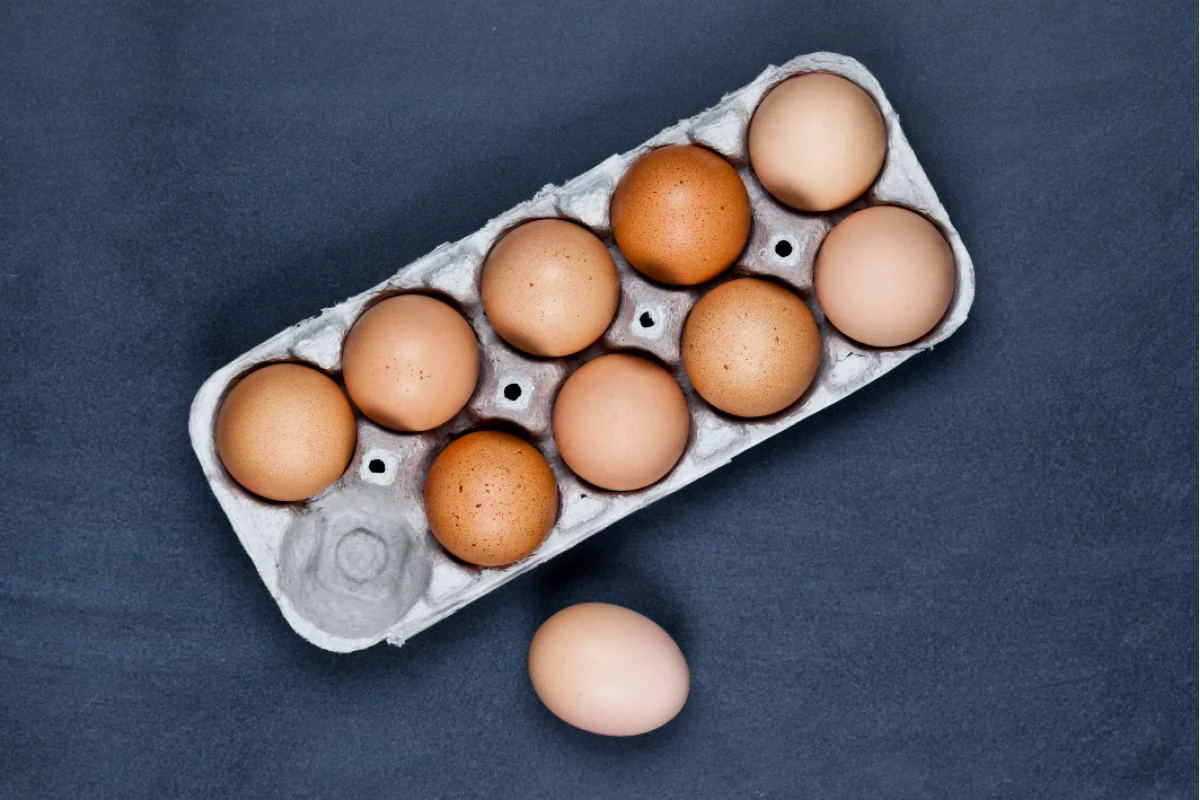
Original image for Felzenszwalb segmentation
Output Image
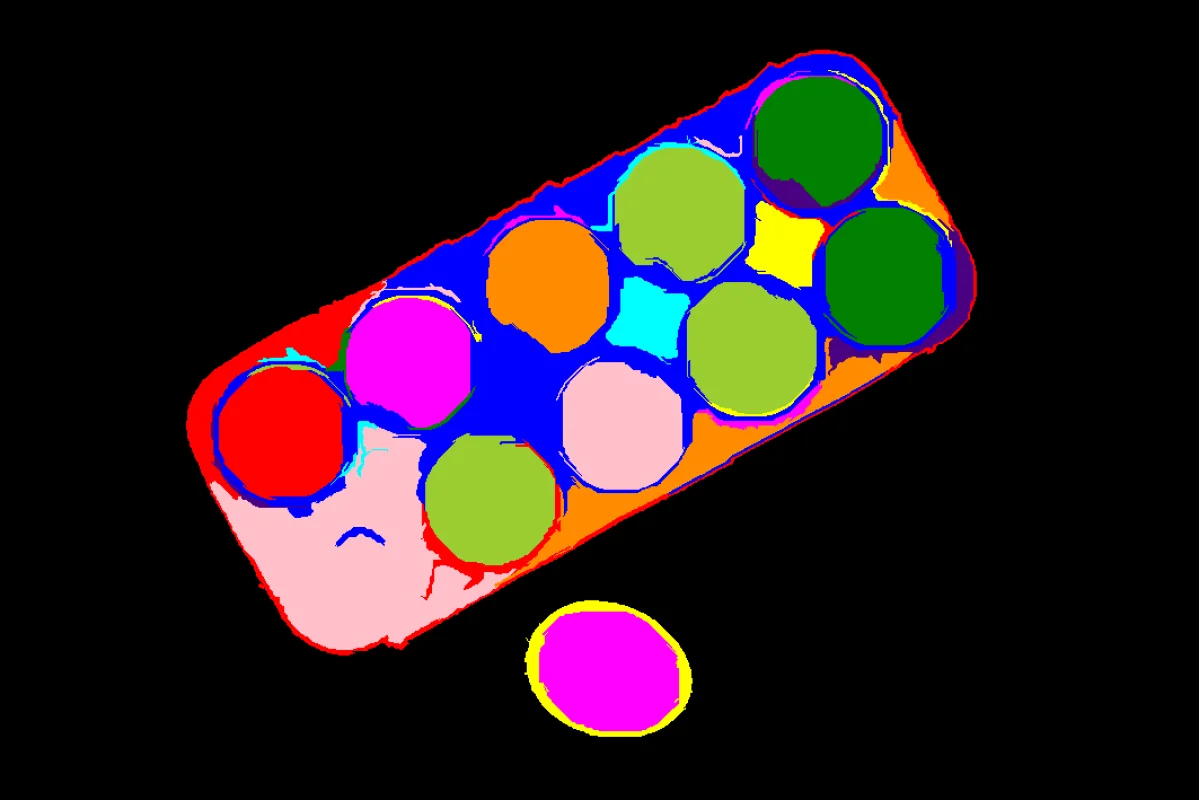
Superpixel segmentation using Felzenszwalb algorithm
The Code
import pathlib

from telekinesis import cornea
from datatypes import io

DATA_DIR = pathlib.Path("path/to/telekinesis-data")

# Load image
filepath = str(DATA_DIR / "images" / "eggs_carton.jpg")
image = io.load_image(filepath=filepath)

# Perform Felzenszwalb segmentation
result = cornea.segment_image_using_felzenszwalb(
    image=image,
    scale=500,
    sigma=1,
    min_size=200,
)

# Access results
annotation = result["annotation"].to_dict()
mask = annotation['labeled_mask']
The Explanation of the Code
Felzenszwalb segmentation creates superpixels by building a graph where pixels are nodes and edges connect similar neighboring pixels. The algorithm then merges regions based on a scale parameter.
The code begins by importing the required modules and loading an image:
import pathlib

from telekinesis import cornea
from datatypes import io

DATA_DIR = pathlib.Path("path/to/telekinesis-data")
filepath = str(DATA_DIR / "images" / "eggs_carton.jpg")
image = io.load_image(filepath=filepath)
The Felzenszwalb parameters are configured:
scalecontrols the size of superpixels (larger = fewer, larger superpixels)sigmacontrols Gaussian smoothing before segmentationmin_sizesets the minimum superpixel size
result = cornea.segment_image_using_felzenszwalb(
    image=image,
    scale=500,
    sigma=1,
    min_size=200,
)
The function returns a dictionary containing an annotation object in COCO panoptic format. Extract the mask as follows:
annotation = result["annotation"].to_dict()
mask = annotation['labeled_mask']
Running the Example
Runnable examples are available in the Telekinesis examples repository. Follow the README in that repository to set up the environment. Once set up, you can run this specific example with:
cd telekinesis-examples
python examples/cornea_examples.py --example segment_image_using_felzenszwalb
How to Tune the Parameters
The segment_image_using_felzenszwalb Skill has 3 parameters:
scale (default: 100):
- Scale parameter controlling superpixel size
- Units: Dimensionless
- Increase for fewer, larger superpixels
- Decrease for more, smaller superpixels
- Typical range: 50-500
sigma (default: 0.5):
- Sigma parameter for Gaussian smoothing
- Units: Pixels
- Increase for more smoothing (reduces noise sensitivity)
- Decrease for less smoothing (more sensitive to details)
- Typical range: 0.1-2.0
min_size (default: 50):
- Minimum segment size
- Units: Pixels
- Increase to merge small segments
- Decrease to preserve small segments
- Typical range: 20-200
TIP
Best practice: Start with default values and adjust scale to control the number of superpixels. Increase min_size to remove small noise segments.
Where to Use the Skill
Segment Image Using Felzenszwalb is commonly used in the following pipelines:
- Superpixel generation - Creating over-segmentation for further processing
- Object proposal generation - Generating candidate regions
- Image simplification - Reducing image complexity
- Preprocessing for segmentation - Initial over-segmentation
Alternative Skills
| Skill | vs. Segment Image Using Felzenszwalb |
|---|---|
| segment_image_using_slic_superpixel | SLIC produces more regular superpixels. Use SLIC for regular superpixels, Felzenszwalb for irregular but meaningful regions. |
When Not to Use the Skill
Do not use Segment Image Using Felzenszwalb when:
- You need regular, grid-like superpixels (Use SLIC instead)
- Speed is critical (SLIC may be faster)
- You need precise control over superpixel count (Use SLIC instead)
TIP
Felzenszwalb is particularly effective when you want superpixels that respect image boundaries and natural regions, even if they're irregular in shape.