

Segment Image Using SAM
SUMMARY
Segment Image Using SAM performs segmentation using SAM (Segment Anything Model).
SAM is Meta's powerful segmentation model that can segment objects from various prompts including bounding boxes, points, or text. It's particularly effective for interactive segmentation and can handle a wide variety of objects.
Use this Skill when you want to segment objects using SAM with bounding box prompts.
The Skill
from telekinesis import cornea

result = cornea.segment_image_using_sam(
    image=image,
    bboxes=[[100, 100, 200, 200]],
)Example
Input Image
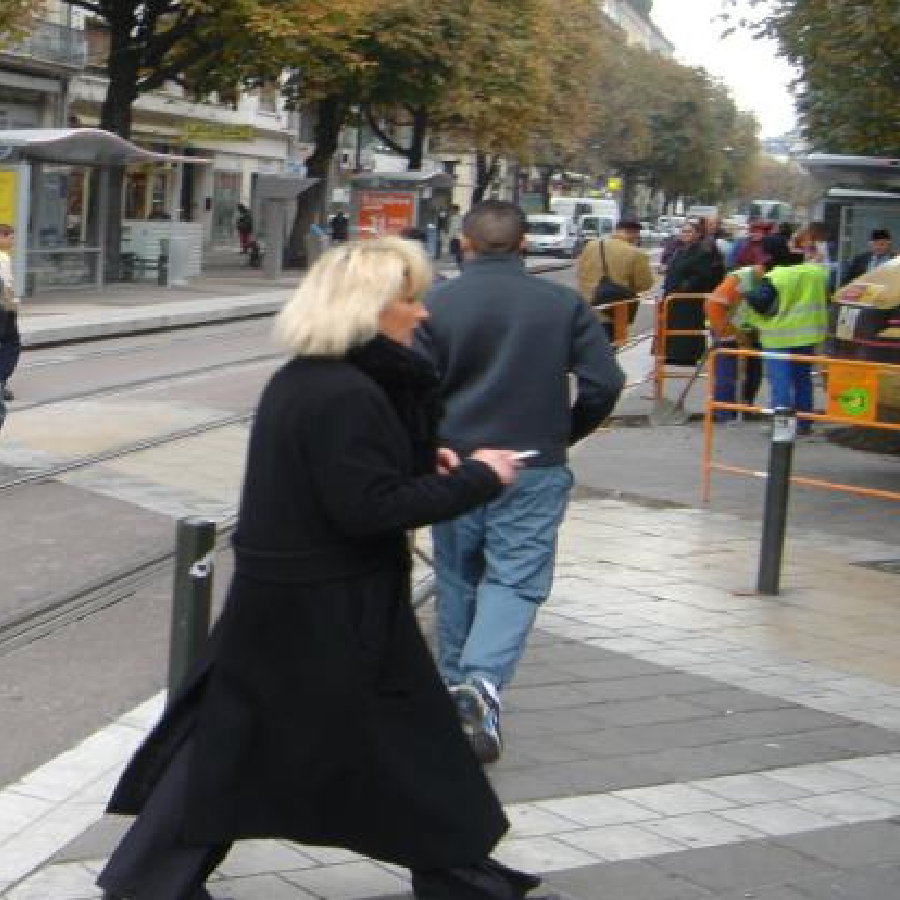
Original image for SAM segmentation
Output Image
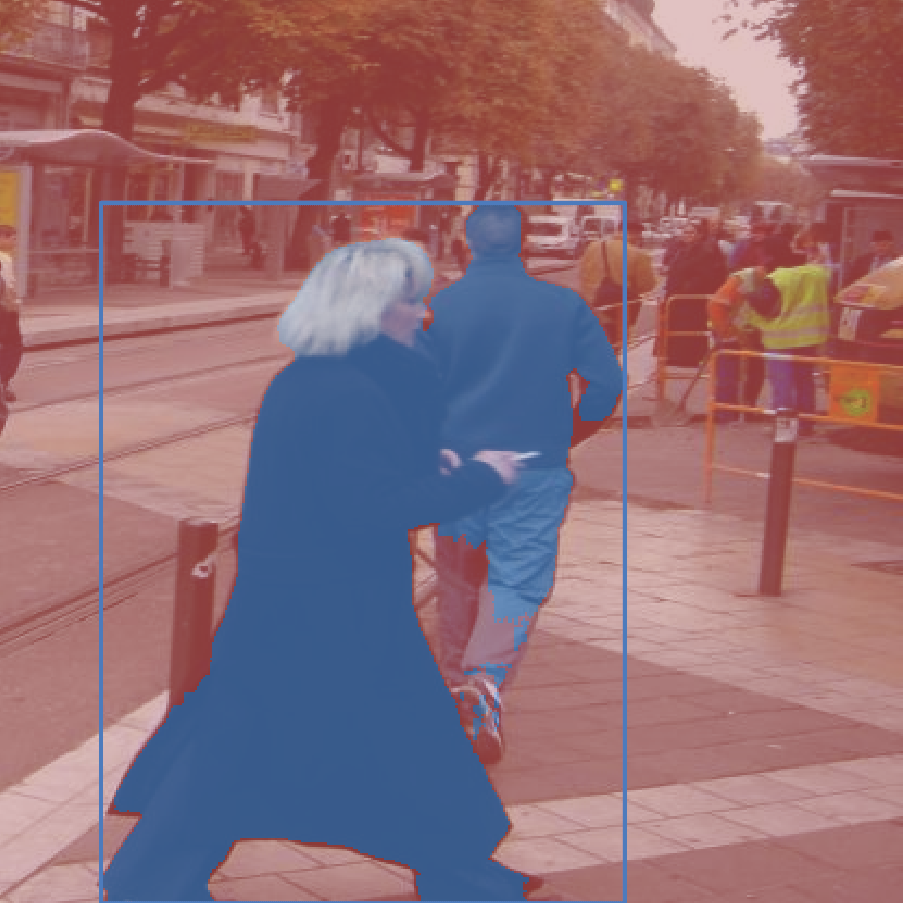
Segmented objects using SAM model
The Code
import pathlib

import numpy as np

from telekinesis import cornea
from datatypes import datatypes, io

DATA_DIR = pathlib.Path("path/to/telekinesis-data")

# Load image
filepath = str(DATA_DIR / "images" / "pedestrians.jpg")
image = io.load_image(filepath=filepath)

# Define bounding boxes
bboxes = [[40, 70, 330, 414]]

result = cornea.segment_image_using_sam(
    image=image,
    bboxes=bboxes,
)

# Access results
annotations = result["annotation"].to_list()
logger.success(f"Segmented {len(annotations)} objects.")
The Explanation of the Code
SAM segmentation uses Meta's Segment Anything Model 2 with bounding box prompts to generate segmentation masks. The model can handle multiple bounding boxes and generate masks for each.
The code begins by importing the required modules and loading an image:
import pathlib

import numpy as np

from telekinesis import cornea
from datatypes import datatypes, io

DATA_DIR = pathlib.Path("path/to/telekinesis-data")
filepath = str(DATA_DIR / "images" / "pedestrians.jpg")
image = io.load_image(filepath=filepath)
The SAM parameters are configured:
bboxes is a list of bounding boxes, each as [x1, y1, x2, y2].
bboxes = [[40, 70, 330, 414]]
result = cornea.segment_image_using_sam(
    image=image,
    bboxes=bboxes
)
The function returns a dictionary containing segmentation results with annotation in the ObjectDetectionAnnotation format.
Running the Example
Runnable examples are available in the Telekinesis examples repository. Follow the README in that repository to set up the environment. Once set up, you can run this specific example with:
cd telekinesis-examples
python examples/cornea_examples.py --example segment_image_using_sam
How to Tune the Parameters
The segment_image_using_sam Skill has 1 tunable parameter:
bboxes (required):
- List of bounding boxes
- Units: List of lists
[[x1, y1, x2, y2], ...] - Format: Each box as
[x1, y1, x2, y2](top-left and bottom-right corners) - Provide bounding boxes from object detection or user input
- Can include multiple boxes for multiple objects
TIP
Best practice: Get bounding boxes from object detection or user interaction. Use larger SAM models for better accuracy, smaller for speed. Multiple bounding boxes can segment multiple objects at once.
Where to Use the Skill
Segment Image Using SAM is commonly used in the following pipelines:
- Interactive segmentation - When user provides bounding boxes
- Object detection + segmentation - Combining detection with segmentation
- Multi-object segmentation - Segmenting multiple objects at once
- Robotic manipulation - Segmenting objects for manipulation
A typical pipeline for detection + segmentation looks as follows:
Alternative Skills
| Skill | vs. Segment Image Using SAM |
|---|---|
| segment_image_using_foreground_birefnet | BiRefNet is automatic. Use SAM for interactive with boxes, BiRefNet for automatic foreground. |
| segment_image_using_grab_cut | GrabCut is traditional. Use SAM for modern deep learning, GrabCut for traditional graph cut. |
When Not to Use the Skill
Do not use Segment Image Using SAM when:
- You don't have bounding boxes (Use automatic segmentation methods)
- Speed is critical (SAM requires GPU and can be slow)
- You need automatic segmentation (Use BiRefNet or other automatic methods)
TIP
SAM is one of the most powerful segmentation models available, particularly effective when you have bounding box prompts from object detection or user interaction.