

Segment Image Using HSV
SUMMARY
Segment Image Using HSV performs HSV color space segmentation.
HSV (Hue, Saturation, Value) color segmentation is more robust to lighting variations than RGB segmentation. By separating color information (hue, saturation) from brightness (value), HSV allows for more consistent color-based segmentation under different lighting conditions.
Use this Skill when you want to segment objects based on color while being robust to lighting changes.
The Skill
from telekinesis import cornea

result = cornea.segment_image_using_hsv(
    image=image,
    lower_bound=(0, 0, 0),
    upper_bound=(180, 255, 255),
)Example
Input Image
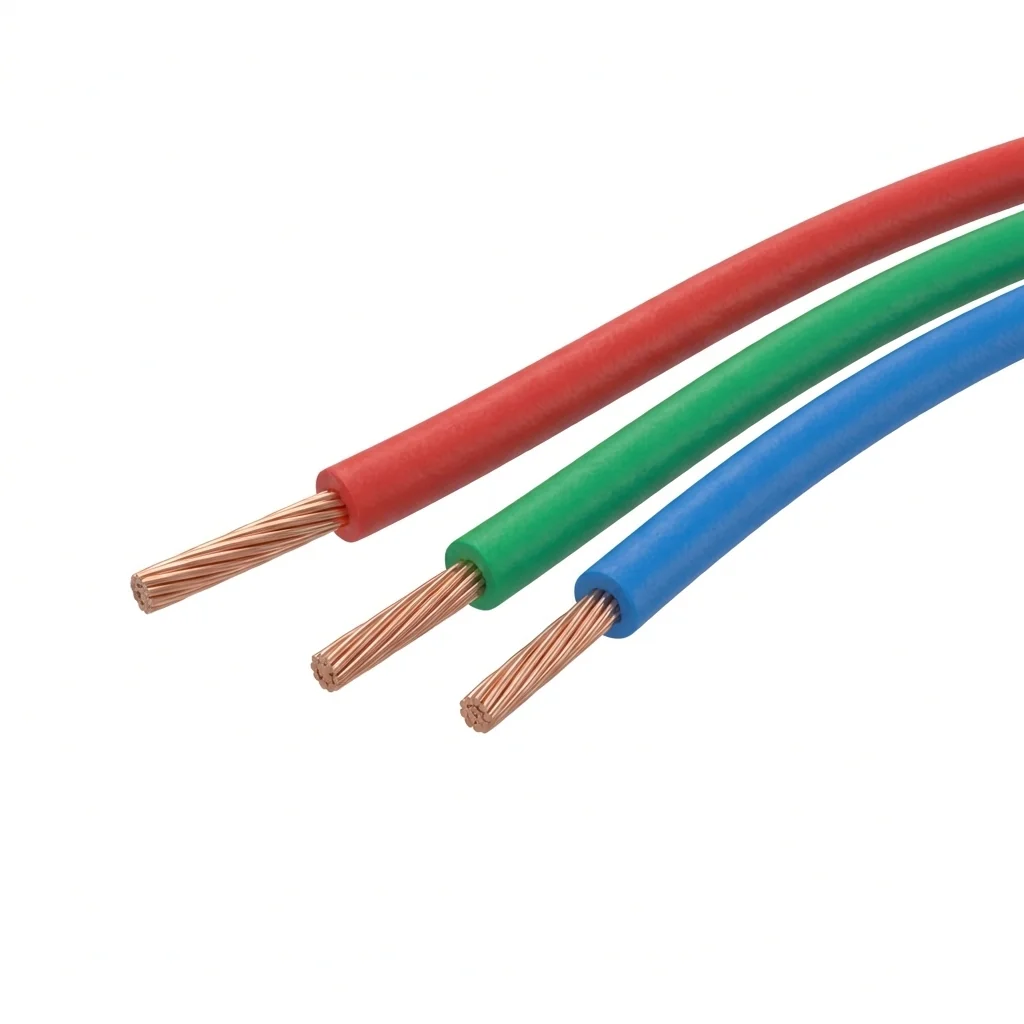
Original image for HSV color segmentation
Output Image
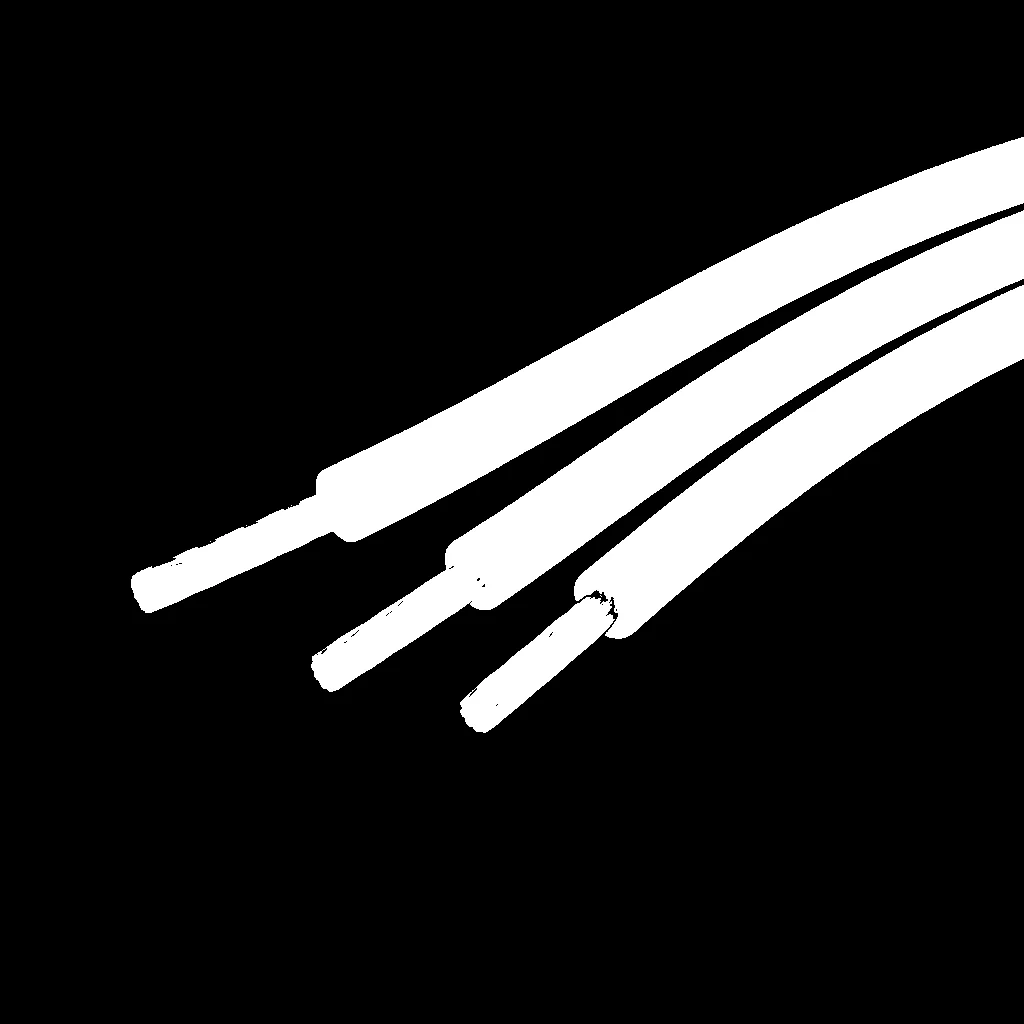
Segmented image by HSV color range
The Code
import pathlib

from telekinesis import cornea
from datatypes import io

DATA_DIR = pathlib.Path("path/to/telekinesis-data")

# Load image
filepath = str(DATA_DIR / "images" / "wires_rgb.png")
image = io.load_image(filepath=filepath)

# Perform HSV segmentation
result = cornea.segment_image_using_hsv(
    image=image,
    lower_bound=(0, 50, 50),
    upper_bound=(180, 255, 255),
)

# Access results
annotation = result["annotation"].to_dict()
mask = annotation['labeled_mask']
The Explanation of the Code
HSV segmentation converts the image to HSV color space and identifies pixels within a specified HSV range. This method is more robust to lighting variations because it separates color (hue, saturation) from brightness (value).
The code begins by importing the required modules and loading an image:
import pathlib

from telekinesis import cornea
from datatypes import io

DATA_DIR = pathlib.Path("path/to/telekinesis-data")
filepath = str(DATA_DIR / "images" / "wires_rgb.png")
image = io.load_image(filepath=filepath)
The HSV segmentation parameters are configured:
lower_boundandupper_bounddefine the HSV color range(H, S, V)where:- H (Hue): 0-180
- S (Saturation): 0-255
- V (Value/Brightness): 0-255
result = cornea.segment_image_using_hsv(
    image=image,
    lower_bound=(0, 50, 50),
    upper_bound=(180, 255, 255),
)
The function returns a dictionary containing an annotation object in COCO panoptic format. Extract the mask as follows:
annotation = result["annotation"].to_dict()
mask = annotation['labeled_mask']
Running the Example
Runnable examples are available in the Telekinesis examples repository. Follow the README in that repository to set up the environment. Once set up, you can run this specific example with:
cd telekinesis-examples
python examples/cornea_examples.py --example segment_image_using_hsv
How to Tune the Parameters
The segment_image_using_hsv Skill has 2 parameters:
lower_bound (default: (0, 0, 0)):
- Lower bound for HSV range as a tuple
(H, S, V) - Units: H: 0-180, S: 0-255, V: 0-255
- Decrease to include darker/less saturated colors
- Increase to exclude darker/less saturated colors
upper_bound (default: (180, 255, 255)):
- Upper bound for HSV range as a tuple
(H, S, V) - Units: H: 0-180, S: 0-255, V: 0-255
- Increase to include brighter/more saturated colors
- Decrease to exclude brighter/more saturated colors
TIP
Best practice: For robust color detection, set a wide range for V (value) to handle lighting variations, while keeping H (hue) and S (saturation) ranges tight around your target color.
Where to Use the Skill
Segment Image Using HSV is commonly used in the following pipelines:
- Robust color-based object detection - When lighting conditions vary
- Outdoor robotics - Color segmentation under natural lighting
- Quality control - Color inspection under varying illumination
- Material sorting - Color-based sorting with changing lighting
A typical pipeline for robust color detection looks as follows:
from telekinesis import cornea
from datatypes import io

# 1. Load the image
image = io.load_image(filepath=...)

# 2. Segment Image Using HSV (robust to lighting)
result = cornea.segment_image_using_hsv(image=image, ...)

# 3. Process segmented regions
annotation = result["annotation"].to_dict()
mask = annotation['labeled_mask']
Related skills to build such a pipeline:
load_image: Load images from disksegment_image_using_rgb: Alternative for controlled lighting
Alternative Skills
| Skill | vs. Segment Image Using HSV |
|---|---|
| segment_image_using_rgb | RGB is simpler but sensitive to lighting. Use RGB for controlled lighting, HSV for varying conditions. |
| segment_image_using_lab | LAB is perceptually uniform. Use LAB for intuitive color selection, HSV for lighting robustness. |
When Not to Use the Skill
Do not use Segment Image Using HSV when:
- You have controlled, consistent lighting (RGB may be simpler)
- Color is not a distinguishing feature (Consider other segmentation methods)
TIP
HSV is the most commonly used color space for color-based segmentation in robotics due to its robustness to lighting variations.