

Enhance Image Using Auto Gamma Correction
SUMMARY
Enhance Image Using Auto Gamma Correction automatically adjusts image brightness using adaptive gamma estimation.
Enhance Image Using Auto Gamma Correction automatically adjusts image brightness using adaptive gamma estimation.
Auto gamma correction computes a gamma value from the image luminance statistics and applies a non-linear brightness transformation to normalize overall exposure. This is useful for handling images captured under unknown or varying lighting conditions, where a fixed gamma value would be difficult to tune manually.
Use this Skill when you want to automatically normalize brightness without manually selecting a gamma value.
The Skill
from telekinesis import pupil

corrected_image = pupil.enhance_image_using_auto_gamma_correction(
    image=image
)Example
Input Image
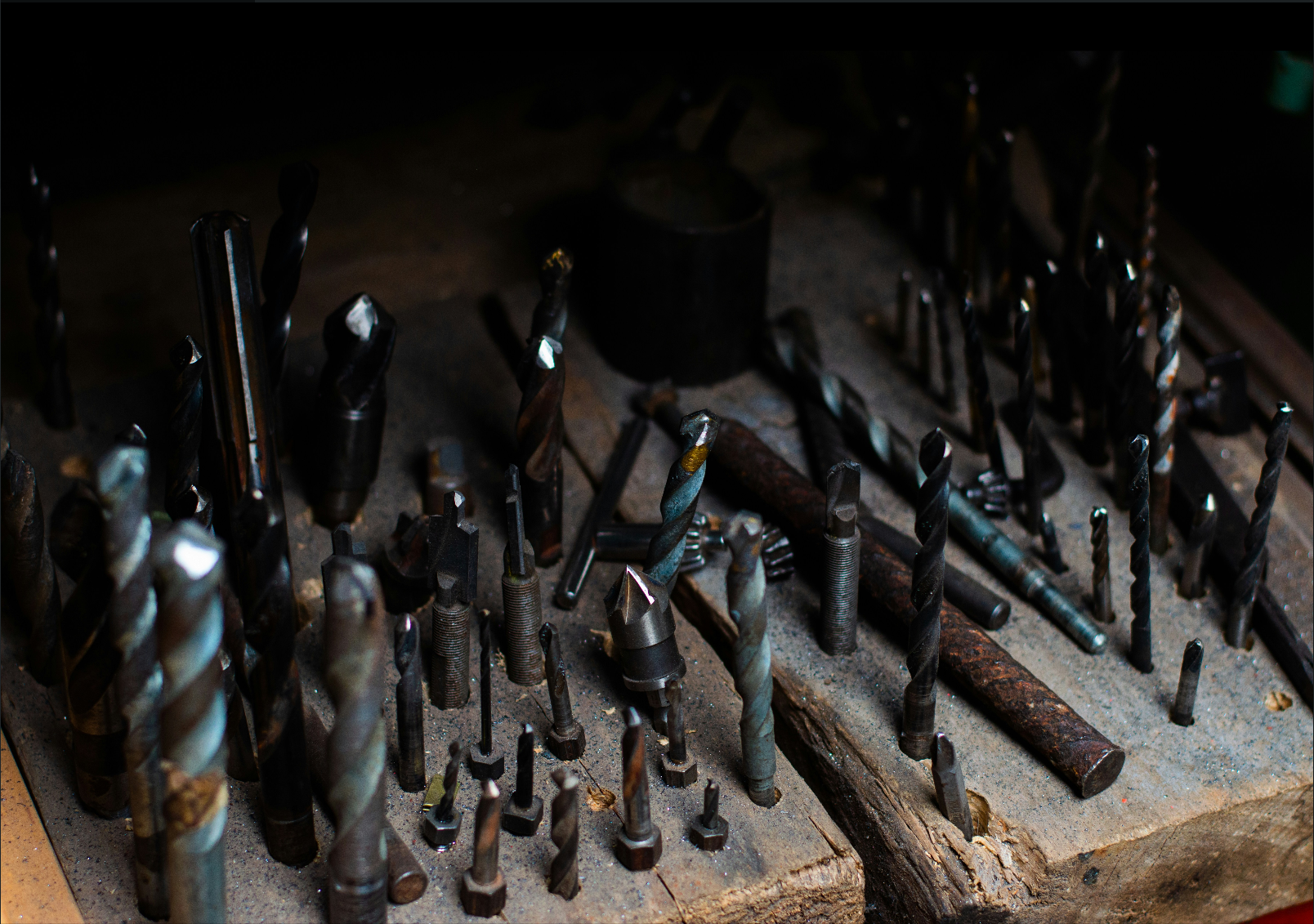
Original image
Output Image
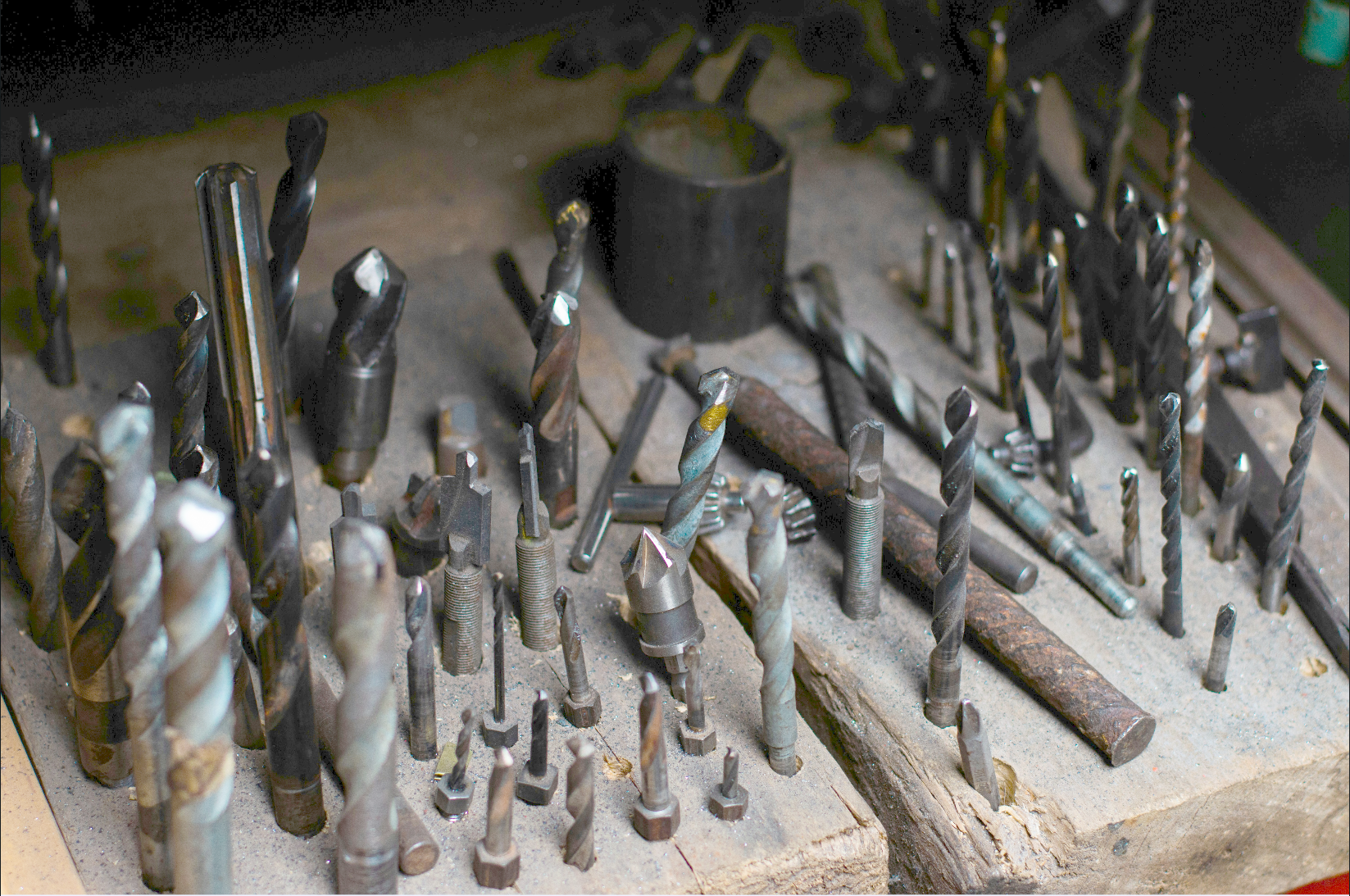
Gamma-corrected image
The Code
from telekinesis import pupil
from datatypes import io
import pathlib

# Optional for logging
from loguru import logger

DATA_DIR = pathlib.Path("path/to/telekinesis-data")

# Load image
filepath = str(DATA_DIR / "images" / "screws_in_dark_lighting.jpg")
image = io.load_image(filepath=filepath)
logger.success(f"Loaded image with shape {image.to_numpy().shape}")

# Apply auto gamma correction
enhanced_imaged = pupil.enhance_image_using_auto_gamma_correction(
    image=image
)
logger.success(f"Applied auto gamma correction with corrected image shape as {enhanced_imaged.to_numpy().shape}")
The Explanation of the Code
This example demonstrates how to use the enhance_image_using_auto_gamma_correction Skill to automatically normalize image brightness using an adaptive gamma transformation.
The code begins by importing the required Telekinesis modules, utilities for loading image data, and optional logging support.
from telekinesis import pupil
from datatypes import io
import pathlib
from loguru import logger
A data directory is defined and an input image is loaded from disk using io.load_image. The image is stored as a Telekinesis image datatype, and its dimensions are logged for verification.
DATA_DIR = pathlib.Path("path/to/telekinesis-data")

filepath = str(DATA_DIR / "images" / "screws_in_dark_lighting.jpg")
image = io.load_image(filepath=filepath)
logger.success(f"Loaded image with shape {image.to_numpy().shape}")
The enhance_image_using_auto_gamma_correction Skill then computes a gamma value automatically based on the image luminance statistics. This gamma value is chosen such that darker images are brightened and brighter images are slightly compressed, helping normalize exposure across different lighting conditions.
enhanced_imaged = pupil.enhance_image_using_auto_gamma_correction(
    image=image
)
logger.success(f"Applied auto gamma correction with corrected image shape as {enhanced_imaged.to_numpy().shape}")
The correction is applied globally using a power-law (gamma) transformation. The original image remains unchanged, and a new brightness-normalized image is returned. Because gamma is estimated from the image itself, the behavior adapts automatically to different scenes without requiring parameter tuning.
Running the Example
Runnable examples are available in the Telekinesis examples repository. Follow the README in that repository to set up the environment. Once set up, you can run this specific example with:
cd telekinesis-examples
python examples/pupil_examples.py --example enhance_image_using_auto_gamma_correction
How the Auto Gamma Estimation Works
Auto gamma correction estimates gamma from the mean luminance of the image:
- The image is converted to grayscale
- The mean intensity is computed
- A gamma value is derived heuristically to push the average brightness toward a mid-range value
- A lookup table (LUT) is applied for efficient transformation
This approach provides a lightweight and fast method for brightness normalization in real-time or batch pipelines.
Where to Use the Skill in a Pipeline
- Automatic exposure normalization – Normalize brightness under varying or unknown lighting
- Image preprocessing – Improve robustness of downstream vision algorithms
- Dataset normalization – Reduce brightness-related domain shift
- Visualization – Improve visibility of dark or washed-out images
When Not to Use the Skill
- Photometric accuracy required (Alters intensity values heuristically)
- Fixed gamma needed (Use manual gamma correction instead)
- Already normalized images (May cause overcorrection)
- Artistic processing (Removes intentional lighting effects)