

Depalletizing with SAM
SUMMARY
Depalletizing is the robotic task of removing boxes from a pallet, one at a time, in a reliable and collision-free manner.
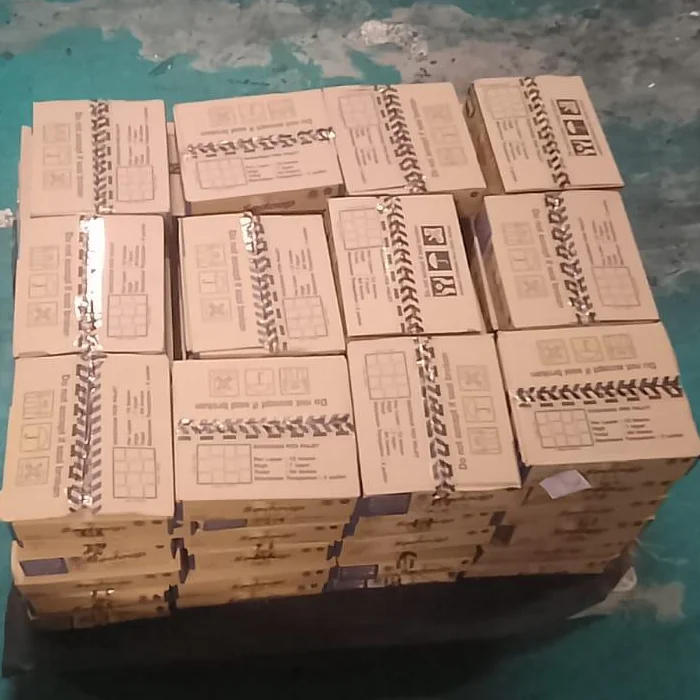
In real industrial environments, boxes may touch, overlap slightly, contain tape or printed graphics, and exhibit small misalignments. While bounding boxes can localize boxes roughly, they do not provide enough information to determine safe suction pick locations.
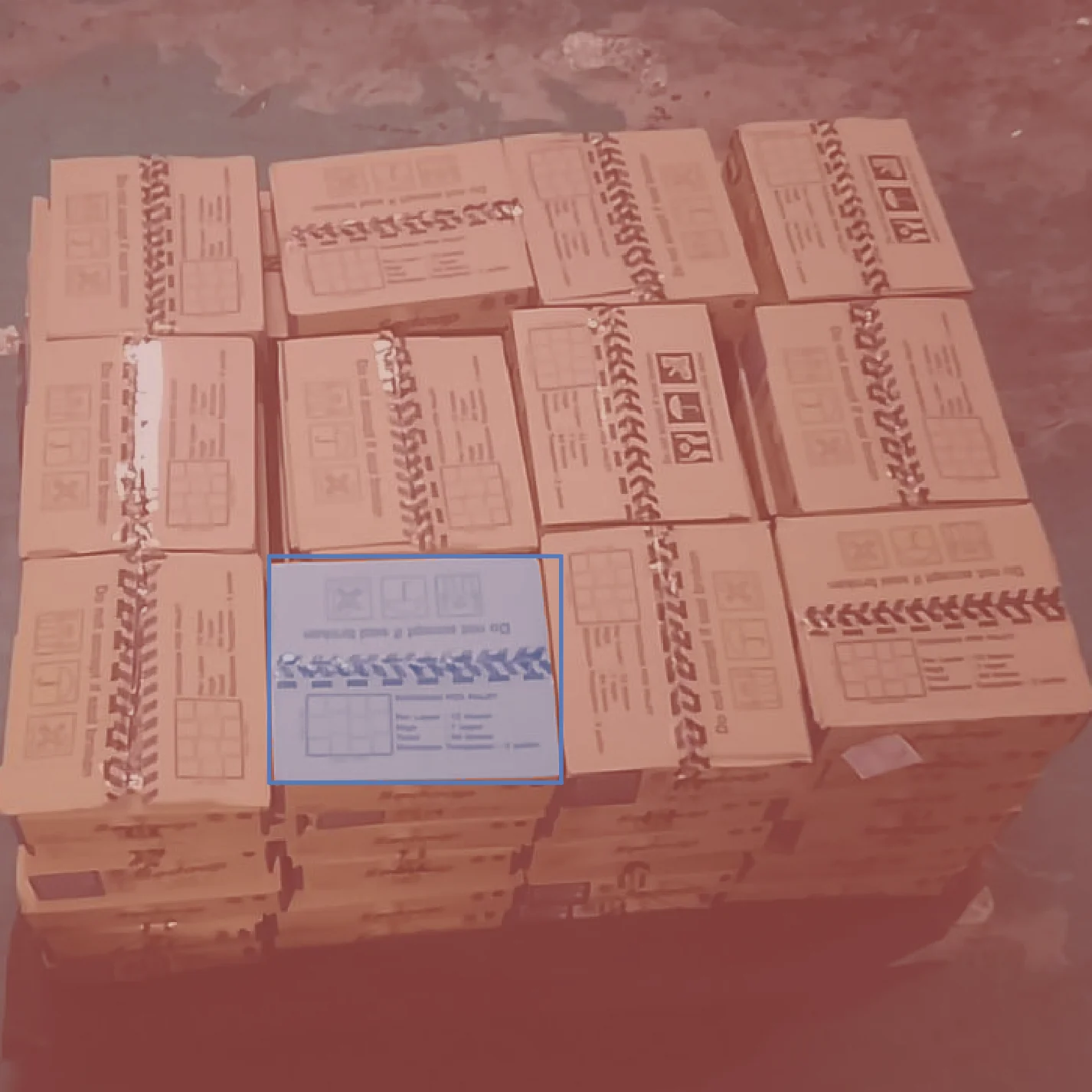
The skill segment_image_using_sam is used here to extract accurate, object-specific masks, enabling the system to identify flat, interior regions of a box that are suitable for reliable picking.
Details on the skill, code, and practical usage are provided below.
The Skill
For suction-based depalletizing, the robot must pick from a surface that is:
- Flat
- Away from edges
- Away from tape seams
- Belonging to a single box only
Bounding boxes alone cannot guarantee these conditions.segment_image_using_sam provides a pixel-accurate segmentation mask that defines exactly which pixels belong to a given box, even in the presence of clutter, logos, and partial occlusions. This mask is the foundation for all downstream geometric reasoning.
See below for a code example demonstrating how to load a pallet image, segment objects using SAM, and access the resulting annotations for further processing or visualization.
The Code
from telekinesis import cornea
from datatypes import io

# 1. Load a pallet image (or video frame)
image = io.load_image(filepath="depalletizing.webp")

# 2. Define bounding boxes for regions of interest
bounding_boxes = [[x_min, y_min, x_max, y_max], ...]

# 3. Segment objects using SAM
result = cornea.segment_image_using_sam(image=image, bbox=bounding_boxes)

# 4. Access COCO-style annotations for visualization and processing
annotations = result["annotation"].to_list()
This code demonstrates how to load a pallet image, segment objects using segment_image_using_sam, and access the resulting masks and bounding boxes for further processing or visualization.
Going Further: Depalletizing pipeline
Segmentation with segment_image_using_sam enables the remaining steps required for reliable industrial depalletizing:
Safe surface extraction: Use the segmentation mask to isolate the interior of the box and exclude edges, corners, and unstable regions.
Pick-point estimation: Compute a pick point from the safe surface region, ensuring it lies on a flat, interior area suitable for suction.
Pose estimation: Combine the segmentation mask with depth data to estimate surface height and orientation, producing a stable pick pose.
Carton selection: When multiple cartons are visible, rank candidates by accessibility and visibility to select the safest next pick.
Execution and iteration: Execute the pick, update the scene, and repeat until the pallet is cleared.
Key Takeaway
Segmentation enables reliable depalletizing by constraining pose estimation and pick-point selection to physically meaningful object surfaces.
Other Typical Applications
- Automated palletizing and depalletizing
- Inventory management
- Sorting and logistics
- Quality inspection
- Ground segmentation
- Random bin picking
- Palletizing and depalletizing
- Ground segmentation
- Conveyor tracking
Related Skills
segment_image_using_samsegment_using_rgbsegment_using_hsv
Running the Example
Runnable examples are available in the Telekinesis examples repository. Follow the README in that repository to set up the environment. Once set up, you can run a similar example with:
cd telekinesis-examples
python examples/cornea_examples.py --example segment_image_using_sam