

Filter Image Using Morphological Tophat Filter
SUMMARY
Filter Image Using Morphological Tophat Filter applies top-hat transform to extract small bright features.
Top-hat finds bright features smaller than the structuring element, useful for detecting small objects or enhancing details. This operation subtracts the morphologically opened image from the original, isolating features that were removed by opening. It's particularly effective for extracting small bright objects on varying backgrounds or enhancing fine details obscured by uneven illumination.
Use this Skill when you want to extract or enhance small bright features and details.
The Skill
from telekinesis import pupil

filtered_image = pupil.filter_image_using_morphological_tophat(
    image=image,
    kernel_size=15,
    kernel_shape="ellipse",
    iterations=1,
    border_type="default",
    morphology_type="tophat",
)Example
Input Image
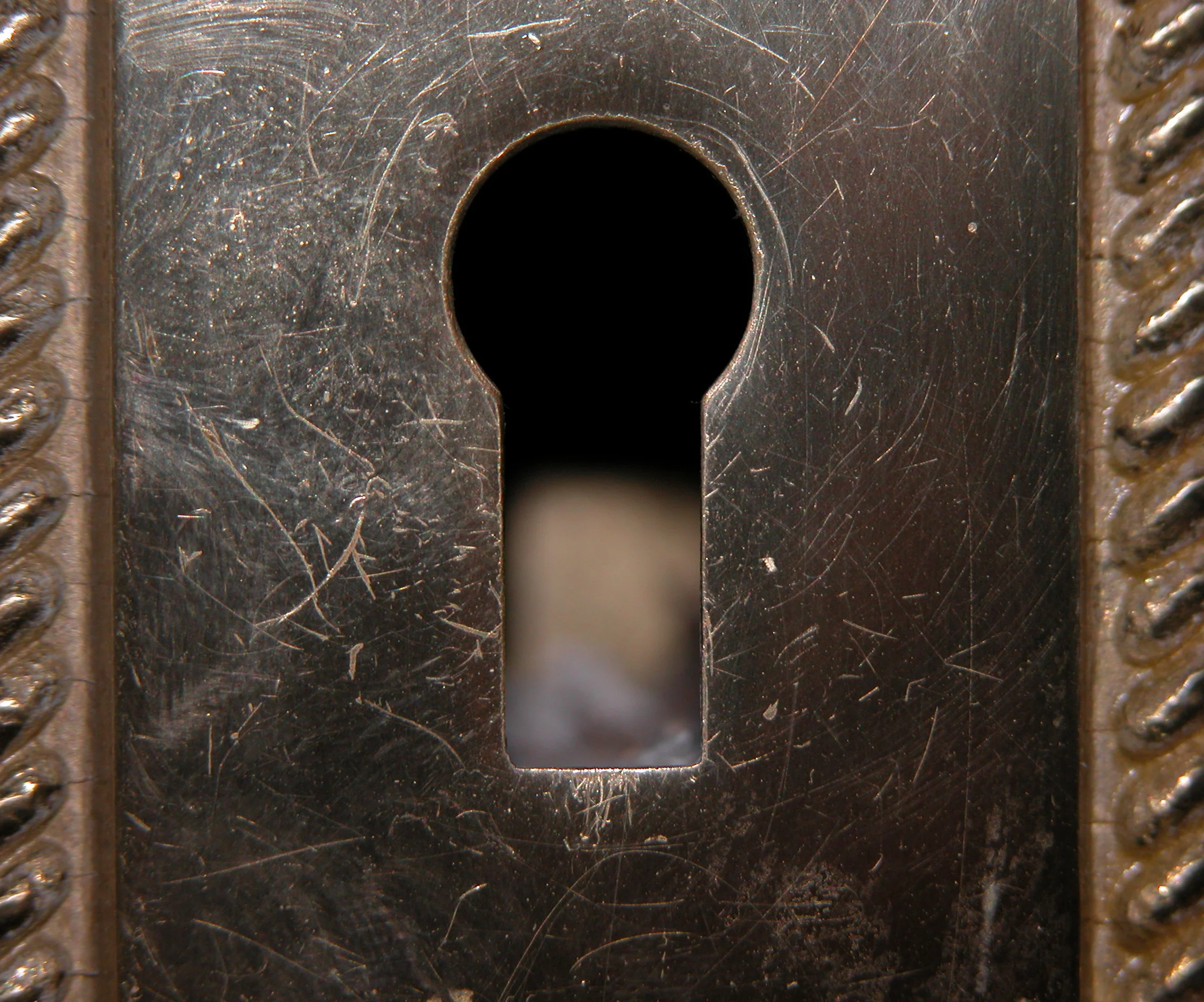
Original image with small bright features and uneven background
Filtered Image
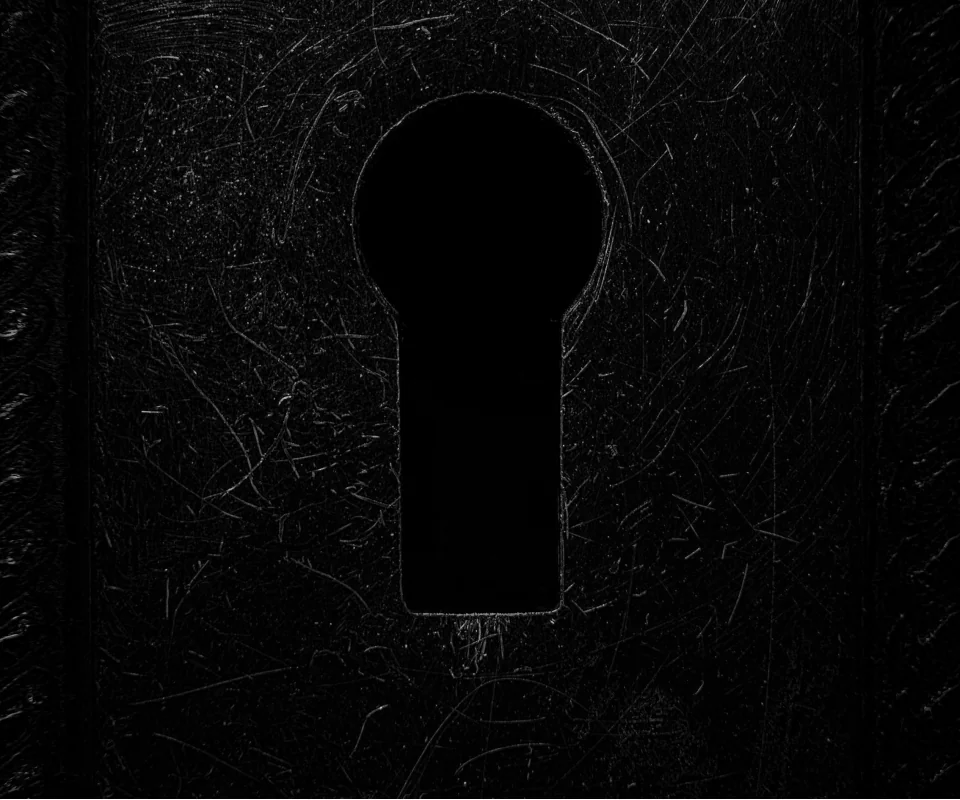
Top-hat image with kernel_size=15 - small bright features extracted
The Code
from telekinesis import pupil
from datatypes import io
import pathlib
from loguru import logger

DATA_DIR = pathlib.Path("path/to/telekinesis-data")

# Load image
filepath = str(DATA_DIR / "images" / "keyhole.jpg")
image = io.load_image(filepath=filepath, as_gray=True)
logger.success(f"Loaded image from {filepath}")

# Apply tophat morphological operation
filtered_image = pupil.filter_image_using_morphological_tophat(
    image=image,
    kernel_size=3,
    kernel_shape="ellipse",
    iterations=5,
    border_type="default",
)

# Access results
filtered_image_np = filtered_image.to_numpy()
logger.success("Applied tophat morphological operation. Output image shape: {}", filtered_image_np.shape)
The Explanation of the Code
The code begins by importing the necessary modules: pupil for image processing operations, io for data handling, pathlib for path management, and loguru for logging.
from telekinesis import pupil
from datatypes import io
import pathlib
from loguru import logger
Next, an image is loaded from a .jpg file using the io.load_image function. The image is loaded in grayscale mode using as_gray=True, which is appropriate for morphological top-hat operations that isolate small bright features.
DATA_DIR = pathlib.Path("path/to/telekinesis-data")

# Load the grayscale image
filepath = str(DATA_DIR / "images" / "keyhole.jpg")
image = io.load_image(filepath=filepath, as_gray=True)
The main operation uses the filter_image_using_morphological_tophat Skill from the pupil module. This Skill applies the top-hat transform to extract small bright features by subtracting the morphologically opened image from the original. The parameters can be tuned to control feature scale, kernel shape, iteration strength, and border handling depending on the characteristics of the input image.
filtered_image = pupil.filter_image_using_morphological_tophat(
    image=image,
    kernel_size=3,
    kernel_shape="ellipse",
    iterations=5,
    border_type="default",
)
Finally, the filtered image is converted to a NumPy array using to_numpy() for further processing, visualization, or downstream tasks.
filtered_image_np = filtered_image.to_numpy()
logger.success(f"Output image shape: {filtered_image_np.shape}")
This operation is particularly useful in robotics and vision pipelines for background correction, small object detection, feature enhancement, and defect detection, where extracting small bright features on varying backgrounds is required.
Running the Example
Runnable examples are available in the Telekinesis examples repository. Follow the README in that repository to set up the environment. Once set up, you can run this specific example with:
cd telekinesis-examples
python examples/pupil_examples.py --example filter_image_using_morphological_tophat
How to Tune the Parameters
The filter_image_using_morphological_tophat Skill has 4 parameters that control bright feature extraction. The key is kernel_size—features smaller than the kernel are extracted; larger ones are suppressed.
kernel_size (default: 3): Controls the size of the structuring element used for the opening step in top-hat.
- Units: Pixels
- Increase to extract larger bright features relative to background; Decrease to extract finer bright details
- Typical range: 3–15 (min: 3, max: 15)
- Use 3–5 for very small features, 5–9 for moderate features, 9–15 for larger features relative to background
kernel_shape (default: ellipse): Defines the geometric shape of the structuring element used for top-hat computation.
- Options: "ellipse", "rectangle", "cross", "diamond"
- "ellipse" gives smooth, isotropic extraction of bright features; "rectangle" and "cross" for directional effects
- Use "ellipse" for most cases
iterations (default: 1):
- The number of times the opening operation (used in top-hat) is applied
- Units: Count
- Increase to remove progressively larger structures from the background, isolating larger bright features; Decrease for smaller bright details
- Typical range: 1–10 (min: 1, max: 10)
- Each iteration compounds the effect
border_type (default: default): Determines how image borders are handled when the structuring element extends beyond the image boundary.
- Options: "default", "constant", "replicate", "reflect", "reflect 101"
- "default" uses reflect 101; "constant" pads with fixed value; "replicate" repeats edge pixel; "reflect" mirrors
- Use "default" or "reflect" for most cases
TIP
Best practice: Set kernel_size larger than the features you want to extract but smaller than the background variations you want to remove. Top-hat is excellent for background correction and small feature enhancement.
Where to Use the Skill
Morphological Tophat is commonly used in the following pipelines:
- Background correction - Remove uneven illumination
- Small object detection - Detect particles, cells, or small features
- Feature enhancement - Enhance fine details obscured by background
- Preprocessing for thresholding - Normalize background before segmentation
- Defect detection - Find small bright defects on surfaces
Related skills to build such a pipeline:
filter_image_usingmorphological_blackhat: Extract dark featuresfilter_image_using_gaussian_blur: Pre-smooth for noise reductionfilter_image_usingmorphological_open: Related operation for noise removal
Alternative Skills
| Skill | vs. Morphological Tophat |
|---|---|
| filter_image_using_morphological_blackhat | Blackhat extracts dark features. Use tophat for bright features on dark backgrounds, blackhat for dark features on bright backgrounds. |
When Not to Use the Skill
Do not use Morphological Tophat when:
- You want to extract dark features (Use blackhat instead)
- Features are larger than the background variations (Top-hat won't help)
- You need to preserve background information (Top-hat removes it)
- Working with uniform backgrounds (Top-hat is unnecessary)