

Transform Using Pyramid Downsampling
SUMMARY
Transform Using Pyramid Downsampling downsamples an image using Gaussian pyramid.
Pyramid down reduces image resolution by smoothing and subsampling, useful for multi-scale analysis and efficient processing. This operation first applies Gaussian smoothing to prevent aliasing, then reduces the image size. It's a fundamental operation in image pyramids used for multi-resolution processing, feature detection at multiple scales, and efficient image processing pipelines.
Use this Skill when you want to reduce image resolution while minimizing aliasing artifacts.
The Skill
from telekinesis import pupil

downsampled_image = pupil.transform_image_using_pyramid_downsampling(
    image=image,
    scale_factor=datatypes.Float(0.5),
)Example
Input Image
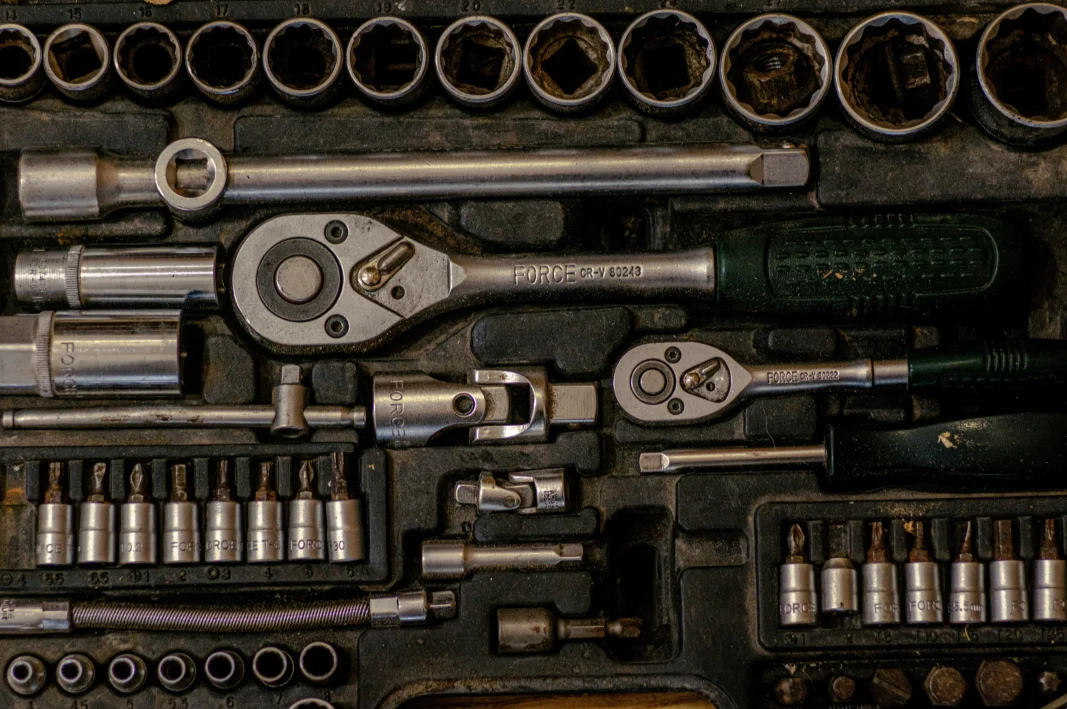
Original full-resolution image
Downsampled Level 1
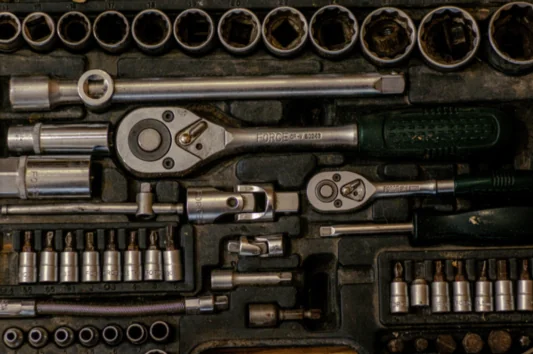
Downsampled image, Pyramid Level 1, with scale_factor=0.5 - resolution reduced by half
Downsampled Level 2
Downsampled image, Pyramid Level 2, with scale_factor=0.5 - resolution reduced by half
Downsampled Level 3

Downsampled image, Pyramid Level 3, with scale_factor=0.5 - resolution reduced by half
The Code
from telekinesis import pupil
from datatypes import io
import pathlib
from loguru import logger

DATA_DIR = pathlib.Path("path/to/telekinesis-data")

# Load image
filepath = str(DATA_DIR / "images" / "gearbox.webp")
image = io.load_image(filepath=filepath)
logger.success(f"Loaded image from {filepath}")

# Apply pyramid downsampling transformation
filtered_image = pupil.transform_image_using_pyramid_downsampling(
    image=image,
    scale_factor=0.5,
)

# Access results
filtered_image_np = filtered_image.to_numpy()
logger.success("Applied pyramid downsampling. Transformed output image shape: {}", filtered_image_np.shape)
The Explanation of the Code
The code begins by importing the necessary modules: pupil for image processing operations, io for data handling, pathlib for path management, and loguru for logging.
from telekinesis import pupil
from datatypes import io
import pathlib
from loguru import logger
Next, an image is loaded from a .png file using the io.load_image function. The input image may be either grayscale or color.
DATA_DIR = pathlib.Path("path/to/telekinesis-data")

# Load image
filepath = str(DATA_DIR / "images" / "gearbox.webp")
image = io.load_image(filepath=filepath)
The main operation uses the transform_image_using_pyramid_downsampling Skill from the pupil module. This Skill downsamples an image using Gaussian pyramid by smoothing and subsampling to minimize aliasing. The parameters can be tuned to control the scale factor depending on the characteristics of the input image.
filtered_image = pupil.transform_image_using_pyramid_downsampling(
    image=image,
    scale_factor=0.5,
)
Finally, the downsampled image is converted to a NumPy array using to_numpy() for further processing, visualization, or downstream tasks.
filtered_image_np = filtered_image.to_numpy()
logger.success(f"Output image shape: {filtered_image_np.shape}")
This operation is particularly useful in robotics and vision pipelines for multi-scale analysis, image pyramids, and efficient processing, where reducing image resolution while minimizing aliasing is required.
Running the Example
Runnable examples are available in the Telekinesis examples repository. Follow the README in that repository to set up the environment. Once set up, you can run this specific example with:
cd telekinesis-examples
python examples/pupil_examples.py --example transform_image_using_pyramid_downsampling
How to Tune the Parameters
The transform_image_using_pyramid_downsampling Skill has 1 parameter:
scale_factor (default: 0.5):
- The scaling factor for downsampling. Must be between 0 and 1
- Units: Dimensionless (multiplier)
- Increase to create larger output (closer to original size)
- Decrease to create smaller output
- Typical range: 0.1–0.9 (min: 0.1, max: 0.9)
- Use 0.5 for standard pyramid levels (half size); 0.25 for quarter size; 0.1–0.3 for aggressive downsampling
TIP
Best practice: Use scale_factor=0.5 for standard image pyramids. This reduces both width and height by half, resulting in 1/4 the total pixels. For multi-level pyramids, apply repeatedly.
Where to Use the Skill
Transform Using Pyramid Down is commonly used in the following pipelines:
- Multi-scale processing - Create image pyramids for scale-space analysis
- Performance optimization - Reduce resolution for faster processing
- Feature detection - Detect features at multiple scales
- Image blending - Create pyramids for seamless blending
- Coarse-to-fine processing - Start with low resolution, refine at high resolution
Related skills to build such a pipeline:
transform_image_using_pyramid_upsampling: Upsample imagesfilter_image_using_gaussian_blur: Manual smoothing before downsampling
Alternate Skill
Pyramid downsampling is a scale-space transformation, not a generic resize. It always smooths before reducing resolution to prevent aliasing.
| Skill | When to use it instead |
|---|---|
transform_image_using_pyramid_upsampling | Use when you need to increase resolution or reconstruct higher pyramid levels. Pyramid up is the inverse of pyramid down. |
filter_image_using_gaussian_blur | Use when you only want smoothing without changing image resolution. Pyramid down always reduces image size. |
| Manual decimation (nearest resize) | Use when you want sharp or aliasing-preserving downsampling. Pyramid down explicitly avoids aliasing by design. |
When Not to Use the Skill
Do not use Transform Using Pyramid Down when:
- You need custom interpolation methods (Use resizing instead)
- You want to upsample (Use transform_image_using_pyramid_upsampling instead)
- You need non-0.5 scale factors with specific interpolation (Use resizing for more control)
- You don't want smoothing (Pyramid down always smooths; use resize with NEAREST interpolation if you want sharp downsampling)