

IDS
SUMMARY
The IDS class provides a Python interface for IDS industrial cameras, supporting single-image capture, continuous video streaming, and remote control over BabyROS. It wraps the IDS Peak SDK to handle device connection, buffer allocation, parameter management, and safe teardown.
Requirements: IDS Peak Cockpit 2.9.0.0 and IDS Peak 2.20.0.0-484 must be installed, and a supported IDS camera must be connected via USB3.
Tested devices:
- IDS U3-36PxXCP-C with IDS 8.5mm 1:2.8 C 1.1" lens
- IDS U3-35L0XC
Use Cases
Vision Based Pick and Place
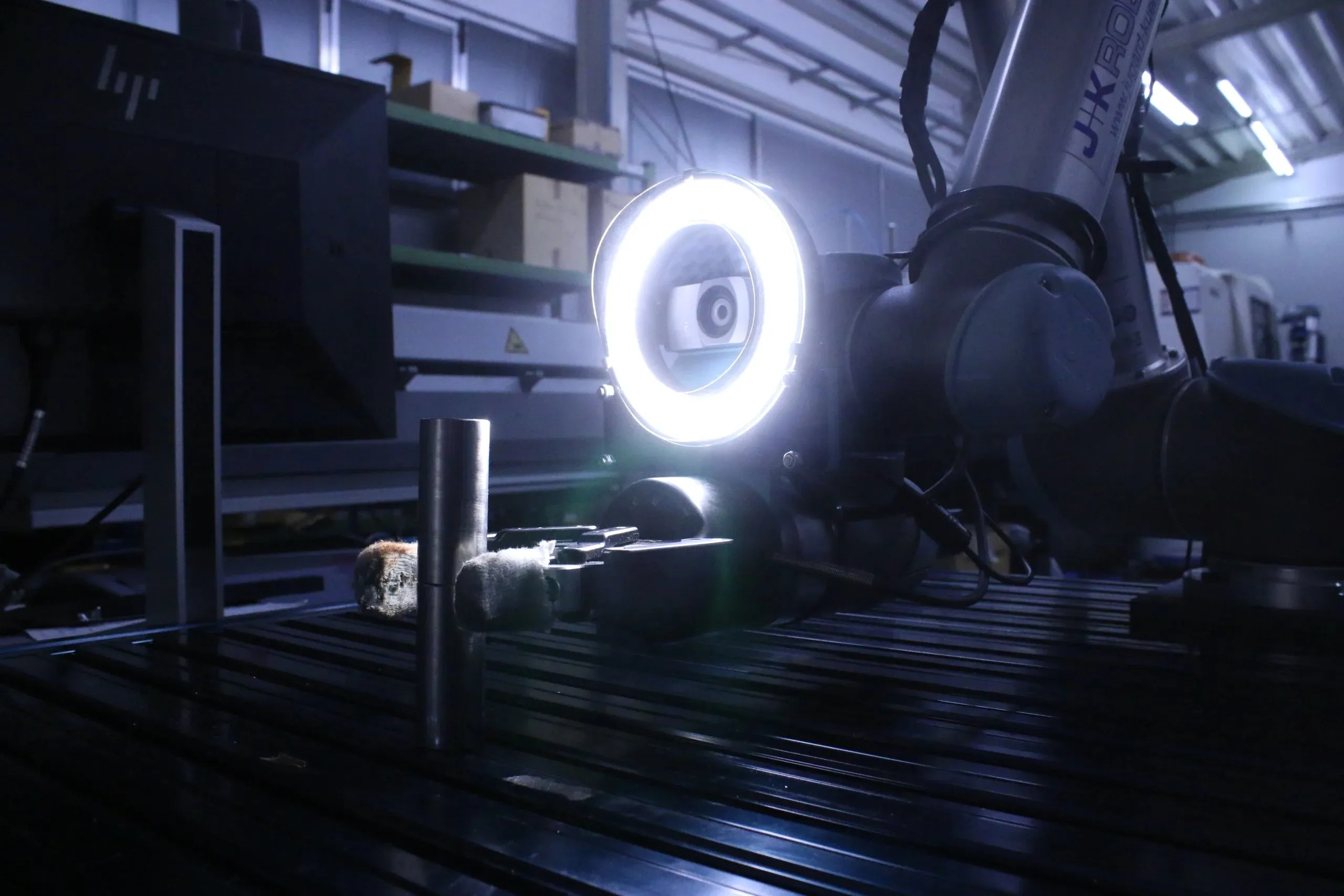
Eye-in-Hand calibrated IDS U3-35L0XC mounted on the robot arm.
Quality Assurance
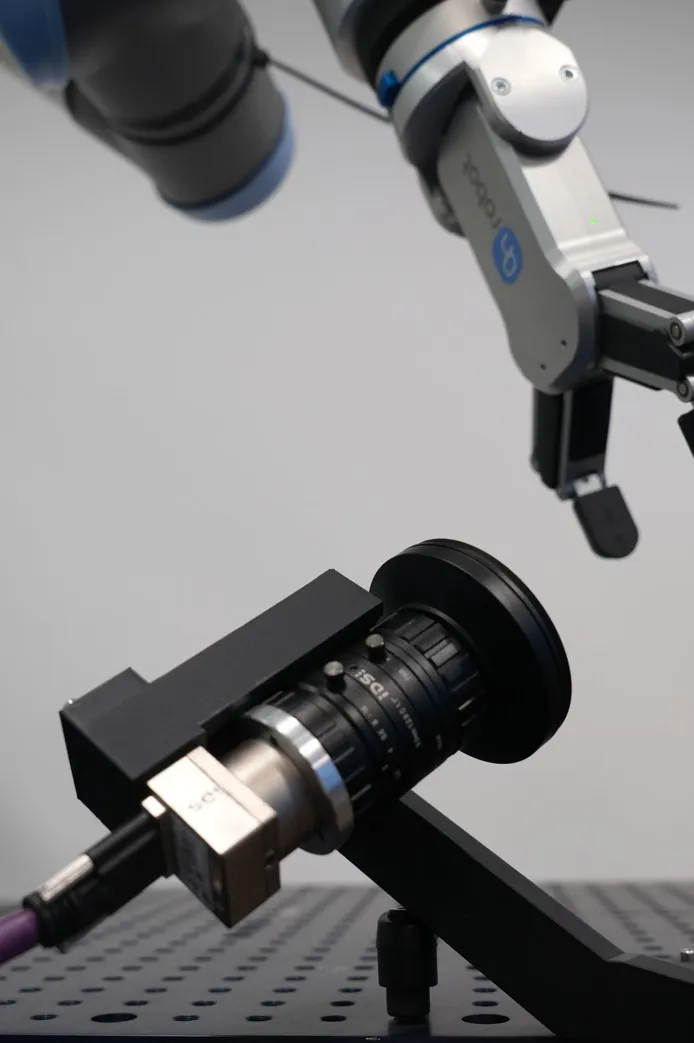
Statically mounted IDS U3-36PxXCP-C with IDS 8.5mm 1:2.8 C 1.1" lens.
Useful Links
Installation
- Install Medulla as described in the overview.
- Install the IDS SDK (Windows) from the official website:
https://de.ids-imaging.com/download-peak.html
Follow the installation wizard and restart your PC. - Install the optional IDS dependencies from the
medullafolder:bashpip install .[ids]
Getting Started
WARNING
Examples were tested on Windows 11 only.
After installing the IDS software, connect your IDS camera and open IDS Peak Cockpit to configure it:
- Open the camera manager and start the camera by selecting your camera in the left panel and clicking the camera button:
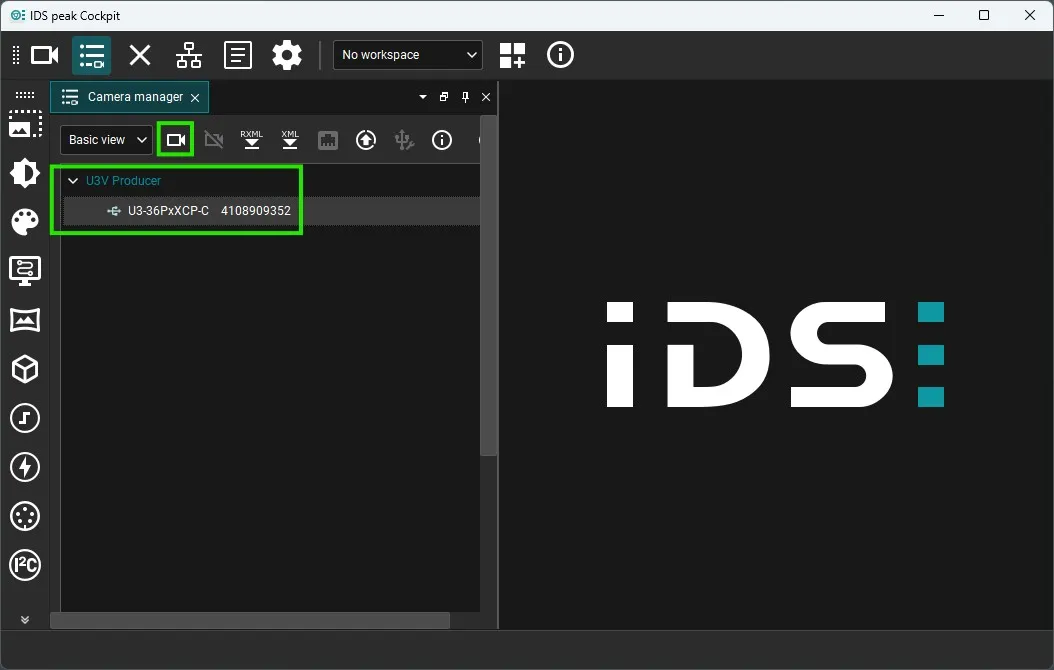
Under U3V Producers you will see all cameras connected to your PC. The list shows the camera model (e.g. U3-36PxXCP-C) followed by its serial number (e.g. 4108909352).
- Adjust camera parameters as needed (e.g. analog gain, exposure):
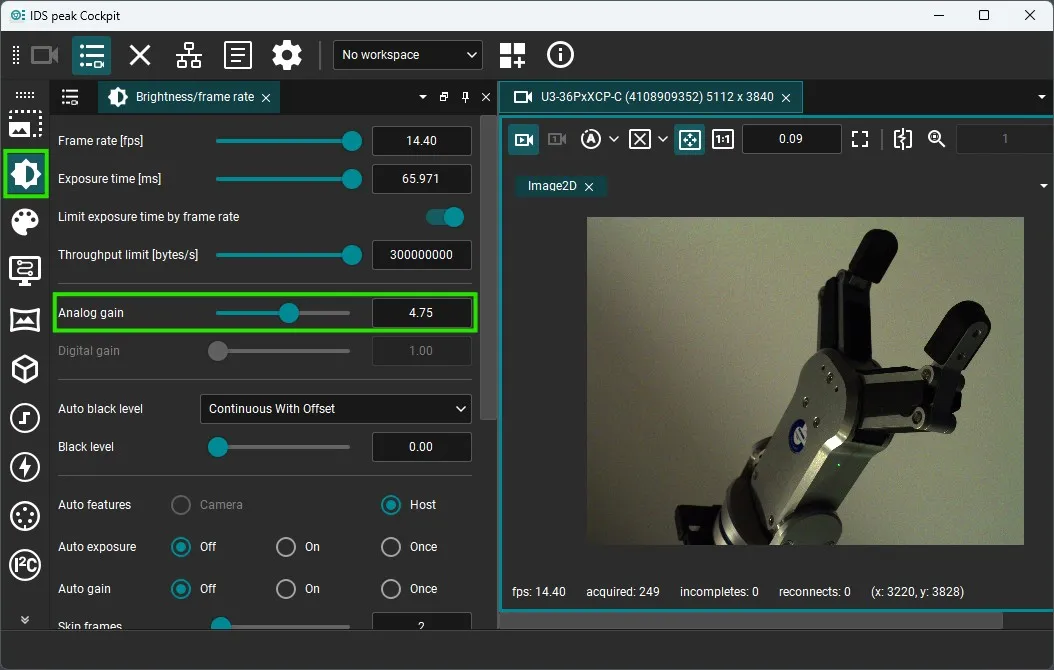
Cameras run in free-run mode by default — parameter changes are reflected immediately in the viewer.
- Close IDS Peak Cockpit before running any
medullascript.
WARNING
Only one program can access the camera at a time. Close IDS Peak Cockpit before running medulla. Parameter changes persist as long as the camera remains connected and the PC is not restarted.
- Capture an image using
medulla:
from medulla.cameras import ids

camera = ids.IDS(name="my_ids_camera", serial_number="4108909352")
camera.connect()
image = camera.capture_single_color_frame()
camera.disconnect()
Examples
| Example | Description |
|---|---|
| Capture Single Image | Capture one color frame and visualize with Rerun |
| Stream Live Video | Stream continuous frames to a Rerun viewer |
| Publish Live Video with BabyROS | Control streaming remotely via BabyROS topics |
| Advanced BabyROS Usage | Combine capture and streaming through a BabyROS client |