

RealSense — Capture RGB, Depth & Point Cloud
This example demonstrates how to use Tzara to generate a pipeline that captures all three RealSense data streams — color image, depth image, and point cloud — and visualizes them in Rerun.
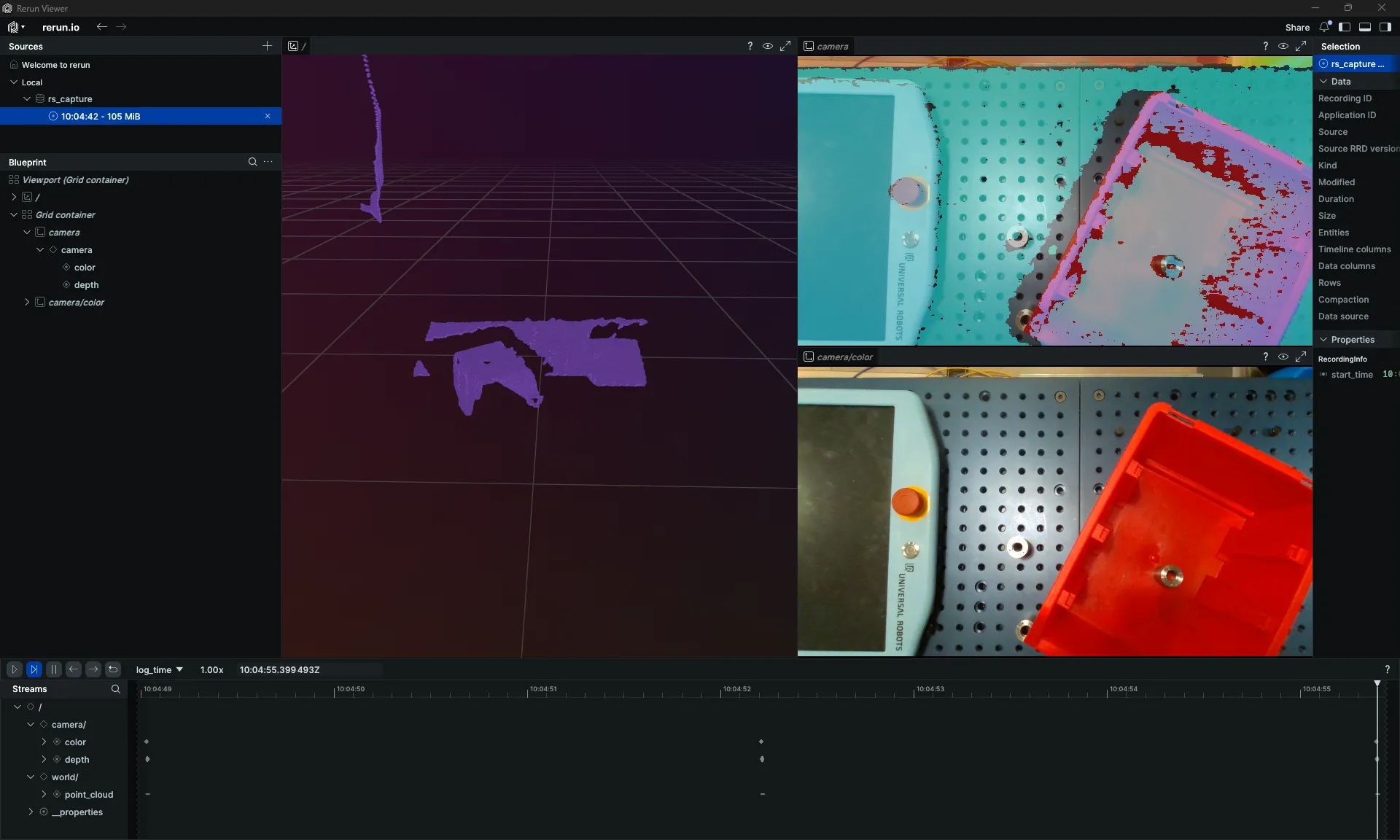
RGB image, depth image, and point cloud captured and visualized in Rerun
The Natural Language Instruction
Capture an image, point cloud, and depth from a RealSense camera and visualize them using RerunThe Generated Code
python
# Pipeline: Capture color image, depth image, and point cloud from RealSense
# and visualize all three in Rerun.

import numpy as np
import rerun as rr
import time
from telekinesis.medulla.cameras import RealSense

NUM_CAPTURES = 15
REST_SECONDS = 3

# Step 1: Instantiate and connect to RealSense camera
camera = RealSense(name="rs_capture")
camera.connect()

rr.init("rs_capture", spawn=True)

try:
    for i in range(NUM_CAPTURES):
        print(f"Capture {i + 1}/{NUM_CAPTURES}")

        # Step 2: Capture color image, depth image, and point cloud
        color_image = camera.capture_color_image()
        depth_image = camera.capture_depth_image()
        point_cloud = camera.capture_pointcloud()

        # Step 3a: Log the color image
        if color_image is not None:
            rr.log("camera/color", rr.Image(color_image))

        # Step 3b: Log the depth image
        if depth_image is not None:
            rr.log("camera/depth", rr.DepthImage(depth_image, meter=1.0))

        # Step 3c: Log the point cloud
        if point_cloud is not None:
            positions = point_cloud.to_numpy("positions") if hasattr(point_cloud, "to_numpy") else None
            if positions is None:
                positions = np.asarray(getattr(point_cloud, "positions", None))
            colors_arg = None
            if point_cloud.has_colors():
                colors = np.asarray(getattr(point_cloud, "colors"))
                if colors.ndim == 2 and colors.shape[1] >= 3:
                    colors_arg = colors[:, :3]
            if colors_arg is not None:
                rr.log("world/point_cloud", rr.Points3D(positions, colors=colors_arg))
            else:
                rr.log("world/point_cloud", rr.Points3D(positions))

        if i < NUM_CAPTURES - 1:
            time.sleep(REST_SECONDS)
finally:
    camera.disconnect()